https://github.com/gallantlab/pycortex
Pycortex is a python-based toolkit for surface visualization of fMRI data
https://github.com/gallantlab/pycortex
fmri neuroimaging python surface-visualization
Last synced: 3 months ago
JSON representation
Pycortex is a python-based toolkit for surface visualization of fMRI data
- Host: GitHub
- URL: https://github.com/gallantlab/pycortex
- Owner: gallantlab
- License: bsd-2-clause
- Created: 2013-08-29T22:33:10.000Z (almost 13 years ago)
- Default Branch: main
- Last Pushed: 2024-10-17T20:07:22.000Z (over 1 year ago)
- Last Synced: 2024-10-20T06:33:04.957Z (over 1 year ago)
- Topics: fmri, neuroimaging, python, surface-visualization
- Language: JavaScript
- Homepage: https://gallantlab.github.io/pycortex
- Size: 595 MB
- Stars: 585
- Watchers: 46
- Forks: 137
- Open Issues: 100
-
Metadata Files:
- Readme: README.md
- License: LICENSE
- Citation: CITATION.cff
Awesome Lists containing this project
README
pycortex
========
[](https://github.com/gallantlab/pycortex/actions/workflows/run_tests.yml)
[](https://codecov.io/gh/gallantlab/pycortex)
[](https://pypi.org/project/pycortex/)
[](https://www.python.org/downloads/release/python)
[](https://opensource.org/licenses/BSD-2-Clause)
[](https://gallantlab.github.io/pycortex)
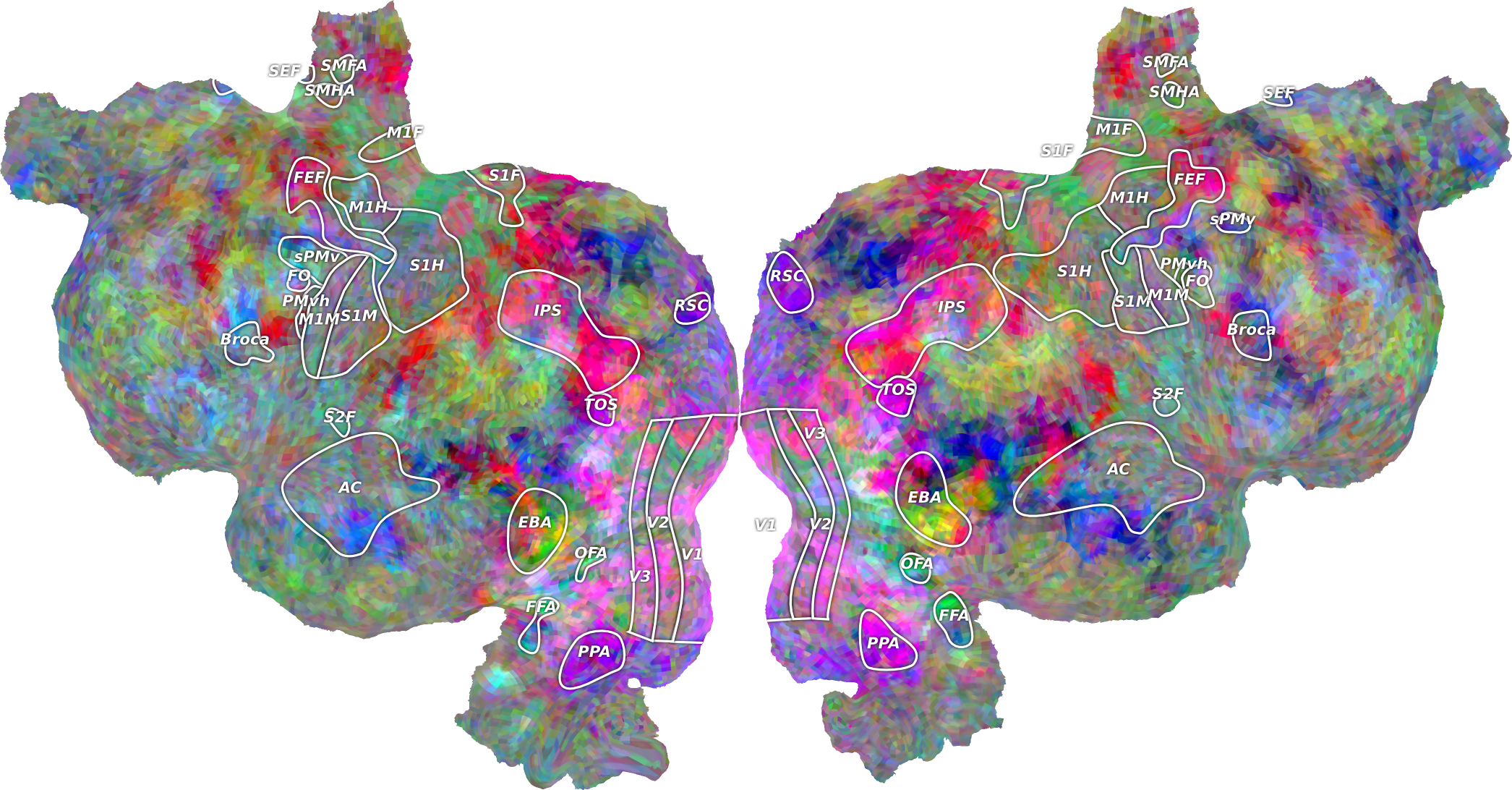
Pycortex is a software library that allows you to visualize fMRI or other volumetric neuroimaging data on cortical surfaces.
Installation
------------
> [!NOTE]
> Pycortex cannot be currently installed in Windows, only Linux and macOS are supported.
To install the stable release version of pycortex, do the following:
```bash
# First, install some required dependencies (if not already installed)
pip install -U setuptools wheel numpy cython
# Install the latest release of pycortex from pip
pip install -U pycortex
# or, with headless rendering support:
pip install -U 'pycortex[headless]'
```
If you wish to install the development version of pycortex, you can install it directly from Github.
To do so, replace the second install line above with the following:
```bash
# Install development version of pycortex from github
pip install -U git+https://github.com/gallantlab/pycortex.git --no-build-isolation
```
Documentation
-------------
Pycortex documentation is available at [https://gallantlab.github.io/pycortex](https://gallantlab.github.io/pycortex).
You can find many examples of pycortex features in the [pycortex example gallery](https://gallantlab.github.io/pycortex/auto_examples/index.html).
To build the documentation locally:
```bash
# Install required dependencies for the documentation
pip install sphinx_gallery numpydoc
# Move into the docs folder (assuming already in pycortex directory)
cd docs
# Build a local version of the documentation site
make html
```
After you run the above, you can open `docs/_build/html/index.html` in a web browser to view the locally built documentation.
Demo
----
Pycortex is best used with [IPython]().
If you do not already have IPython, you can install it by running:
```bash
pip install ipython
```
To run the pycortex demo, using IPython, run:
```ipython
$ ipython
In [1]: import cortex
In [2]: cortex.webshow(cortex.Volume.random("S1", "fullhead"))
```
Citation
--------
If you use pycortex in published work, please cite the [pycortex paper](http://dx.doi.org/10.3389/fninf.2015.00023):
_Gao JS, Huth AG, Lescroart MD and Gallant JL (2015) Pycortex: an interactive surface visualizer for fMRI. Front. Neuroinform. 9:23. doi: 10.3389/fninf.2015.00023_