https://github.com/ganeshjadhavongithub/rest-api-using-rust
A simple REST API application, implemented in rust programming language. The four API's (GET, POST, PUT, DELETE) are implemented. MongoDB is used as database.
https://github.com/ganeshjadhavongithub/rest-api-using-rust
rest-api rest-api-using-rust restapi restful-api rust rust-lang rust-lang-rest-mongodb rust-mongodb rust-mongodb-rest-warp rust-rest rust-rest-mongo rust-rest-mongo-warp rust-rest-mongodb rust-rest-mongodb-warp rust-rest-warp rust-restapi rust-restapi-mongodb
Last synced: 6 months ago
JSON representation
A simple REST API application, implemented in rust programming language. The four API's (GET, POST, PUT, DELETE) are implemented. MongoDB is used as database.
- Host: GitHub
- URL: https://github.com/ganeshjadhavongithub/rest-api-using-rust
- Owner: GaneshJadhavOnGitHub
- License: apache-2.0
- Created: 2023-03-23T01:30:13.000Z (over 3 years ago)
- Default Branch: main
- Last Pushed: 2025-08-20T13:59:34.000Z (11 months ago)
- Last Synced: 2025-08-20T15:41:13.651Z (11 months ago)
- Topics: rest-api, rest-api-using-rust, restapi, restful-api, rust, rust-lang, rust-lang-rest-mongodb, rust-mongodb, rust-mongodb-rest-warp, rust-rest, rust-rest-mongo, rust-rest-mongo-warp, rust-rest-mongodb, rust-rest-mongodb-warp, rust-rest-warp, rust-restapi, rust-restapi-mongodb
- Language: Rust
- Homepage: https://github.com/GaneshJadhavOnGitHub/REST-API-using-Rust
- Size: 1.36 MB
- Stars: 0
- Watchers: 1
- Forks: 0
- Open Issues: 0
-
Metadata Files:
- Readme: README.md
- License: LICENSE
Awesome Lists containing this project
README
# REST-API-using-Rust
A simple REST API application, implemented in rust programming language. The four API's (GET, POST, PUT, DELETE) are implemented. MongoDB is used as database.
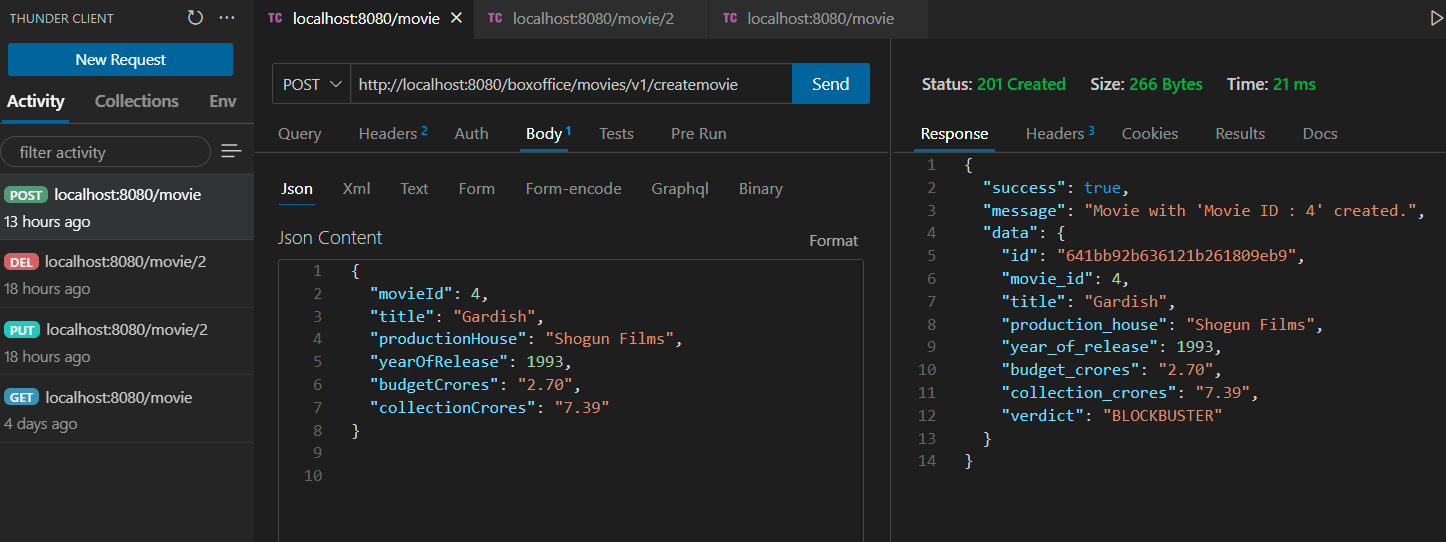
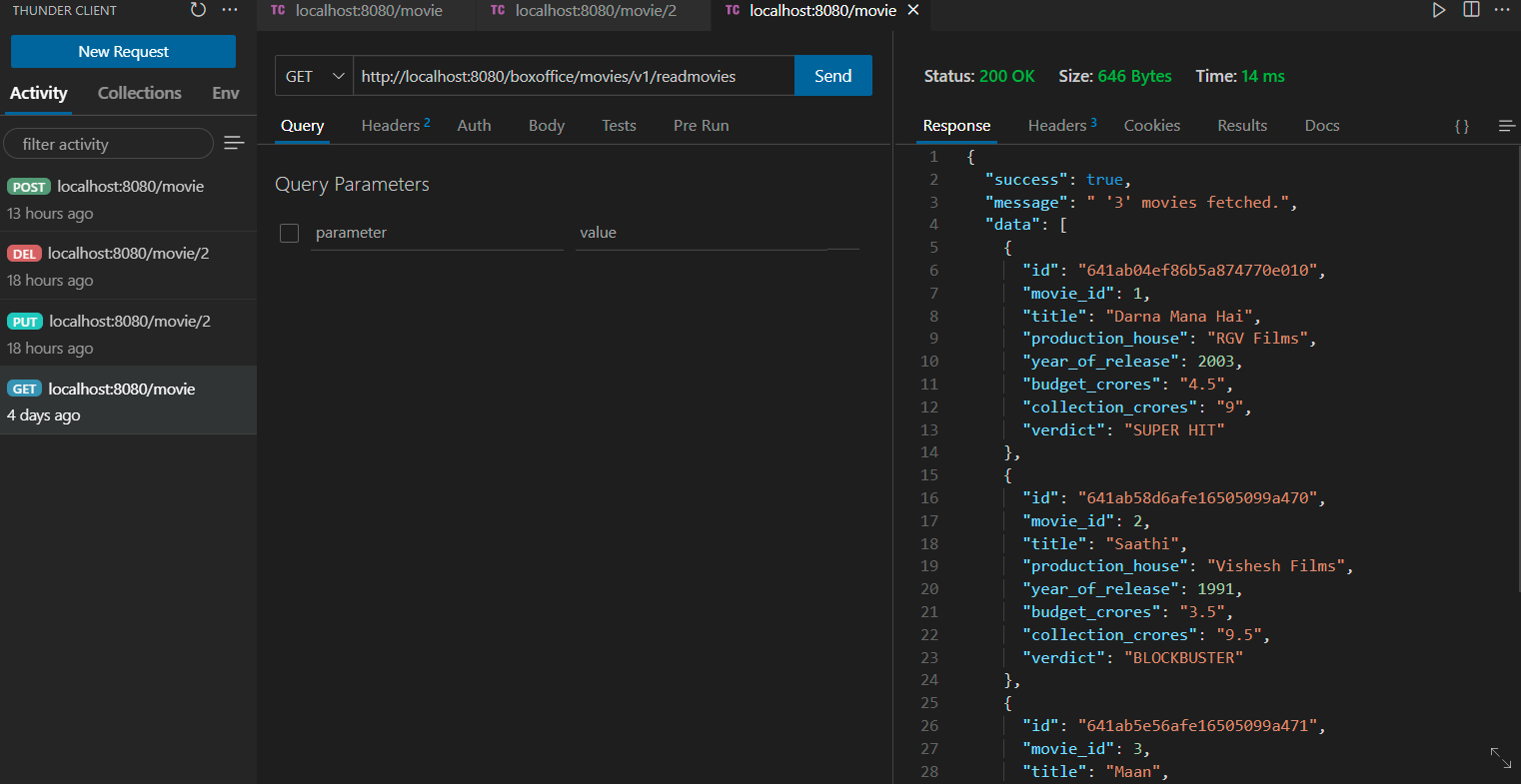
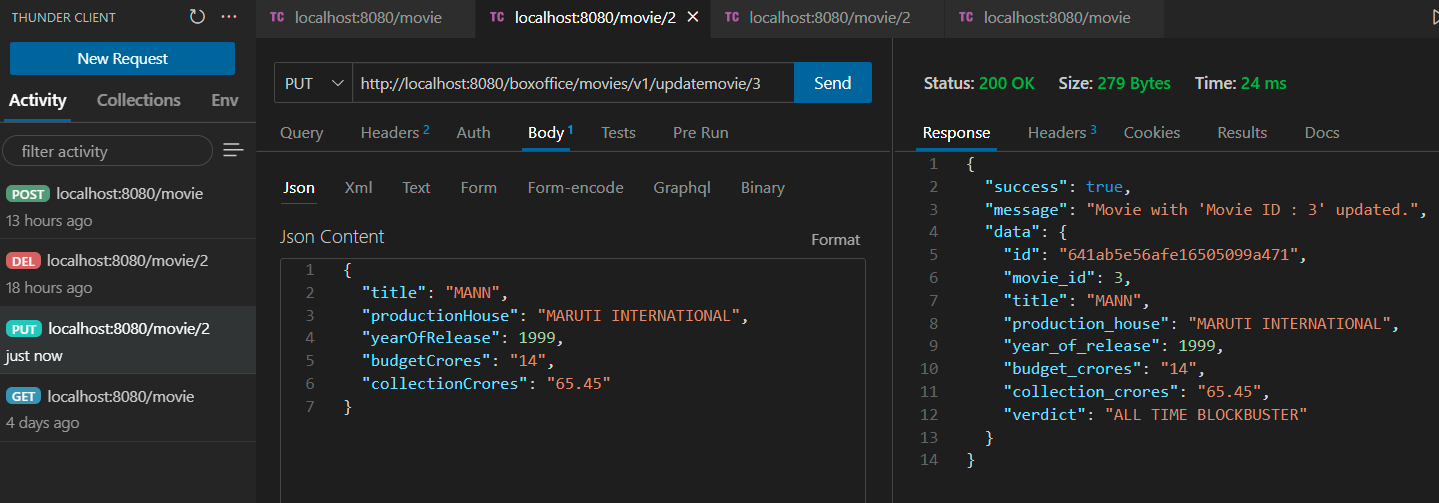
Application takes information for a movie and calculates Verdict of that Movie.
Features :-
1. Input and Business Validations are done.
2. Error Handling is done.
3. Rolling JSON logs are provided.
⚠️ Important Note on CORS (Cross-Origin Resource Sharing)
CORS (Cross-Origin Resource Sharing) is an HTTP protocol mechanism that allows servers to specify which origins
(domains, schemes, or ports) are permitted to access resources on the server.
It is primarily used to enable secure cross-origin requests,
such as when a web application on one domain requests resources hosted on another domain.
This REST API currently **does not have CORS** (Cross-Origin Resource Sharing) functionality implemented.
Please refer HELP folder for any kind of help.
------
To run application.
Refer HELP\Application_Requirements.txt for system requirements.
Clone the repository.
Download MongoDB community server zip package for windows.
Extract ZIP.
Create a folder to store database.
We will call this folder as 'db'
Go to bin folder of MongoDB.
bin folder is located at the location where we have extracted MongoDB community server zip package.
Execute following command inside bin folder from command prompt.
mongod --dbpath=""
Above steps will start MongoDB Server.
Use MongoDB Compass to import data.
Download and extract MongoDBCompass and run MongoDBCompass.exe
Enter connection string for database server running locally.
mongodb://localhost
Create Database and Collection and then Import Data using MongoDBCompass.
Refer Help\DatabaseHelp folder for Database Schema and Collection.
In VS Code Open Thunder Client, select Collections.
Click Menu at the right side and select Import.
Import JSON requests collection.
This collection is present in file 'thunder-collection_MoviesJSON.json'.
Build and Run
cargo build
cargo run
Send requests from Thunder Client.
-------------------------
OUTPUT :-
1. POST
2. GET
3. PUT
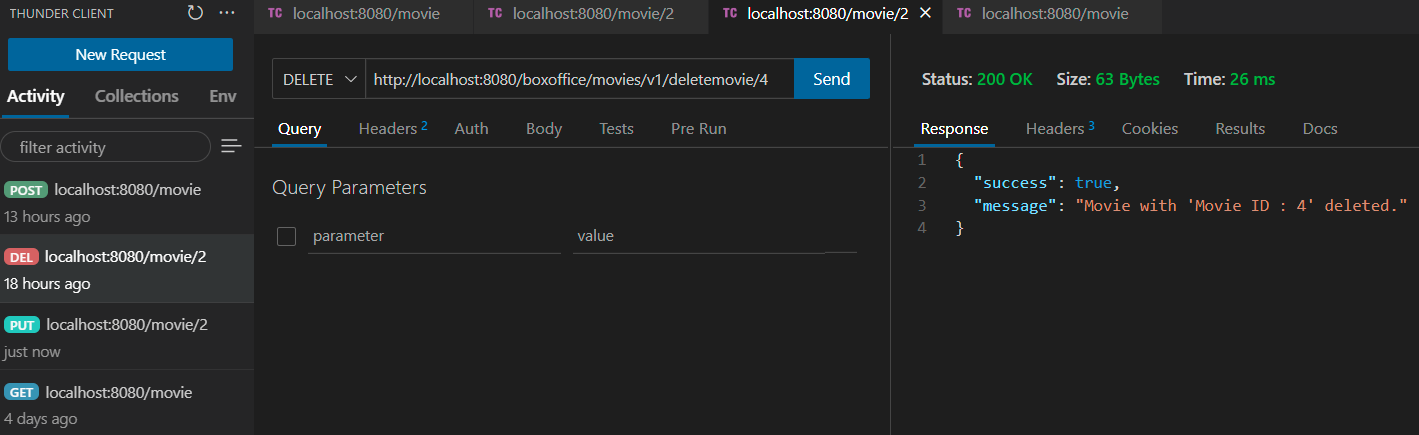
4. DELETE
__Repository Tree Structure__
```
├── LICENSE
├── README.md
└── rust_mongodb_warp
├── .future-incompat-report.json
├── .rustc_info.json
├── CACHEDIR.TAG
├── Cargo.lock
├── Cargo.toml
├── HELP
├── Application_Requirements.txt
├── DatabaseHelp
│ ├── BoxOffice_Schema.json
│ ├── Database_Information.txt
│ └── Movies.json
└── thunder-collection_MoviesJSON.json
├── Output
├── DELETE.png
├── GET.png
├── POST.png
└── PUT.png
├── boxoffice_json_log_configuration.yaml
└── src
├── business_layer.rs
├── constants.rs
├── db_layer.rs
├── error.rs
├── handler.rs
├── main.rs
├── model.rs
├── request_response_structs.rs
├── response.rs
└── routes.rs
```
-----------