https://github.com/gatlenculp/desktop-goose-payload
This is a work-in-progress Ducky Script to install and launch Desktop Goose onto the laptops of unsuspecting colleagues to teach them the dangers of leaving their laptops exposed in their absence >=]
https://github.com/gatlenculp/desktop-goose-payload
Last synced: 8 months ago
JSON representation
This is a work-in-progress Ducky Script to install and launch Desktop Goose onto the laptops of unsuspecting colleagues to teach them the dangers of leaving their laptops exposed in their absence >=]
- Host: GitHub
- URL: https://github.com/gatlenculp/desktop-goose-payload
- Owner: GatlenCulp
- License: mit
- Created: 2025-01-30T00:55:26.000Z (over 1 year ago)
- Default Branch: main
- Last Pushed: 2025-01-30T04:14:00.000Z (over 1 year ago)
- Last Synced: 2025-01-30T04:25:19.705Z (over 1 year ago)
- Language: C#
- Homepage: https://samperson.itch.io/desktop-goose
- Size: 34.6 MB
- Stars: 1
- Watchers: 1
- Forks: 0
- Open Issues: 0
-
Metadata Files:
- Readme: README.md
- Contributing: docs/CONTRIBUTING.md
- License: LICENSE
- Code of conduct: docs/CODE_OF_CONDUCT.md
- Codeowners: .github/CODEOWNERS
- Security: docs/SECURITY.md
Awesome Lists containing this project
README
# 🪿 Desktop Goose Payload 🪿

A mischievous Ducky Script that installs [Desktop Goose](https://samperson.itch.io/desktop-goose) onto unsuspecting colleagues' laptops, teaching them valuable lessons about computer security... one honk at a time >=\]
Currently for MacOS only.
> ⚠️ **Note**: This project is for educational and entertainment purposes only. Please use responsibly!
[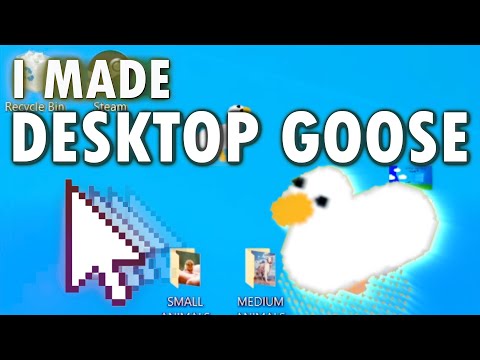](https://www.youtube.com/watch?v=EQx6fyrZDWM)
## 🛠️ Requirements
- A Rubber Ducky or similar keyboard-emulating device (like FlipperZero)
- Internet access
- Target machine must:
- Run MacOS
- Have Spotlight or some other search function enabled with CMD + Space
- Be unlocked (obviously!)
## 🚀 How It Works
1. The Ducky Script (`./ducky-scripts/mac-desktop-goose.txt`) emulates keyboard inputs to:
- Launch the terminal via Spotlight
- Download and execute our payload script from this repo
1. The payload script (`payload.sh`):
- Downloads Desktop Goose from `./data/desk-goose-mac.zip` to a new temporary directory.
- Unzips and launches the goose
- Chaos ensues! 🦢
## KILL HIM
Fine, do what you must
```bash
killall "Desktop Goose"
```
## 📱 FlipperZero Installation
### Method 1: qFlipper
1. Download and install [qFlipper](https://flipperzero.one/update) (or use [Flipper Lab](https://lab.flipper.net/archive))
1. Navigate to `SD Card/badusb` in qFlipper
1. Copy `./ducky-scripts/mac-desktop-goose.txt` to this location
## 🤝 Contributing
### Testing
Tests are written using the Bash Automated Testing System (BATS) and can be found in `./tests/test_payload.bats`. They don't currently work lol, will fix later. 🪿
### Auto-transfer Development
Working on automating the ducky script transfer process using the Flipper CLI or ufbt.
### Goose Customization
To add your own customizations, fork this repo (needed since the ducky script pulls from this repo). And change the references in `./payload.sh` and `./ducky-scripts/mac-desktop-goose.txt` to point to your repo.
Unzip the `./data/desk-goose-*.zip` files, make edits to the directories, then rezip.
**MacOS**
- More memes? Want to show your friends some funny hahas? Add them in `./data/desk-goose-*/Resources/Memes`
- More messages? Taunts perhaps? Add them in `./data/desk-goose-*/Resources/Notes`
- Other config? Edit them in `./data/desk-goose-*/Resources/...` I don't actually know...
**Windows**
[text](data/desk-goose-win/DesktopGoose%20v0.31/config.ini)
**Other Resources**
https://lim10dev.github.io/goose-customizer/
https://desktopgooseunofficial.github.io/ResourceHub/