https://github.com/gdagil/vmprober
Network connectivity and service availability prober with WAL-backed metrics export to VictoriaMetrics
https://github.com/gdagil/vmprober
devops dns-probe golang grpc-probe health-check http-probe icmp infrastructure metrics monitoring network-monitoring observability probing prometheus sre tcp-probes victoriametrics
Last synced: 6 months ago
JSON representation
Network connectivity and service availability prober with WAL-backed metrics export to VictoriaMetrics
- Host: GitHub
- URL: https://github.com/gdagil/vmprober
- Owner: gdagil
- License: mit
- Created: 2025-12-23T13:20:26.000Z (7 months ago)
- Default Branch: main
- Last Pushed: 2025-12-30T14:20:24.000Z (7 months ago)
- Last Synced: 2026-01-01T13:22:34.948Z (7 months ago)
- Topics: devops, dns-probe, golang, grpc-probe, health-check, http-probe, icmp, infrastructure, metrics, monitoring, network-monitoring, observability, probing, prometheus, sre, tcp-probes, victoriametrics
- Language: Go
- Homepage: https://gdagil.github.io/vmprober/
- Size: 522 KB
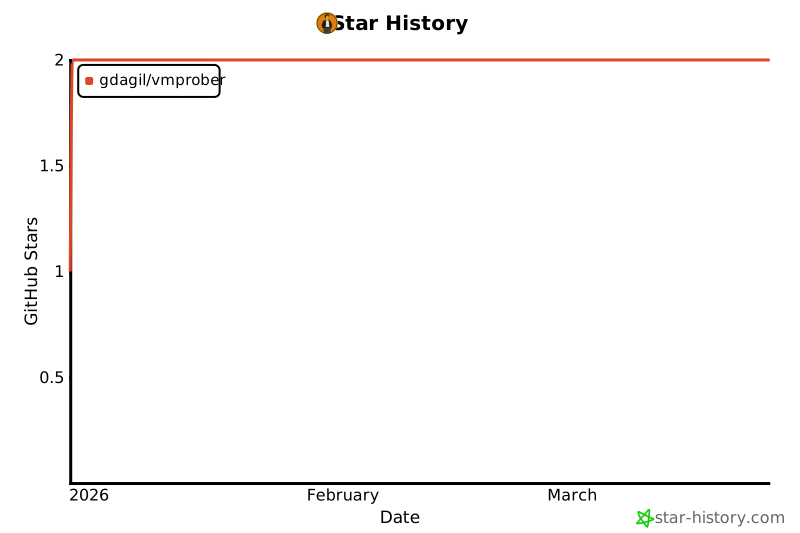
- Stars: 2
- Watchers: 0
- Forks: 0
- Open Issues: 0
-
Metadata Files:
- Readme: README.md
- Contributing: CONTRIBUTING.md
- License: LICENSE
Awesome Lists containing this project
README

High-performance network probe monitoring for Prometheus & VictoriaMetrics


Features •
Quick Start •
Configuration •
API •
Metrics •
Contributing
---
## Overview
**VMProber** is a standalone Go application designed for comprehensive network and service monitoring. It supports TCP, UDP, ICMP, HTTP/HTTPS, DNS, and gRPC probes for testing connectivity, availability, and health of your infrastructure. VMProber works with both pull (Prometheus scrape) and push (VictoriaMetrics remote write) models for exporting metrics, making it flexible for various monitoring architectures.

## Features
| Feature | Description |
|---------|-------------|
| 🔌 **Multi-Protocol Probes** | TCP, UDP, ICMP, HTTP/HTTPS, DNS, and gRPC probe support for comprehensive connectivity and service testing |
| 📊 **Dual Export Modes** | Pull mode (Prometheus `/metrics`) and Push mode (VictoriaMetrics) |
| 📝 **Write-Ahead Log (WAL)** | Fault-tolerant metric buffering for reliable delivery |
| ⚡ **High Performance** | Efficient scheduler with rate limiting and concurrent probe execution |
| 🔄 **Hot Reload** | Configuration changes without service restart |
| 🏥 **Health Checks** | Built-in `/health` and `/ready` endpoints for orchestration |
| 🎨 **Web Dashboard** | Modern, responsive UI for real-time monitoring |
| 📈 **Rich Metrics** | Detailed probe metrics with histograms, counters, and gauges |
## Quick Start
### Prerequisites
- Go 1.24 or higher
- Docker (optional, for containerized deployment)
### Build from Source
```bash
# Clone the repository
git clone https://github.com/gdagil/vmprober.git
cd vmprober
# Install dependencies
make deps
# Build the binary
make build
```
### Run
```bash
# Run with example configuration
./bin/vmprober --config=config/vmprober/config.yaml.example
```
### Docker
```bash
# Build Docker image
make docker-build
# Run with Docker Compose (includes VictoriaMetrics + Grafana)
docker-compose up -d
```
### Using Pre-built Binaries
Download the latest release for your platform from [Releases](https://github.com/gdagil/vmprober/releases):
- `vmprober-linux-amd64` - Linux (x86_64)
- `vmprober-darwin` - macOS (ARM64/x86_64)
## Project Structure
```
vmprober/
├── cmd/vmprober/ # Application entry point
├── internal/
│ ├── adapter/ # VictoriaMetrics push adapter
│ ├── config/ # Configuration management
│ ├── metrics/ # Prometheus metrics collector
│ ├── normalizer/ # Result normalization & enrichment
│ ├── observability/ # Logging, tracing, profiling
│ ├── probe/ # Probe implementations (TCP, UDP, ICMP, HTTP, DNS, gRPC)
│ ├── scheduler/ # Task scheduler with priorities
│ ├── server/ # HTTP server & web dashboard
│ ├── shutdown/ # Graceful shutdown manager
│ ├── types/ # Common types
│ └── wal/ # Write-Ahead Log system
├── pkg/interfaces/ # Public interfaces
├── config/ # Configuration examples
└── docs/ # Documentation & assets (GitHub Pages)
```
## Configuration
VMProber uses YAML configuration. Copy and modify the example:
```bash
cp config/vmprober/config.yaml.example config.yaml
```
### Key Configuration Sections
```yaml
# HTTP Server
listen:
address: ":8429"
# Pull mode (Prometheus scrape)
pull:
enabled: true
# Push mode (VictoriaMetrics)
push:
enabled: true
endpoint: "http://vminsert:8480/insert/0/prometheus/api/v1/import"
interval: 30s
batch_size: 1000
# Scheduler settings
scheduler:
workers: 10
queue_size: 1000
# Monitoring targets
targets:
static:
# TCP probe
- host: "example.com"
port: 443
proto: tcp
interval: 30s
timeout: 5s
# HTTP/HTTPS probe
- host: "api.example.com"
port: 443
proto: https
interval: 30s
http:
method: GET
path: /health
expected_status_code: 200
# DNS probe
- host: "8.8.8.8"
port: 53
proto: dns
dns:
query_name: "google.com"
query_type: A
# gRPC probe
- host: "grpc.example.com"
port: 50051
proto: grpc
grpc:
service: "my.Service"
expected_status: SERVING
# Default probe settings
probes:
tcp:
connect_timeout: 5s
http:
method: GET
expected_status_code: 200
dns:
query_type: A
protocol: udp
grpc:
expected_status: SERVING
# Metrics configuration
metrics:
namespace: "vmprober"
subsystem: "probe"
```
See [Configuration Guide](docs/getting-started/configuration.md) for detailed documentation.
## API Endpoints
| Endpoint | Method | Description |
|----------|--------|-------------|
| `/` | GET | Web dashboard |
| `/metrics` | GET | Prometheus metrics |
| `/health` | GET | Health check (liveness) |
| `/ready` | GET | Readiness check |
| `/api/v1/stats` | GET | Probe statistics JSON |
| `/api/v1/config` | GET | Current configuration |
| `/debug/pprof/` | GET | Go profiling endpoints |
### Example Requests
```bash
# Get Prometheus metrics
curl http://localhost:8429/metrics
# Health check
curl http://localhost:8429/health
# Get probe statistics
curl http://localhost:8429/api/v1/stats
```
## Metrics
VMProber exports comprehensive metrics with the `vmprober_` prefix:
### Probe Metrics
| Metric | Type | Description |
|--------|------|-------------|
| `vmprober_probe_success_total` | Counter | Total successful probes |
| `vmprober_probe_failure_total` | Counter | Total failed probes |
| `vmprober_probe_attempts_total` | Counter | Total probe attempts |
| `vmprober_probe_rtt_seconds` | Histogram | Round-trip time distribution |
| `vmprober_probe_up` | Gauge | Current probe status (1=up, 0=down) |
### Scheduler Metrics
| Metric | Type | Description |
|--------|------|-------------|
| `vmprober_scheduler_jobs_total` | Gauge | Total scheduled jobs |
| `vmprober_scheduler_jobs_running` | Gauge | Currently running jobs |
| `vmprober_scheduler_jobs_failed` | Counter | Failed job executions |
### WAL Metrics
| Metric | Type | Description |
|--------|------|-------------|
| `vmprober_wal_segments_total` | Gauge | WAL segment count |
| `vmprober_wal_bytes_written` | Counter | Bytes written to WAL |
| `vmprober_wal_bytes_sent` | Counter | Bytes sent from WAL |
## Deployment
### Docker Compose (Recommended)
The included `docker-compose.yml` provides a complete monitoring stack:
- **VMProber** - Probe monitoring service
- **VictoriaMetrics** - Time-series database (vmstorage, vminsert, vmselect)
- **Grafana** - Visualization with pre-configured dashboards
```bash
# Start the full stack
docker-compose up -d
# View logs
docker-compose logs -f vmprober
# Stop
docker-compose down
```
### Kubernetes
See [Kubernetes Deployment Guide](docs/operations/deployment.md) for Helm charts and manifests.
### Systemd
```bash
# Copy binary
sudo cp bin/vmprober /usr/local/bin/
# Create systemd service
sudo tee /etc/systemd/system/vmprober.service << EOF
[Unit]
Description=VMProber Network Monitor
After=network.target
[Service]
Type=simple
ExecStart=/usr/local/bin/vmprober --config=/etc/vmprober/config.yaml
Restart=always
RestartSec=5
[Install]
WantedBy=multi-user.target
EOF
# Enable and start
sudo systemctl enable vmprober
sudo systemctl start vmprober
```
## Development
### Requirements
- Go 1.24+
- Make
- Docker & Docker Compose (for integration tests)
### Commands
```bash
# Install dependencies
make deps
# Run tests
make test
# Run tests with coverage
make test-coverage
# Format code
make fmt
# Run linter
make lint
# Build all platforms
make build-all
# Run E2E tests
make e2e-test
```
### Running Locally
```bash
# Start VictoriaMetrics stack
docker-compose up -d vmstorage vminsert vmselect grafana
# Run VMProber locally
go run ./cmd/vmprober --config=config/vmprober/config.yaml.example
```
## Architecture
```mermaid
flowchart TB
subgraph VMProber["VMProber"]
subgraph Probes["Probe Layer"]
TCP["TCP Probe"]
UDP["UDP Probe"]
ICMP["ICMP Probe"]
HTTP["HTTP Probe"]
DNS["DNS Probe"]
gRPC["gRPC Probe"]
end
Scheduler["Scheduler"]
Probes --> Scheduler
Scheduler --> Normalizer["Normalizer + Enricher"]
Scheduler --> Metrics["Metrics Collector"]
Normalizer --> WAL["WAL Buffer"]
Metrics --> MetricsEndpoint["/metrics endpoint"]
WAL --> VMAdapter["VM Adapter"]
end
Prometheus["Prometheus"] -.->|scrape| MetricsEndpoint
VMAdapter -->|push| VictoriaMetrics["VictoriaMetrics"]
```
## Documentation
Full documentation is available at:
- **Online**: [VMProber Documentation](https://gdagil.github.io/vmprober/)
- **Local**: See the `docs/` directory
### Documentation Sections
- [Getting Started](docs/getting-started/) - Installation, quick start, configuration
- [Architecture](docs/architecture/) - System design and principles
- [Components](docs/components/) - Detailed component documentation
- [Operations](docs/operations/) - Deployment, Docker, troubleshooting
- [Development](docs/development/) - Development setup and guidelines
- [Reference](docs/reference/) - API and metrics reference
- [Guides](docs/guides/) - Step-by-step tutorials
## Contributing
We welcome contributions! Please see [CONTRIBUTING.md](CONTRIBUTING.md) for:
- Code of Conduct
- Development workflow
- Coding standards
- Pull request process
## Star History
[](https://www.star-history.com/#gdagil/vmprober&type=date&legend=top-left)
## Acknowledgments
- [VictoriaMetrics](https://victoriametrics.com/) - High-performance time-series database
- [Prometheus](https://prometheus.io/) - Monitoring system and TSDB
- [Grafana](https://grafana.com/) - Observability platform
---

Made with ❤️ by gdagil and llms