https://github.com/gdasim/selectionbox_2d_3d
https://github.com/gdasim/selectionbox_2d_3d
Last synced: 3 months ago
JSON representation
- Host: GitHub
- URL: https://github.com/gdasim/selectionbox_2d_3d
- Owner: GDAsim
- License: mit
- Created: 2022-10-08T10:28:53.000Z (almost 4 years ago)
- Default Branch: main
- Last Pushed: 2022-10-08T10:30:27.000Z (almost 4 years ago)
- Last Synced: 2025-03-21T01:13:06.532Z (over 1 year ago)
- Language: C#
- Size: 27.3 KB
- Stars: 0
- Watchers: 0
- Forks: 0
- Open Issues: 0
-
Metadata Files:
- Readme: README.md
- License: LICENSE
Awesome Lists containing this project
README
# SelectionBox_2D_3D
Manages A SelectionBox UI To Select Objects Using Mesh.Bounds or Collider
- Controls a SelectionBox UI size and position
- Restricts SelectionBox UI within bounds of another UI
## Features
- Works in any Screen Resoulution
- Works in any Canvas Rendering Mode - Overlay,Camera or WorldSpace
- Able to select single objects on cursor position
## Additional-Features
- 3 Event Callback - OnSelectionBoxSelect, OnSelectionBoxRelease, OnSelectionPointSelect
- Choose to select objects using [Mesh Bounds][MB] or [Collider Bounds][CB]
- Different criteria for object selection
- Selected objects can be fully inside, outside, or intersecting the selectionbox
## Usage
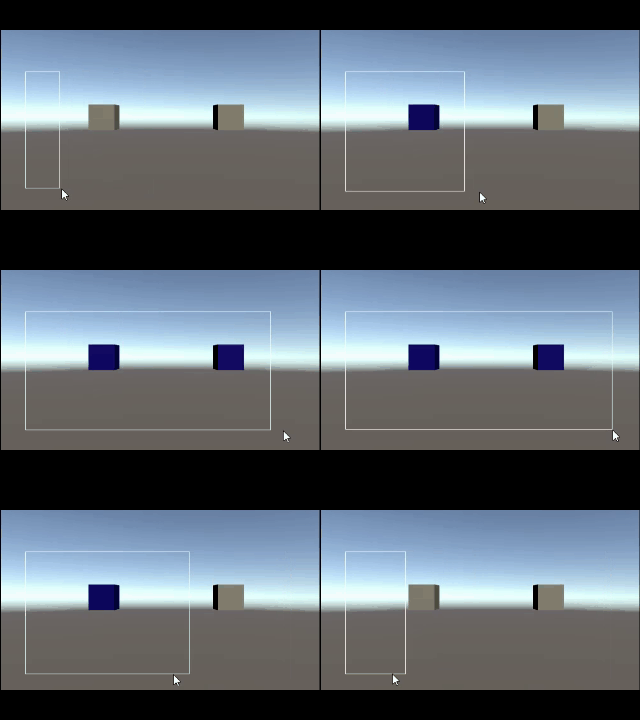
1. Click and Drag over the screen to create an area to select all objects within the area
# 
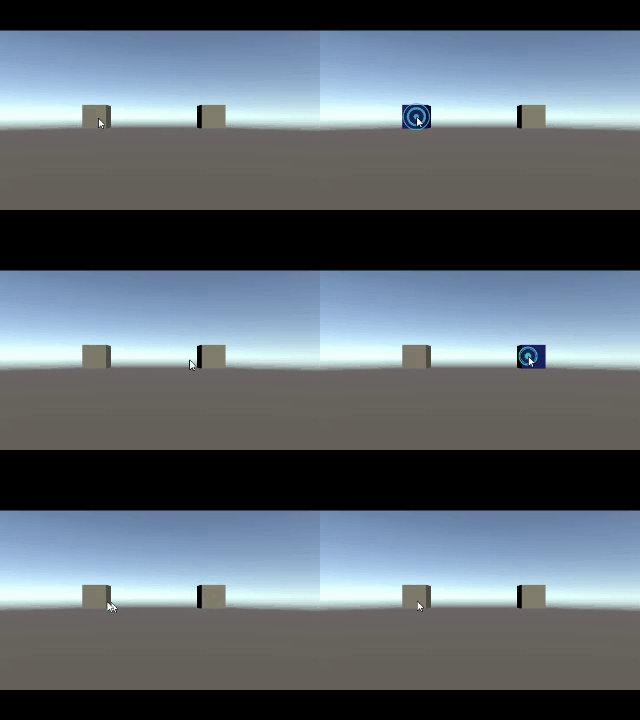
2. Click to select single objects in 3D Scene
# 
## Implementation
1. Set a list of selectable objects using SetSelectableObjects(list)
2. Assign SelectionBoxUI and SelectionBoxArea
3. Use StartSelectionBox(),UpdateSelectionBox() and ReleaseSelectionBox()
## License
[MIT][L]
[L]: https://github.com/frozonnorth/SelectionBox_2D_3D/blob/main/LICENSE
[MB]: https://docs.unity3d.com/ScriptReference/Mesh-bounds.html
[CB]: https://docs.unity3d.com/ScriptReference/Collider-bounds.html