https://github.com/geco/utorrent-console
Manage your uTorrent from console
https://github.com/geco/utorrent-console
linux-console torrent utorrent
Last synced: 4 months ago
JSON representation
Manage your uTorrent from console
- Host: GitHub
- URL: https://github.com/geco/utorrent-console
- Owner: geco
- License: mit
- Created: 2016-10-27T15:26:00.000Z (over 9 years ago)
- Default Branch: master
- Last Pushed: 2018-08-25T20:50:31.000Z (almost 8 years ago)
- Last Synced: 2025-10-03T14:40:38.665Z (10 months ago)
- Topics: linux-console, torrent, utorrent
- Language: JavaScript
- Homepage: http://geco.github.io/utorrent-console/
- Size: 367 KB
- Stars: 4
- Watchers: 2
- Forks: 2
- Open Issues: 1
-
Metadata Files:
- Readme: README.md
- License: LICENSE
Awesome Lists containing this project
README
# uTorrent Console
Finally manage your __uTorrent__ from __console__ thanks to __Node.js__.
Why? Because uTorrent is the best torrent server in the world and thanks to this package it can be managed from the Linux Console.
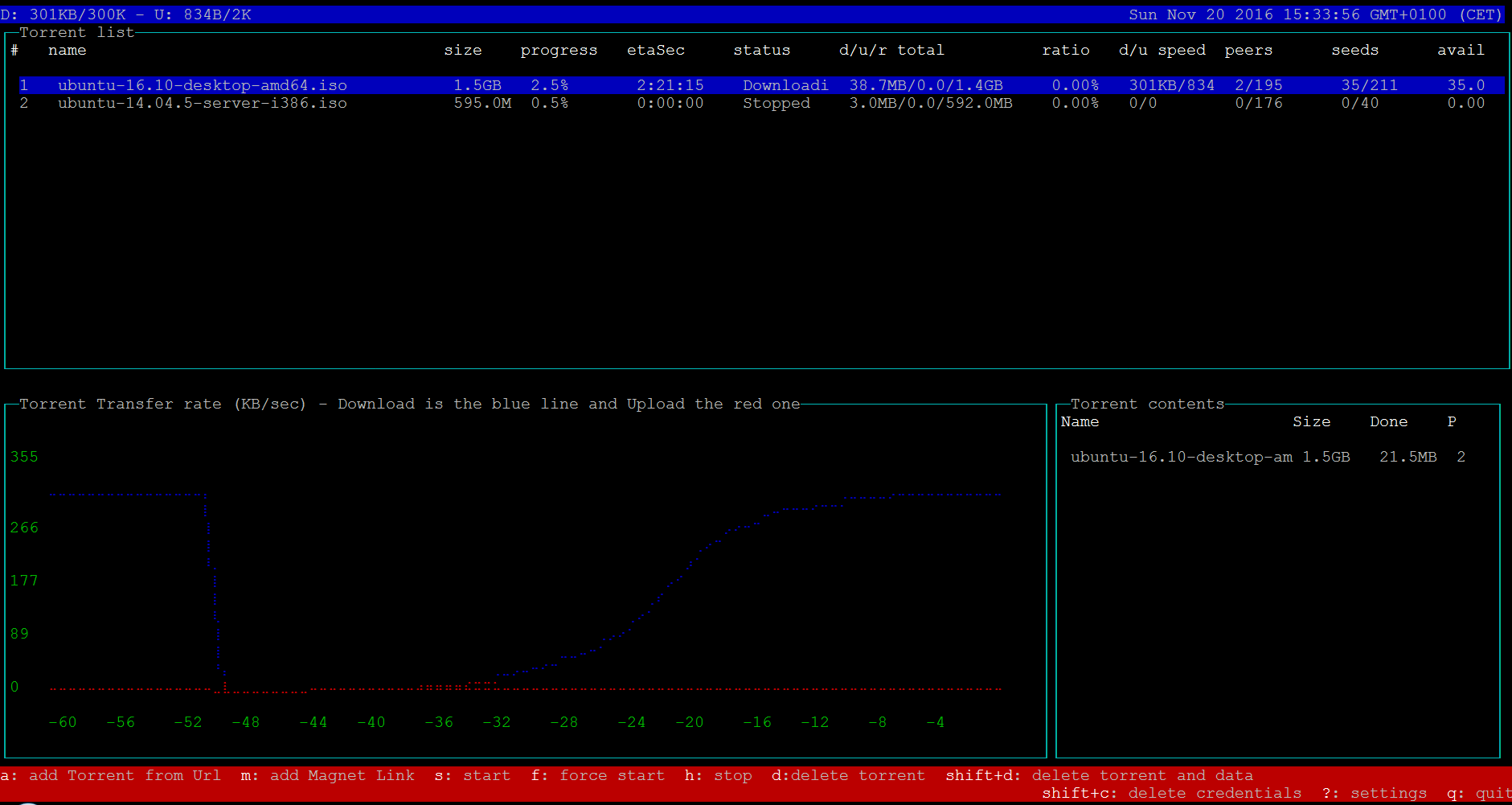
#### Features:
- Monitor torrents realtime (size, progress, speed, eta, seeds/peers, availability and so on)
- Torrent trasfer rate chart (download and upload)
- Add Torrent from URL
- Add Magnet Link
- Delete torrent (and data)
- View uTorrent settings
- Start (force) torrent
- Stop torrent
- Securely store credentials
- List torrent contents
- Total download/upload realtime speed and limits on title bar
- Edit uTorrent settings (download/upload limits, max active downloads/torrents, folders, connections per torrent/global)
- Auto-shrink too long magnet urls to avoid problems with uTorrent web api
## Installation
If you already have installed uTorrent server you can jump to step "Install utorrent-console".
- Download right package from uTorrent downloads page.
- Decompress the archive in a folder of your choice:
```sh
$ tar zxvf utserver.tar.gz
```
Launch uTorrent server in background:
```sh
$ cd your-folder
$ ./utserver &
```
- __Install utorrent-console__
- If you are using nvm (Node Version Manager):
```sh
$ npm install -g utorrent-console
```
- Otherwise:
```sh
$ sudo npm install -g utorrent-console
```
- Run utorrent-console:
```sh
$ utconsole
```
- Enjoy!
## Update (to latest version)
- If you are using nvm:
```sh
$ npm update -g utorrent-console
```
- Otherwise:
```sh
$ sudo npm update -g utorrent-console
```
### FAQ
1. Why doesn't the Linux console render __lines__ correctly on __Ubuntu__?
- You need to install the `ncurses-base` package and the `ncurses-term` package
2. Why doesn't the Linux console render __lines__ correctly through __Putty__?
- After loggin in, you need to set the environment variable TERM to "linux":
```sh
$ export TERM="linux"
```
- Otherwise, to automate it, in the Putty config options, under Connection->Data there is a setting called "Terminal-type string". You can set your TERM there to "linux" and putty instructs SSH to set that environment variable
3. How can I paste from clipboard?
- If your favorite keyboard/mouse shortcut doesn't work, try SHIFT+INS
## Contribute (developers)
```sh
$ git clone https://github.com/geco/utorrent-console.git
$ npm install
$ npm start
```
#### Example API outputs:
- Get uTorrent settings
## About
This package uses the __uTorrent Node.js Library__, based on the __uTorrent Web API__.
## License
MIT © 2016