https://github.com/gerhynes/custom-video-player
A custom HTML5 video player. Built for Wes Bos' JavaScript 30 course.
https://github.com/gerhynes/custom-video-player
custom-video-player javascript javascript30
Last synced: 3 months ago
JSON representation
A custom HTML5 video player. Built for Wes Bos' JavaScript 30 course.
- Host: GitHub
- URL: https://github.com/gerhynes/custom-video-player
- Owner: gerhynes
- Created: 2017-10-08T14:30:14.000Z (almost 9 years ago)
- Default Branch: master
- Last Pushed: 2018-01-13T22:41:00.000Z (over 8 years ago)
- Last Synced: 2025-06-04T00:15:19.123Z (about 1 year ago)
- Topics: custom-video-player, javascript, javascript30
- Language: JavaScript
- Homepage: https://gk-hynes.github.io/custom-video-player/
- Size: 5.86 KB
- Stars: 0
- Watchers: 0
- Forks: 0
- Open Issues: 0
-
Metadata Files:
- Readme: README.md
Awesome Lists containing this project
README
# [Custom HTML5 Video Player](https://gk-hynes.github.io/custom-video-player/)
A custom interface for the standard HTML5 video player. Built for Wes Bos' [JavaScript 30](https://javascript30.com/) course.
[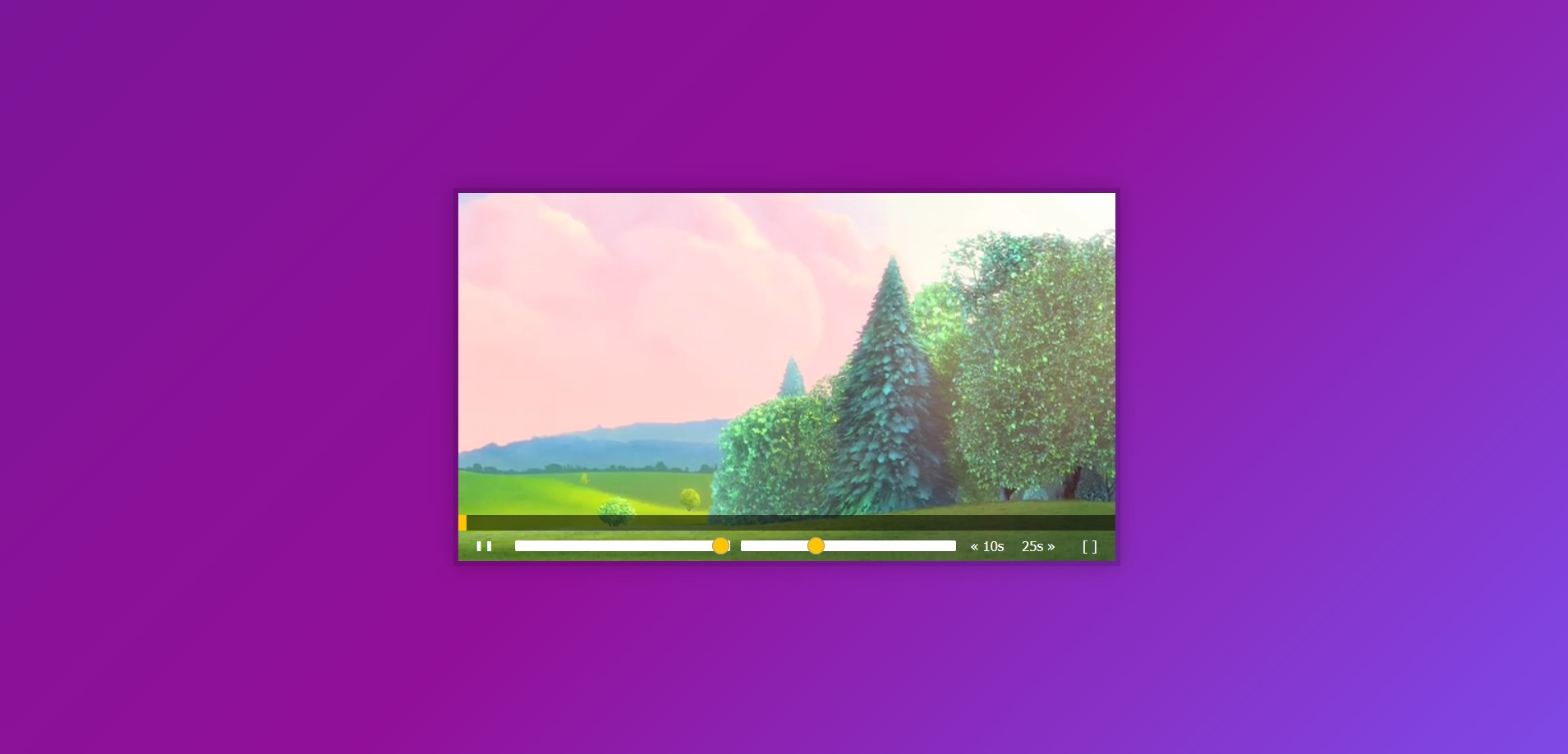](https://gk-hynes.github.io/custom-video-player/)
## Notes
The controls are built in HTML.
The JavaScript consists of three sections:
* Get the elements
* Build the functions
* Hook up the event listeners
Get the player, the video, the progress bar, the progressFilled, the skip buttons and the slider.
Create a function `togglePlay`. When it is called it uses a ternary operator to call `play()` or `pause()` on the video.
```js
function togglePlay() {
const method = video.paused ? "play" : "pause";
video[method]();
}
```
Add click event listeners to both the video and the toggle button.
Listen to the video for whenever it is paused and update the toggle button.
```js
function updateButton() {
const icon = this.paused ? "►" : "❚ ❚";
toggle.textContent = icon;
}
video.addEventListener("play", updateButton);
video.addEventListener("pause", updateButton);
```
Make a function `skip`. Listen for a click on anyhing that has a `data-skip` attribute, i.e. the skip buttons.
Take `this.dataset.skip`, use `parseFloat` to convert it from a string to a number, and then add it to `video.currentTime`.
Make a function, `handleRangeUpdate`, and listen for a change event or a mousemove event on each of the `ranges`.
Inside `handleRangeUpdate` set `video[this.name]` to be `this.value` i.e. the value being entered from the sliders.
Make a function `handleProgress`. Set the variable `percent` to `(video.currentTime / video.duration) * 100`.
Make the flex-basis of the progress bar corresponds to its percent completed.
```js
progressBar.style.flexBasis = `${percent}%`;
```
Listen for the video to emit an event `timeupdate` and when it happens run `handleProgress`.
Make a function `scrub`, listen for a click on the progress bar and when that happens run `scrub`.
Set a variable `scrubTime` equal to `e.offsetX / progress.offsetWidth * video.duration`. Then update `video.currentTime` to equal `scrubTime`.
So that `scrub` only runs when the progress bar is dragged, create a variable `mousedown` equal to `false`. When someone mouses down set it to `true` and when they mouse up set it equal to `false`.
Listen for a mousemove event on the progrss bar, check if mousedown is `true` and, if it is, run `scrub`.
```js
progress.addEventListener("mousemove", e => mousedown && scrub(e));
```
### Fullscreen mode
Thanks to Vince Aggrippino for this fullscreen [solution](https://codepen.io/VAggrippino/pen/vgZdaw).
Add a button with a class of `fullscreen`.
Make two functions, `toggleFullscreen` and `toggleFullscreenClasses`, and a variable `isFullscreen`, initially set to `false`.
In `toggleFullscreen`, if `isFullscreen` is `true` check if the `document.exitFullscreen` method is available and run it. Otherwise run the browser-specific equivalent. If `isFullscreen` is `false`, run `player.requestFullscreen` (or the browser-specific equivalent).
In `toggleFullscreenClasses`, toggle the fullscreen class on the player and set `isFullscreen` to `!isFullscreen`.
Listen for a fullscreenchange (and each browswer's implementation of it) and run `toggleFullscreenClasses`.