https://github.com/gerhynes/dev-tools
Exercises to practice Chrome developer tools. Part of Wes Bos' JavaScript 30 course.
https://github.com/gerhynes/dev-tools
chrome-devtools javascript javascript30
Last synced: over 1 year ago
JSON representation
Exercises to practice Chrome developer tools. Part of Wes Bos' JavaScript 30 course.
- Host: GitHub
- URL: https://github.com/gerhynes/dev-tools
- Owner: gerhynes
- Created: 2017-10-07T11:41:28.000Z (almost 9 years ago)
- Default Branch: master
- Last Pushed: 2018-01-08T22:06:10.000Z (over 8 years ago)
- Last Synced: 2025-01-31T11:49:41.658Z (over 1 year ago)
- Topics: chrome-devtools, javascript, javascript30
- Language: JavaScript
- Homepage:
- Size: 1.95 KB
- Stars: 3
- Watchers: 1
- Forks: 1
- Open Issues: 0
-
Metadata Files:
- Readme: README.md
Awesome Lists containing this project
README
# Chrome Dev Tools Tricks
Exercises to practise using the Chrome developer tools. Part of Wes Bos'
[JavaScript 30](https://javascript30.com/) course.
### Quick debugging
To see what JavaScript is modifying an element, inspect the element, find it in the DOM, right click, click on 'break on...' and 'attribute modifications'.
Now when you click on the element and trigger the JavaScript, a debugger command is run. It pauses exactly when the element is modified and shows the line of code that is causing the element's attribute to be modified.
## Console methods and more
These also work in Firefox's console.
### Regular
`console.log` outputs to the console.
### Interpolated
You can interpolate arguments into `console.log`
`console.log("Hello, I am a %s string", "test");`
To some extent this has been replaced by ES6 backticks.
`console.log(`Hello, I am a ${var} string`);`
### Styled
You can style text in the console with `%c`:
`console.log('%c I am some great text', 'font-size: 50px; background: red;');`
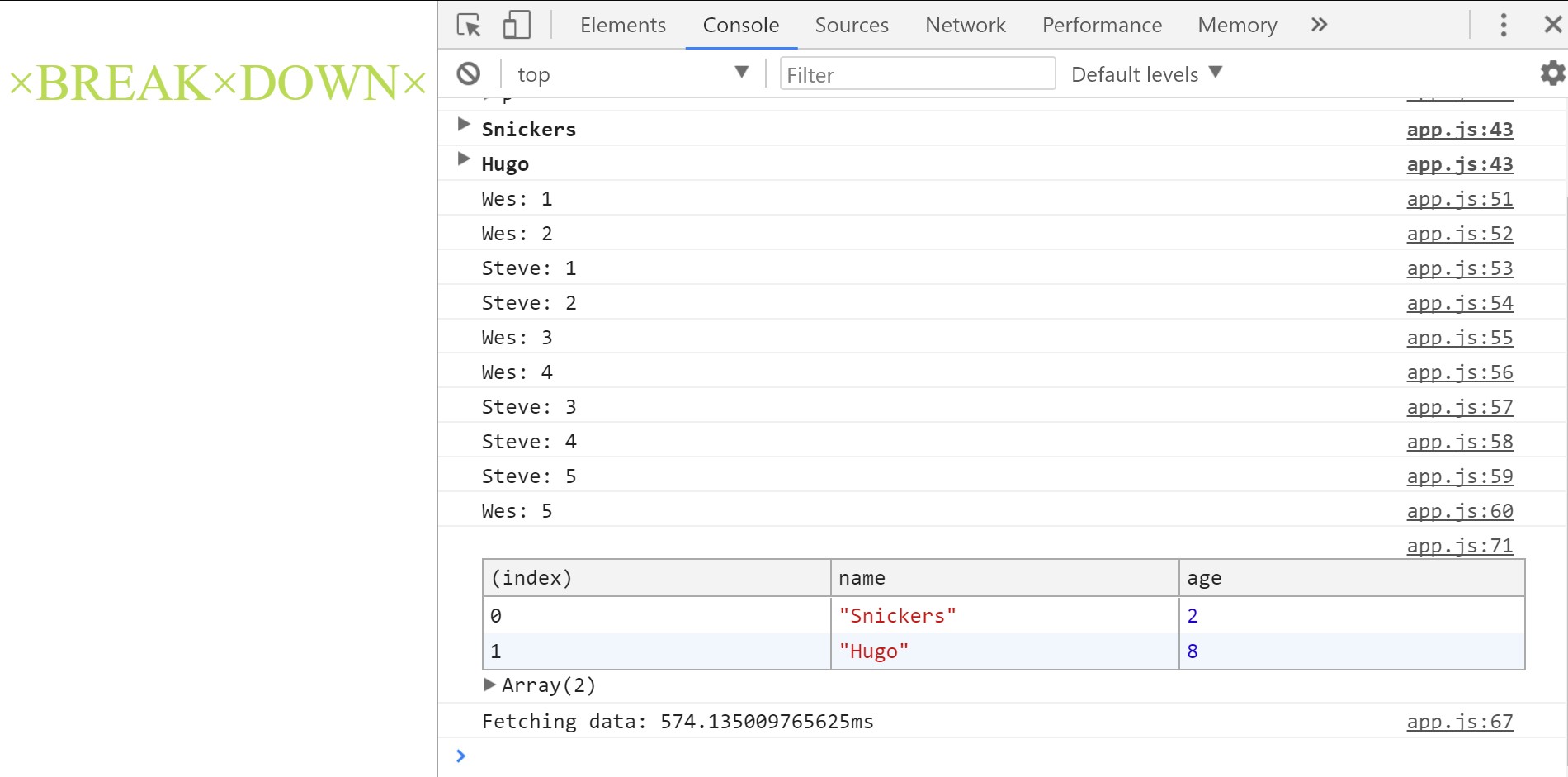
### Table
`console.table()` displays data (e.g. an array of objects) as a table.
### Warning
`console.warn()` outputs a warning message.
`console.warn("OH NOOOOO!!");`
### Error
`console.error()` outputs an error message to the console.
`console.error("Feck!");`
### Info
`console.info()` outputs an informational message to the console (marked with an "i" icon).
`console.info("Crocodiles eat 3-4 people per year");`
### Testing
`console.assert()` checks if things are true. It writes an error message to the console if the assertion is false.
```js
console.assert(1 === 2, "That is wrong");
const p = document.querySelector("p");
console.assert(p.classList.contains("ouch"), "That is wrong");
```
### Clear
`console.clear()` will clear your console.
### Viewing DOM elements
`console.dir()` gives you an interactive list of the properties and methods of the element you pass to it.
### Grouping things together
`console.group()` creates a new inline group, indenting all following output by another level.
`console.groupCollapsed()` also creates an inline group but starts with the group collapsed.
`console.groupEnd()` moves back out a level.
```js
dogs.forEach(dog => {
console.groupCollapsed(`${dog.name}`);
console.log(`This is ${dog.name}`);
console.log(`${dog.name} is ${dog.age} years old`);
console.log(`${dog.name} is ${dog.age * 7} dog years old`);
console.groupEnd(`${dog.name}`);
});
```
### Counting
`console.count()` logs the number of times you call that line with a specific label.
### Timing
`console.time()` starts a timer.
`console.timeEnd()` stops the specified timer.
```js
console.time("Fetching data");
fetch("https://api.github.com/users/wesbos")
.then(data => data.json())
.then(data => {
console.timeEnd("Fetching data");
});
```