https://github.com/gfazioli/findergit-website
Marketing site and download portal for FinderGit — the native macOS Git-aware file browser.
https://github.com/gfazioli/findergit-website
developer-tools file-browser finder git macos native sparkle swift swiftui
Last synced: about 2 months ago
JSON representation
Marketing site and download portal for FinderGit — the native macOS Git-aware file browser.
- Host: GitHub
- URL: https://github.com/gfazioli/findergit-website
- Owner: gfazioli
- License: mit
- Created: 2026-04-14T16:37:31.000Z (3 months ago)
- Default Branch: main
- Last Pushed: 2026-05-09T16:17:36.000Z (2 months ago)
- Last Synced: 2026-05-09T16:21:32.731Z (2 months ago)
- Topics: developer-tools, file-browser, finder, git, macos, native, sparkle, swift, swiftui
- Language: TypeScript
- Homepage: https://findergit.app
- Size: 8.85 MB
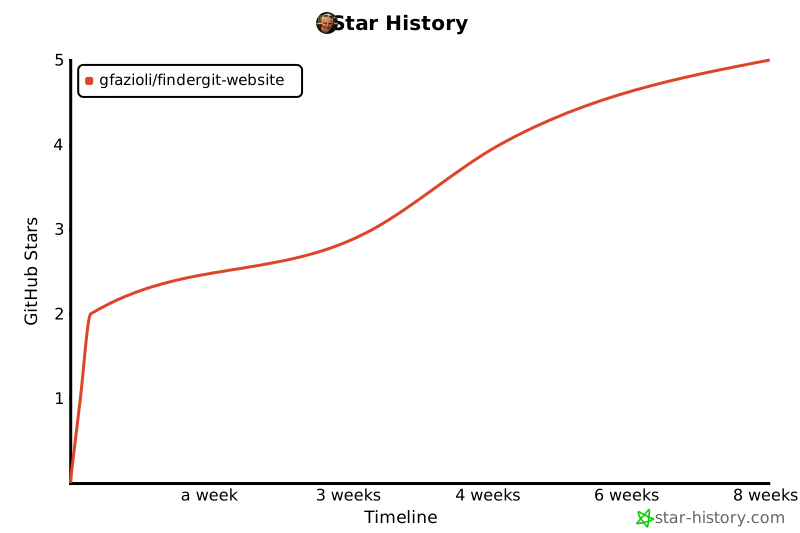
- Stars: 2
- Watchers: 0
- Forks: 0
- Open Issues: 0
-
Metadata Files:
- Readme: README.md
- Funding: .github/FUNDING.yml
Awesome Lists containing this project
README
# FinderGit
The marketing and download site for **[FinderGit](https://findergit.app)** — a native macOS app that brings Git intelligence into a Finder-style file browser.
[](https://github.com/gfazioli/findergit-website/releases/latest)
[](https://www.apple.com/macos/)
[](LICENSE)
## What is FinderGit?
FinderGit is a native macOS app that combines file browsing with Git intelligence. Instead of switching between Finder and a Git client, you get everything in one window:
- **Tree view with columns** — browse files like Finder's list view, with sortable columns for Branch, Status, Changes, Size, and Date Modified
- **Live Git status** — every repository shows its branch, clean/dirty/unpushed state, and number of changed files, updated in real time via FSEvents
- **Ahead/behind counter** — the status badge shows `↑N`, `↓N`, or `↑N ↓M` so you can spot repos that need a push, a pull, or both at a glance
- **Auto-fetch** — optional background `git fetch` at a user-chosen interval to keep the ahead/behind counter fresh
- **Diff viewer** — click any modified file to see a colored inline diff
- **Git actions** — stage, unstage, commit, push, pull, fetch, branch switch, all from the UI
- **Native Markdown preview** — press Space on any `.md` file for a rendered preview
- **Smart context menus** — adapts to whether you're on a regular file, a tracked file, or a repository
- **Multiple root folders** — add as many as you want; drop folders from the macOS Finder into the sidebar to add them as roots
- **Universal binary** — one DMG runs on Apple Silicon and Intel Macs
- **Auto-updates** — built in via Sparkle
## Download
[**→ Download the latest version**](https://github.com/gfazioli/findergit-website/releases/latest)
After downloading, open the DMG and drag FinderGit into your Applications folder. Launch it normally — the app is signed with Apple Developer ID and notarized by Apple, so Gatekeeper accepts it on first open.
## Requirements
- macOS 15 Sequoia or later
- Xcode Command Line Tools (FinderGit uses the system `git` binary). On a fresh Mac, run once:
```bash
xcode-select --install
sudo xcodebuild -license
```
## Documentation
Full documentation, screenshots and FAQ at **[findergit.app](https://findergit.app)**.
## About this repository
This repo hosts the **marketing site** and **release downloads** for FinderGit. The app source lives in a separate repository.
The site is built with [Next.js 16](https://nextjs.org/), [Mantine 9](https://mantine.dev/) and [Nextra 4](https://nextra.site/).
### Local development
```bash
yarn install
yarn dev
```
Then visit [http://localhost:3000](http://localhost:3000).
## License
MIT
---
[](https://www.star-history.com/#gfazioli/findergit-website&Timeline)