https://github.com/gfazioli/mantine-compare
Mantine Compare is a responsive, accessible React container for side‑by‑side content, letting users reveal differences with a draggable, hover, or fixed split and support for vertical, horizontal, or diagonal dividers.
https://github.com/gfazioli/mantine-compare
compare-images mantine mantine-ui nextjs reactjs reactjs-components
Last synced: 5 months ago
JSON representation
Mantine Compare is a responsive, accessible React container for side‑by‑side content, letting users reveal differences with a draggable, hover, or fixed split and support for vertical, horizontal, or diagonal dividers.
- Host: GitHub
- URL: https://github.com/gfazioli/mantine-compare
- Owner: gfazioli
- License: mit
- Created: 2025-12-13T15:47:33.000Z (7 months ago)
- Default Branch: master
- Last Pushed: 2026-01-30T16:13:01.000Z (6 months ago)
- Last Synced: 2026-01-31T09:35:55.679Z (6 months ago)
- Topics: compare-images, mantine, mantine-ui, nextjs, reactjs, reactjs-components
- Language: TypeScript
- Homepage: https://gfazioli.github.io/mantine-compare
- Size: 6 MB
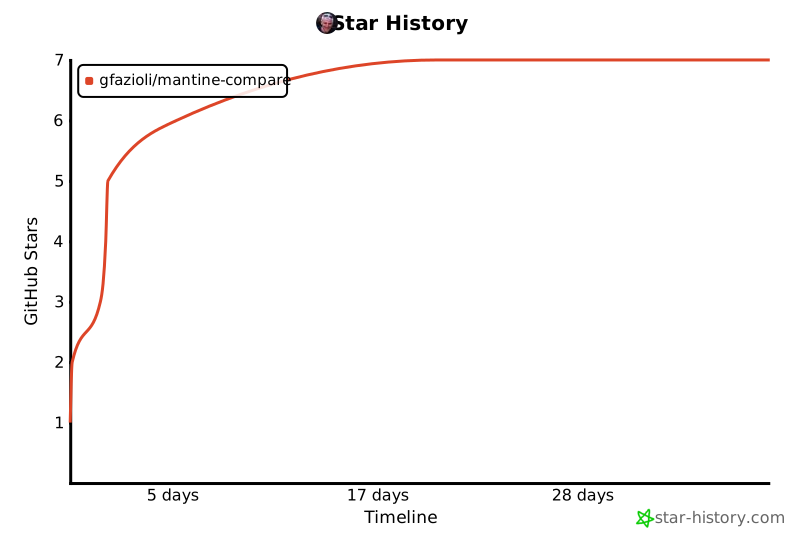
- Stars: 7
- Watchers: 1
- Forks: 0
- Open Issues: 0
-
Metadata Files:
- Readme: README.md
- Contributing: CONTRIBUTING.md
- Funding: .github/FUNDING.yml
- License: LICENSE
- Code of conduct: CODE_OF_CONDUCT.md
Awesome Lists containing this project
README
# Mantine Compare Component

[](https://www.npmjs.com/package/@gfazioli/mantine-compare)
[](https://www.npmjs.com/package/@gfazioli/mantine-compare)
[](https://www.npmjs.com/package/@gfazioli/mantine-compare)

---
[
❤️ If this component has been useful to you or your team, please consider becoming a sponsor
](https://github.com/sponsors/gfazioli?o=esc)
## Overview
This component is created on top of the [Mantine](https://mantine.dev/) library.
[Mantine Compare](https://gfazioli.github.io/mantine-compare/) provides an interactive before/after viewer for any React nodes or images, with a slider you can drag, reveal on hover, or lock to a position. Configure the divider angle (0° for left/right, 90° for top/bottom, any value for diagonal) and control the initial split via defaultPosition. Built for Mantine, it includes a Styles API for fine‑grained styling and consistent layout and accessibility.
## Installation
```sh
npm install @gfazioli/mantine-compare
```
or
```sh
yarn add @gfazioli/mantine-compare
```
After installation import package styles at the root of your application:
```tsx
import '@gfazioli/mantine-compare/styles.css';
```
## Usage
```tsx
import { Compare } from '@gfazioli/mantine-compare';
import { Image } from '@mantine/core';
function Demo() {
return (
}
rightSection={
}
/>
);
}
```
## Sponsor
[
❤️ If this component has been useful to you or your team, please consider becoming a sponsor
](https://github.com/sponsors/gfazioli?o=esc)
Your support helps me:
- Keep the project actively maintained with timely bug fixes and security updates
- Add new features, improve performance, and refine the developer experience
- Expand test coverage and documentation for smoother adoption
- Ensure long‑term sustainability without relying on ad hoc free time
- Prioritize community requests and roadmap items that matter most
Open source thrives when those who benefit can give back—even a small monthly contribution makes a real difference. Sponsorships help cover maintenance time, infrastructure, and the countless invisible tasks that keep a project healthy.
Your help truly matters.
💚 [Become a sponsor](https://github.com/sponsors/gfazioli?o=esc) today and help me keep this project reliable, up‑to‑date, and growing for everyone.
---
[](https://www.star-history.com/#gfazioli/mantine-compare&Timeline)