https://github.com/giaccone/spicepy
Circuit simulator written in python
https://github.com/giaccone/spicepy
circuit-simulator python
Last synced: 3 months ago
JSON representation
Circuit simulator written in python
- Host: GitHub
- URL: https://github.com/giaccone/spicepy
- Owner: giaccone
- License: mit
- Created: 2017-07-16T20:03:56.000Z (almost 9 years ago)
- Default Branch: master
- Last Pushed: 2023-01-09T15:14:02.000Z (over 3 years ago)
- Last Synced: 2025-12-15T14:29:05.333Z (7 months ago)
- Topics: circuit-simulator, python
- Language: Python
- Size: 495 KB
- Stars: 99
- Watchers: 8
- Forks: 23
- Open Issues: 1
-
Metadata Files:
- Readme: README.md
- License: LICENSE
Awesome Lists containing this project
README
# 1. About SpicePy
**SpicePy** is a name coming from the merge of **SPICE** (*Simulation Program with Integrated Circuit Emphasis*) and **Python**, hence, it goes without saying that it is a _Circuit simulator written in python_
**SpicePy** borns as a teaching project. It is shared with students of *basic circuit theory* with two aims:
* to allow them to check the results of exercises solved analytically
* to show them how a numerical code to solve circuit is made
This document provides information basic about features and installation procedure. For the user's guide please refer to the [Wiki section](https://github.com/giaccone/SpicePy/wiki).
## 1.1 What can I do with SpicePy?
SpicePy allows you to simulate
1. linear circuits
* operating point
* transient simulation
* alternating current simulation
2. the following components:
* resistor
* capacitor
* inductor
* independent voltage source
* independent current source
* dependent sources (`VCVS`, `VCCS`, `CCVS`, `CCCS`)
3. transient sources (`pwl`, `pulse`, `sin`, `exp`)
# 2. Installation
This project is based on Python 3 (version `>= 3.6` is constrained in the setup). I'm use to run this project on the latest version provided by [miniconda](hnttps://docs.conda.io/en/latest/miniconda.html). For the sake of completeness, Python 2 is **not** supported.
The project makes use of the following Python modules:
* `numpy`
* `scipy`
* `matplotlib`
Usually, the last version of these Python modules is the one under use.
In the following three options for the installation are described.
## 2.1 Install from Pypi
Run this command (optionally, you can activate you virtual environment first):
```
pip install spicepy
```
## 2.2 Install (manually) from GitHub
1. Clone the repository:
`git clone https://github.com/giaccone/SpicePy.git`
2. put the project in the desired location
3. add SpicePy folder to the path of your interpreter
## 2.3 Install within Google Colab
1. Open a notebook in [`google colab`](https://colab.research.google.com/)
2. install `spicepy` with
```
!pip install spicepy # please note the exclamation mark before 'pip'
```
3. now you can use `spicepy` within the notebook
# 3. Verify the installation
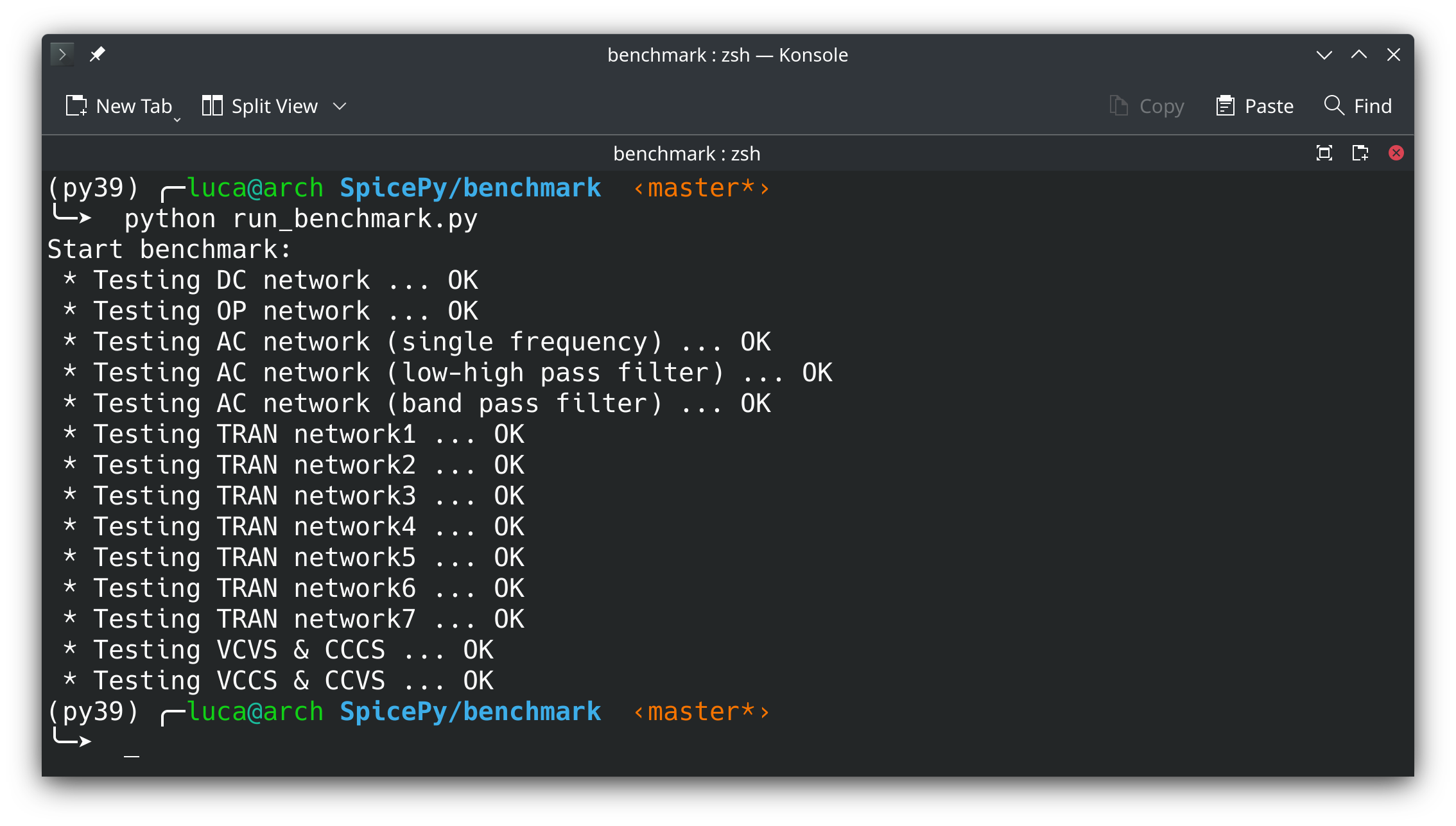
* Download the [benchmark](https://github.com/giaccone/SpicePy/tree/master/benchmark) and the [demo](https://github.com/giaccone/SpicePy/tree/master/demo) folder from the [GitHub project](https://github.com/giaccone/SpicePy),
* put the two folder at the same location,
* enter the `benchmark` folder and run the script `run_benckmark.py`.
If everything is configured correctly, you will obtain the following results:
# 4. Work in progress
Here you can read about aspects that I'm thinking to include in this project. The list does not certifies that I will integrate all it is described. It's a simple list of the topics that potentially will be developed.
* **non-linearity**: I'm planning to implement a non-linear solver based on Newthon-Rapshon method. A rough implementation already exists but it is far from be harmonized to the entire project. Since I prefer *stability* over *new features* I will include non-linearity when I will have some more (free) time that currently I do not have.
* **GUI**: a small project was developed in order to create a text editor with tools to write netlists and with SpicePy integrated. But It is not sufficiently stable.