https://github.com/github/code-scanning-javascript-demo
GitHub Code Scanning Javascript Tutorial
https://github.com/github/code-scanning-javascript-demo
Last synced: 10 months ago
JSON representation
GitHub Code Scanning Javascript Tutorial
- Host: GitHub
- URL: https://github.com/github/code-scanning-javascript-demo
- Owner: github
- License: mit
- Created: 2020-11-06T20:26:56.000Z (over 5 years ago)
- Default Branch: main
- Last Pushed: 2024-08-05T05:49:42.000Z (almost 2 years ago)
- Last Synced: 2025-01-10T20:08:09.170Z (over 1 year ago)
- Language: JavaScript
- Homepage:
- Size: 90.8 KB
- Stars: 53
- Watchers: 3
- Forks: 581
- Open Issues: 14
-
Metadata Files:
- Readme: README.md
- License: LICENSE
Awesome Lists containing this project
README
# Code Scanning JavaScript Tutorial
Welcome to the Code Scanning JavaScript Tutorial! This tutorial will take you through how to set up GitHub Advanced Security: Code Scanning as well as interpret results that it may find. The following repository contains vulnerability [CVE-2018-20835](https://github.com/advisories/GHSA-x2mc-8fgj-3wmr) (aka Zip Slip).
## Introduction
Code scanning is a feature that you use to analyze the code in a GitHub repository to find security vulnerabilities and coding errors. Any problems identified by the analysis are shown in GitHub.
You can use code scanning with CodeQL, a semantic code analysis engine. CodeQL treats code as data, allowing you to find potential vulnerabilities in your code with greater confidence than traditional static analyzers.
This tutorial with use CodeQL Analysis with Code Scanning in order to search for vulnerabilities within your code.
## Instructions
Fork this repo
Begin by [forking this repo](https://docs.github.com/en/free-pro-team@latest/github/getting-started-with-github/fork-a-repo).
Enable Code Scanning
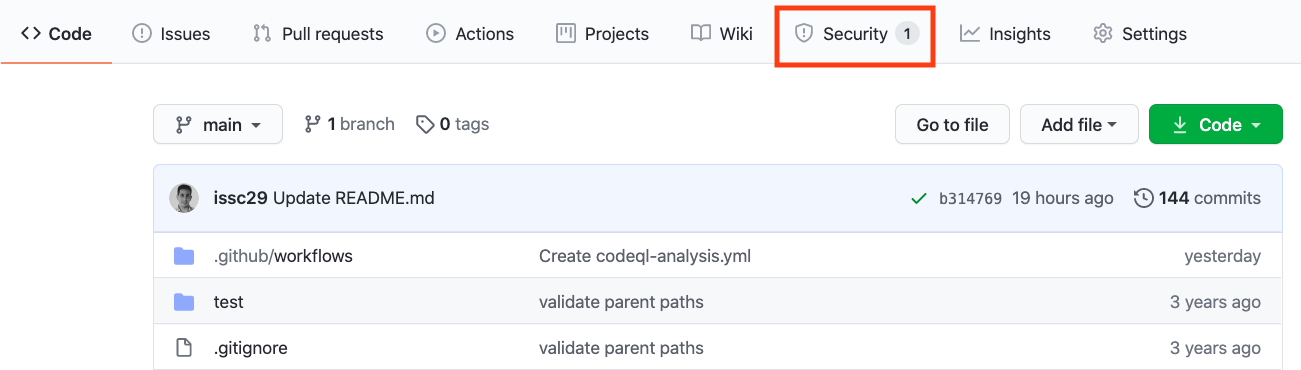
#### Security tab
Click on the `Security` tab.
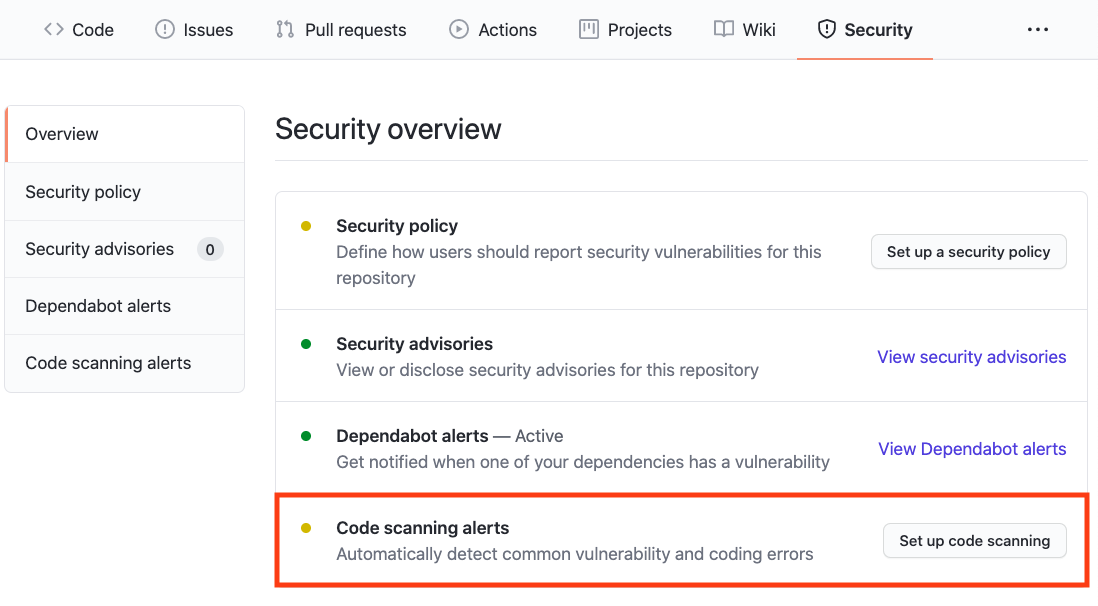
#### Set up code scanning
Click `Set up code scanning`.
#### Setup Workflow
Click the `Setup this workflow` button by CodeQL Analysis.
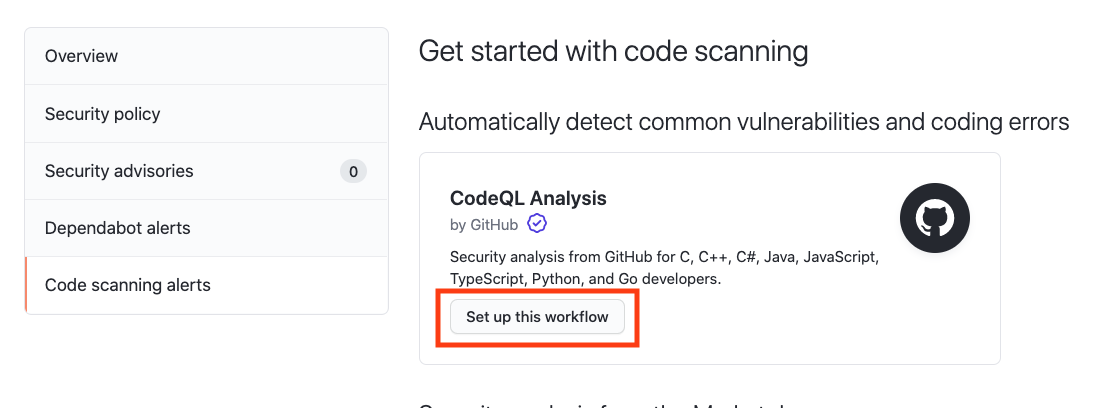
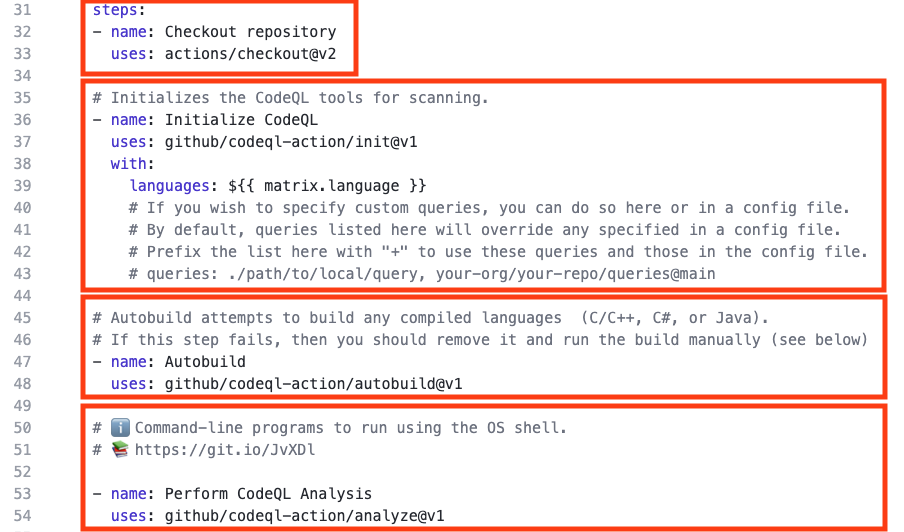
This will create a GitHub Actions Workflow file with CodeQL already set up. Since JavaScript is an interpreted language there is no need to configure any builds. See the [documentation](https://docs.github.com/en/free-pro-team@latest/github/finding-security-vulnerabilities-and-errors-in-your-code/running-codeql-code-scanning-in-your-ci-system) if you would like to configure CodeQL Analysis with a 3rd party CI system instead of using GitHub Actions.
Actions Workflow file
#### Actions Workflow
The Actions Workflow file contains a number of different sections including:
1. Checking out the repository
2. Initializing the CodeQL Action
3. Running Autobuilder (not necessary for interpreted languages)
4. Running the CodeQL Analysis
Click `Start Commit` -> `Commit this file` to commit the changes.
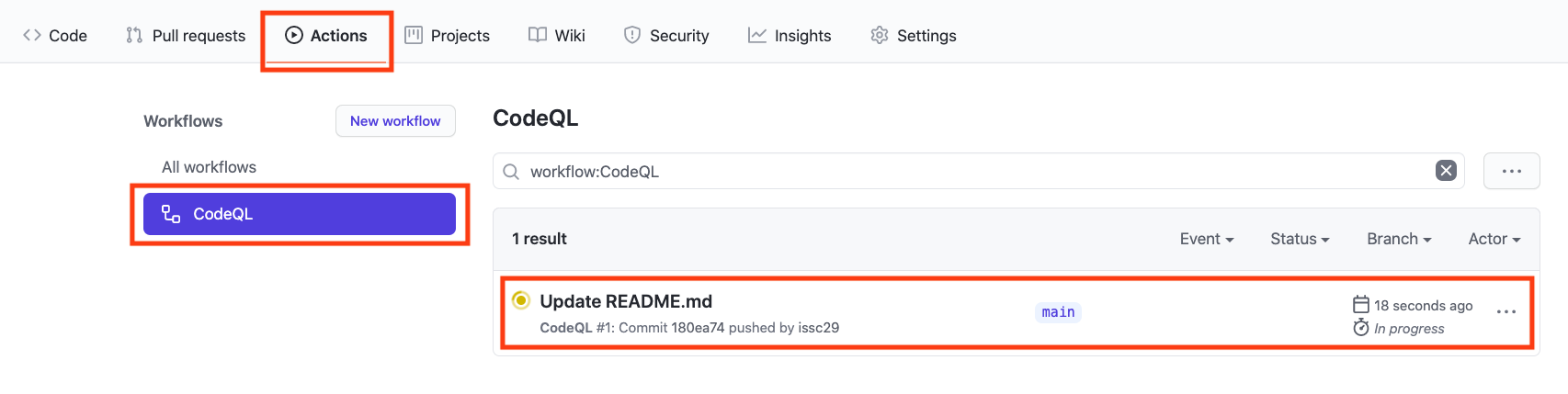
GitHub Actions Progress
#### GitHub Actions Progress
Click `Actions` tab -> `CodeQL`
Click the specific workflow run. You can view the progress of the Workflow run until the analysis completes.
Security Issues
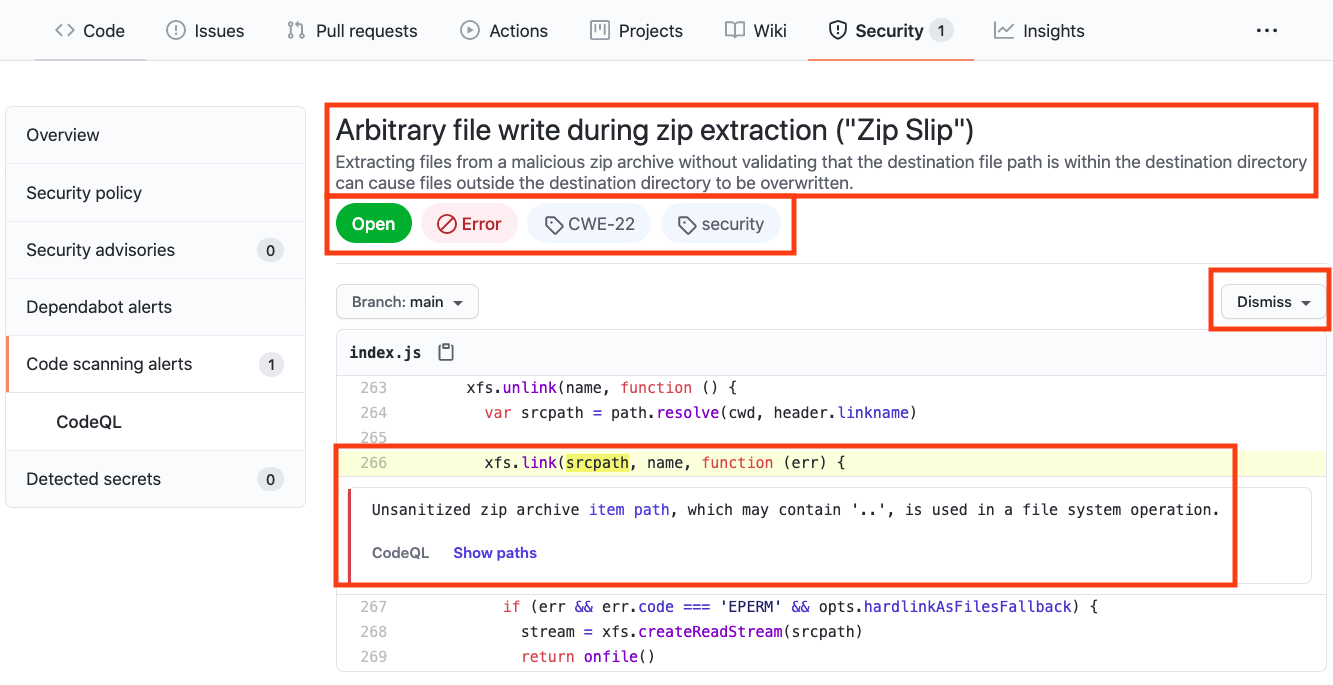
Once the Workflow has completed, click the `Security` tab -> ` Code Scanning Alerts`. An security alert "Arbitrary file write during zip extraction ("Zip Slip")
" should be visible.
#### Security Alert View
Clicking on the security alert will provide details about the security alert including:
A description of the issue
A tag to the CWE that it is connected to as well as the type of alert (Error, Warning, Note)
The line of code that triggered the security alert
The ability to dismiss the alert depending on certain conditions (false positive? won't fix? used in tests?)
#### Security Alert Description
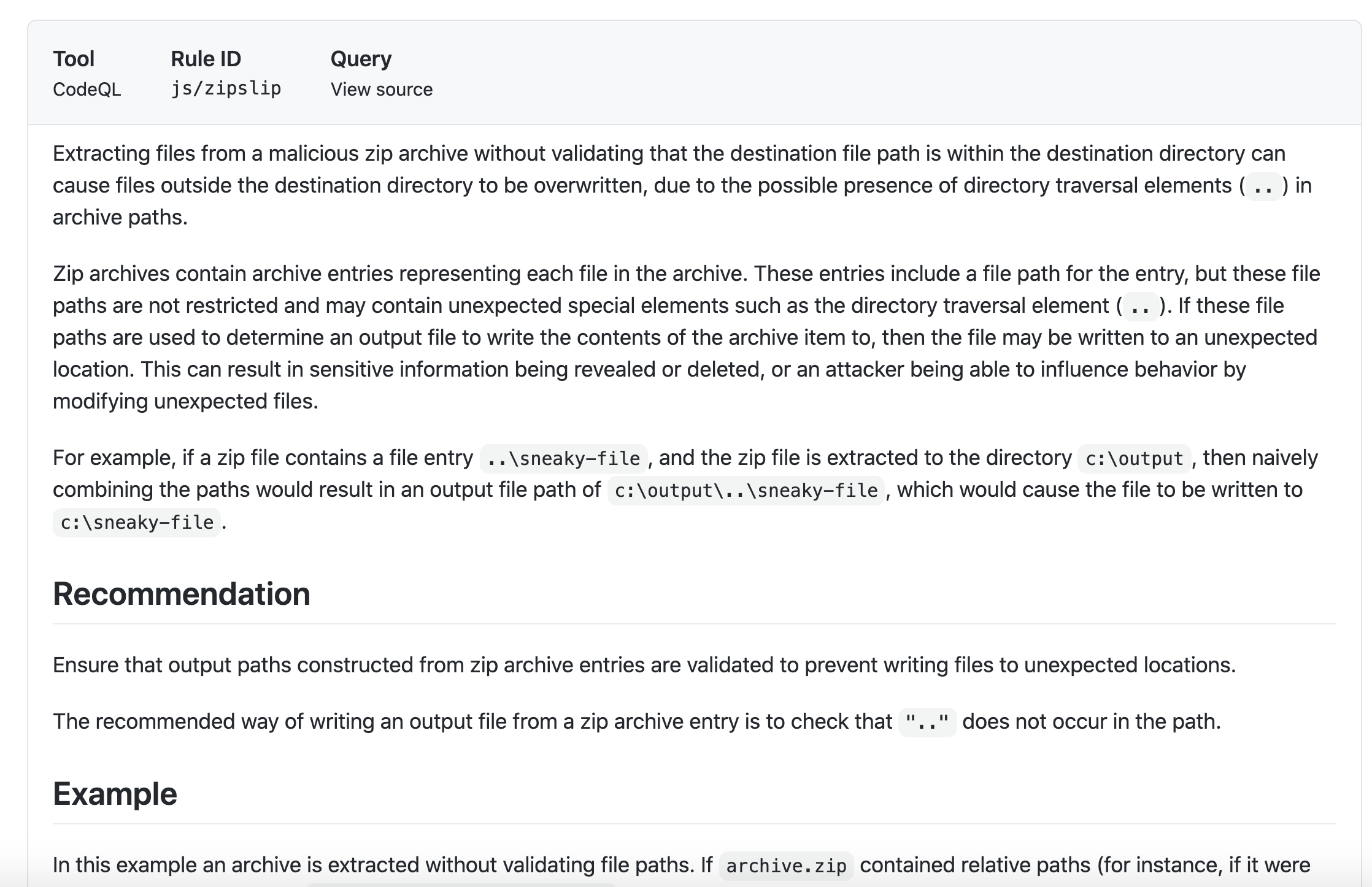
Click `Show more` to view a full desciption of the alert including examples and links to additional information.
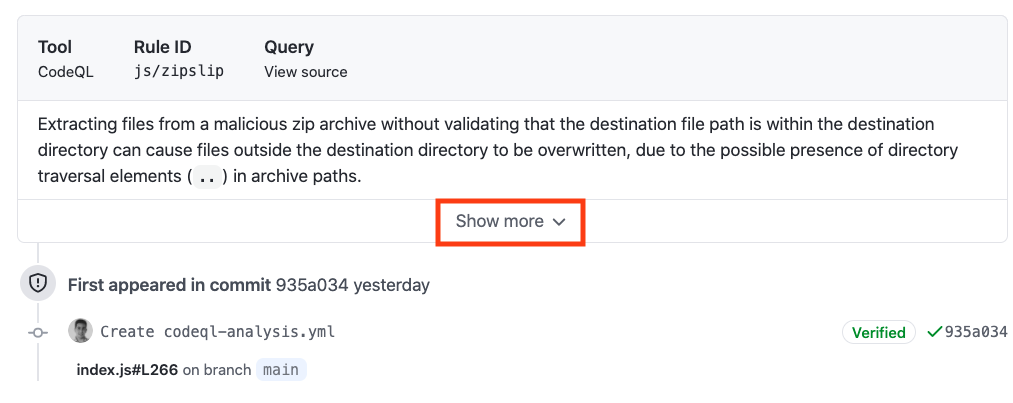
#### Security Full Description
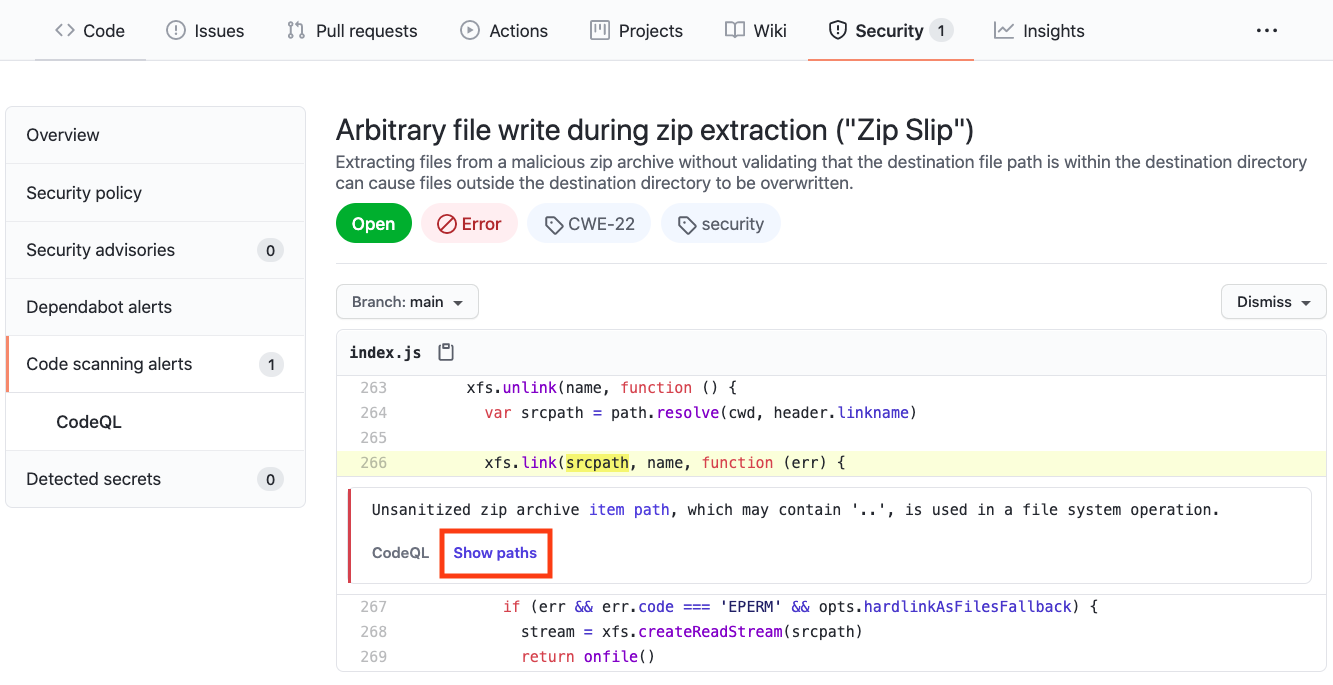
Show Paths
#### Show Paths Button
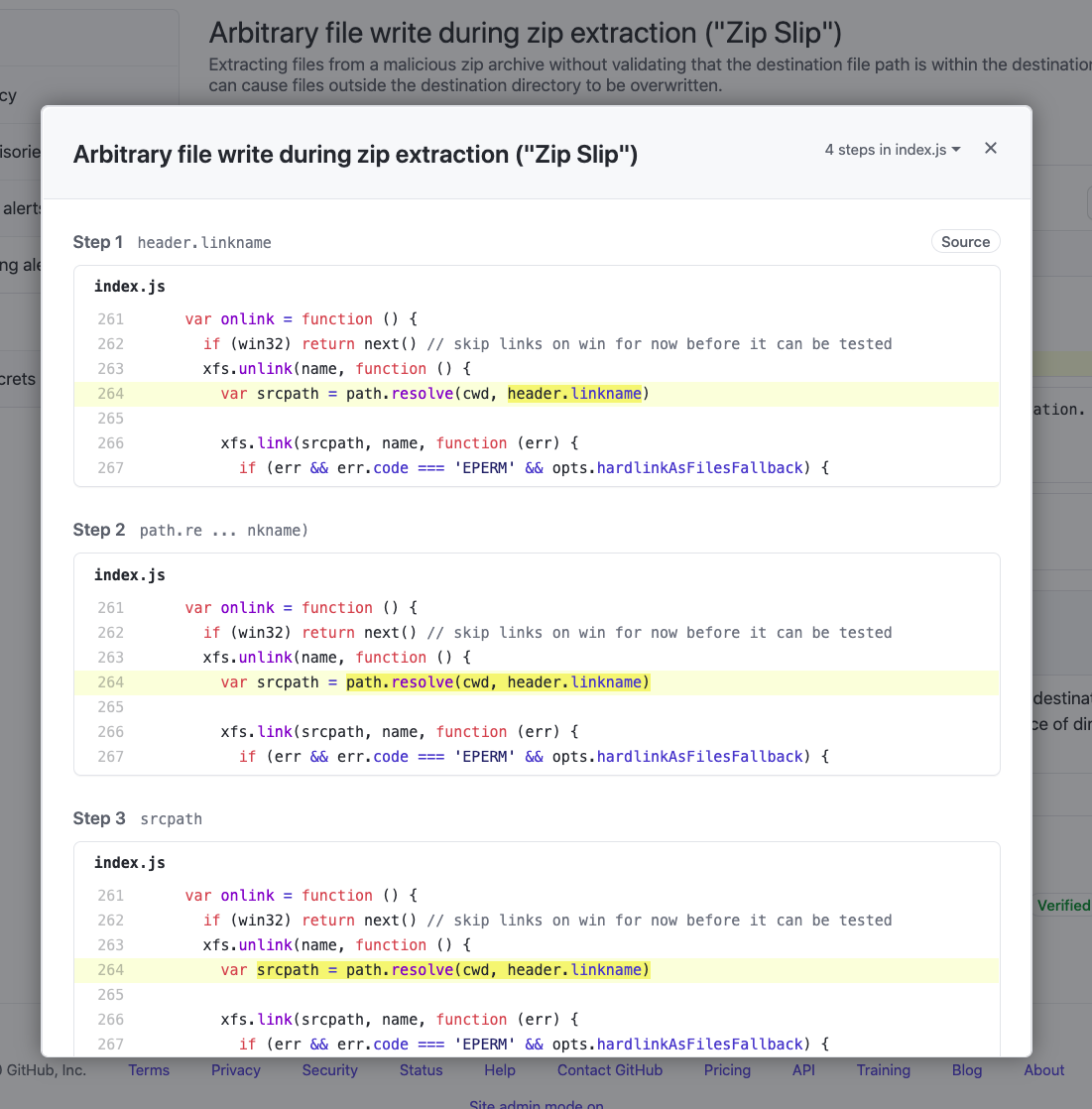
CodeQL Analysis is able to trace the dataflow path from source to sink and gives you the ability to view the path traversal within the alert.
Click `show paths` in order to see the dataflow path that resulted in this alert.
#### Show Paths View
Fix the Security Alert
In order to fix this specific alert, we will need to ensure that the destination file paths is the only location where files can be written to.
Click on the `Code` tab and [Edit](https://docs.github.com/en/free-pro-team@latest/github/managing-files-in-a-repository/editing-files-in-your-repository) the `index.js` file. Navigate to Line 264 of the `index.js` file and modify the line:
`var srcpath = path.resolve(cwd, header.linkname)`
to
`var srcpath = path.join(cwd, path.join('/', header.linkname))`
Click `Create a new branch for this commit and start a pull request`, name the branch `fix-zip-slip`, and create the Pull Request.
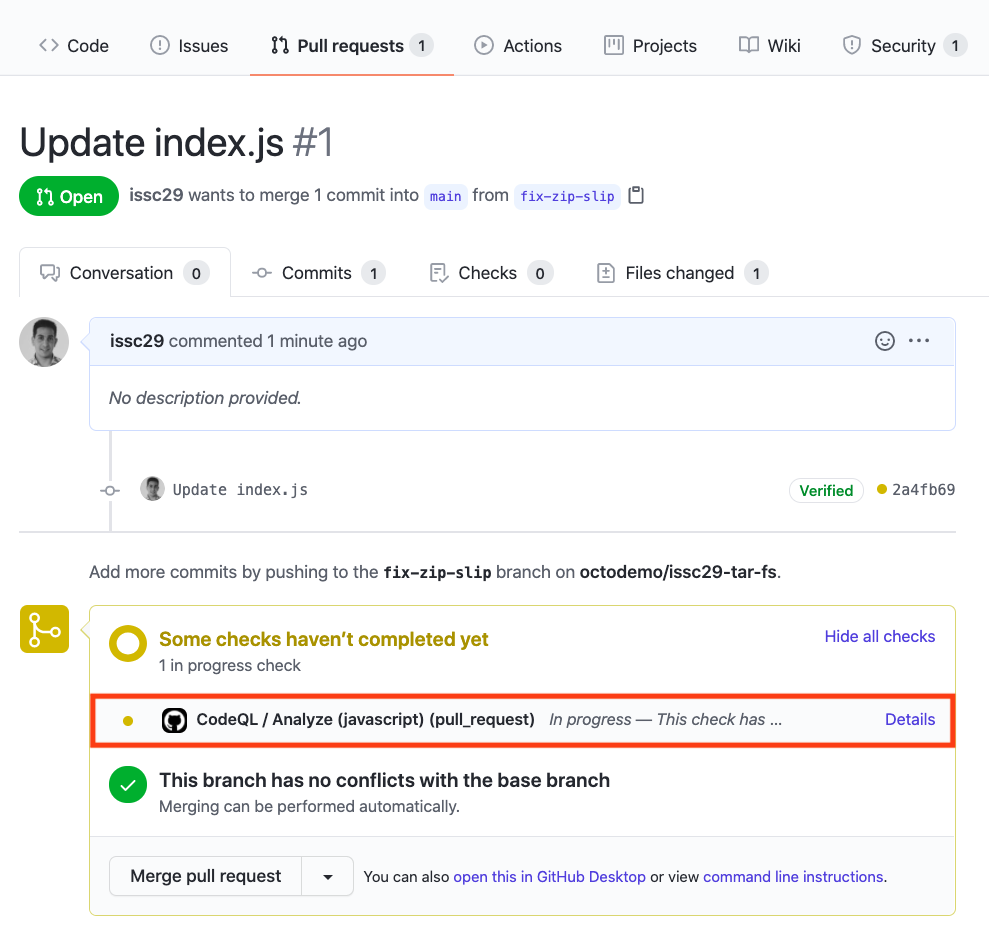
#### Pull Request Status Check
In the Pull Request, you will notice that the CodeQL Analysis has started as a status check. Wait until it completes.
#### Security Alert Details
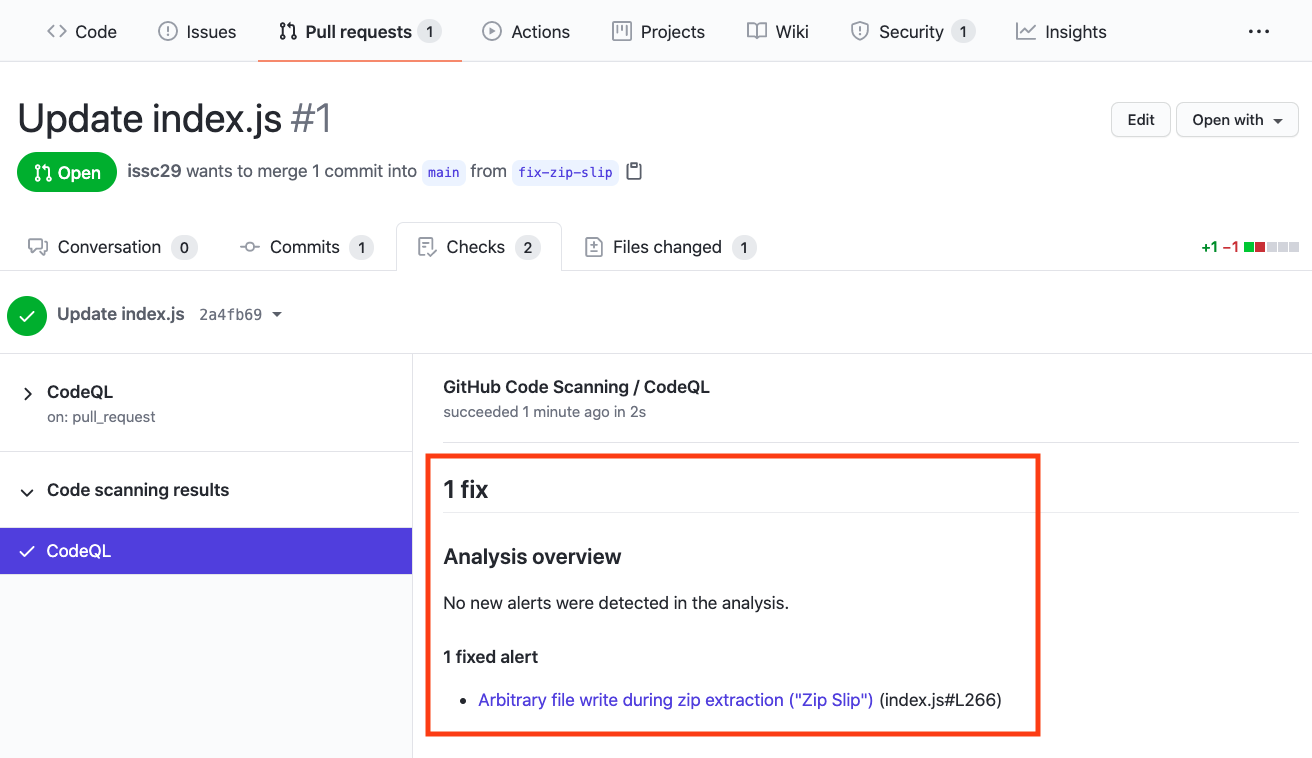
After the Workflow has completed click on `Details` by the `Code Scanning Results / CodeQL` status check.
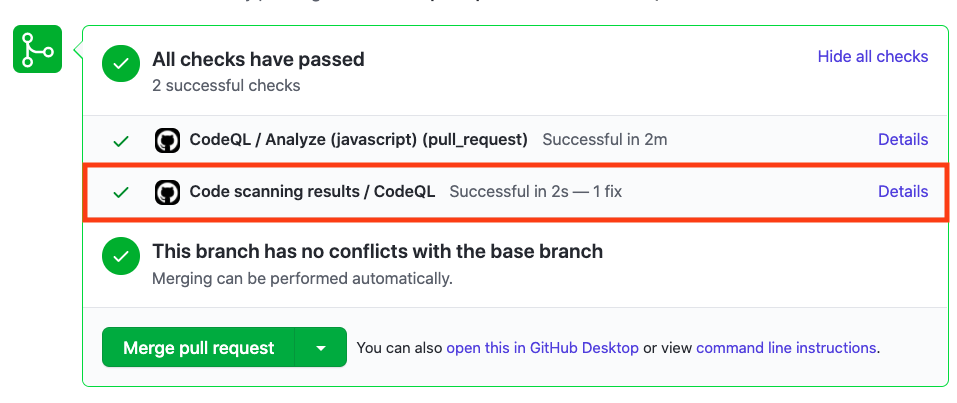
#### Fixed Alert
Notice that Code Scanning has detected that this Pull Request will fix the Zip Slip vulnerability that was detected before.
Merge the Pull Request. After the Pull Request has been merged, another Workflow will kick off to scan the repository for any vulnerabilties.
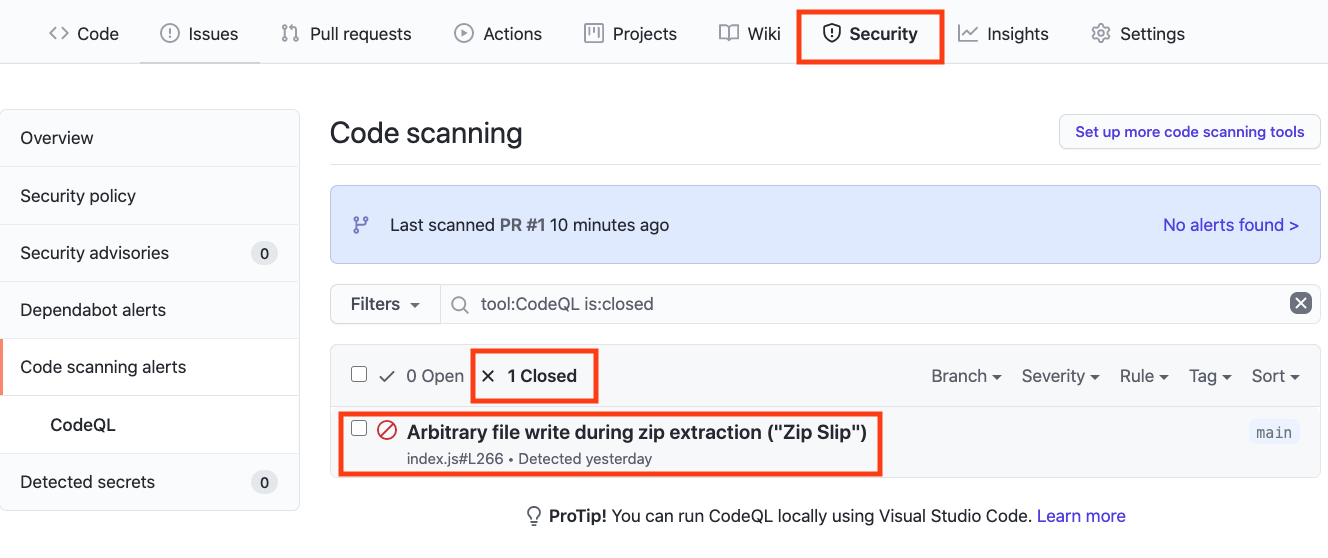
#### Closed Security Alerts
After the final Workflow has completed, navigate back to the `Security` tab and click `Closed`. Notice that the Zip Slip security alert now shows up as a closed issue.
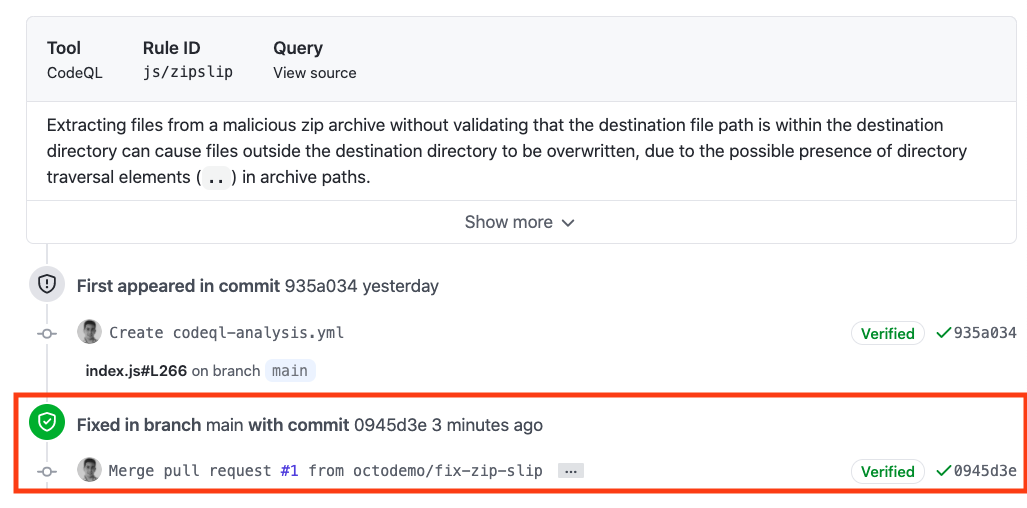
#### Traceability
Click on the security alert and notice that it details when the fix was made, by whom, and the specific commit. This provides full traceability to detail when and how a security alert was fixed and exactly what was changed to remediate the issue.
## Next Steps
Ready to talk about advanced security features for GitHub Enterprise? [Contact Sales](https://enterprise.github.com/contact) for more information!
Check out [GitHub's Security feature page](https://github.com/features/security) for more security features embedded into GitHub.
Check out the Code Scanning [documentation](https://docs.github.com/en/free-pro-team@latest/github/finding-security-vulnerabilities-and-errors-in-your-code/about-code-scanning) for additional configuration options and technical details.