https://github.com/gitmichaelqiu/spaceswitcher
Customize app and dock behaviors in each space
https://github.com/gitmichaelqiu/spaceswitcher
Last synced: 3 months ago
JSON representation
Customize app and dock behaviors in each space
- Host: GitHub
- URL: https://github.com/gitmichaelqiu/spaceswitcher
- Owner: gitmichaelqiu
- License: mit
- Created: 2025-11-20T02:08:57.000Z (8 months ago)
- Default Branch: main
- Last Pushed: 2026-04-06T15:55:10.000Z (3 months ago)
- Last Synced: 2026-04-06T16:24:34.435Z (3 months ago)
- Language: Swift
- Homepage: https://gitmichaelqiu.github.io/SpaceSwitcher
- Size: 4.64 MB
- Stars: 7
- Watchers: 0
- Forks: 0
- Open Issues: 4
-
Metadata Files:
- Readme: README.md
- License: LICENSE
Awesome Lists containing this project
README

SpaceSwitcher

Connect to
DesktopRenamer's SpaceAPI

Add custom rules to each space

Different docks for each space
**SpaceSwitcher** is a macOS workspace enhancer that lets you control **which app and dock to show** in each workspace. Especially for apps that you have **assigned to all desktops**. Update checker will **NOT** work because of this.
> [!NOTE]
> SpaceSwitcher is still in the early beta. All releases for now are marked as non-production-ready. Therefore, you need to go into the Releases page to download.
## Added
- Added Permissions page
## Changed
- Increase Settings window height
## Fixed
- Missing localization
- Dock will not be refreshed if two desktops share the same dock€
---
**Full Changelog**: https://github.com/gitmichaelqiu/SpaceSwitcher/compare/v0.2.0-beta.1...v0.3.0-beta.1
## 📦 Installation
Requires **macOS 13.0 Ventura** or above.
1. If you haven't, install [DesktopRenamer](https://github.com/gitmichaelqiu/DesktopRenamer/releases/), which provides necessary SpaceAPI to inform SpaceSwitcher the current space info
2. Start SpaceAPI in DesktopRenamer Settings → General
3. Download the SpaceSwitcher from [Releases](https://github.com/gitmichaelqiu/SpaceSwitcher/releases/)
4. Drag the app to the *Applications* folder
5. All set!
Because I do **NOT** have an Apple developer account for the app releases, you may receive alerts such as "Developer is not verified".
To resolve this, go to System Settings → the bottom of Privacy & Security → Open SpaceSwitcher.
## 💡 How to Use
Here is an example:
- My Zen browser has four workspaces with the shortcut Control + Shift + Number
- In SpaceSwitcher/Rules, I add the rule of "simulate shortkey" for each macOS space
- So when I switch to a space, Zen browser can automatically switch to the corresponding workspace
## 🛜 SpaceAPI
To get the current space's information, an extra app DesktopRenamer is required. You can download it [here](https://github.com/gitmichaelqiu/DesktopRenamer/releases/).
After downloading DesktopRenamer, you need to turn on SpaceAPI in Settings → General.
## ⚠️ Issues/Suggestions
You are welcome to create issues/suggestions in [GitHub Issues](https://github.com/gitmichaelqiu/SpaceSwitcher/issues).
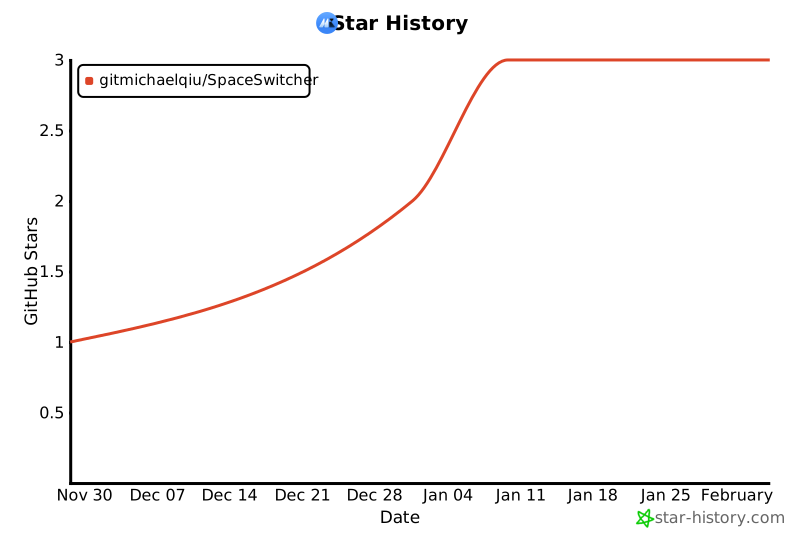
## ⭐ Support This Project
You can simply click on the **Star** to support this project for free. Thank you for your support!
[](https://www.star-history.com/#gitmichaelqiu/SpaceSwitcher&type=date&legend=top-left)