https://github.com/gjovanov/facer
Face Recognition in the browser
https://github.com/gjovanov/facer
docker face-recognition nodejs realtime tensorflowjs vuejs
Last synced: over 1 year ago
JSON representation
Face Recognition in the browser
- Host: GitHub
- URL: https://github.com/gjovanov/facer
- Owner: gjovanov
- Created: 2018-12-15T22:36:54.000Z (over 7 years ago)
- Default Branch: master
- Last Pushed: 2023-01-04T21:40:55.000Z (over 3 years ago)
- Last Synced: 2025-02-27T09:34:52.239Z (over 1 year ago)
- Topics: docker, face-recognition, nodejs, realtime, tensorflowjs, vuejs
- Language: Vue
- Homepage: https://facer.xplorify.net
- Size: 13.1 MB
- Stars: 105
- Watchers: 6
- Forks: 58
- Open Issues: 26
-
Metadata Files:
- Readme: README.md
Awesome Lists containing this project
README
# face®
[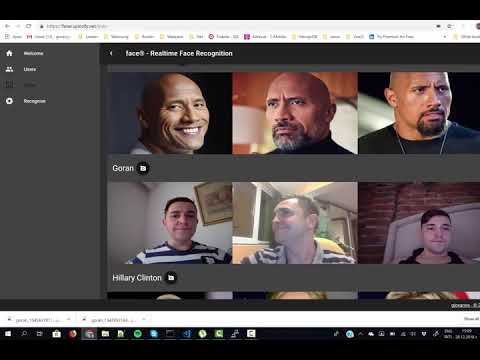](https://www.youtube.com/watch?v=rHUQyRe8JyQ)
Realtime Face Recognition app using:
- [face-api.js](https://github.com/justadudewhohacks/face-api.js)
- [TensorflowJS](https://github.com/tensorflow/tfjs)
- [VueJS](https://github.com/vuejs/vue)
- [NuxtJS](https://github.com/nuxt/nuxt.js/)
- [VuetifyJS](https://github.com/vuetifyjs/vuetify)
- [ExpressJS](https://github.com/expressjs/expressjs.com)
- [Docker](https://github.com/docker)
# Install
Run `npm i` in the root folder
# Run
## Development mode
1. Run `npm run api` for starting the API server
2. Run `npm run dev` for starting in development mode
## Production mode
1. Run `npm run build` for building in production mode
2. Run `npm run start` for starting in production mode
# Deploy
## Docker build
Either build your own Docker images
- `docker build -t gjovanov/facer .`
or us the build script with your own docker hub username and image name:
- `./build.sh`
## Docker pull
Or pull the one from Docker Hub
`docker pull gjovanov/facer .`
## Docker run
```docker
docker run -d --name facer \
--hostname facer \
--restart always \
-e API_URL=https://facer.xplorify.net \
-p 8081:3000 \
-v /gjovanov/facer/data:/facer/data \
--net=bridge \
gjovanov/facer
```
## Docker push
- `docker push gjovanov\facer`
or use the release.sh script with your own docker hub username and image name:
- `./release.sh`