https://github.com/glitch-tools/sync-glitch-cli
:flags: Sync changes in your GitHub repository to glitch.com
https://github.com/glitch-tools/sync-glitch-cli
cli github glitch sync sync-changes
Last synced: about 1 year ago
JSON representation
:flags: Sync changes in your GitHub repository to glitch.com
- Host: GitHub
- URL: https://github.com/glitch-tools/sync-glitch-cli
- Owner: glitch-tools
- License: apache-2.0
- Created: 2017-11-24T01:32:36.000Z (over 8 years ago)
- Default Branch: master
- Last Pushed: 2024-09-06T09:50:03.000Z (almost 2 years ago)
- Last Synced: 2025-05-23T06:58:19.899Z (about 1 year ago)
- Topics: cli, github, glitch, sync, sync-changes
- Language: JavaScript
- Homepage: https://npm.im/sync-glitch-cli
- Size: 1.97 MB
- Stars: 83
- Watchers: 5
- Forks: 14
- Open Issues: 31
-
Metadata Files:
- Readme: README.md
- Contributing: CONTRIBUTING.md
- License: LICENSE
- Code of conduct: CODE_OF_CONDUCT.md
Awesome Lists containing this project
README
[build badge]: https://github.com/glitch-tools/sync-glitch-cli/workflows/E2E/badge.svg
[build url]: https://github.com/glitch-tools/sync-glitch-cli/actions
[vulnerabilities badge]: https://snyk.io//test/github/glitch-tools/sync-glitch-cli/badge.svg?targetFile=package.json
[vulnerabilities url]: https://snyk.io//test/github/glitch-tools/sync-glitch-cli?targetFile=package.json

# sync-glitch-cli [![build status][build badge]][build url] [![Known Vulnerabilities][vulnerabilities badge]][vulnerabilities url]
> Sync changes in your GitHub repository to glitch.com
It pushes changes from a GitHub repository to glitch.com. It does **NOT** pull changes from glitch.com to GitHub.
**Heads-up!** It uses undocumented API so it can be changed without any notice. However, I am making efforts to know whether it works or not with [test-sync-glitch-cli](https://github.com/sotayamashita/test-sync-glitch-cli). It executes test every day with TravisCI. It helps my recognise as soon as possible if it could be wrong. I am looking forward to official API. :unicorn:
## Install
```bash
npm install sync-glitch-cli --save-dev
```
## Usage
### How to get required environment variables
1. Open your project on Glitch
1. Open devtool and click the Network tab
1. Select Project name > Advanced Options > Import from GitHub
1. You can find a request URL which starts from `https://api.glitch.com/projects/githubImport ~`:

1. It has three params. These params are what you need.
### How to set environment variables
You have to set the following environment variables:
- `GLITCH_PROJECT_ID` _(the Glitch project id.)_
- `GLITCH_TOKEN` _(the Glitch authorization)_
- `GH_REPO` _(the GitHub repo. e.g `sotayamashita/sync-glitch-cli`)_
```console
GLITCH_PROJECT_ID='' GLITCH_TOKEN='' GH_REPO='' ./node_modules/.bin/sync-glitch
```
Enable debug logs:
```console
GLITCH_PROJECT_ID='' GLITCH_TOKEN='' GH_REPO='' DEBUG=sync-glitch* ./node_modules/.bin/sync-glitch
```
## License
sync-glitch-cli © [Sam Yamashita](https://twitter.com/sota0805). Released under the [Apache 2.0](LICENSE)
Authored and maintained by [Sam Yamashita](https://twitter.com/sota0805) with help from [contributors](https://github.com/glitch-tools/sync-glitch-cli/contributors).
[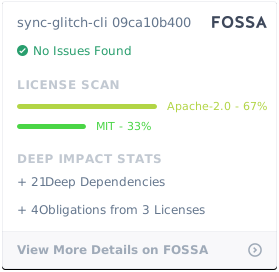](https://app.fossa.com/projects/git%2Bgithub.com%2Fglitch-tools%2Fsync-glitch-cli?ref=badge_large)