https://github.com/gly-engine/core-native-arduino
Write games in lua or typescript for embedded devices using Arduino IDE (ESP32, RASP PICO, STM)
https://github.com/gly-engine/core-native-arduino
arduino embedded
Last synced: 5 months ago
JSON representation
Write games in lua or typescript for embedded devices using Arduino IDE (ESP32, RASP PICO, STM)
- Host: GitHub
- URL: https://github.com/gly-engine/core-native-arduino
- Owner: gly-engine
- License: wtfpl
- Created: 2024-09-21T14:28:04.000Z (over 1 year ago)
- Default Branch: main
- Last Pushed: 2025-08-01T15:55:31.000Z (11 months ago)
- Last Synced: 2025-08-01T17:47:03.144Z (11 months ago)
- Topics: arduino, embedded
- Language: C++
- Homepage:
- Size: 472 KB
- Stars: 5
- Watchers: 2
- Forks: 0
- Open Issues: 4
-
Metadata Files:
- Readme: README.md
- Funding: .github/funding.yml
- License: LICENSE.txt
Awesome Lists containing this project
README
# Core Native Arduino

> Embed games and applications made in gly engine on your esp32, esp8266, raspbarry... and other devices using arduino ecosystem.
### Features
* Supports Lua 5.1 and 5.4 _(include `GlyLua51.h` or `GlyLua54.h`)_
* Supports 60+ FPS _(depends on display capabilities and communication speed)_
* Supports third-party graphics libraries _(`Adafruit_GFX.h` or `TFT_eSPI.h`)_
* Supports MEMPROG chunked loading to avoid heap usage for scripts
## Install
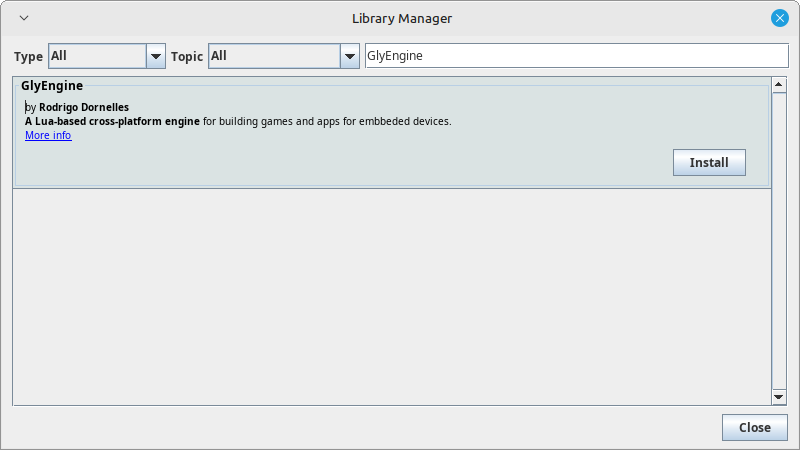
To install the Gly Core Native for Arduino, open the Arduino IDE, go to **Sketch > Include Library > Manage Libraries**, then search for **"GlyEngine"** in the Library Manager. Click Install next to the library name.
## Example
GlyEngine Arduino Core is highly customizable in C++, letting you adjust framerate, hardware acceleration, video drivers, and input debounce. It’s versatile for desktop, web, and adaptable to embedded devices. See other examples for more options.
```cpp
#include
#include
#include
#include
#include
#include
#define TFT_CS 5
#define TFT_DC 16
#define TFT_RST 23
#define TFT_MOSI 19
#define TFT_SCLK 18
#define TFT_BL 4
const auto LuaCode = F(R"(
local App = {
title = "Game",
version = "1.0.0",
}
function App.draw(std, props)
std.draw.clear(std.color.green)
std.draw.color(std.color.black)
std.text.put(1, 1, "Hello!")
end
return App
)");
Adafruit_ST7789 tft(TFT_CS, TFT_DC, TFT_MOSI, TFT_SCLK, TFT_RST);
GlyCore engine(LuaCode, GlyEngine, &tft);
void setup() {
Serial.begin(115200);
engine.init(240, 135);
engine.setFramerate(1);
pinMode(TFT_BL, OUTPUT);
digitalWrite(TFT_BL, HIGH);
}
void loop() {
if (engine.hasErrors()) {
Serial.println(engine.getErrors());
for(;;);
}
engine.update();
}
```