https://github.com/gokcehan/vim-opex
Vim operators to execute text objects
https://github.com/gokcehan/vim-opex
nvim vim vim-plugin
Last synced: over 1 year ago
JSON representation
Vim operators to execute text objects
- Host: GitHub
- URL: https://github.com/gokcehan/vim-opex
- Owner: gokcehan
- Created: 2017-12-10T20:00:41.000Z (over 8 years ago)
- Default Branch: master
- Last Pushed: 2019-10-21T17:12:24.000Z (over 6 years ago)
- Last Synced: 2025-03-25T13:46:09.125Z (over 1 year ago)
- Topics: nvim, vim, vim-plugin
- Language: Vim script
- Homepage:
- Size: 9.77 KB
- Stars: 22
- Watchers: 2
- Forks: 0
- Open Issues: 0
-
Metadata Files:
- Readme: README.md
Awesome Lists containing this project
README
# vim-opex
Opex is a simple plugin that defines two custom operators to execute text objects (`:h motion.txt`).
First execution operator executes the code and displays any output in messages (`:h message.txt`).
Second appending operator executes the code and appends any output as a comment below the text object.
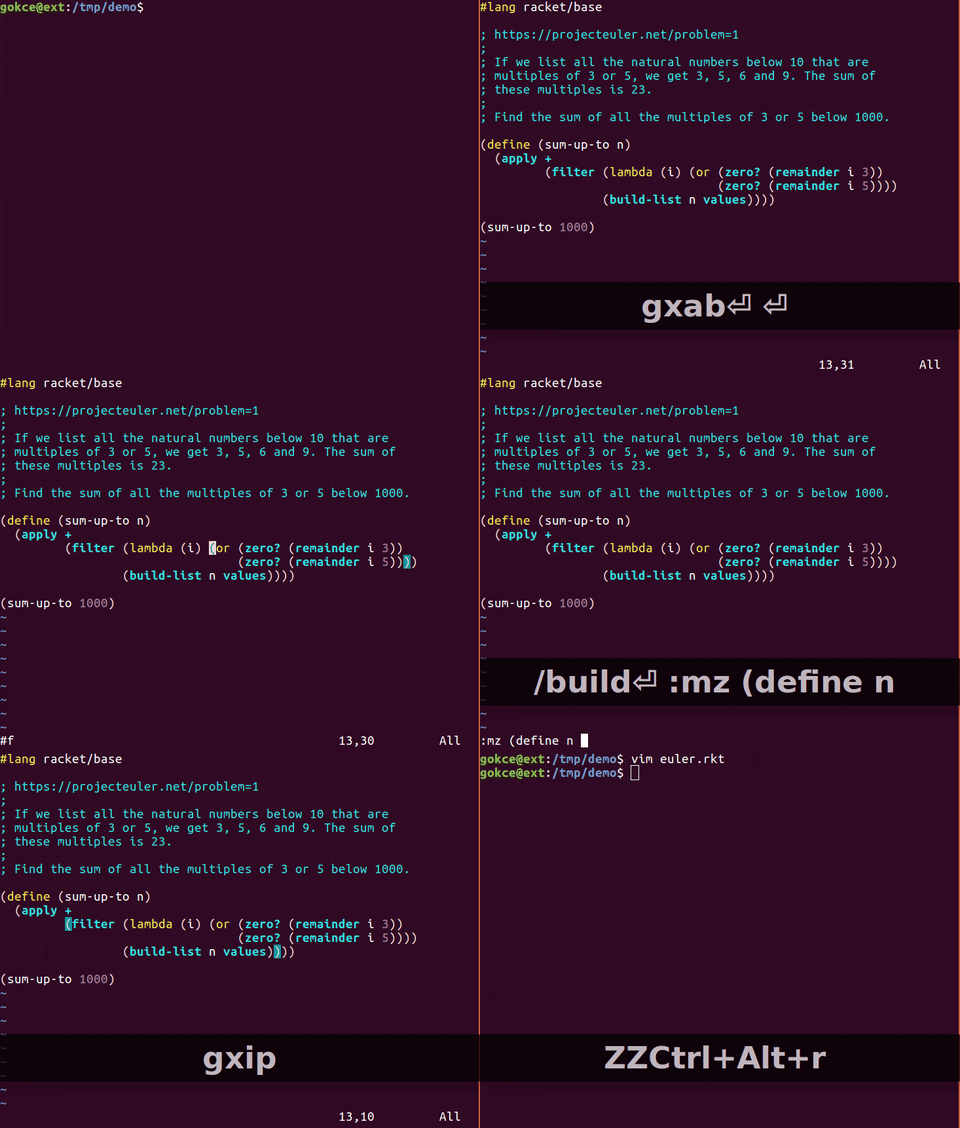
## Languages
Following languages are supported with their corresponding interfaces:
- lua (`:h if_lua.txt`)
- perl (`:h if_perl.txt`)
- python (`:h if_pyth.txt`)
- ruby (`:h if_ruby.txt`)
- scheme (`:h if_mzsch.txt`)
- tcl (`:h if_tcl.txt`)
- sh (`:h system()`)
- vim (`:h execute()`)
Opex is automatically loaded if you have the required feature enabled in vim (e.g. `+lua` for lua files).
If you have installed vim from a repository, you are likely missing most of these features.
Therefore, you may need to compile vim from source with corresponding features enabled at compile time.
## Installation
Drop `autoload/opex.vim` to `~/.vim/autoload` and any of the files under `ftplugin` to `~/.vim/ftplugin`.
If you are using vim8 you can simply clone this repository as such (`:h packages`):
mkdir -p ~/.vim/pack/plugins/start
cd ~/.vim/pack/plugins/start
git clone https://github.com/gokcehan/vim-opex.git
If you are using another plugin manager you should know what to do.
## Configuration
You can configure mappings for execution (default `gx`) and appending (default `gz`) as below:
nmap ge (opex-execute)
vmap ge (opex-execute)
nmap gee (opex-execute-line)
nmap ga (opex-append)
vmap ga (opex-append)
nmap gaa (opex-append-line)
If you want to disable opex for a specific filetype you can use the following:
let b:loaded_opex_lua = 1
You can change the value of `commentstring` option to configure output style:
autocmd Filetype lua setlocal commentstring=--[[%s]]
## Known Issues
- Any limitation on the builtin interpreter also applies to opex (e.g. gui, threading).
- If you accidentally execute an infinite loop, you may need to manually kill the vim process.
- If you crash the interpreter somehow, plugins that use the same interface may stop working until you restart vim.
## License
Public domain.