https://github.com/gokulkrishh/dark-theme-vscode
Yet an another dark theme for vscode 🤯
https://github.com/gokulkrishh/dark-theme-vscode
dark-theme linux macos visual-studio vscode
Last synced: about 1 month ago
JSON representation
Yet an another dark theme for vscode 🤯
- Host: GitHub
- URL: https://github.com/gokulkrishh/dark-theme-vscode
- Owner: gokulkrishh
- License: mit
- Created: 2019-08-06T16:44:39.000Z (almost 7 years ago)
- Default Branch: master
- Last Pushed: 2019-09-23T13:57:15.000Z (over 6 years ago)
- Last Synced: 2025-04-04T22:41:48.636Z (about 1 year ago)
- Topics: dark-theme, linux, macos, visual-studio, vscode
- Homepage: https://marketplace.visualstudio.com/items?itemName=gokulkrishh.dark-theme
- Size: 563 KB
- Stars: 2
- Watchers: 1
- Forks: 0
- Open Issues: 0
-
Metadata Files:
- Readme: README.md
- Changelog: CHANGELOG.md
- License: LICENSE
Awesome Lists containing this project
README
# [Dark Theme](https://marketplace.visualstudio.com/items?itemName=gokulkrishh.dark-theme)
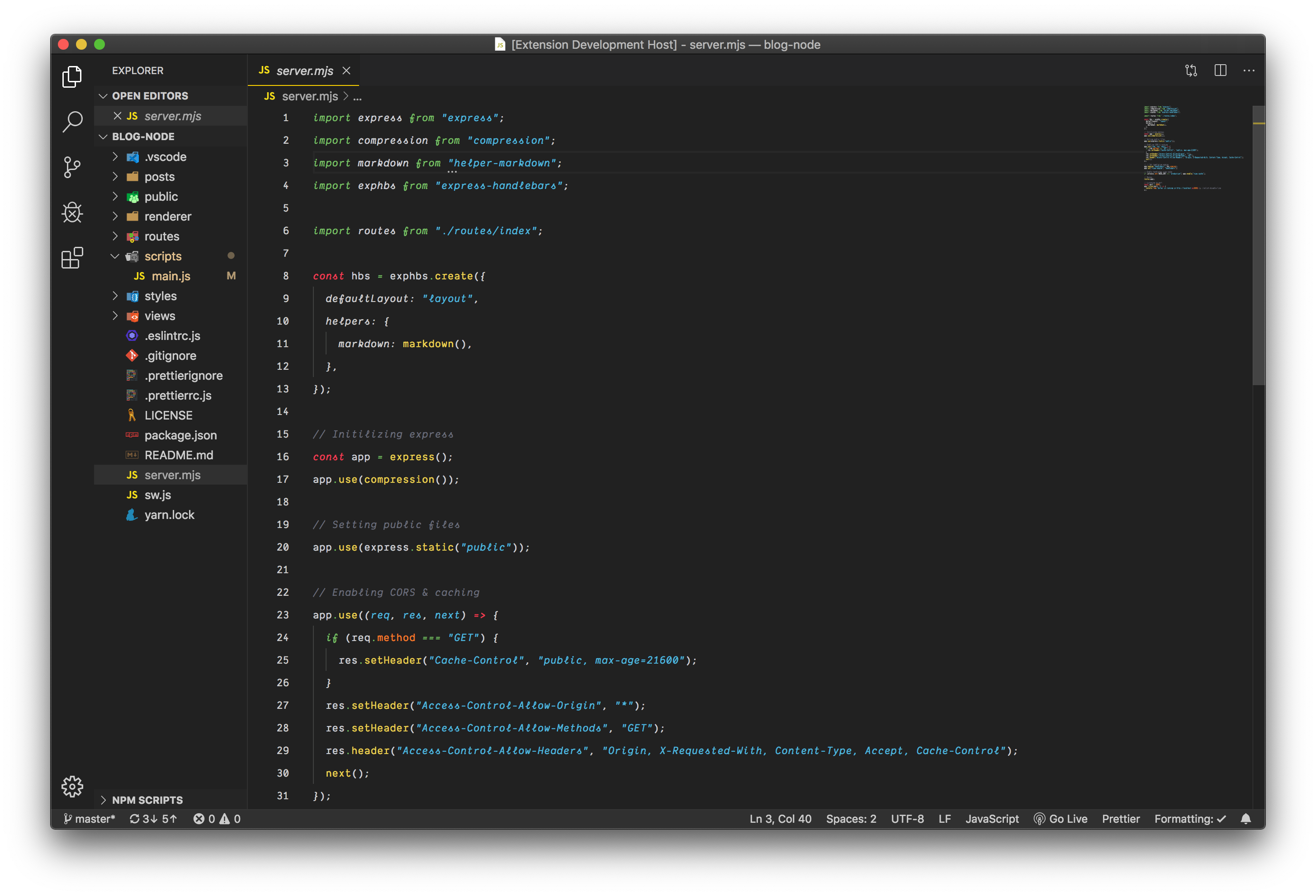
## What's in the folder
- This folder contains all of the files necessary for your color theme extension.
- `package.json` - this is the manifest file that defines the location of the theme file and specifies the base theme of the theme.
- `themes/Dark Theme -color-theme.json` - the color theme definition file.
## Get up and running straight away
- Press `F5` to open a new window with your extension loaded.
- Open `File > Preferences > Color Themes` and pick your color theme.
- Open a file that has a language associated. The languages' configured grammar will tokenize the text and assign 'scopes' to the tokens. To examine these scopes, invoke the `Inspect TM Scopes` command from the Command Palette (`Ctrl+Shift+P` or `Cmd+Shift+P` on Mac) .
## Make changes
- Changes to the theme file are automatically applied to the Extension Development Host window.
## Adopt your theme to Visual Studio Code
- The token colorization is done based on standard TextMate themes. Colors are matched against one or more scopes.
To learn more about scopes and how they're used, check out the [color theme](https://code.visualstudio.com/api/extension-guides/color-theme) documentation.
## Install your extension
- To start using your extension with Visual Studio Code copy it into the `/.vscode/extensions` folder and restart Code.
- To share your extension with the world, read on https://code.visualstudio.com/docs about publishing an extension.
#### Contributions
- If you wish to contribute to this repository, fork it and send a PR 😬.
- And, if you like the repo, 🌟 it.
##### MIT Licensed