https://github.com/gonzalo123/totp
Playing with TOTP
https://github.com/gonzalo123/totp
ionic mobile python totp
Last synced: 2 months ago
JSON representation
Playing with TOTP
- Host: GitHub
- URL: https://github.com/gonzalo123/totp
- Owner: gonzalo123
- Created: 2019-04-22T20:35:00.000Z (about 7 years ago)
- Default Branch: master
- Last Pushed: 2019-04-22T20:35:28.000Z (about 7 years ago)
- Last Synced: 2025-03-22T16:16:11.123Z (about 1 year ago)
- Topics: ionic, mobile, python, totp
- Language: TypeScript
- Size: 1.35 MB
- Stars: 1
- Watchers: 2
- Forks: 0
- Open Issues: 0
-
Metadata Files:
- Readme: README.md
Awesome Lists containing this project
README
## Playing with TOTP (2FA) and mobile applications with ionic
Today I wanna play with Two Factor Authentication. When we speak about 2FA TOTP come to our mind. There're a lot of TOTP client, for example Google Authenticator.
My idea with this prototype is to build one Mobile application (with ionic) and validate one totp token in a server (in this case a Python/Flask application). The token will be generated with an standard TOTP client. Let's start
The sever will be a simple Flask server to handle routes. One route (GET /) will generate one QR code to allow us to configure or TOTP client. I'm using the library pyotp to handle totp operations.
```python
from flask import Flask, jsonify, abort, render_template, request
import os
from dotenv import load_dotenv
from functools import wraps
import pyotp
from flask_qrcode import QRcode
current_dir = os.path.dirname(os.path.abspath(__file__))
load_dotenv(dotenv_path="{}/.env".format(current_dir))
totp = pyotp.TOTP(os.getenv('TOTP_BASE32_SECRET'))
app = Flask(__name__)
QRcode(app)
def verify(key):
return totp.verify(key)
def authorize(f):
@wraps(f)
def decorated_function(*args, **kws):
if not 'Authorization' in request.headers:
abort(401)
data = request.headers['Authorization']
token = str.replace(str(data), 'Bearer ', '')
if token != os.getenv('BEARER'):
abort(401)
return f(*args, **kws)
return decorated_function
@app.route('/')
def index():
return render_template('index.html', totp=pyotp.totp.TOTP(os.getenv('TOTP_BASE32_SECRET')).provisioning_uri("gonzalo123.com", issuer_name="TOTP Example"))
@app.route('/check/', methods=['GET'])
@authorize
def alert(key):
status = verify(key)
return jsonify({'status': status})
if __name__ == "__main__":
app.run(host='0.0.0.0')
```
I'll use an standard TOTP client to generate the tokens but with pyotp we can easily create a client also
```python
import pyotp
import time
import os
from dotenv import load_dotenv
import logging
logging.basicConfig(level=logging.INFO)
current_dir = os.path.dirname(os.path.abspath(__file__))
load_dotenv(dotenv_path="{}/.env".format(current_dir))
totp = pyotp.TOTP(os.getenv('TOTP_BASE32_SECRET'))
mem = None
while True:
now = totp.now()
if mem != now:
logging.info(now)
mem = now
time.sleep(1)
```
And finally the mobile application. It's a simple ionic application. That's the view:
```html
TOTP Validation demo
totp
Validate
```
The controller:
````typescript
import { Component } from '@angular/core'
import { ApiService } from '../sercices/api.service'
import { ToastController } from '@ionic/angular'
@Component({
selector: 'app-home',
templateUrl: 'home.page.html',
styleUrls: ['home.page.scss']
})
export class HomePage {
public totp
constructor (private api: ApiService, public toastController: ToastController) {}
validate () {
this.api.get('/check/' + this.totp).then(data => this.alert(data.status))
}
async alert (status) {
const toast = await this.toastController.create({
message: status ? 'OK' : 'Not valid code',
duration: 2000,
color: status ? 'primary' : 'danger',
})
toast.present()
}
}
````
I've also put a simple security system. In a real life application we'll need something better, but here I've got a Auth Bearer harcoded and I send it en every http request. To do it I've created a simple api service
```typescript
import { Injectable } from '@angular/core'
import { isDevMode } from '@angular/core'
import { HttpClient, HttpHeaders, HttpParams } from '@angular/common/http'
import { CONF } from './conf'
@Injectable({
providedIn: 'root'
})
export class ApiService {
private isDev: boolean = isDevMode()
private apiUrl: string
constructor (private http: HttpClient) {
this.apiUrl = this.isDev ? CONF.API_DEV : CONF.API_PROD
}
public get (uri: string, params?: Object): Promise {
return new Promise((resolve, reject) => {
this.http.get(this.apiUrl + uri, {
headers: ApiService.getHeaders(),
params: ApiService.getParams(params)
}).subscribe(
res => {this.handleHttpNext(res), resolve(res)},
err => {this.handleHttpError(err), reject(err)},
() => this.handleHttpComplete()
)
})
}
private static getHeaders (): HttpHeaders {
const headers = {
'Content-Type': 'application/json'
}
headers['Authorization'] = 'Bearer ' + CONF.bearer
return new HttpHeaders(headers)
}
private static getParams (params?: Object): HttpParams {
let Params = new HttpParams()
for (const key in params) {
if (params.hasOwnProperty(key)) {
Params = Params.set(key, params[key])
}
}
return Params
}
private handleHttpError (err) {
console.log('HTTP Error', err)
}
private handleHttpNext (res) {
console.log('HTTP response', res)
}
private handleHttpComplete () {
console.log('HTTP request completed.')
}
}
```
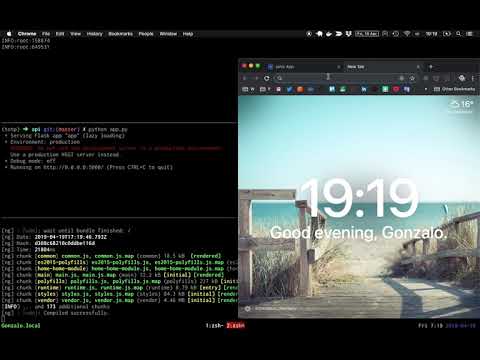
And that's all. Here one video with a working example of the prototype:
[](https://www.youtube.com/watch?v=bgljQu0RVNs)