https://github.com/goodforgod/dummymaker
🧰 Generates random Java Classes/Records for you.
https://github.com/goodforgod/dummymaker
bean data dto dummy easy-random entities export factory fill generate java pojo random random-generation record
Last synced: over 1 year ago
JSON representation
🧰 Generates random Java Classes/Records for you.
- Host: GitHub
- URL: https://github.com/goodforgod/dummymaker
- Owner: GoodforGod
- License: mit
- Created: 2017-05-29T15:18:39.000Z (about 9 years ago)
- Default Branch: master
- Last Pushed: 2023-04-18T20:16:02.000Z (about 3 years ago)
- Last Synced: 2025-02-28T22:41:08.950Z (over 1 year ago)
- Topics: bean, data, dto, dummy, easy-random, entities, export, factory, fill, generate, java, pojo, random, random-generation, record
- Language: Java
- Homepage: http://goodforgod.dev/dummymaker/
- Size: 2.16 MB
- Stars: 13
- Watchers: 3
- Forks: 5
- Open Issues: 0
-
Metadata Files:
- Readme: README-EXPORT.md
- License: LICENSE
Awesome Lists containing this project
README
Documentation is relative to DummyMaker versions 1+ and 3+.
## Content
- [Exporters](#exporters)
- [Exporter Examples](#exporters-examples)
- [Export File Structures](#export-file-structures)
- [Dummy Class Example](#dummy-class-example)
- [CSV](#csv)
- [JSON](#json)
- [XML](#xml)
- [SQL](#sql)
## Exporters
*IExporter* exporters allow you to export Dummy objects to the shown format via *file* or as a *string*.
There are 4 available exporters with different formats:
* JsonExporter
* CsvExporter
* SqlExporter
* XmlExporter
### **All Exporters Parameters**
Constructor parameters available for all exporters.
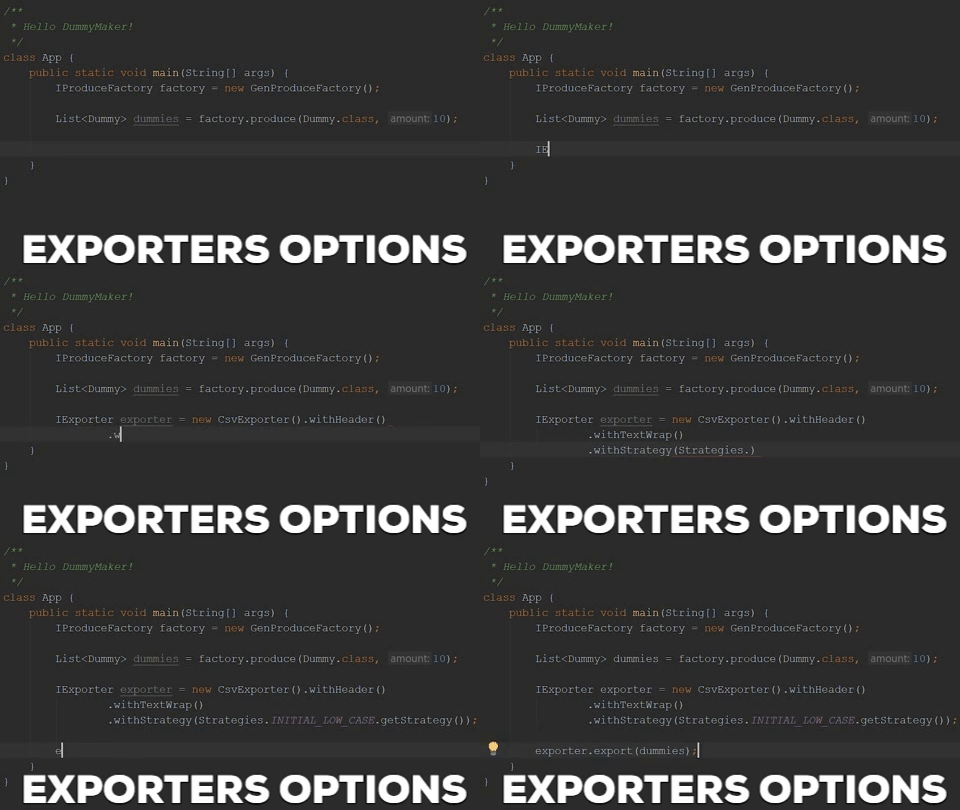
* *withCase* - naming case applied to all export fields (excluding *GenRenameExport*), default value is *DEFAULT*. All cases presets are in **Cases** enum and inherit **ICase** interface.
**Available cases:**
* *DEFAULT* - name as is.
* *LOW_CASE* - name in low case (like *DummyList - dummylist*)
* *UPPER_CASE* - name in upper case (like *DummyList - DUMMYLIST*)
* *CAMEL_CASE* - name as is, but first letter is low case (like *DummyList - dummyList*)
* *PASCAL_CASE* - name as is, but first letter is upper case (like *DummyList - dummyList*)
* *SNAKE_CASE* - name in low case, with *_* symbol before each capital letter (like *DummyList - dummy_list*)
* *UPPER_SNAKE_CASE* - name in upper case, with *_* symbol before each capital letter (like *DummyList - DUMMY_LIST*)
* *KEBAB_CASE* - name in low case, with *-* symbol before each capital letter (like *DummyList - dummy_list*)
* *UPPER_KEBAB_CASE* - name in upper case, with *-* symbol before each capital letter (like *DummyList - DUMMY_LIST*)
Or you can create your own case using *ICase* interface.
### **CsvExporter Specific Parameters**
* *withHeader* - if true will generate CSV header, default *False*.
* *withSeparator* - set CSV format separator, default is '**,**' comma.
### **SqlExporter Specific Parameters**
* *withTypes* - map with *key* as a class, and sql data type as string as map *value*.
*DataTypeMap* is used to extend your data types to export in sql format.
So you can match java class to SQL type. Like map Java Integer to SQL INT type. Using this parameter you can extend or change defaults mapped data types.
## **Exporters Examples**
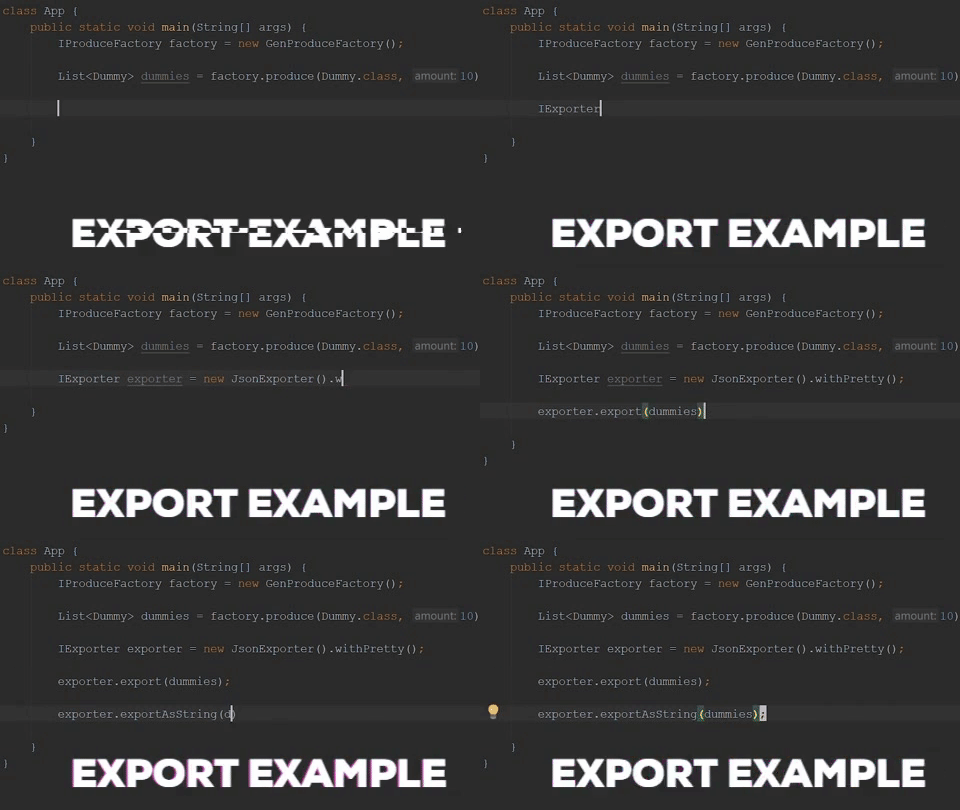
Exporters allow you to export Dummy objects to shown format as a *file* or *string*.
Available formats:
- [CSV](#csv)
- [JSON](#json)
- [XML](#xml)
- [SQL](#sql)
#### *Export demonstration*
#### *Exporters with parameters*
All *Exporters* parameters you can find in specified section.
#### *Export as a string*
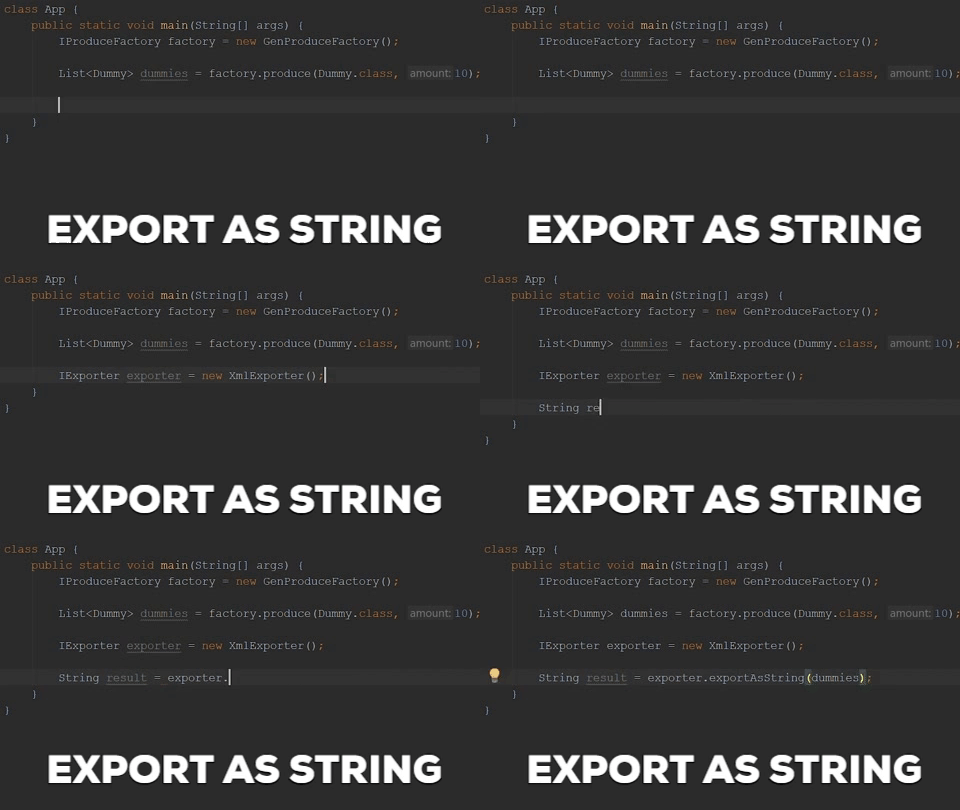
*Export as string* is useful in case you have custom writer or need to send it over network.
## Export File Structures
Examples of exported Dummy object in each format.
### Dummy Class Example
```java
public class User {
@GenInteger
public Integer id;
@GenName
public String name;
}
```
### *CSV*
Can be used to import data in ***Cassandra, Mongo, Neo4j, etc...***
Csv exporter can generate *header*. (Like in example below)
This option is available to set during instantiating like others.
```csv
name,id
ERASMO,1746885991
HELEN,-625322461
```
### *JSON*
Can be used to import data in ***Mongo, MySQL, etc...***
```json
{
"User": [
{
"name": "GREGORY",
"id": "-2123372253"
},
{
"name": "HAROLD",
"id": "-1637387700"
}
]
}
```
### *XML*
Can be used to import data in ***MySQL, SQL Server, etc...***
```xml
GREGORY
-2123372253
HAROLD
-1637387700
```
### *SQL*
Can be executed to load data in any ***SQL database***.
Don't forget about **Primary Key**!
Each insert query can contains max ***999*** rows (Due to ***1000*** insert row limit in *SQL*).
```sql
CREATE TABLE IF NOT EXISTS user(
name VARCHAR,
id INT,
PRIMARY KEY (id)
);
INSERT INTO user (name, id) VALUES
('GREGORY', -2123372253),
('HAROLD', -1637387700);
```