https://github.com/googleinterns/step168-2020
https://github.com/googleinterns/step168-2020
Last synced: 12 months ago
JSON representation
- Host: GitHub
- URL: https://github.com/googleinterns/step168-2020
- Owner: googleinterns
- Created: 2020-06-19T16:36:30.000Z (about 6 years ago)
- Default Branch: master
- Last Pushed: 2022-05-20T21:52:23.000Z (about 4 years ago)
- Last Synced: 2023-03-09T06:10:50.850Z (over 3 years ago)
- Language: JavaScript
- Size: 70.4 MB
- Stars: 3
- Watchers: 3
- Forks: 0
- Open Issues: 2
-
Metadata Files:
- Readme: README.md
Awesome Lists containing this project
README
# Videomap
[http://videomap-step-2020.appspot.com/](http://videomap-step-2020.appspot.com/)
## About
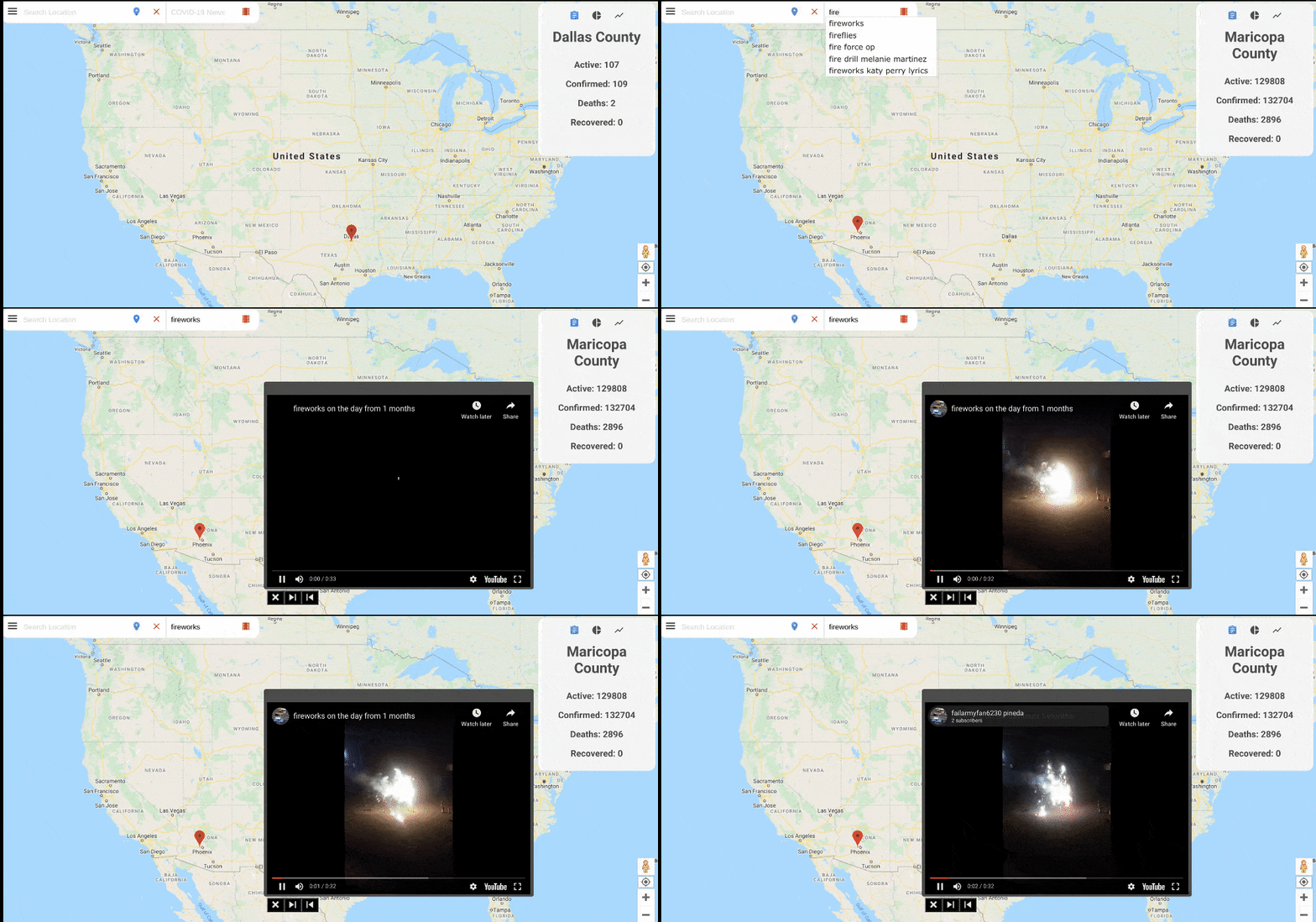
Videomap is an interactive map that combines Google Maps and Youtube to provide a simple way for users to find videos related to location. Users can search for videos based on location by clicking the desired location on the map and searching. Searching related to COVID-19 News can be done by clicking on the map and either:
1. pressing 'enter' on the keyboard
2. clicking the video tape icon by the top of the screen
Alternatively, users can search locations with the search bar at the top left of the screen. Once the user searches a location, Videomap will automatically search for COVID-19 News videos surrounding that location. Users can also search for videos unrelated to COVID-19 News by entering a search topic in the search bar to the left of the video tape icon. These searches can be completed the same way as COVID-19 News searches (pressing 'enter' or clicking the video tape icon).
Videomap includes additional features related to the COVID-19 pandemic including:
- Statistical and graphical data related to the virus. Initially, the user can see worldwide COVID-19 statistics, and if they click or search for a location, they
will be able to see data for that specific location. Additionally, the user can switch between textual statistics, a pie chart which shows the data in a graphical
format, and a line graph which shows the spread of the virus over time. The user can hide and show this information using the menu.
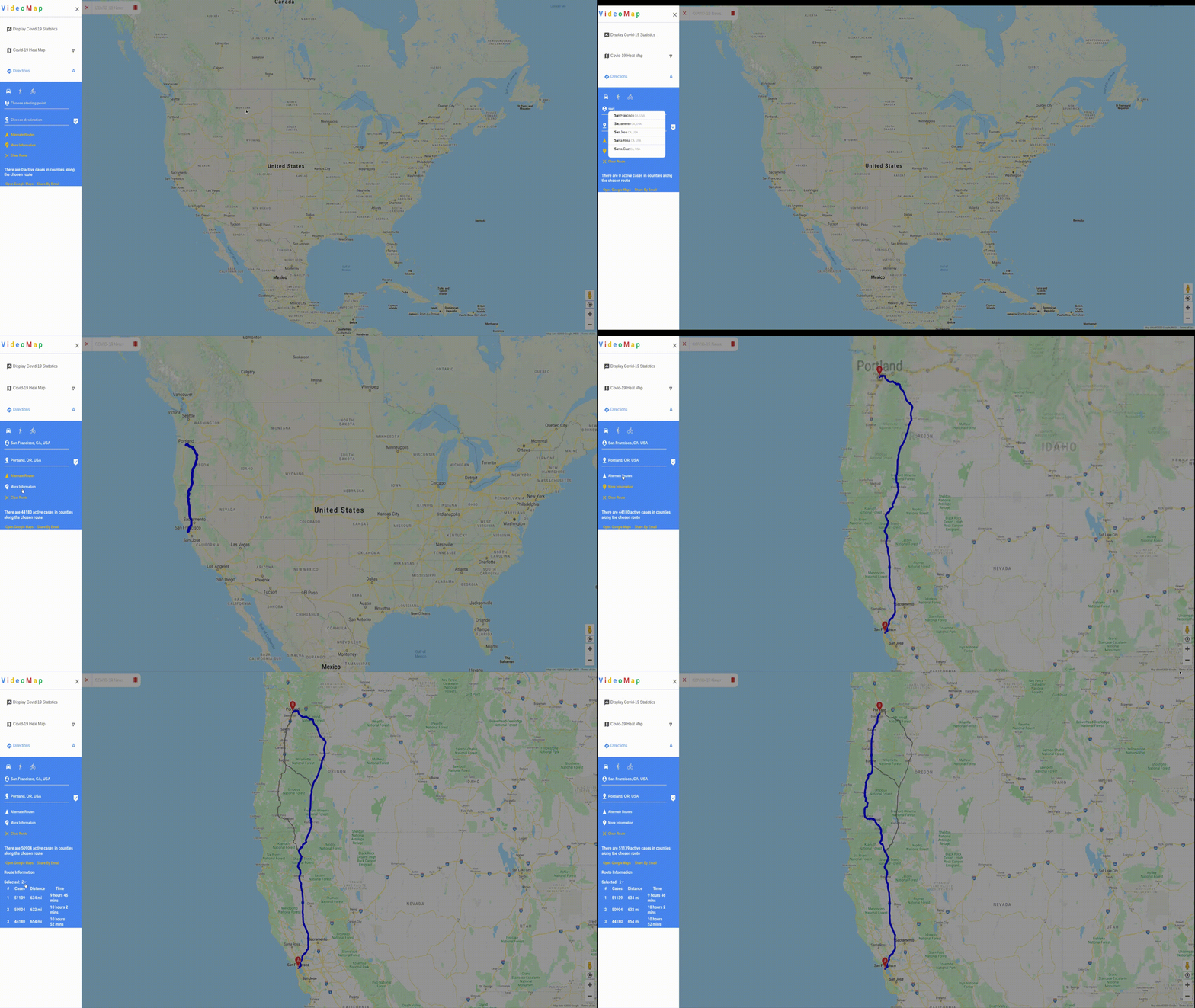
- Routing with COVID-19 information. Like in google maps, users can get directions between two locations. However, Videomap will also display the number of active cases
in counties the route will pass through. Users can either use the Videomap suggested route, which uses cases, distance, and time, or manually select the one they want
to use. In addition, the travel mode can be set to driving, walking, or biking. Once a route and travel mode are selected, it can be shared to other devices through a
link in an email. When clicked on a mobile device, the link will open in the Google Maps App for turn by turn navigation. If not on a mobile device, the link will
redirect to the Google Maps webpage.
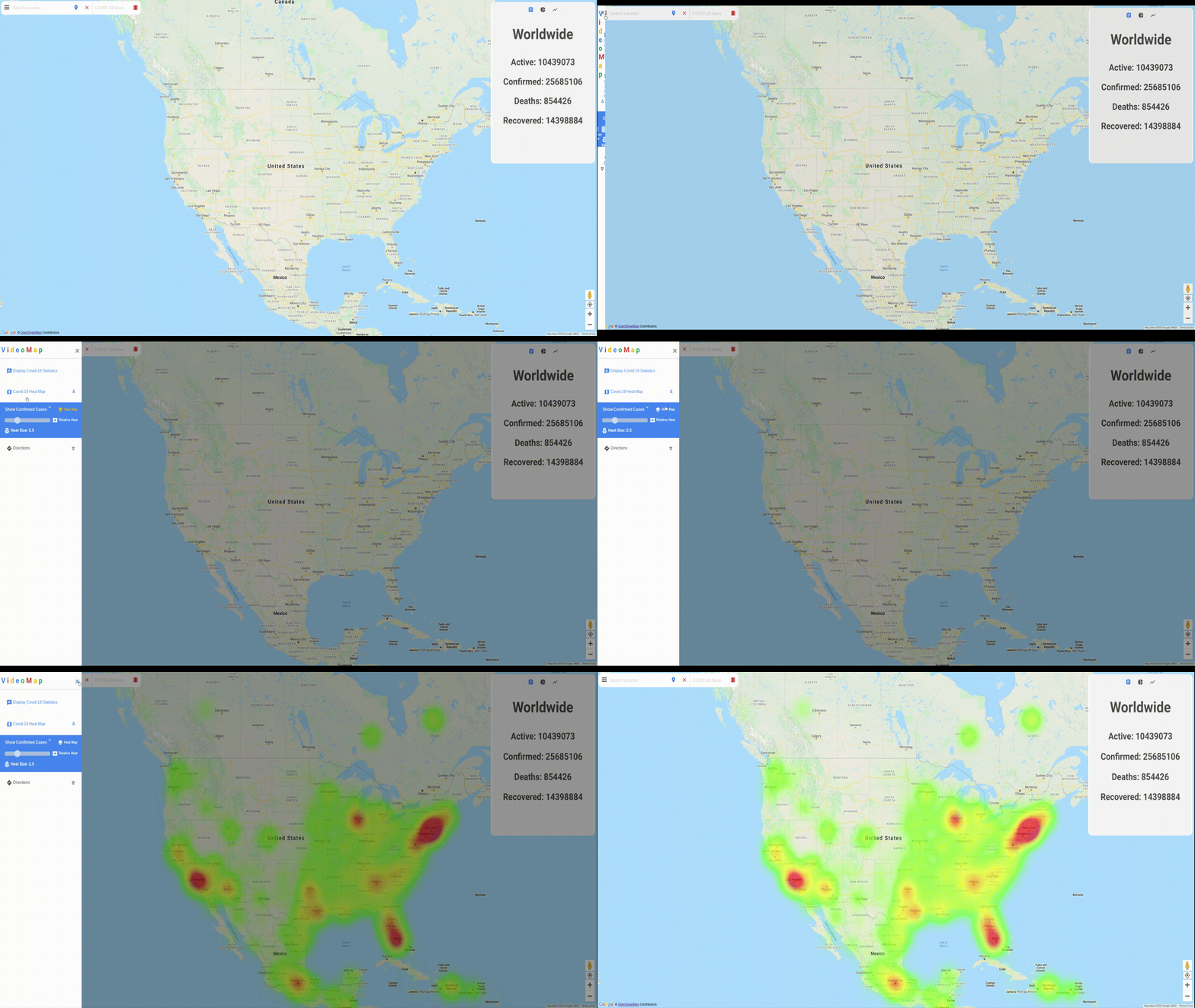
- Heat map functionality based on various COVID-19 data points. The heat map allows the user to visually see the COVID-19 data on the map itself. The user can
choose which data set they wish to see on the map, from confirmed to active, deaths, recoveries, per-capita, and recent cases, with recent showing new cases in
the past week. The user can also determine how large they want the heat on the heat map to be with the adjustable slider in the menu. Finally, the user can choose
if they would like relative heat to be on or off. When off, the heat map will show color based on and relative to the entire world, but when on, the heat map will
show heat relative to the area that is currently visible on the screen.
- COVID-19 testing center support. This feature makes it possible for users to see testing centers near them in the form of markers dropped on the map. When the
user clicks on a marker, they can see the testing center's name, address, phone number, and operating hours. The user can also press a button to route to this
testing center, which will open up the directions menu and put the center's address in the destination field.
## Run and Deploy
Videomap uses maven to build and deploy. The project id and version along with dependencies and other settings can be found in [pom.xml](pom.xml).
The easiest way to test Videomap is to use Cloud Shell as it has gcloud and dependencies preinstalled.
### Testing Servlets
Run
`mvn test`
### Testing Servlets + Webpage
Run
`mvn package appengine:run`
Then if on Cloud Shell, click on the webpreview button in the upper right corner.
### Deploy to App Engine
Run
`mvn package appengine:deploy`
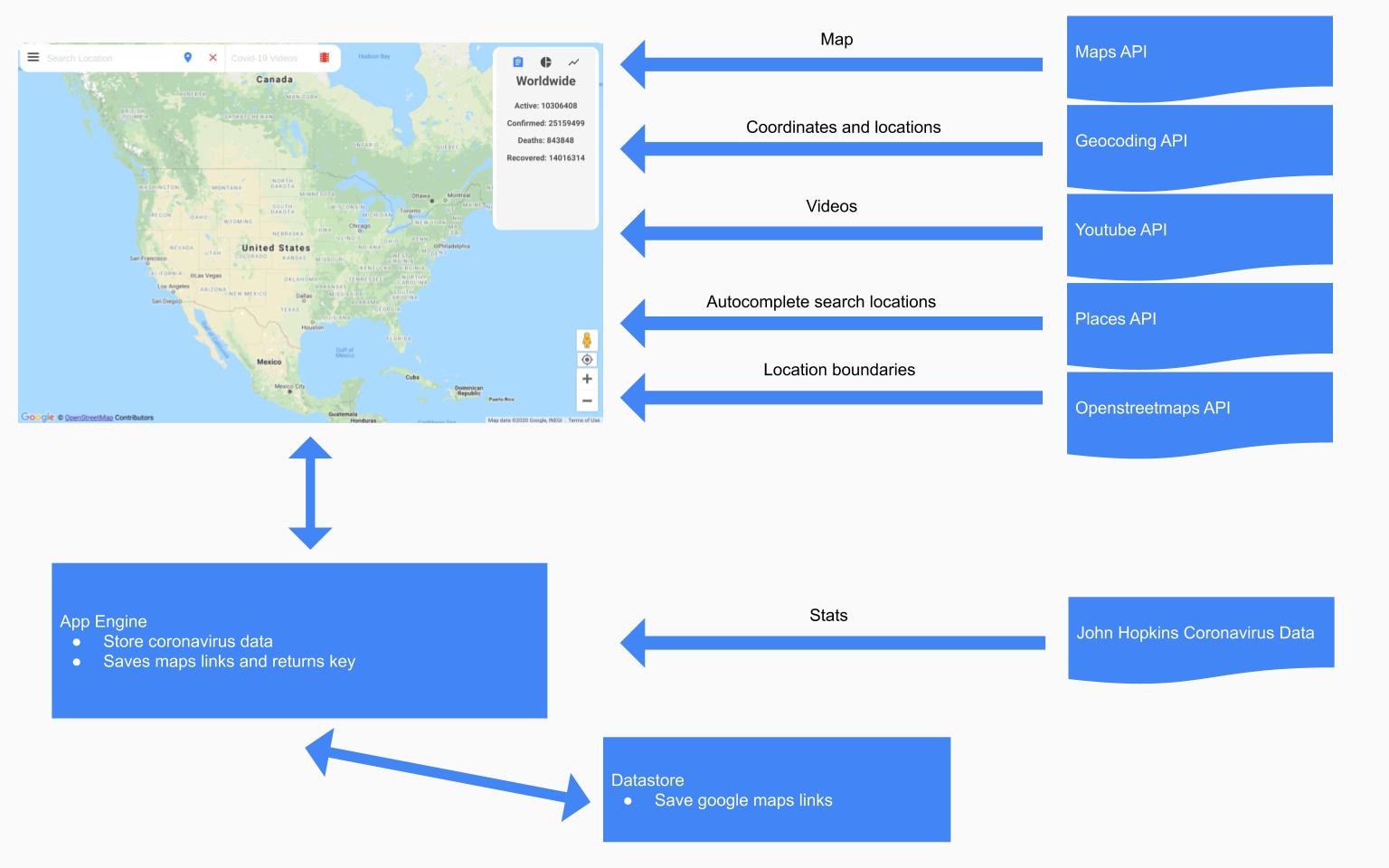
## Technologies and APIs used
### Front End:
- [Javascript](https://en.wikipedia.org/wiki/JavaScript)
- [Google Maps API](https://cloud.google.com/maps-platform/)
- [Google Geocoding API](https://developers.google.com/maps/documentation/geocoding/overview)
- [Google Directions API](https://cloud.google.com/maps-platform/routes)
- [Youtube API](https://developers.google.com/youtube/v3)
- [Google Places API](https://cloud.google.com/maps-platform/places)
- [Openstreetmaps](https://www.openstreetmap.org/copyright)
### Backend
- [App Engine](https://cloud.google.com/appengine)
- [Datastore](https://cloud.google.com/datastore)
- [Servlets](https://docs.oracle.com/cd/E17802_01/products/products/servlet/2.5/docs/servlet-2_5-mr2/javax/servlet/package-summary.html)
- [JHU CSSE COVID-19 Data](https://github.com/CSSEGISandData/COVID-19)
- [ARCGIS Testing Center Data](https://services.arcgis.com/8ZpVMShClf8U8dae/arcgis/rest/services/TestingLocations_public/FeatureServer/)
## Application Architecture