https://github.com/grafioschtrader/grafioschtrader
A web application for the overall performance of multiple portfolios with different financial instruments and currencies.
https://github.com/grafioschtrader/grafioschtrader
angular bonds financial forex investing java mariadb multi-tenancy portfolio primeng spring-boot stocks tracking trading typescript
Last synced: about 1 month ago
JSON representation
A web application for the overall performance of multiple portfolios with different financial instruments and currencies.
- Host: GitHub
- URL: https://github.com/grafioschtrader/grafioschtrader
- Owner: grafioschtrader
- License: apache-2.0
- Created: 2020-01-20T10:01:48.000Z (over 6 years ago)
- Default Branch: master
- Last Pushed: 2026-01-18T06:45:58.000Z (6 months ago)
- Last Synced: 2026-01-18T07:51:25.066Z (6 months ago)
- Topics: angular, bonds, financial, forex, investing, java, mariadb, multi-tenancy, portfolio, primeng, spring-boot, stocks, tracking, trading, typescript
- Language: Java
- Homepage:
- Size: 78.9 MB
- Stars: 23
- Watchers: 2
- Forks: 6
- Open Issues: 45
-
Metadata Files:
- Readme: README.md
- License: LICENSE
Awesome Lists containing this project
README
## Update to Java 21
With GT version 0.31.6 we have switched to **Java 21** from **Java 17**. Please adjust the configuration accordingly. **Angular 21** requires **Node.js ^20.19.0, ^22.12.0 or ^24.0.0**. In addition to the configuration of [Java 21](//github.com/grafioschtrader/grafioschtrader/wiki/Install-Java), the existing [Maven Installation](//github.com/grafioschtrader/grafioschtrader/wiki/Installing-the-Latest-Release-of-Apache-Maven) may also need to be adapted.
## Preface
- **Unless otherwise described, GT will only get a new version if the new features require an update of the database. It is the goal that the master branch always contains the most reliable and feature rich source code.**
- For importing transactions we refer to the [gt-import-transaction-template](//github.com/grafioschtrader/gt-import-transaction-template) and [gt-pdf-transform](//github.com/grafioschtrader/gt-pdf-transform) projects.
# Grafioschtrader (GT)
+ **Multi-tenancy**: GT can be run for a group of investors or in single mode.
+ **Web application**: GT is a web application and provides the clearest results using a desktop web browser.
+ **Multiple portfolios with currency accounts**: Replicates multiple portfolios with one or more securities accounts and one or more bank cash accounts.
+ **Multiple currencies**: Trading securities in different currencies
+ **Trading from the turn of the millennium**: Basic support for historical price data from the year 2000 onwards, noting that obtaining price data from non-traded securities may be a problem.
+ **Different financial instruments**: Stocks, Bonds, ETF, securities without price data, short ETF, CFD, Forex.
+ **Import of transactions**: An import of single or multiple PDFs with securities transactions Via CSV file, account transactions can also be loaded.
+ **Evaluations by asset classes**: Evaluations by common asset classes such as stocks, bonds, real estate, commodities, etc.
+ **Correlation matrices**: Support for rolling correlations with different time windows.
## Test Drive GT
* Check the user manual in [english](//grafioschtrader.github.io/gt-user-manual/en/intro/) or [german](//grafioschtrader.github.io/gt-user-manual/de/intro/) and a [YouTube channel](//www.youtube.com/channel/UCpogJM4KxrZGOyPoQx1xVKQ) in German language which are in progress.
* [GT in action](//www.grafioschtrader.info/grafioschtrader) with a following demo accounts or create your own account.
| E-Mail | Password | Language |
| ------------- | ------------- |----|
| gt1@grafioschtrader.info | gt1 | German |
| gt2@grafioschtrader.info | gt2 | German |
| gt3@grafioschtrader.info | gt3 | German |
| gt4@grafioschtrader.info | gt4 | German |
| gt5@grafioschtrader.info | gt5 | English |
| gt6@grafioschtrader.info | gt6 | English |
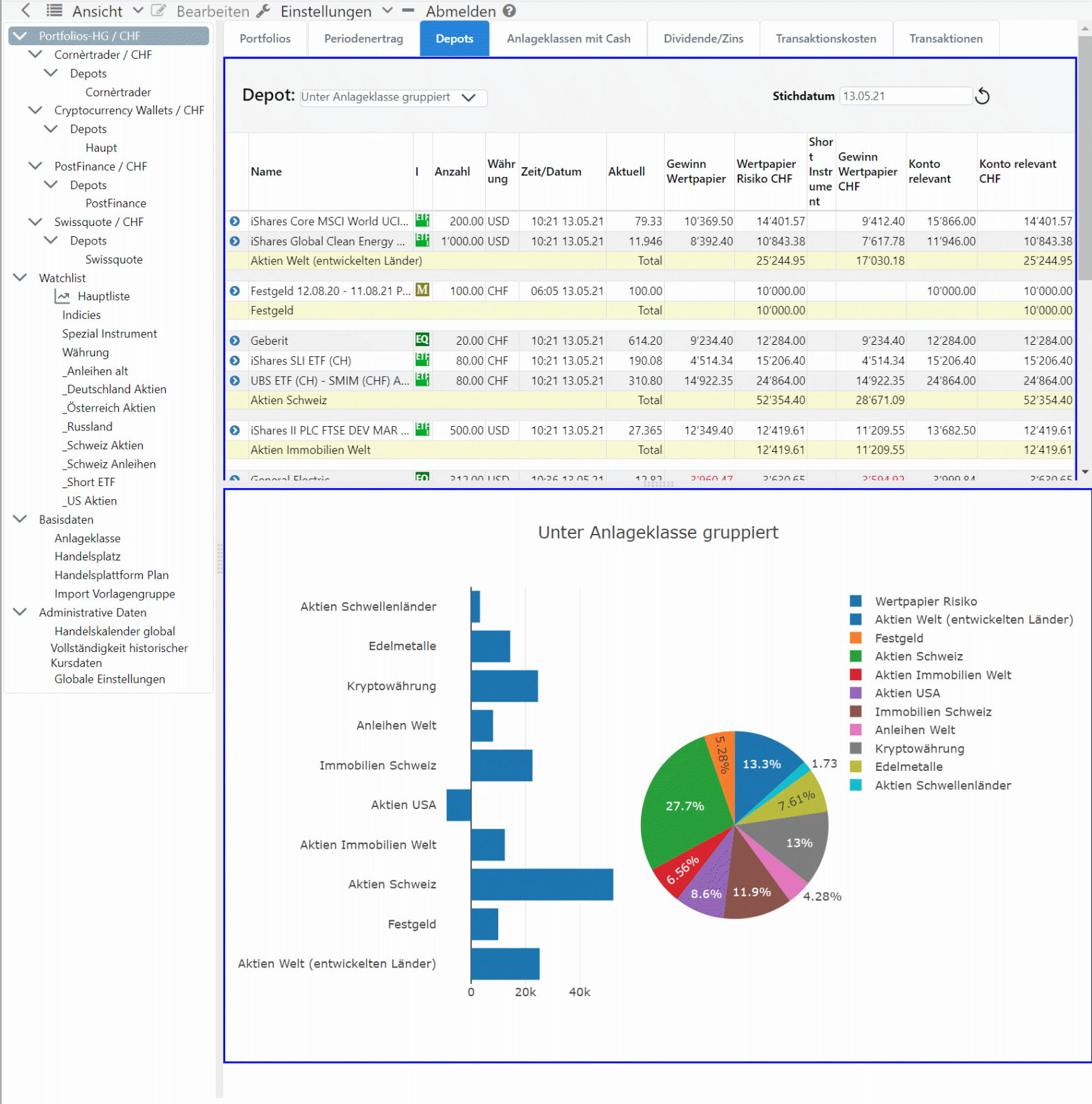
For questions or suggestions please visit the [forum](//www.grafioschtrader.info/forums/), German and English language are welcome.
## Installation and Development
For installing and for supporting the development go to the [wiki of GT](//github.com/grafioschtrader/grafioschtrader/wiki).
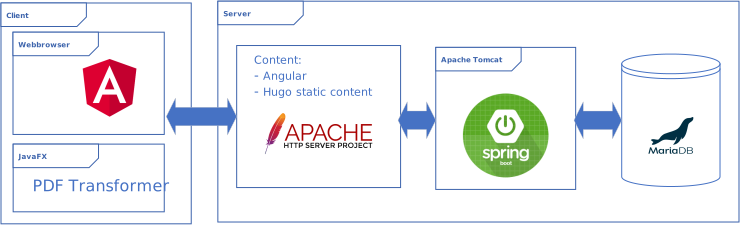
### Email account
GT requires access to an Email account for user registration. For encrypting you have to proceed according to the description of chapter [application.properties](./backend#applicationproperties).
#### Settings for Gmail
The settings for Google's Gmail would be similar to the following. For Gmail, 2-Step verification must be activated. Afterwards a **App password** can be generated for a specific application. This 16-character password must be used.
```
spring.mail.host=smtp.gmail.com
spring.mail.port=587
spring.mail.username=grafiosch@gmail.com
spring.mail.password=DEC("Generated 16-character App password")
spring.mail.properties.mail.smtp.auth=true
spring.mail.properties.mail.smtp.starttls.enable=true
spring.mail.properties.mail.smtp.ssl.enable = false
```
#### Settings for Outlook
In my case, the following setting works:
```
spring.mail.host=smtp-mail.outlook.com
spring.mail.port=587
spring.mail.username=hugo.graf@outlook.com
spring.mail.password=DEC(YOUR_MAIL_PASSWORD)
spring.mail.properties.mail.smtp.auth=true
spring.mail.properties.mail.smtp.starttls.enable=true
spring.mail.properties.mail.smtp.ssl.enable = false
```
## Contributing
If you want to contribute to a project and make it better, your help is very welcome. Take a look at [projects](//github.com/hugograf/grafioschtrader/projects/1).