https://github.com/grakepch/accurateclockcrafter
An automation to make Minecraft resourcepacks of minute-level-accurate clock
https://github.com/grakepch/accurateclockcrafter
Last synced: 9 months ago
JSON representation
An automation to make Minecraft resourcepacks of minute-level-accurate clock
- Host: GitHub
- URL: https://github.com/grakepch/accurateclockcrafter
- Owner: GrakePch
- License: mit
- Created: 2024-02-25T04:27:34.000Z (over 2 years ago)
- Default Branch: master
- Last Pushed: 2024-03-18T07:14:06.000Z (over 2 years ago)
- Last Synced: 2025-02-26T16:39:23.812Z (over 1 year ago)
- Language: Python
- Homepage:
- Size: 18.1 MB
- Stars: 3
- Watchers: 1
- Forks: 0
- Open Issues: 0
-
Metadata Files:
- Readme: README.md
- License: LICENSE
Awesome Lists containing this project
README
# Accurate Clock Crafter 精准时钟合成器
An automation to make Minecraft resourcepacks of minute-level-accurate clock.
[[简体中文]](https://github.com/GrakePch/AccurateClockCrafter/blob/master/README_CN.md)
## Usage & Requirements
Only tested on Python 3.11+
Library needed: **Pillow**
To install, run ```pip install pillow``` in the terminal.
Before running the script:
- Put the pack.mcmeta file in **inputs/[your_pack_name]/**.
- Put the texture file of clock face in **inputs/[your_pack_name]/** and rename it to **bg.png**.
- Put the texture files of hour in **inputs/[your_pack_name]/h/** and rename them to **0.png** to **23.png** (corresponding to 00:MM to 23:MM).
- If making a digital clock:
- Put the texture files of tens-digit of minute in **inputs/[your_pack_name]/m1/** and rename them to **0.png** to **5.png** (corresponding to HH:0M to HH:5M).
- Put the texture files of ones-digit of minute in **inputs/[your_pack_name]/m2/** and rename them to **0.png** to **9.png** (corresponding to HH:M0 to HH:M9).
- If making an analog clock:
- In the pack.mcmeta, add following code structure in the root `{}`:
```json
"acc_config": {
"mode": "a",
"is_hour_higher": true
}
```
- Put the texture files of the minute hand in **inputs/[your_pack_name]/m/** and rename them to the minute they represents respectively. (e.g. a minute hand pointing to HH:05 should be named as 05.png or 5.png)
Then, change the directory of the terminal to the root of this project (the same directory of file ACC.py) and run
```
python .\ACC.py
```
Wait until the program completes, the generated files can be found in **outputs/**
### Customizable Configurations in pack.mcmeta
The configuration code `"acc_config": {...}` will not appear in the generated pack.mcmeta.
```json
{
"pack": {
"pack_format": "[pack format]",
"description": "[your description]"
},
"acc_config": {
"mode": "d",
"is_hour_higher": false,
"pack_icon_time": [9, 30]
}
}
```
- `"mode":`
- `"d"`: Digital (default)
- `"a"`: Analog
- `"is_hour_higher":`
- `false`: hour layer is lower than minute layer (default)
- `true`: hour layer is higher than minute layer
- `"pack_icon_time": [HH, MM]`
- Use the texture of HHMM as pack.png (default is [9, 30])
## Templates
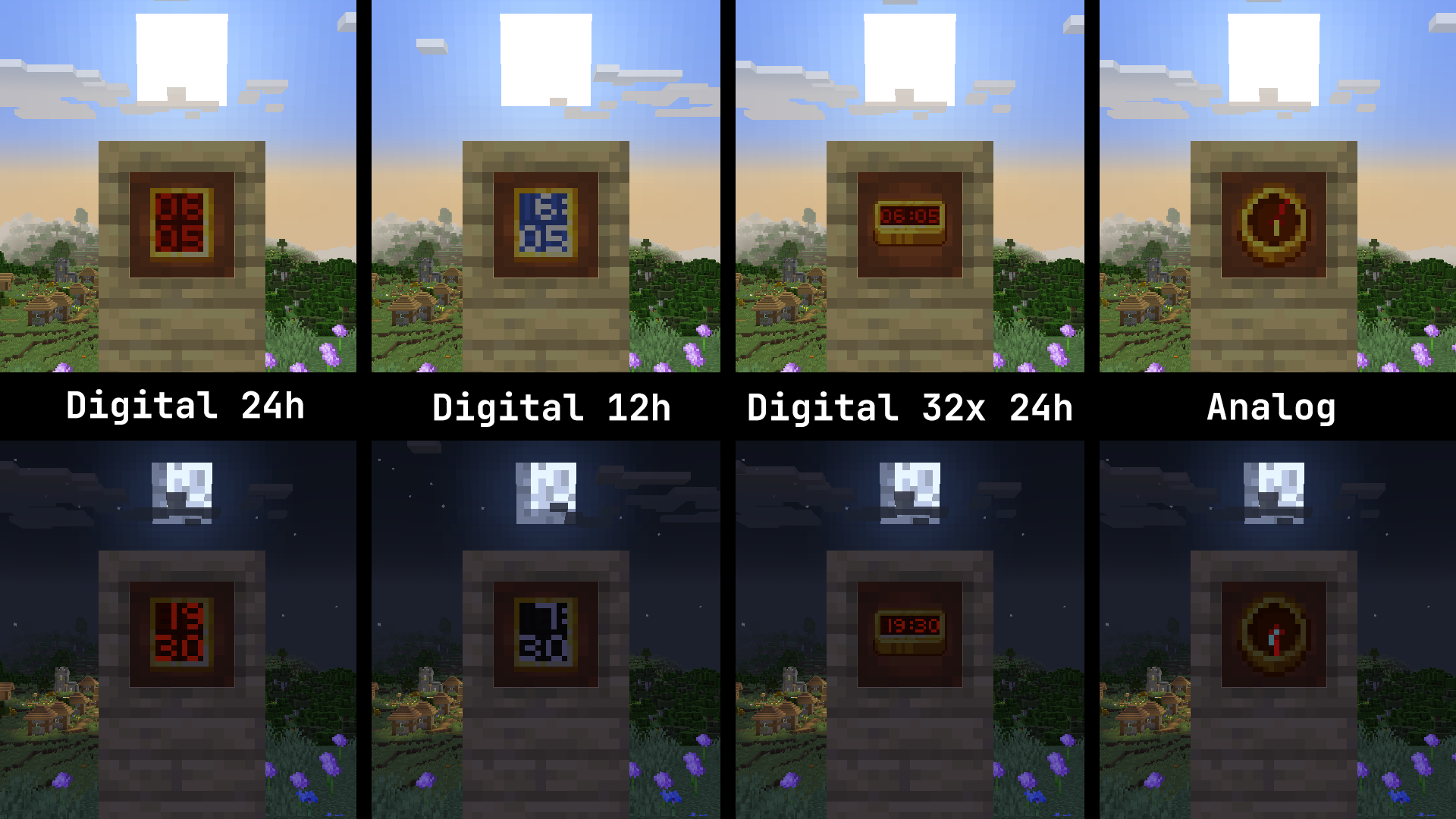
There are several templates of inputs in **inputs_templates/**. Copy one of the folder under **inputs_templates/** to **inputs/** and run the script to get a usable resourcepack as references.
## TODOs
- [x] Support of making analog clock.
- [x] Support of making OptiFine emissive textures.
- [ ] Support of making PBR textures.