https://github.com/grapesjs/filestack
Enable Filestack uploader inside the Asset Manager
https://github.com/grapesjs/filestack
asset-manager filestack grapesjs uploader
Last synced: 12 months ago
JSON representation
Enable Filestack uploader inside the Asset Manager
- Host: GitHub
- URL: https://github.com/grapesjs/filestack
- Owner: GrapesJS
- License: bsd-3-clause
- Created: 2017-03-06T21:52:25.000Z (over 9 years ago)
- Default Branch: master
- Last Pushed: 2019-03-24T21:34:32.000Z (over 7 years ago)
- Last Synced: 2025-04-12T04:51:41.791Z (about 1 year ago)
- Topics: asset-manager, filestack, grapesjs, uploader
- Language: JavaScript
- Size: 89.8 KB
- Stars: 23
- Watchers: 4
- Forks: 28
- Open Issues: 2
-
Metadata Files:
- Readme: README.md
- License: LICENSE
Awesome Lists containing this project
README
# [GrapesJS Filestack](http://grapesjs.com/demo.html)
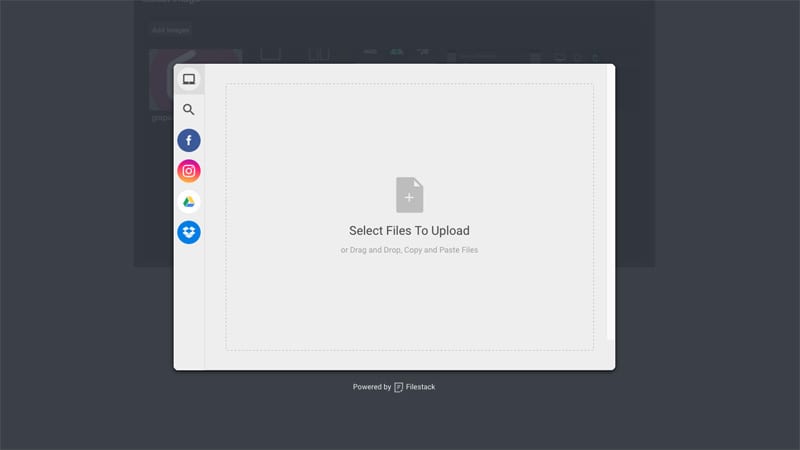
This plugin replaces the default file uploader with the one from Filestack
Demo: http://grapesjs.com/demo.html
## Summary
* Plugin
* Name: `gjs-plugin-filestack`
* Options:
* `key` Filestack's API key (**required**)
* `btnEl` Custom button element which triggers Filestack modal
* `btnText` Text for the button in case the custom one is not provided, default: `Add images`
* `filestackOpts` Filestack's options, default: `{accept: 'image/*', maxFiles: 10}`
* `onComplete` On complete upload callback, eg. `onComplete: (blobs, assets) => {...}`
*blobs* Array of Objects, eg. [{url:'...', filename: 'name.jpeg', ...}]
*assets* Array of inserted assets
## Prerequisites
- [filestack-js](https://github.com/filestack/filestack-js) **up to v0.11.5 only** (not compatible with filestack-js v1 and above)
## Download
* `npm i grapesjs-plugin-filestack`
* Latest release link https://github.com/artf/grapesjs-plugin-filestack/releases/latest
## Usage
```html
var editor = grapesjs.init({
container : '#gjs',
plugins: ['gjs-plugin-filestack'],
pluginsOpts: {
'gjs-plugin-filestack': {/* ...options */}
}
});
```
## Development
Clone the repository
```sh
$ git clone https://github.com/artf/grapesjs-plugin-filestack.git
$ cd grapesjs-plugin-filestack
```
Install it
```sh
$ npm i
```
The plugin relies on GrapesJS via `peerDependencies` so you have to install it manually (without adding it to package.json)
```sh
$ npm i grapesjs --no-save
```
Start the dev server
```sh
$ npm start
```
## License
BSD 3-Clause