https://github.com/grapesjs/tui-image-editor
GrapesJS TOAST UI Image Editor
https://github.com/grapesjs/tui-image-editor
Last synced: about 1 year ago
JSON representation
GrapesJS TOAST UI Image Editor
- Host: GitHub
- URL: https://github.com/grapesjs/tui-image-editor
- Owner: GrapesJS
- License: bsd-3-clause
- Created: 2019-02-19T00:18:19.000Z (over 7 years ago)
- Default Branch: master
- Last Pushed: 2023-06-12T11:00:56.000Z (about 3 years ago)
- Last Synced: 2024-05-16T01:02:36.502Z (about 2 years ago)
- Language: TypeScript
- Size: 452 KB
- Stars: 86
- Watchers: 8
- Forks: 36
- Open Issues: 2
-
Metadata Files:
- Readme: README.md
- License: LICENSE
Awesome Lists containing this project
README
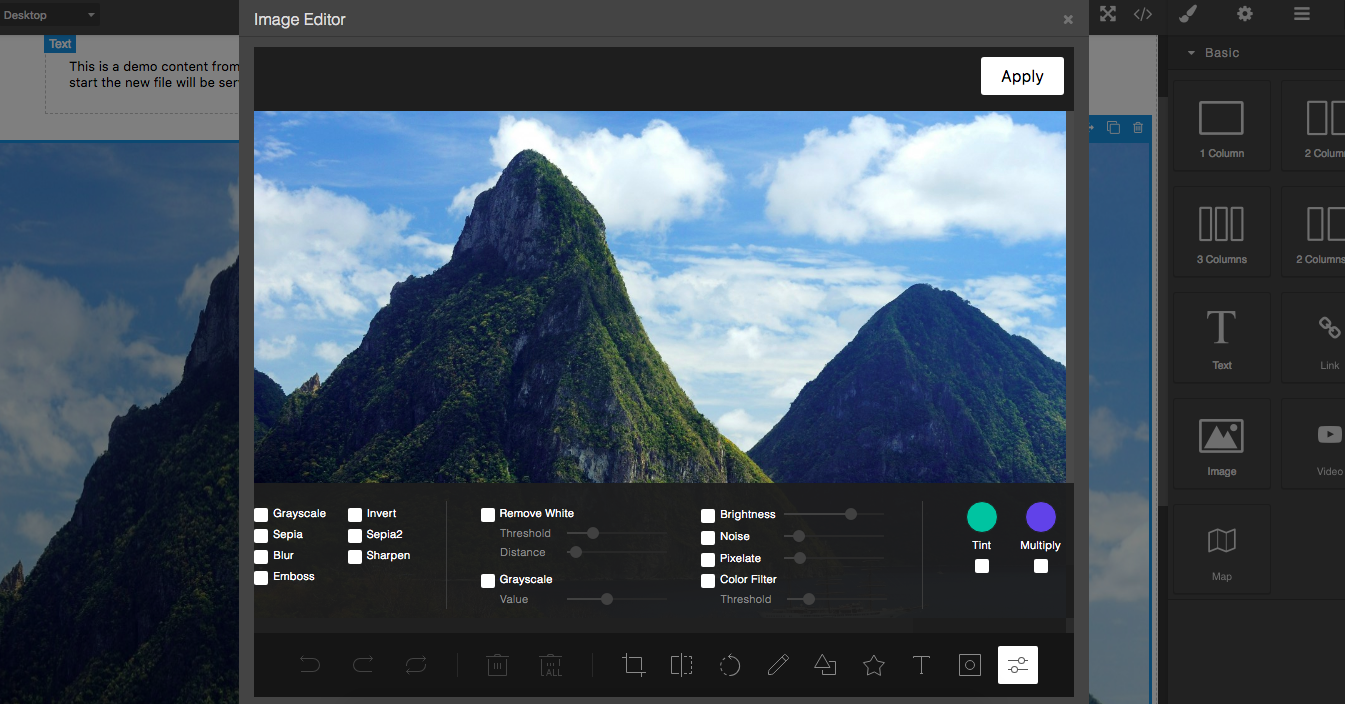
# GrapesJS TOAST UI Image Editor
Add the [TOAST UI Image Editor](https://ui.toast.com/tui-image-editor/) on Image Components in GrapesJS
[Demo](http://grapesjs.com/demo.html)
## Summary
* Plugin name: `grapesjs-tui-image-editor`
* Commands
* `tui-image-editor` - Open the modal with the image editor.
Options:
* `target` - component from which to get and update the image
## Options
|Option|Description|Default|
|-|-|-
|`config`|TOAST UI's configuration [object](http://nhnent.github.io/tui.image-editor/latest/ImageEditor.html)|`{}`|
|`constructor`|Pass the editor constructor. By default, the `tui.ImageEditor` will be called|``|
|`labelImageEditor`|Label for the image editor (used in the modal)|`Image Editor`|
|`labelApply`|Label used on the apply button|`Apply`|
|`height`|Default editor height|`650px`|
|`width`|Default editor width|`100%`|
|`commandId`|Id to use to create the image editor command|`tui-image-editor`|
|`toolbarIcon`|Icon used in the image component toolbar. Pass an empty string to avoid adding the icon.|` {...}`|`null`|
|`addToAssets`|If no custom `onApply` is passed and this option is `true`, the result image will be added to assets|`true`|
|`upload`|If no custom `onApply` is passed, on confirm, the edited image, will be passed to the AssetManager's uploader and the result (eg. instead of having the dataURL you'll have the URL) will be passed to the default `onApply` process (update target, etc.)|`false`|
|`onApplyButton`|The apply button (HTMLElement) will be passed as an argument to this function, once created. This will allow you a higher customization.|`null`|
|`script`|Scripts to load dynamically in case no TOAST UI editor constructor is found|`['...tui-code-snippet.js', '...tui-color-picker.js', '...tui-image-editor.min.js']`|
|`style`|In case the `script` is loaded this style will be loaded too|`['...tui-color-picker.css', '...tui-image-editor.css']`|
## Download
* CDN
* `https://unpkg.com/grapesjs-tui-image-editor`
* NPM
* `npm i grapesjs-tui-image-editor`
* GIT
* `git clone https://github.com/GrapesJS/tui-image-editor.git`
## Usage
Directly in the browser
```html
var editor = grapesjs.init({
container : '#gjs',
// ...
plugins: ['grapesjs-tui-image-editor'],
pluginsOpts: {
'grapesjs-tui-image-editor': {
config: {
includeUI: {
initMenu: 'filter',
},
},
}
}
});
```
Modern javascript
```js
import grapesjs from 'grapesjs';
import plugin from 'grapesjs-tui-image-editor';
const editor = grapesjs.init({
container : '#gjs',
// ...
plugins: [plugin],
pluginsOpts: {
[plugin]: { /* options */ }
}
// or
plugins: [
editor => plugin(editor, { /* options */ }),
],
});
```
## Development
Clone the repository
```sh
$ git clone https://github.com/GrapesJS/tui-image-editor.git
$ cd grapesjs-tui-image-editor
```
Install dependencies
```sh
$ npm i
```
Start the dev server
```sh
$ npm start
```
## License
BSD 3-Clause