https://github.com/greggman/webgl-helpers
some tiny webgl scripts that might come in handy
https://github.com/greggman/webgl-helpers
webgl webgl2
Last synced: about 1 year ago
JSON representation
some tiny webgl scripts that might come in handy
- Host: GitHub
- URL: https://github.com/greggman/webgl-helpers
- Owner: greggman
- License: mit
- Created: 2019-11-24T16:51:27.000Z (over 6 years ago)
- Default Branch: master
- Last Pushed: 2023-07-12T16:20:38.000Z (about 3 years ago)
- Last Synced: 2025-05-13T00:13:05.610Z (about 1 year ago)
- Topics: webgl, webgl2
- Language: JavaScript
- Homepage: https://greggman.github.io/webgl-helpers/
- Size: 19.5 MB
- Stars: 58
- Watchers: 2
- Forks: 3
- Open Issues: 0
-
Metadata Files:
- Readme: README.md
- License: LICENSE.md
Awesome Lists containing this project
README
# WebGL Helpers
Some scripts and debugger snippets that might come in handy.
## Show Info
Shows how many vertices, instances, and draw calls
are happening per frame as well as the amount of data
being passed to WebGL via functions like `bufferSubData`
and `texSubImage2D`.
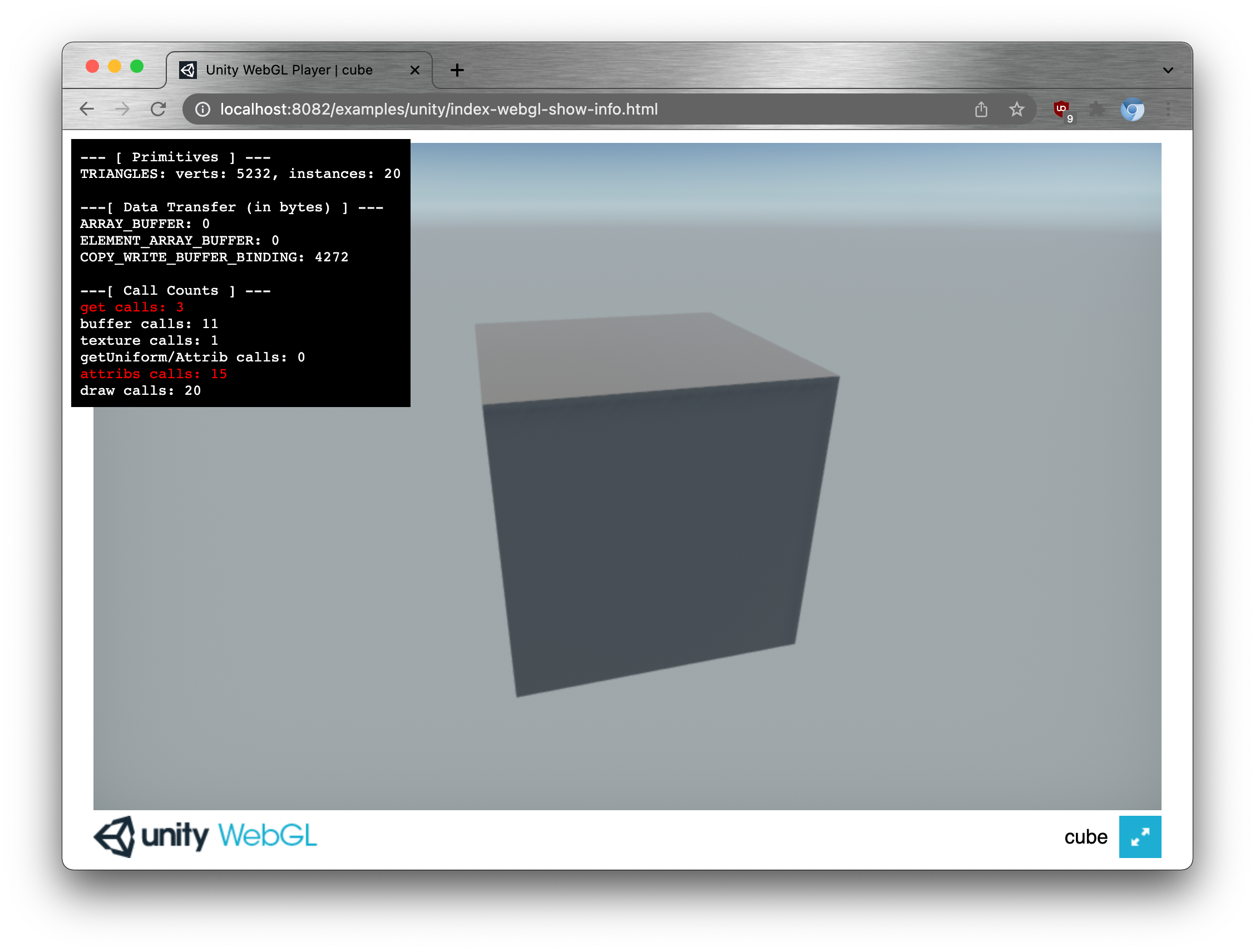
See Live Example [here](https://greggman.github.io/webgl-helpers/examples/unity/index-webgl-show-info.html).
Clicking the info box will show per function counts for the functions being tracked.
To use, add this script before your other scripts
```html
```
It inserts a `
` in the `` of the page and gives it a CSS class name of `webgl-show-info`
so you can position with with `.webgl-show-info { right: 0; bottom: 0; }` etc...
Some things to note:
Certain things are marked in `red`.
* updating `ELEMENT_ARRAY_BUFFER` buffers can cause perf issues because WebGL is required
to make sure no indices are out of bounds. WebGL implementations usually cache this info
but if you update the buffer they have to invalidate their cache for that buffer.
Of course if you can't avoid updating indices then you'll have to live with whatever the
perf hit is but if you can redesign so you don't need to update the indices you might find
some perf gains.
* Calling any `getXXX` function every frame can cause perf issues. Common things are
calling `gl.getUniformLocation` or `gl.getAttribLocation` every frame instead of just
looking them up at init time. The same for example for `gl.checkFramebuffer`. Do it once
at init time. If you need different arrangements of framebuffer attachments then make
multiple framebuffers at init time.
* Setting up vertex attributes (calling `gl.vertexAttribPointer`, `gl.enableVertexAttribArray`, etc....
If you want perf you should really be using vertex arrays (ie, `gl.createVertexArray`, `gl.bindVertexArray`).
To be honest, every WebGL app I've ever written breaks this rule because WebGL1 didn't support
vertex arrays without an extension.
Also, remember that **Premature Optimization is the root of all evil**. The majority of WebGL out there
just doesn't do enough work that these optimizations will matter. But, if you happen to be getting near
the limits then these are places you might look for perf gains.
Remember though, find the biggest perf issues first. If you have lots of overdraw, or slow complex shaders,
or a complex post processing pipeline doing a bunch of passes, or you're just drawing way to much stuff,
the thing above are probably not your bottleneck.
Here's a script you can paste into the JavaScript console to use on a running page
```js
(()=>{const s = document.createElement('script');s.src='https://greggman.github.io/webgl-helpers/webgl-show-info.js';document.firstElementChild.appendChild(s)})();
```
## glEnumToString
A simple one, incomplete, but useful in a pinch.
```
function glEnumToString(value) {
const keys = [];
for (const key in WebGL2RenderingContext) {
if (WebGL2RenderingContext[key] === value) {
keys.push(key);
}
}
return keys.length ? keys.join(' | ') : `0x${value.toString(16)}`;
}
```
The issue with it being incomplete it some enums are specified on extensions.
One that covers all enums is a little too involved. Also, GL unfortunately
chose `0` for 4 different values. `NONE`, `POINTS`, `FALSE`, `NO_ERROR` which
is why the `join` above. Otherwise you'd need to know the function the value
is going to be used with in order to return the correct string.
## Show the available extensions
```
console.log(document.createElement("canvas").getContext("webgl").getSupportedExtensions().join('\n'));
console.log(document.createElement("canvas").getContext("webgl2").getSupportedExtensions().join('\n'));
```
## Show the VENDOR / RENDERER
Show both `low-power` and `high-performance`
```
{
for (const powerPreference of ["low-power", "high-performance"]) {
const gl = document.createElement("canvas").getContext("webgl");
const ext = gl.getExtension("WEBGL_debug_renderer_info");
console.log(`${powerPreference}\n${["VENDOR", "RENDERER", "UNMASKED_RENDERER_WEBGL", "UNMASKED_VENDOR_WEBGL"].map(name => {
const pname = ext[name] || gl[name];
return pname ? `${name}: ${gl.getParameter(pname)}` : "";
}).filter(v => v).join('\n')}`);
}
}
```
Show the default (usually `low-power` but up to the browser). Also, if you have a variable `gl` or some other context just delete the first line or change to `gl = `
```
{
const gl = document.createElement("canvas").getContext("webgl");
const ext = gl.getExtension("WEBGL_debug_renderer_info");
console.log(["VENDOR", "RENDERER", "UNMASKED_RENDERER_WEBGL", "UNMASKED_VENDOR_WEBGL"].map(name => {
const pname = ext[name] || gl[name];
return pname ? `${name}: ${gl.getParameter(pname)}` : "";
}).filter(v => v).join('\n'));
}
```
## Print out *most* of the limits
```
{
const gl = document.createElement('canvas').getContext('webgl2');
const m = {};
for (const key in gl) {
if (key.startsWith("MAX_")) {
m[key] = gl.getParameter(gl[key]);
}
}
console.log(JSON.stringify(m, null, 2));
}
```
You could just go to [webglreport.com](https://webglreport.com) to see the limits but I needed to be able to compare.
```
a =
b =
console.log(Object.entries(a).map(([k, v]) => `${v.toString().padStart(10)} ${b[k].toString().padStart(10)} : ${k}`).join('\n'))
```
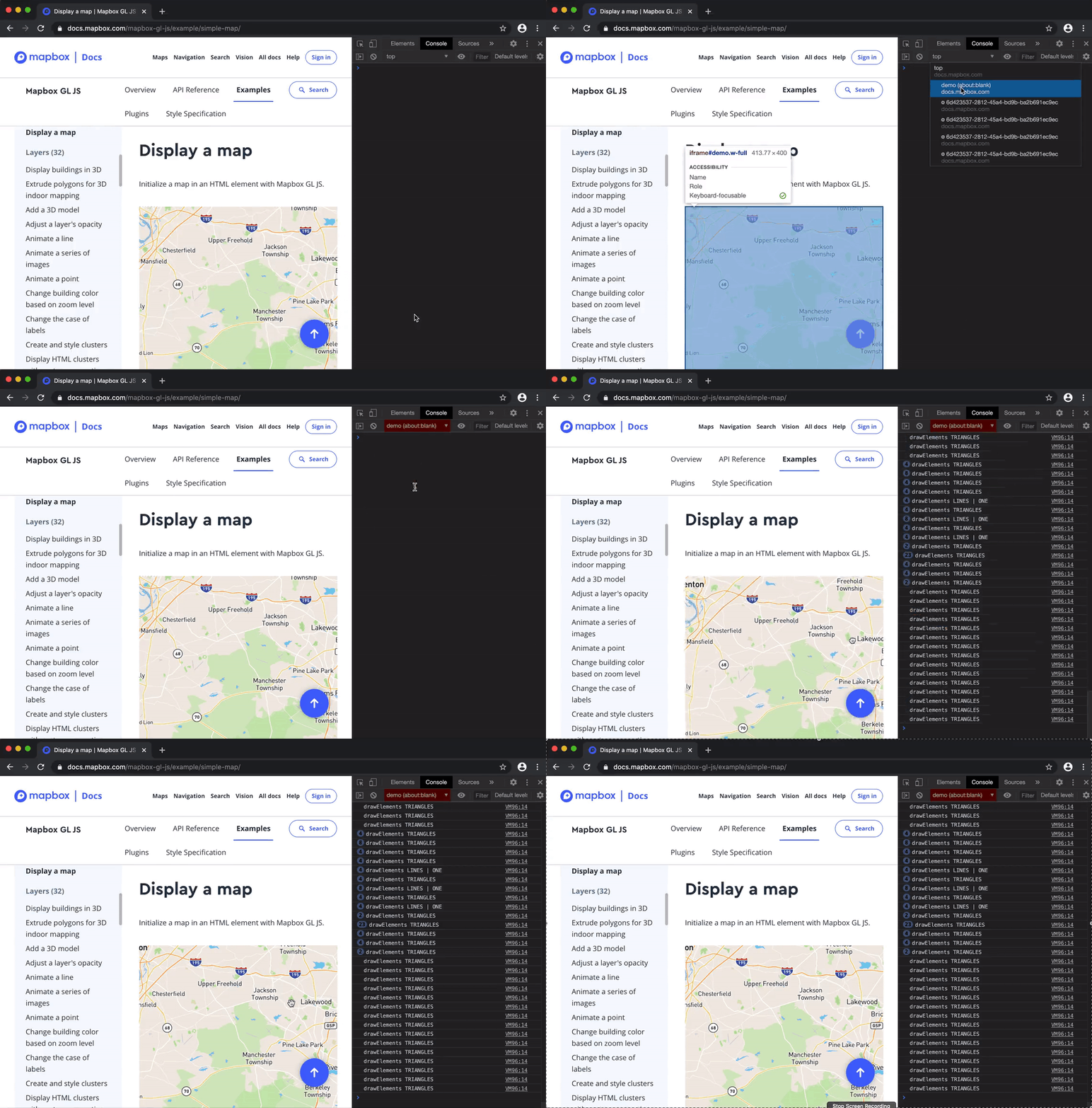
## Spy on draw calls
Copy and paste this into the JavaScript console
```
(()=>{const s = document.createElement('script');s.src='https://greggman.github.io/webgl-helpers/webgl-show-draw-calls.js';document.firstElementChild.appendChild(s)})();
```
or copy and pasted [the entire file](https://raw.githubusercontent.com/greggman/webgl-helpers/master/webgl-show-draw-calls.js) into the JavaScript console.
Example, select the correct context, then copy and paste
Or use
```
```
# scripts to use when you're including a 3rd party WebGL lib (Unity, three.js, etc...)
## webgl-log-shaders.js
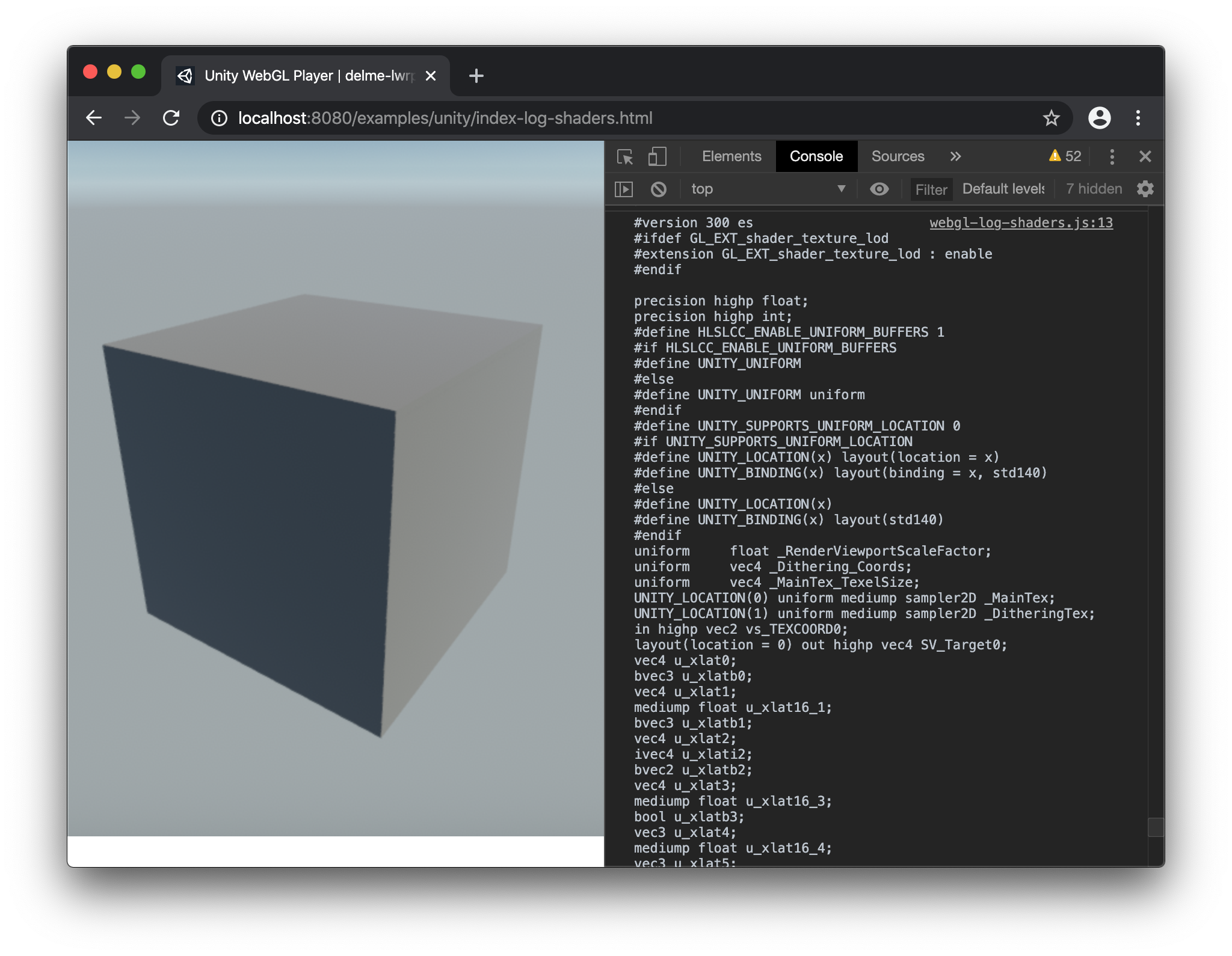
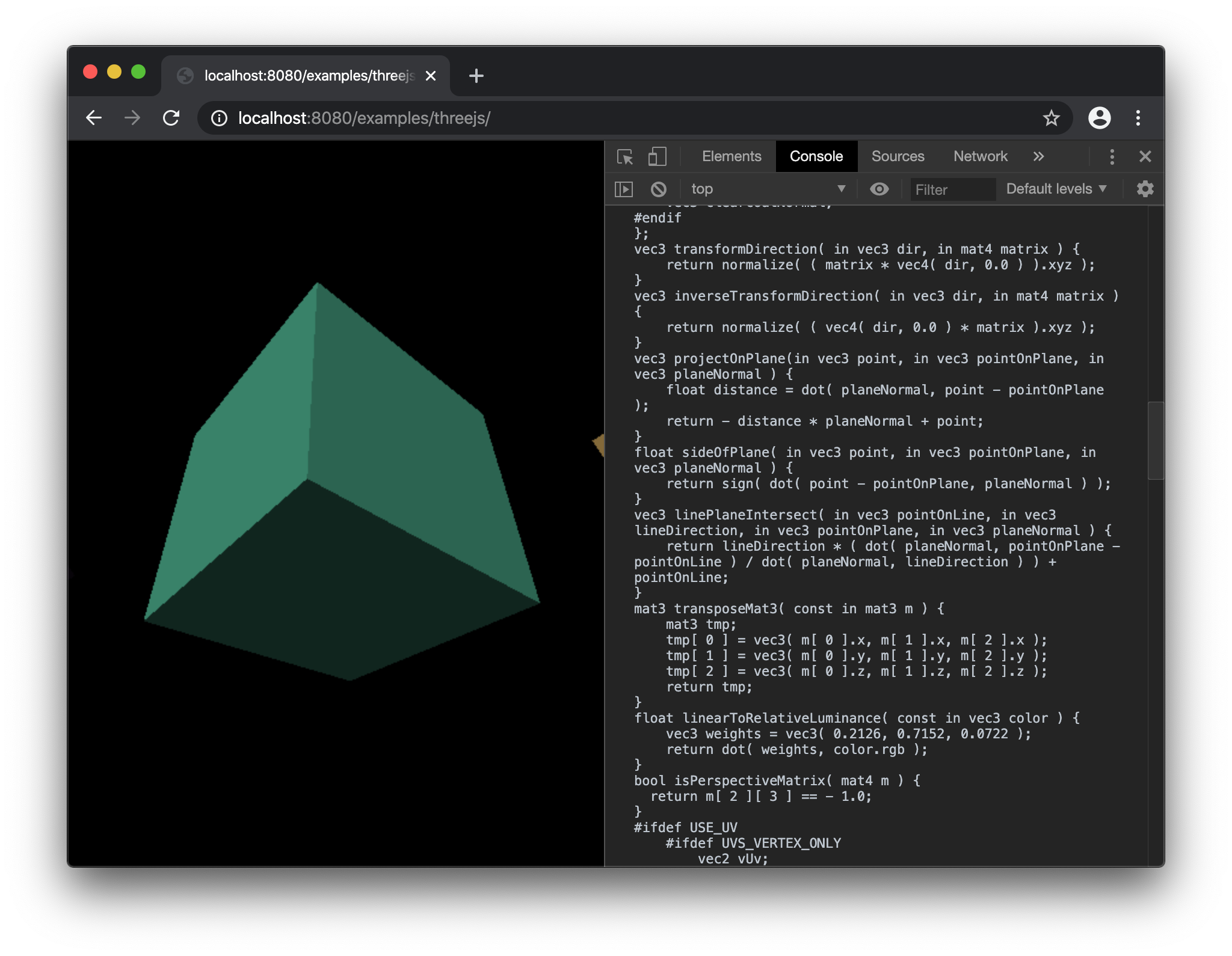
Want to dump shaders, add this script at the top of your HTML file
```
```
For example [here's a Unity example with the script above added to the top of the HTML file](https://greggman.github.io/webgl-helpers/examples/unity/index-log-shaders.html).
And here's [the same with three.js](https://greggman.github.io/webgl-helpers/examples/threejs/).
## webgl-bad-log-shaders.js
Same as above but only logs a shader if it fails to compile. This can be useful
if you have a big project like a Unity project and you want to extract the
shader to file an [MCVE bug report](https://en.wikipedia.org/wiki/Minimal_reproducible_example).
Add this to the top of your HTML file
```
```
If a shader fails to compile or a program fails to link it will print an error and their source code to the console.
## webgl-dump-shaders.js
Same as above except you can possibly copy and paste this contents into the JS console.
```
(()=>{const s = document.createElement('script');s.src='https://greggman.github.io/webgl-helpers/webgl-dump-shaders.js';document.firstElementChild.appendChild(s)})();
```
For example Google Maps
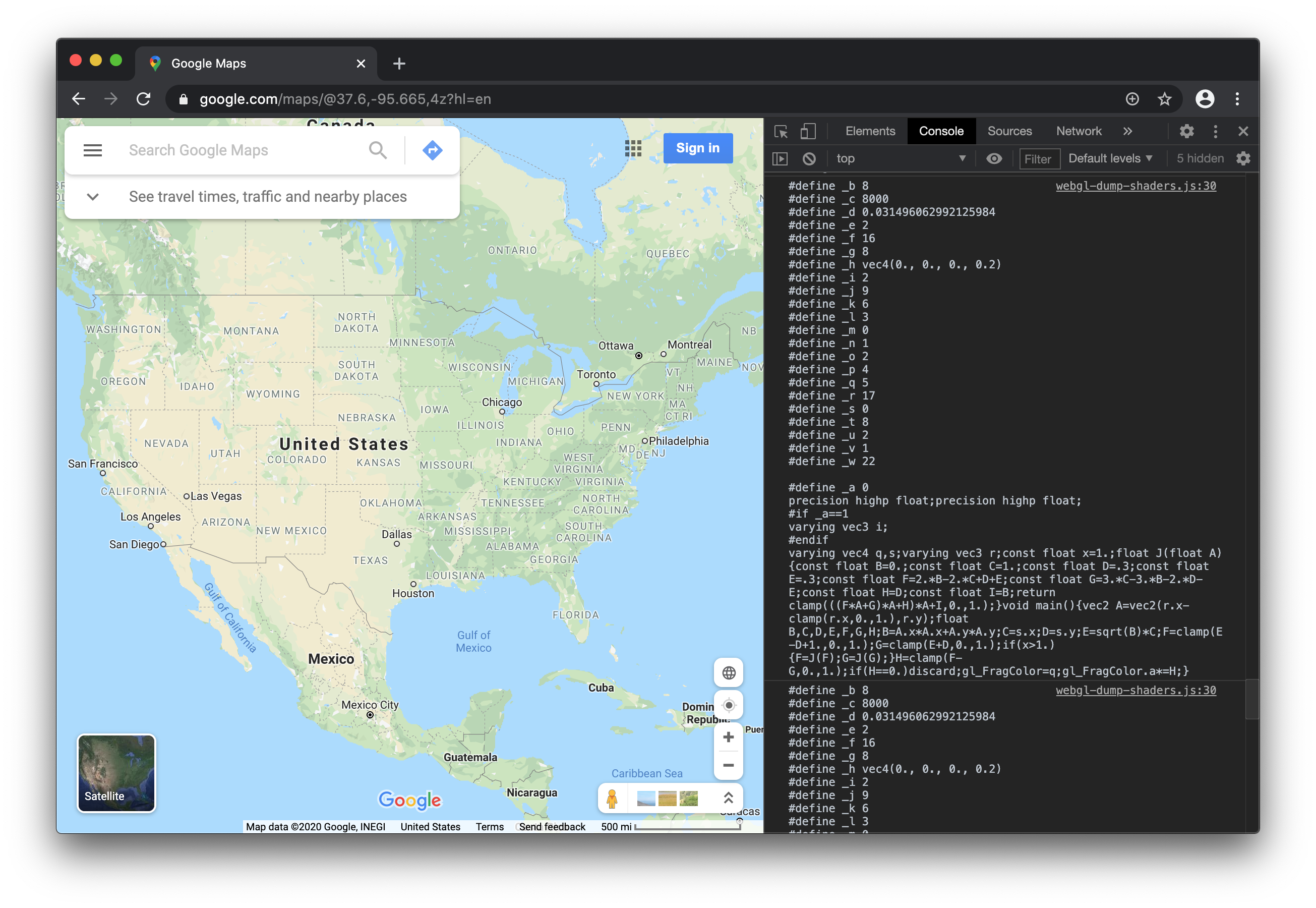
Note: This doesn't always work if the app deletes/detaches its shaders from its programs. Another method to dump shaders
is to open the JavaScript console, add a breakpoint early in the page's JavaScript. When the breakpoint hits,
paste the following into the JavaScript console.
```js
WebGL2RenderingContext.prototype.shaderSource = (function(origFn) {
return function(shader, source) {
origFn.call(this, shader, source);
console.log(source);
};
})(WebGL2RenderingContext.prototype.shaderSource);
WebGLRenderingContext.prototype.shaderSource = (function(origFn) {
return function(shader, source) {
origFn.call(this, shader, source);
console.log(source);
};
})(WebGLRenderingContext.prototype.shaderSource);
```
The continue the JavaScript execution.
## webgl-disable2.js
Disables WebGL2. Useful to force something to use WebGL1 assuming it can handle both
```
```
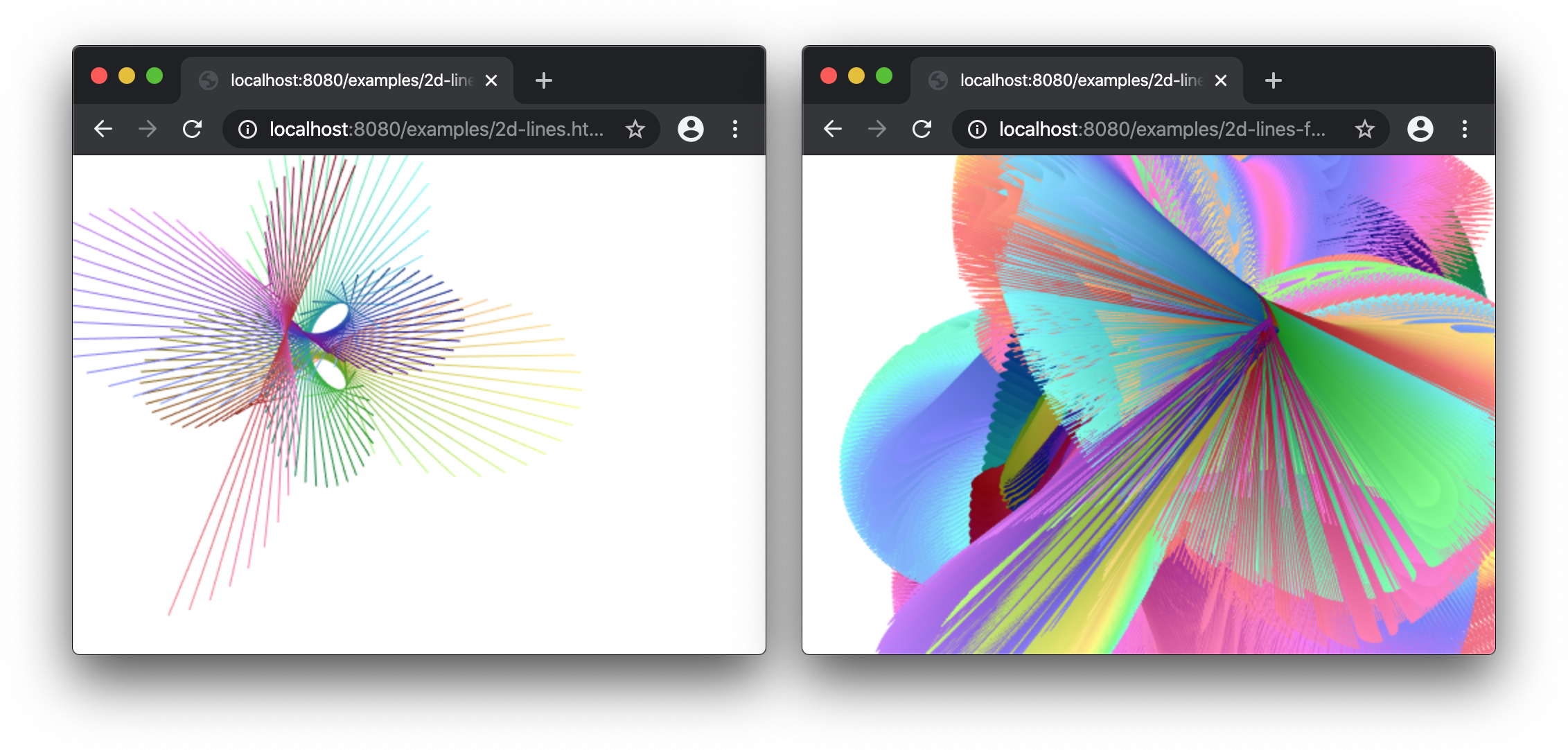
## webgl-force-preservedrawingbuffer.js
Forces `preserveDrawingBuffer: true`.
Maybe you want to take a screenshot of some canvas that another script is controlling.
```
```
Example:
* [without script](https://greggman.github.io/webgl-helpers/examples/2d-lines.html)
* [with script](https://greggman.github.io/webgl-helpers/examples/2d-lines-force-preservedrawingbuffer.html)
## webgl-force-alpha-true.js
## webgl-force-alpha-false.js
Forces `alpha: true` or `alpha: false`
Could be useful if you can't figure out how to get a certain library to
be one or the other. For example the myriad of poorly documented ways
that emscripten creates a canvas.
```
```
```
```
## webgl-force-premultipliedalpha-true.js
## webgl-force-premultipliedalpha-false.js
Forces `premultipliedAlpha: true` or `premultipliedAlpha: false`
Could be useful if you can't figure out how to get a certain library to
be one or the other. For example the myriad of poorly documented ways
that emscripten creates a canvas.
```
```
```
```
## webgl-force-powerpreference-low-power.js
## webgl-force-powerpreference-high-performance.js
Forces the powerPreference setting.
Could be useful if the library you're using has no way to set this
and you want it to be something other than the default.
```
```
```
```
## webgl-gl-error-check.js
This script has moved to [https://github.com/greggman/webgl-lint](https://github.com/greggman/webgl-lint)
# Other useful things
* [virtual-webgl](https://github.com/greggman/virtual-webgl): A library to virtualize WebGL to surpass the context limit
* [webgl-capture](https://github.com/greggman/webgl-capture/): A library to capture GL calls into a reproducible webpage
* [twgl](https://twgljs.org): A library to simplify using WebGL