https://github.com/grm34/zenmaxbuilder
📲 Android Kernel Builder | On stand-by, also take look at https://github.com/cyberknight777/YAKB
https://github.com/grm34/zenmaxbuilder
aircrack-ng android aosp clang compiler gcc kali-linux kernel kernel-builder nethunter pentesting
Last synced: about 1 year ago
JSON representation
📲 Android Kernel Builder | On stand-by, also take look at https://github.com/cyberknight777/YAKB
- Host: GitHub
- URL: https://github.com/grm34/zenmaxbuilder
- Owner: grm34
- License: mit
- Created: 2021-06-09T22:51:15.000Z (about 5 years ago)
- Default Branch: zmb
- Last Pushed: 2023-02-26T19:22:13.000Z (over 3 years ago)
- Last Synced: 2025-03-25T08:17:38.669Z (over 1 year ago)
- Topics: aircrack-ng, android, aosp, clang, compiler, gcc, kali-linux, kernel, kernel-builder, nethunter, pentesting
- Language: Shell
- Homepage:
- Size: 9.58 MB
- Stars: 104
- Watchers: 4
- Forks: 28
- Open Issues: 4
-
Metadata Files:
- Readme: README.md
- Contributing: .github/CONTRIBUTING.md
- License: LICENSE
- Code of conduct: .github/CODE_OF_CONDUCT.md
- Security: .github/SECURITY.md
Awesome Lists containing this project
README
# 🆉🅴🅽🅼🅰🆇🅱🆄🅸🅻🅳🅴🆁 📲
> ⚠️ This project is on stand-by for the moment. Indeed, as I don't have a computer anymore, it's impossible for me to debug/test or even to update what would certainly have needed it. Keep in mind that this was originally designed to facilitate the management/build of multiple kernels maintained by experienced developers and is not and will not be a "run it and grab a coffee" tool. Kernel compilation requires a minimum of prior knowledge and this kind of tool simply does not exist.





Some tested distros













## Table of Contents
- [Overview](#overview)
- [Requirements](#requirements)
- [Installation](#installation)
- [Getting Started](#getting-started)
- [Options](#options)
- [Working Structure](#working-structure)
- [Toolchains](#toolchains)
- [Screenshots](#screenshots)
- [More information](#more-information)
- [Common warnings and errors](#common-warnings-and-errors)
- [Reporting Issues](#reporting-issues)
- [Contributing](#contributing)
- [Help us Translate ZenMaxBuilder](#help-us-translate-zenmaxbuilder)
- [License](#license)
- [Credits](#credits)
## Overview
ZenMaxBuilder (ZMB) is a Linux kernel builder written in Bash and oriented for android devices but as well compatible for other platforms. It can be installed on any compatible Linux system (feel free to Pull Request for win/mac support). By default it uses AOSP-Clang, Eva-GCC, Proton-Clang, Neutron-Clang or Lineage-GCC but you can use any Clang or GCC toolchain you like (with LLVM and binutils included).
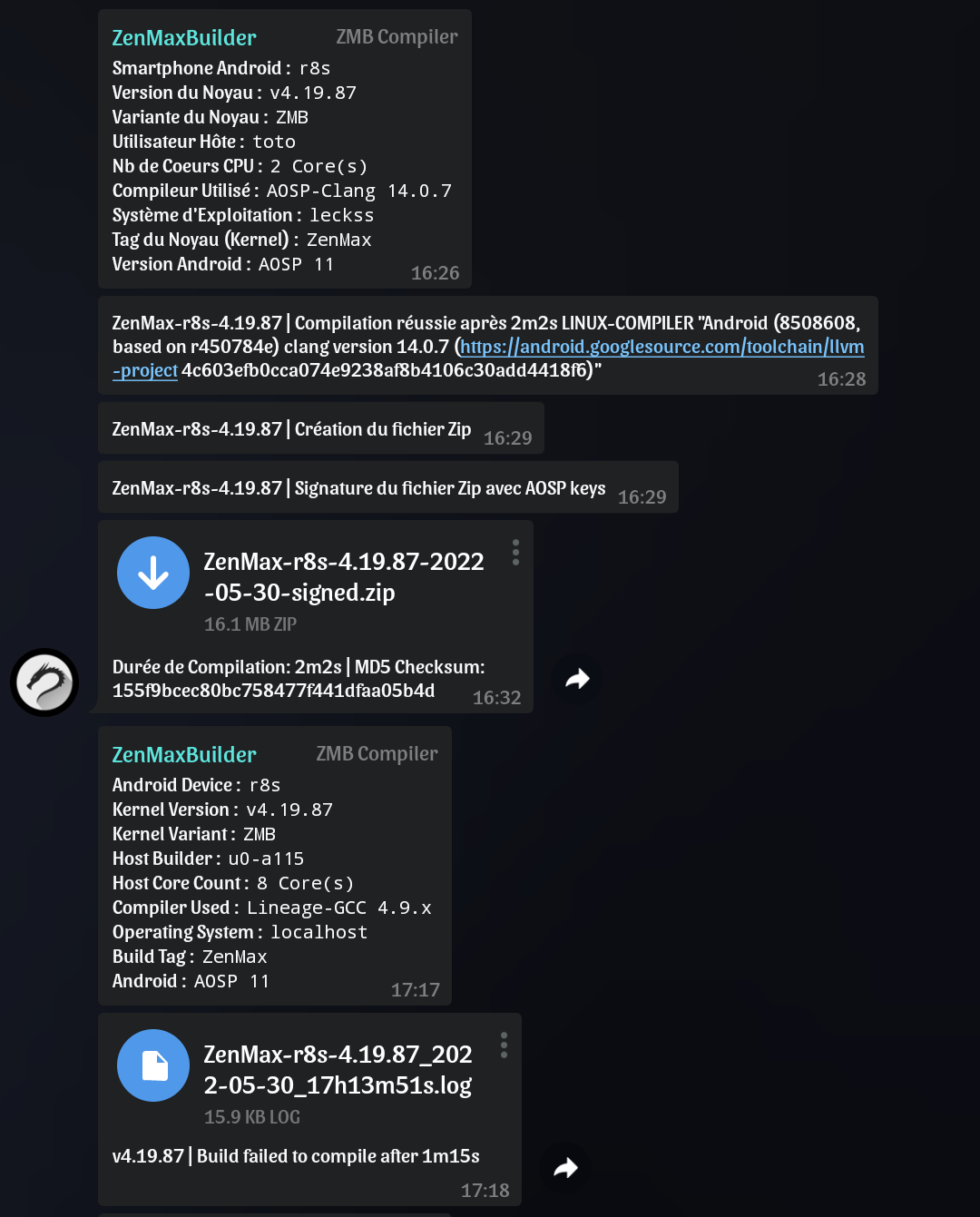
Find all your compilations and working folders in one place, update and maintain your kernels faster. Full logs with the possibility to restart the build after error. Automatic creation of a flashable signed ZIP for android devices (with AK3 and AOSP Keys). Real time status feedback with build sending on any group or Telegram channel. And more. The perfect tool to compile on the fly and keep fresh and clean kernel paths.
## Requirements
- A compatible Linux system
- The kernel source code of your device/os
- A minimum of knowledge in kernel compilation
- Patience
The installation of the missing dependencies will be proposed by the installer or first install them manually with your favorite package manager (no package is installed without your prior consent) :
bash sed wget git curl zip tar jq expect make cmake automake autoconf llvm lld lldb clang gcc binutils bison perl gperf gawk flex bc python3 zstd openssl sudo
The optional flashable zip signature with AOSP Keys requires java (JDK) which is not proposed to install (openjdk recommended).
## Installation
The installer simply clones the repository in your `HOME` and creates a copy of the executable in `usr/bin`.
Install ZenMaxBuilder :
wget kernel-builder.com/zmb && bash zmb install
Checking the installation :
bash ~/ZenMaxBuilder/docs/zmb check
Update ZenMaxBuilder :
zmb --update
Uninstall ZenMaxBuilder :
bash ~/ZenMaxBuilder/docs/zmb uninstall
rm -rf ~/ZenMaxBuilder
## Getting Started
Create a copy of [settings.cfg](https://github.com/grm34/ZenMaxBuilder/blob/zmb/etc/settings.cfg) to set your settings (optional) :
cp ~/ZenMaxBuilder/etc/settings.cfg ~/ZenMaxBuilder/etc/user.cfg
vi ~/ZenMaxBuilder/etc/user.cfg
Start ZMB and follow instructions :
zmb --start
You can exit ZMB at any time using `ctrl+c` or `ctrl+z` combinaison keys.
## Options
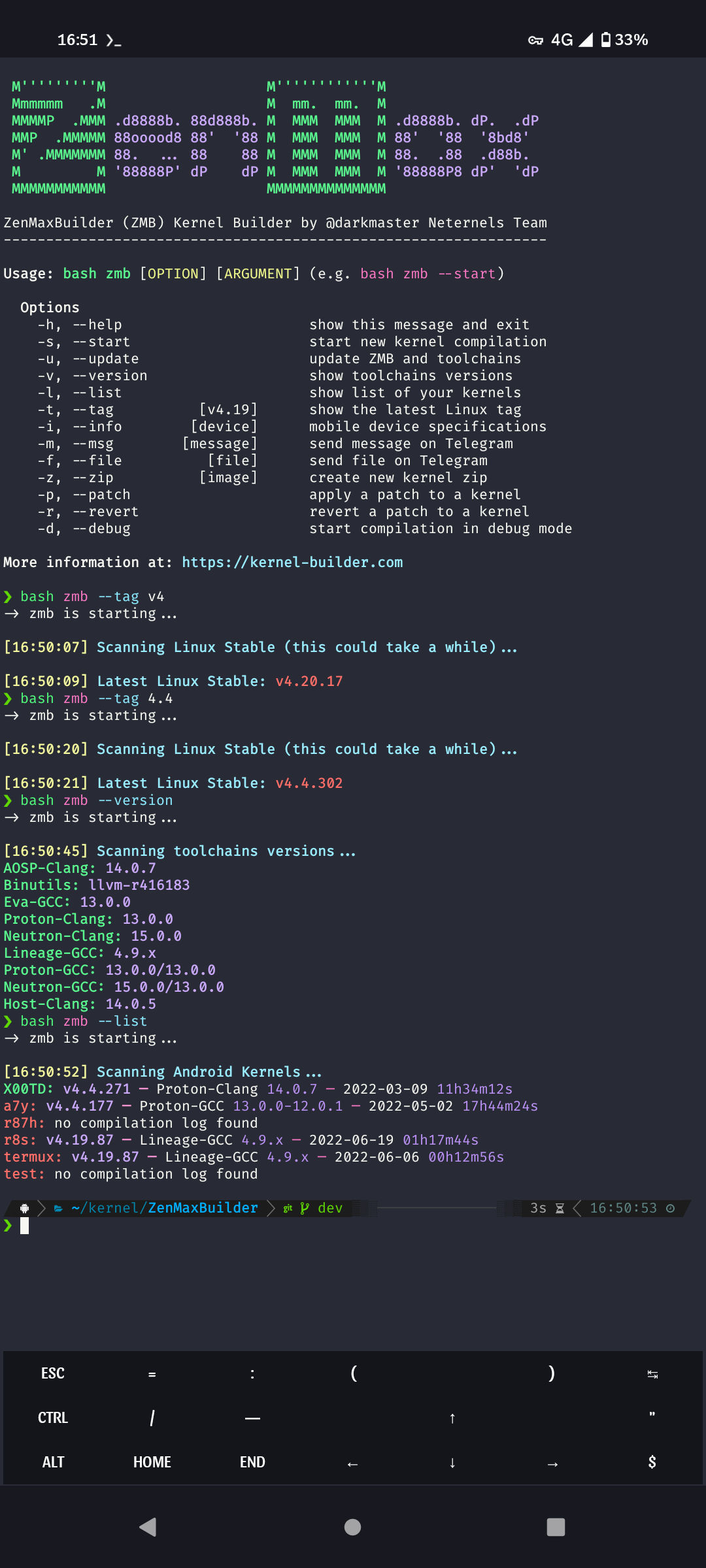
Usage: zmb [OPTION] [ARGUMENT] (e.g. zmb --info zenfone pro)
Options
-h, --help show this message and exit
-s, --start start new kernel compilation
-u, --update update script and toolchains
-v, --version show toolchains versions
-l, --list show list of your kernels
-t, --tag [v4.19] show the latest Linux tag
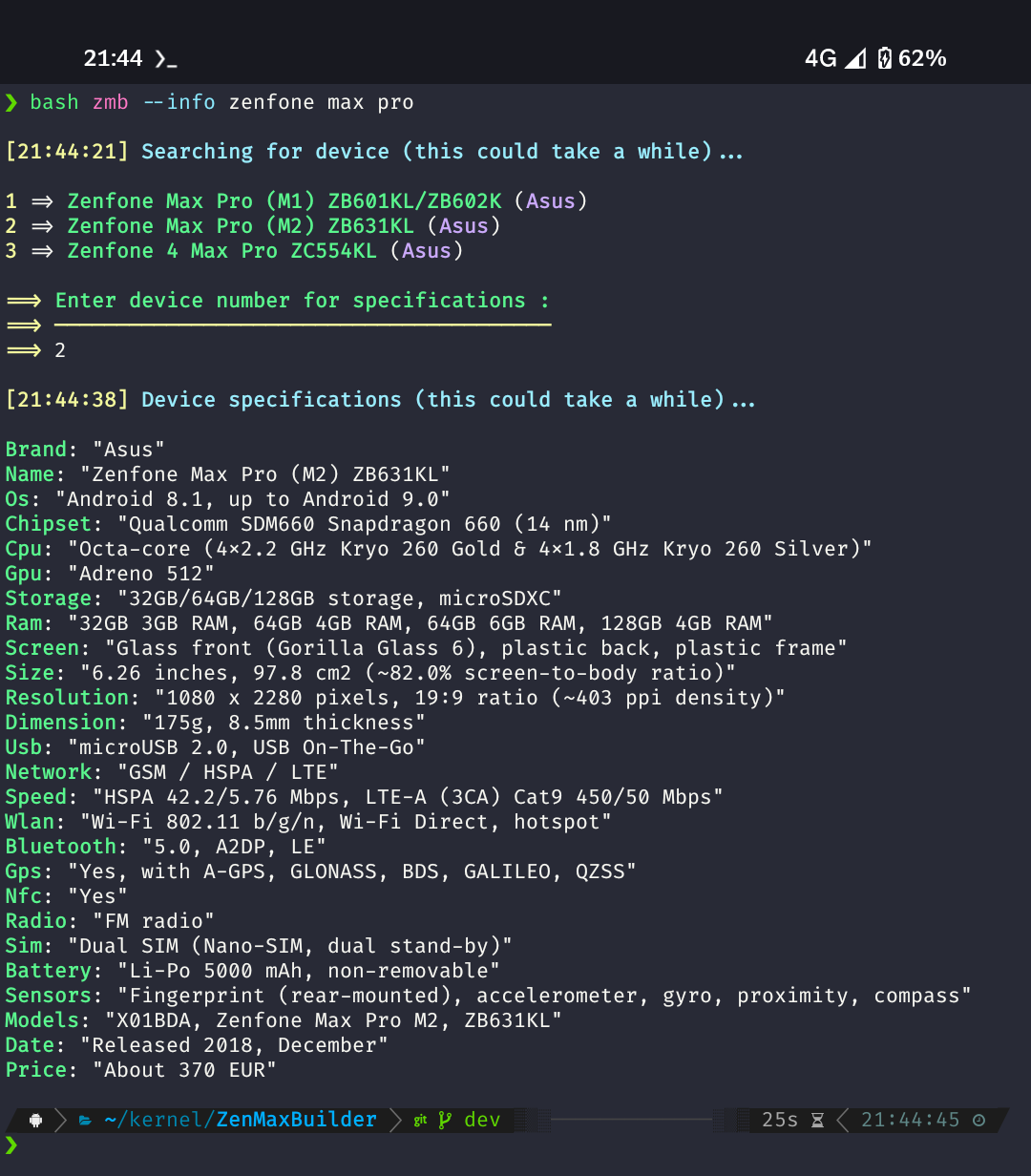
-i, --info [device] mobile device specifications
-m, --msg [message] send message on Telegram
-f, --file [file] send file on Telegram
-z, --zip [image] create new kernel zip
-p, --patch apply a patch to a kernel
-r, --revert revert a patch to a kernel
-d, --debug start compilation in debug mode
## Working Structure
ZenMaxBuilder/
|
|---- builds/ # Flashable kernel zips
| |---- DEVICE1/
| |---- DEVICE2/
|
|---- logs/ # Compilation build logs
| |---- DEVICE1/
| |---- DEVICE2/
|
|---- out/ # Kernel working directories
| |---- DEVICE1/
| |---- DEVICE2/
## Toolchains
ZMB uses prebuilt toolchains by default (built on x86-64 `interpreter: lib64/ld-linux-x86-64.so.2`).
In case you need others or have already compiled/downloaded some, just move them to the `toolchains` folder and name them `aosp-clang` for example (see [settings.cfg](https://github.com/grm34/ZenMaxBuilder/blob/zmb/etc/settings.cfg)).
- [AOSP-Clang](https://android.googlesource.com/platform/prebuilts/clang/host/linux-x86/) `Android Clang/LLVM Prebuilts by Google`
- [Binutils](https://android.googlesource.com/platform/prebuilts/gcc/linux-x86/) `Android GCC/LLVM Prebuilts by Google`
- [Eva-GCC](https://github.com/mvaisakh/gcc-build) `Bleeding Edge GCC Prebuilts by mvaisakh`
- [Neutron-Clang](https://gitlab.com/dakkshesh07/neutron-clang) `Bleeding Edge LLVM Prebuilts by dakkshesh07`
- [Proton-Clang](https://github.com/kdrag0n/proton-clang) `Android Clang/LLVM Prebuilts by kdrag0n`
- [Lineage-GCC](https://github.com/LineageOS/android_prebuilts_gcc_linux-x86_aarch64_aarch64-linux-android-4.9) `Android GCC Prebuilts by LineageOS`
- Proton-GCC `Proton-Clang vs Eva-GCC`
- Neutron-GCC `Neutron-Clang vs Eva-GCC`
- Host-Clang `system host Clang/LLVM`
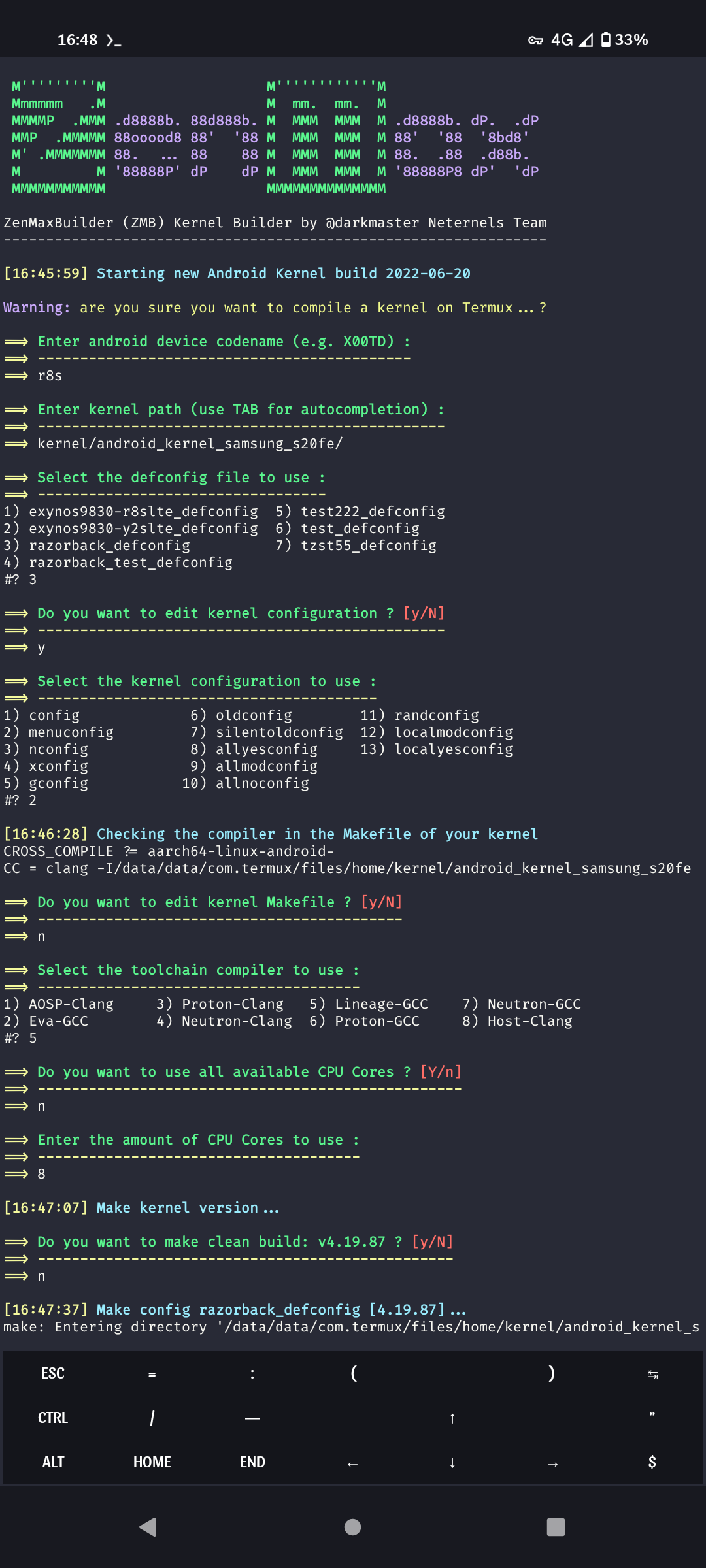
## Screenshots
Clic to expand
## More information
ZMB is a tool to facilitate the compilation of the Linux kernel, it does not modify the source, does not adds possible patchset and does not fixes specific drivers or compilation warnings.
The only change made is the addition of the selected toolchain compiler in the main Makefile, all others options from ZMB settings will be passed directly to make as command-line arguments :
# AOSP-Clang
CROSS_COMPILE ?= aarch64-linux-android-
CC = clang
# Proton-Clang / Neutron-Clang
CROSS_COMPILE ?= aarch64-linux-gnu-
CC = clang
# Eva-GCC
CROSS_COMPILE ?= aarch64-elf-
CC = aarch64-elf-gcc
# Lineage-GCC
CROSS_COMPILE ?= aarch64-linux-android-
CC = aarch64-linux-android-gcc
## Common warnings and errors
- `invalid kernel directory` : occurs while the `ARCH` option is not matching the selected kernel directory (or while `KERNEL_DIR` is not correctly set), edit `user.cfg` accordingly.
- `your system does not support this prebuilt of` : occurs while the included prebuilt toolchains are not compatible with your system, you can disable `HOST_LINKER` in `user.cfg` but the build will fail in most cases. System compatible toolchains are required or you can try host compiler option.
- `CROSS_COMPILE not found in Makefile` : occurs while your source is configured to pass `CROSS_COMPILE` to `make` as command-line argument. You can ignore this warning except if you deactivated `MAKE_CMD_ARGS`.
- `CROSS_COMPILE may not be set correctly in Makefile` : occurs while another compiler is defined in the main `Makefile`. You can ignore this warning and answer `yes` while ZMB asking to set it up for you.
- `failed to add toolchain bin to the PATH` : occurs while the `PATH` is not correctly set, please open an issue.
- An error occurs while getting the kernel version : in most cases your source is not configured to be built with the selected toolchain compiler. Try another compiler or answer `yes` while purposed and edit your `Makefile` accordingly.
- `kernel version not found` : same as above or issue with your source.
## Reporting Issues
Found a problem? Want a new feature? Have a question? First of all see if your issue, question or idea has [already been reported](https://github.com/grm34/ZenMaxBuilder/issues?q=is%3Aissue). If don't, just open a [new clear and descriptive issue](https://github.com/grm34/ZenMaxBuilder/issues/new/choose).
## Contributing
If you want to contribute to ZenMaxBuilder project and make it better, your help is very welcome: [Contributing Guidelines](https://github.com/grm34/ZenMaxBuilder/blob/zmb/.github/CONTRIBUTING.md).
## Help us Translate ZenMaxBuilder
| language | flag | translator | progress |
| :------- | ---: | ---------: | -------: |
| English | 🇬🇧 | @grm34 | 100% |
| Spanish | 🇪🇸 | @grm34 | 100% |
| French | 🇫🇷 | @grm34 | 100% |
| German | 🇩🇪 | @0n1cOn3 | 100% |
## License
MIT License
Copyright (c) 2021-2022 darkmaster @grm34 Neternels Team
Permission is hereby granted, free of charge, to any person
obtaining a copy of this software and associated documentation
files (the "Software"), to deal in the Software without restriction,
including without limitation the rights to use, copy, modify, merge,
publish, distribute, sublicense, and/or sell copies of the Software,
and to permit persons to whom the Software is furnished to do so,
subject to the following conditions:
The above copyright notice and this permission notice shall be
included in all copies or substantial portions of the Software.
THE SOFTWARE IS PROVIDED "AS IS", WITHOUT WARRANTY OF ANY KIND,
EXPRESS OR IMPLIED, INCLUDING BUT NOT LIMITED TO THE WARRANTIES OF
MERCHANTABILITY, FITNESS FOR A PARTICULAR PURPOSE AND NONINFRINGEMENT.
IN NO EVENT SHALL THE AUTHORS OR COPYRIGHT HOLDERS BE LIABLE FOR ANY
CLAIM, DAMAGES OR OTHER LIABILITY, WHETHER IN AN ACTION OF CONTRACT,
TORT OR OTHERWISE, ARISING FROM, OUT OF OR IN CONNECTION WITH THE
SOFTWARE OR THE USE OR OTHER DEALINGS IN THE SOFTWARE.
## Credits
- Neternels Team: [https://neternels.org](https://neternels.org)
- Proton-Clang: [@kdrag0n](https://github.com/kdrag0n)
- Neutron-Clang: [@dakkshesh07](https://gitlab.com/dakkshesh07)
- Eva-GCC: [@mvaisakh](https://github.com/mvaisakh)
- Lineage-GCC: [@LineageOS](https://github.com/LineageOS)
- AnyKernel3: [@osm0sis](https://github.com/osm0sis)
- ZipSigner: [@osm0sis](https://github.com/osm0sis) [@topjohnwu](https://github.com/topjohnwu)
- Patches: [@Kali-Linux](https://gitlab.com/kalilinux) [@cyberknight777](https://github.com/cyberknight777)
### Buy me a beer ?
LTC: MHjiEKDw7SAtx6HzSeFEWTfEUiVUak2wUD
BTC: 356URzmeVn8AF8WxMtqipP2qQ3gwZQHdRi
BCH: 1MrG2pNek2v1nM2JShjW6gnxvS9sdxaytw
DOGE: DEMJp1QLze6n76h2f4KH6a55UBETuZHdMp
GTC: 0x349319b09D93EE3576F99622fDEE1388f42a82B0
ETH: 0x445bd5EF7f36CF09135F23dd9E85B8De9fab2199