https://github.com/grohon/layout-grid-visualizer
Chrome Extension for Layout Grid Visualizer
https://github.com/grohon/layout-grid-visualizer
chrome extension extension-chrome
Last synced: about 2 months ago
JSON representation
Chrome Extension for Layout Grid Visualizer
- Host: GitHub
- URL: https://github.com/grohon/layout-grid-visualizer
- Owner: Grohon
- License: mit
- Created: 2025-06-20T16:29:05.000Z (about 1 year ago)
- Default Branch: master
- Last Pushed: 2025-06-26T08:13:07.000Z (12 months ago)
- Last Synced: 2025-06-26T09:27:22.358Z (12 months ago)
- Topics: chrome, extension, extension-chrome
- Language: JavaScript
- Homepage:
- Size: 61.5 KB
- Stars: 0
- Watchers: 0
- Forks: 0
- Open Issues: 0
-
Metadata Files:
- Readme: README.md
- License: LICENSE
Awesome Lists containing this project
README
#  Layout Grid Visualizer
## Overview
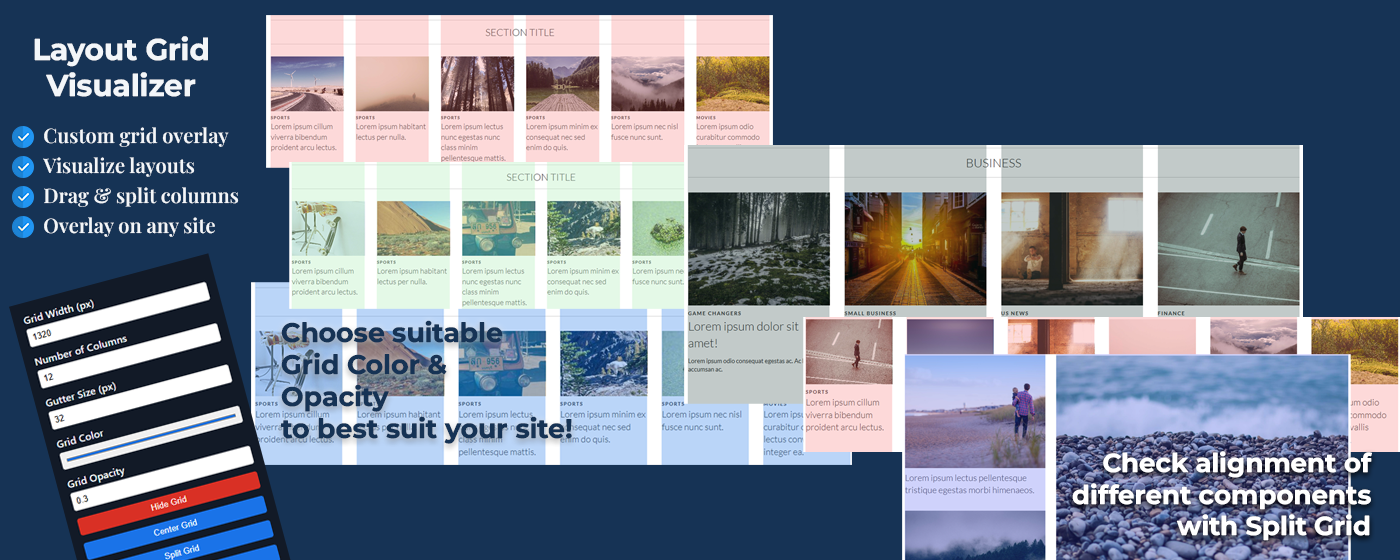
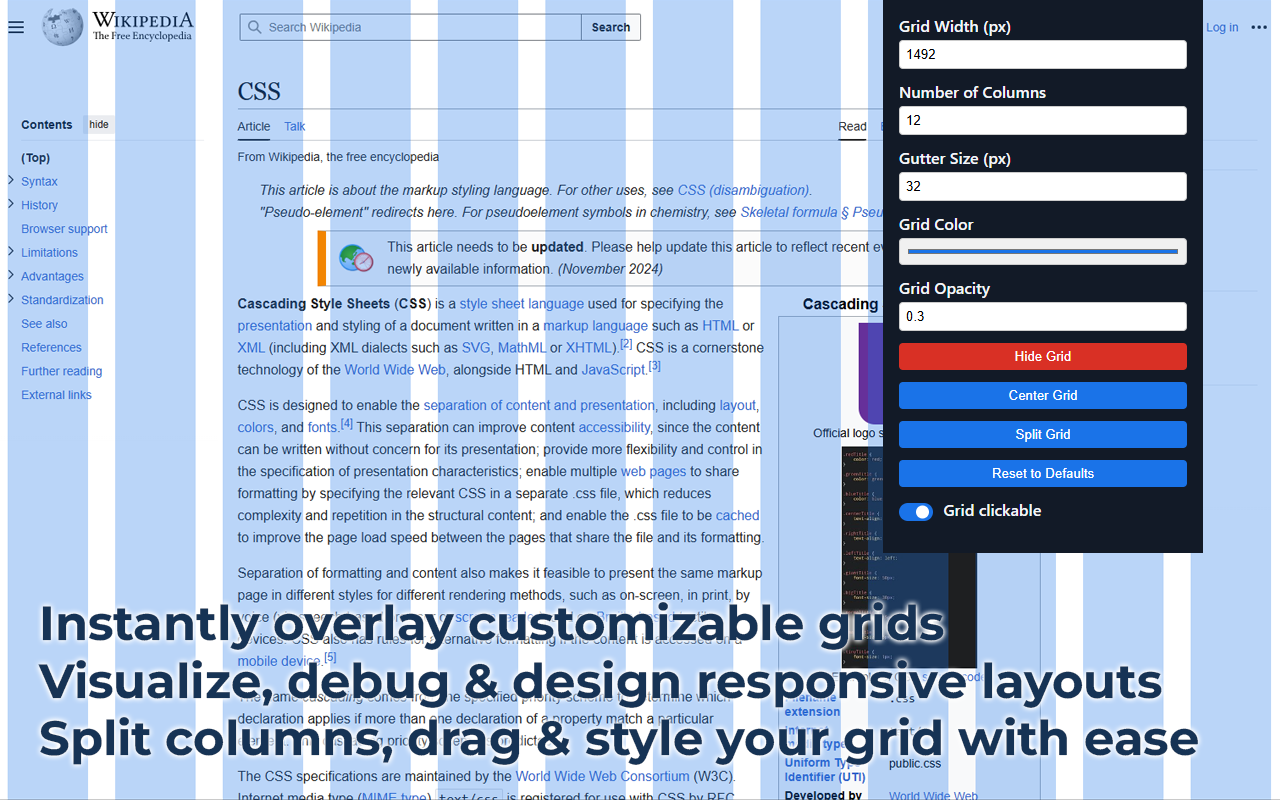
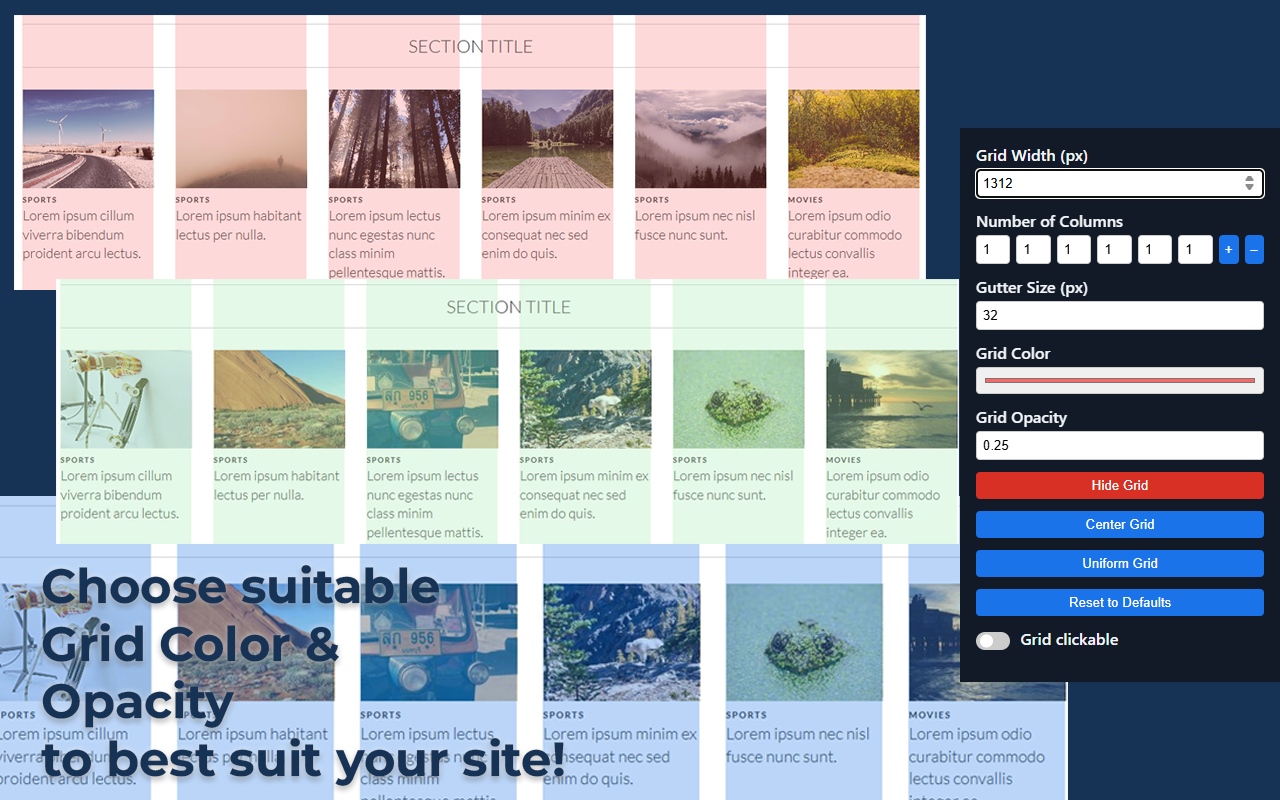
Layout Grid Visualizer is a Chrome extension that helps web developers and designers visualize and customize grid layouts on any webpage. Instantly overlay a customizable grid, including advanced split modes, to better understand, debug, and design responsive layouts.
---
## Features
| Feature | Description |
|-------------------------------|---------------------------------------------------------------------------------------------|
| **Customizable Grid Settings** | Set grid width, number of columns, gutter size, color, and opacity. |
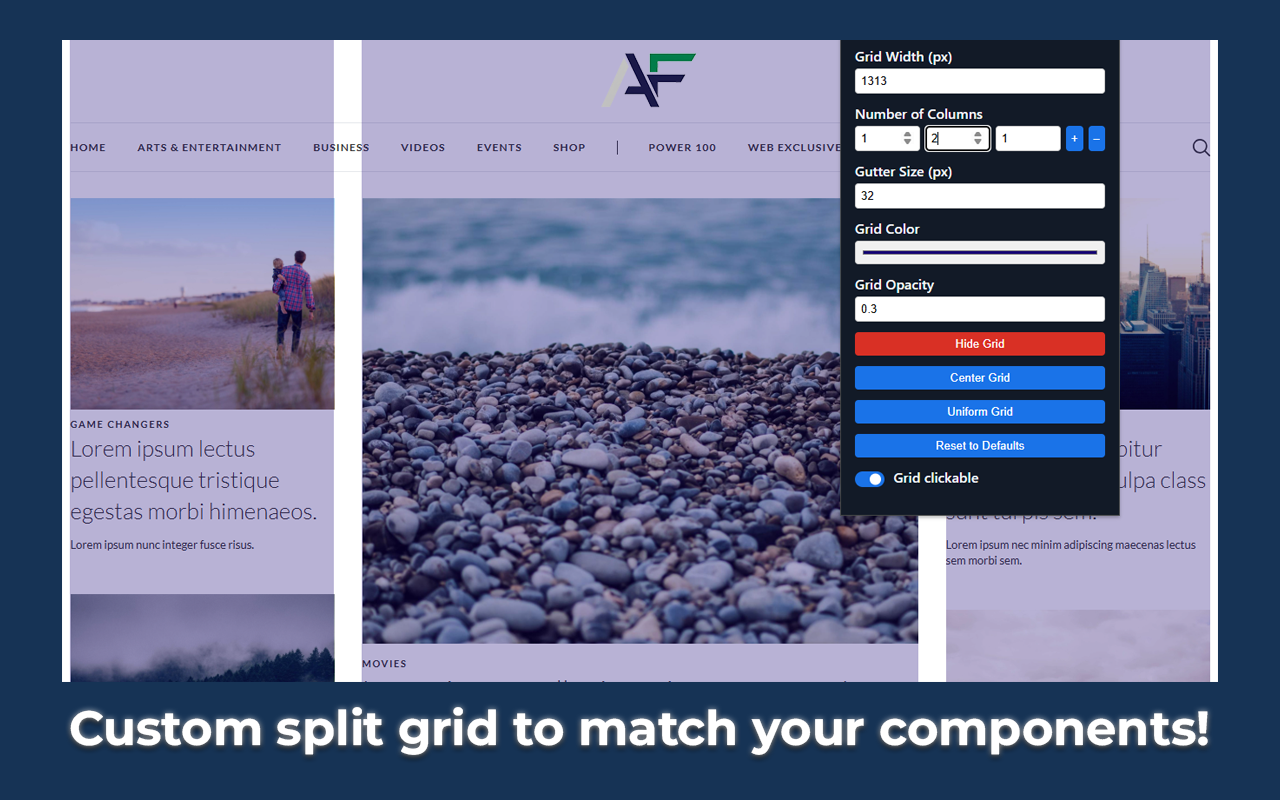
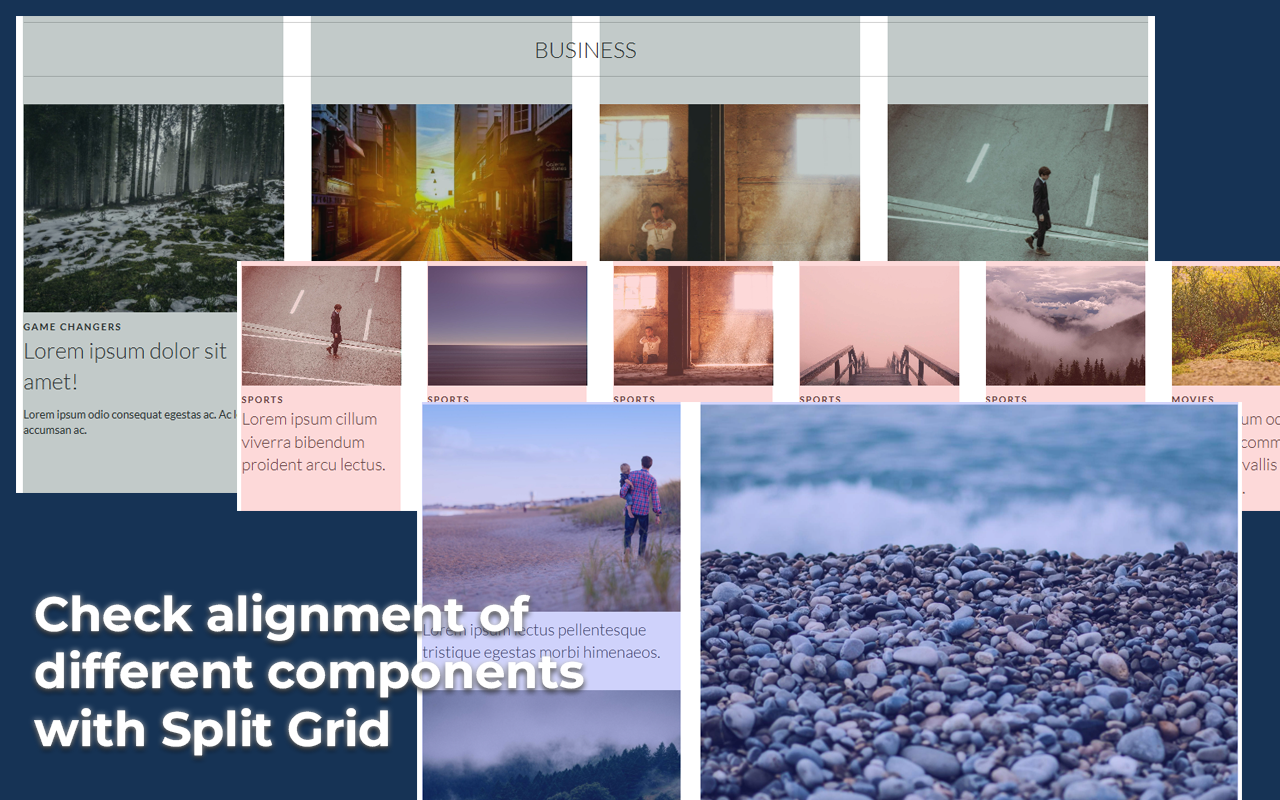
| **Split Grid Mode** | Define custom column widths for advanced grid layouts. |
| **Grid Clickability Toggle** | Make the overlay grid interactive or pass-through for page interaction. |
| **Keyboard Navigation** | Move the overlay with arrow keys (Shift+Arrow for larger steps). |
| **Keyboard Shortcut** | Toggle grid overlay with `Alt+Shift+G` — no popup needed. |
| **Persistent Overlay Position**| Overlay position is saved and restored per tab. |
| **Auto-correction & Tooltips** | Invalid values are auto-corrected with tooltips explaining corrections. |
| **Opacity Slider** | Intuitive range slider for adjusting grid opacity. |
| **Accessibility** | Focusable overlay, ARIA labels, and full keyboard navigation. |
| **Instant Feedback** | All changes update the grid instantly. |
| **Reset to Defaults** | One-click reset for all settings, including split grid state. |
| **Performance Optimized** | Efficient DOM updates and storage usage for smooth experience. |
---
## Installation
### Install from Chrome Web Store
1. Visit the [Layout Grid Visualizer on Chrome Web Store](https://chromewebstore.google.com/detail/layout-grid-visualizer/igcfgcdgijloeenpnoacomiioiomenab).
2. Click **Add to Chrome** and confirm the installation.
### Manual Installation (for development)
1. Download or clone this repository.
2. Go to `chrome://extensions` in your Chrome browser.
3. Enable "Developer mode" (top right).
4. Click "Load unpacked" and select the project folder.
---
## Usage
1. Click the Layout Grid Visualizer icon in your Chrome toolbar.
2. Adjust grid settings (width, columns, gutter, color, opacity) in the popup.
3. Use **Split Grid** to define custom column widths (see below).
4. Toggle the grid overlay on/off per tab.
5. Drag the overlay to reposition, or use keyboard arrows for precise movement.
6. Use **Center Grid** to recenter the overlay.
7. Use **Reset to Defaults** to restore all settings.
8. Toggle **Grid Clickable** to allow or block interaction with the overlay.
---
## Split Grid Mode
- Click **Split Grid** to enable split mode.
- Add or remove columns using the + and – buttons.
- Set individual column widths (e.g., 2, 4, 6 for a 3-column split).
- Switch back to uniform mode by clicking **Uniform Grid** or resetting.
---
## Keyboard Shortcuts
- **Toggle Grid:** `Alt+Shift+G` — works without opening the popup
- **Move Overlay:** Arrow keys (↑, ↓, ←, →)
- **Move Faster:** Shift + Arrow keys
- **Focus Overlay:** Click on the overlay
---
## Permissions
- `activeTab`: To inject the grid overlay into the current page.
- `storage`: To save your grid settings and overlay position.
- `scripting`: To programmatically inject the content script and styles into the current page.
---
## Screenshots
---
## Troubleshooting & FAQ
**Q: The grid overlay is not visible or not updating.**
- Make sure the extension is enabled and the popup settings are valid (no red fields).
- Try toggling the grid off and on, or resetting to defaults.
**Q: I can't interact with the page under the grid.**
- Uncheck the **Grid Clickable** option to make the overlay pass-through.
**Q: How do I use split grid mode?**
- Click **Split Grid**, then use the +/– buttons and set custom widths for each column.
**Q: Is the extension accessible?**
- Yes! All controls have ARIA labels and keyboard navigation is fully supported.
---
## Contributing
Pull requests and suggestions are welcome! Please open an issue or PR for bug fixes, features, or improvements.
---
## Privacy Policy
See our [Privacy Policy](PRIVACY.md) for details on data usage and user privacy.
---
## License
MIT License. See [LICENSE](LICENSE) for details.
---
## Credits
Icon made by [Pixel perfect](https://www.flaticon.com/authors/pixel-perfect) from [www.flaticon.com](http://www.flaticon.com/)