https://github.com/grovertb/cralib
https://github.com/grovertb/cralib
Last synced: 9 months ago
JSON representation
- Host: GitHub
- URL: https://github.com/grovertb/cralib
- Owner: grovertb
- Created: 2019-11-07T21:50:08.000Z (over 6 years ago)
- Default Branch: master
- Last Pushed: 2023-02-03T05:11:50.000Z (over 3 years ago)
- Last Synced: 2025-02-16T09:18:56.771Z (over 1 year ago)
- Language: JavaScript
- Size: 500 KB
- Stars: 2
- Watchers: 3
- Forks: 0
- Open Issues: 2
-
Metadata Files:
- Readme: readme.md
Awesome Lists containing this project
README
# cralib
> CLI for creating reusable, modern React libraries using Rollup and create-react-app.
[](https://www.npmjs.com/package/cralib) [](https://travis-ci.com/transitive-bullshit/cralib) [](https://standardjs.com)
## Intro

## Features
- Easy-to-use CLI
- Handles all modern JS features
- Bundles `cjs` and `es` module formats
- [create-react-app](https://github.com/facebookincubator/create-react-app) for example usage and local dev
- [Rollup](https://rollupjs.org/) for bundling
- [Babel](https://babeljs.io/) for transpiling
- Supports complicated peer-dependencies
- Hundreds of public modules created
- Thorough documentation :heart_eyes:
## Install globally
This package requires `node >= 4`, but we recommend `node >= 8`.
```bash
npm install -g cralib
```
## Usage with npx
```bash
npx cralib
```
_([npx](https://medium.com/@maybekatz/introducing-npx-an-npm-package-runner-55f7d4bd282b) comes with npm 5.2+ and higher, see [instructions for older npm versions](https://gist.github.com/gaearon/4064d3c23a77c74a3614c498a8bb1c5f))_
## Creating a New Module
```bash
cralib
```
Answer some basic prompts about your module, and then the CLI will perform the following steps:
- copy over the template
- install dependencies via yarn or npm
- link packages together for local development
- initialize local git repo
At this point, your new module should resemble this screenshot and is all setup for local development.
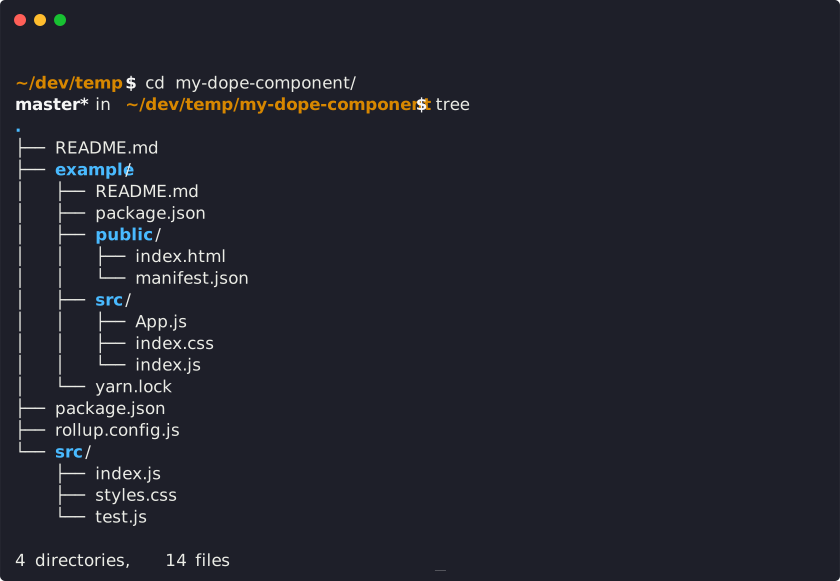
Now, anytime you make a change to your library in `packages/library/src/` or to the example app's `example/src`, `create-react-app` will live-reload your local dev server so you can iterate on your component in real-time.
#### Publishing to npm
```bash
npm publish
```
This builds `cjs` and `es` versions of your module to `dist/` and then publishes your module to `npm`.
Make sure that any npm modules you want as peer dependencies are properly marked as `peerDependencies` in `package.json`. The rollup config will automatically recognize them as peers and not try to bundle them in your module.
#### Deploying to Github Pages
```bash
npm run deploy
```
This creates a production build of the example `create-react-app` that showcases your library and then runs `gh-pages` to deploy the resulting bundle.
## License
MIT © [GroverTB](https://github.com/grovertb)