https://github.com/gupta-ji6/react-native-codepush-sample
A sample project to test OTA updates via CodePush integration in React Native (which worked :tada:)
https://github.com/gupta-ji6/react-native-codepush-sample
appcenter codepush react-native
Last synced: about 1 year ago
JSON representation
A sample project to test OTA updates via CodePush integration in React Native (which worked :tada:)
- Host: GitHub
- URL: https://github.com/gupta-ji6/react-native-codepush-sample
- Owner: gupta-ji6
- License: mit
- Created: 2020-03-18T11:09:51.000Z (over 6 years ago)
- Default Branch: master
- Last Pushed: 2023-03-04T03:50:30.000Z (over 3 years ago)
- Last Synced: 2025-03-30T04:11:16.297Z (over 1 year ago)
- Topics: appcenter, codepush, react-native
- Language: JavaScript
- Homepage:
- Size: 72.4 MB
- Stars: 2
- Watchers: 1
- Forks: 4
- Open Issues: 7
-
Metadata Files:
- Readme: README.md
- License: LICENSE
Awesome Lists containing this project
README
# react-native-codepush-sample
[](https://appcenter.ms)


[](https://github.com/gupta-ji6/react-native-codepush-sample/issues)
A sample project to test [CodePush (now called App Center)](https://appcenter.ms) integration in React Native, which worked successfully :tada:.
## What is App Center (previously CodePush)?
[CodePush](https://appcenter.ms/) is a service by Microsoft to deliver OTA updates on React Native applications which gives mobile applications a web-like agility.
## Get Started with App Center
### Prerequisites
1. [App Center](https://appcenter.ms/) account (prefer signing in with GitHub).
2. [React Native](https://reactnative.dev/docs/getting-started) setup.
Create a React Native app using [react-native-cli](https://www.npmjs.com/package/react-native-cli) and push the code to a GitHub repo.
```lang-sh
react-native init CodePushRN # initialize a new React Native Project
cd CodePushRN # switch to project directory
react-native run-android # run app in device/simulator
# pushing code to GitHub repo (say we name it react-native-codespush-sample)
git remote add origin
git add .
git commit -m ":tada: Initailised React Native project"
git push origin master
```
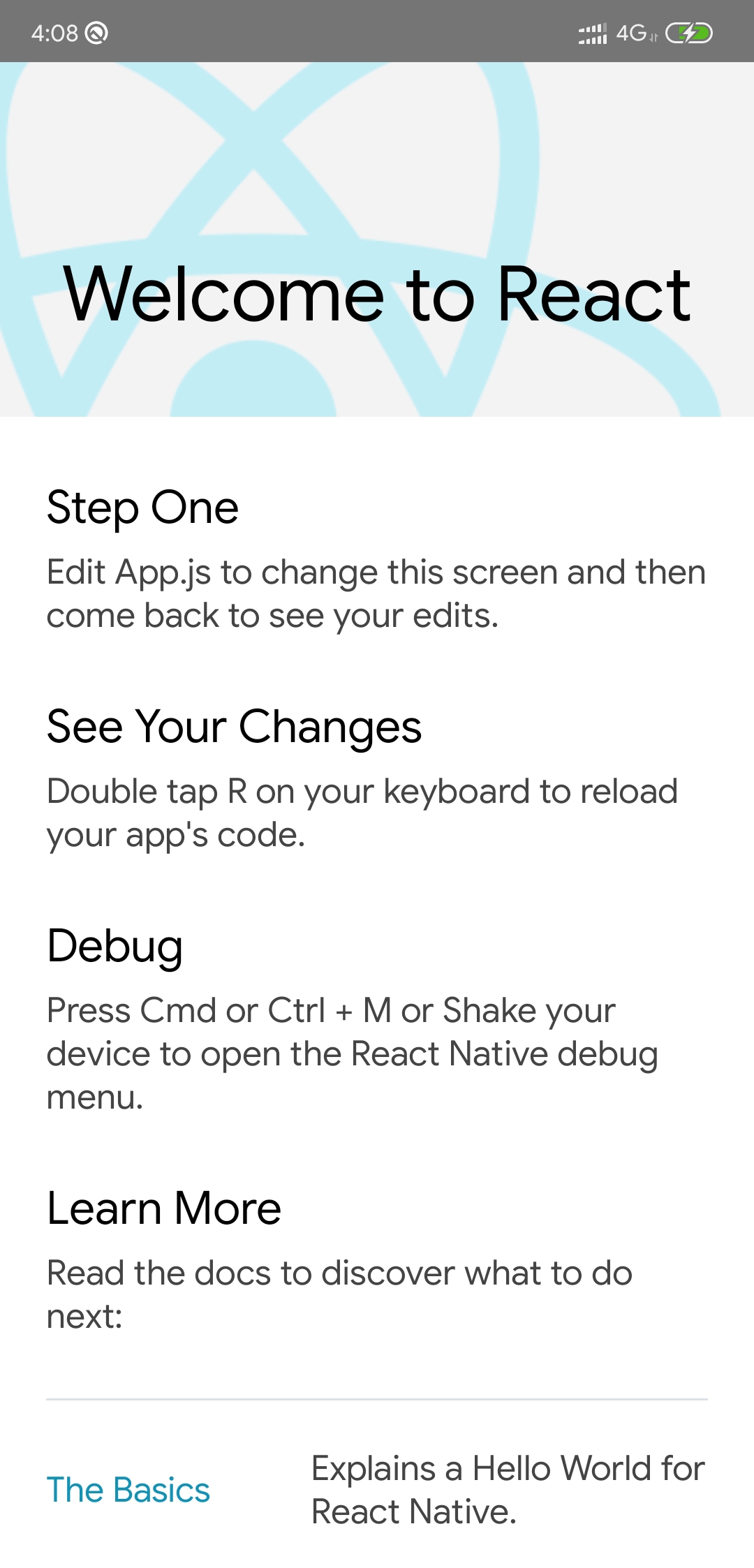
Your app on device/simulator should look like below.
### Adding app in App Center
1. Login to [App Center](http://appcenter.ms/) and click on '**Add new app**' button.
1. Fill the details according to your requirements. Sample inputs -
| Label | Input |
| ------------ | :----------: |
| App Name | CodePushRN |
| Release Type | Beta |
| OS | Android |
| Platform | React Native |
1. Click '**Add new app**' button.
1. Add App Center SDK in your app as instructed in '**Overview**' section, if needed.
1. Go to '**Build**' section to connect your repo.
1. Select '**GitHub**' service and select your repo.
1. Select `master` branch and click on the gear icon (settings) at the end of the item.
- Build Variant - Release
- Node.js version - 12.x
- Sign Builds - On
- Check '**My Gradle settings are...**' (**only for test purpose**)
- Distribute Builds - On
1. Click '**Save & Build**'.
1. After successful build, you'll receive a mail from App Center to install the APK on the device.
1. Install APK on device.
## Setup App Center CLI
```lang-sh
npm install -g appcenter-cli # Install appcenter
appcenter login # Login to appcenter
```
Copy authentication code opened in browser and paste in terminal prompt.
### Create Deployment
1. Select **Distribute** > **Codepush**.
2. Click **Create standard deployments**.
### Plugin Installation (Android)
> Refer the [documentation](https://docs.microsoft.com/en-us/appcenter/distribution/codepush/react-native) for other platform guides.
#### Plugin Installation and Configuration for React Native 0.60 version and above (Android)
1. In your `android/app/build.gradle` file, add the `codepush.gradle` file as an additional build task definition underneath `react.gradle`:
```gradle
...
apply from: "../../node_modules/react-native/react.gradle"
apply from: "../../node_modules/react-native-code-push/android/codepush.gradle"
...
```
2. Update the `MainApplication.java` file to use CodePush via the following changes:
```java
...
// 1. Import the plugin class.
import com.microsoft.codepush.react.CodePush;
public class MainApplication extends Application implements ReactApplication {
private final ReactNativeHost mReactNativeHost = new ReactNativeHost(this) {
...
// 2. Override the getJSBundleFile method in order to let
// the CodePush runtime determine where to get the JS
// bundle location from on each app start
@Override
protected String getJSBundleFile() {
return CodePush.getJSBundleFile();
}
};
}
```
3. Get Staging and Production keys from the terminal.
`appcenter codepush deployment list --app gupta-ji6/CodePushRN -k`
4. Add the **Staging** Deployment key to `strings.xml`:
```xml
AppName
DeploymentKey
```
5. Install & link [`react-native-code-push'](https://github.com/microsoft/react-native-code-push)
```lang-sh
npm install --save react-native-code-push # Install the code push client sdk
react-native link react-native-code-push # Link this npm with the natvie build
```
## Plugin Usage
1. Go to `App.js` and import `react-native-code-push` module:
`import codePush from "react-native-code-push";`
2. Add a Touchable Opacity with a corresponding handler.
```jsx
Check for updates
```
```javascript
onButtonPress() {
codePush.sync({
updateDialog: true,
installMode: codePush.InstallMode.IMMEDIATE
});
}
```
3. Make the above changes and check in the code in the remote git repo.
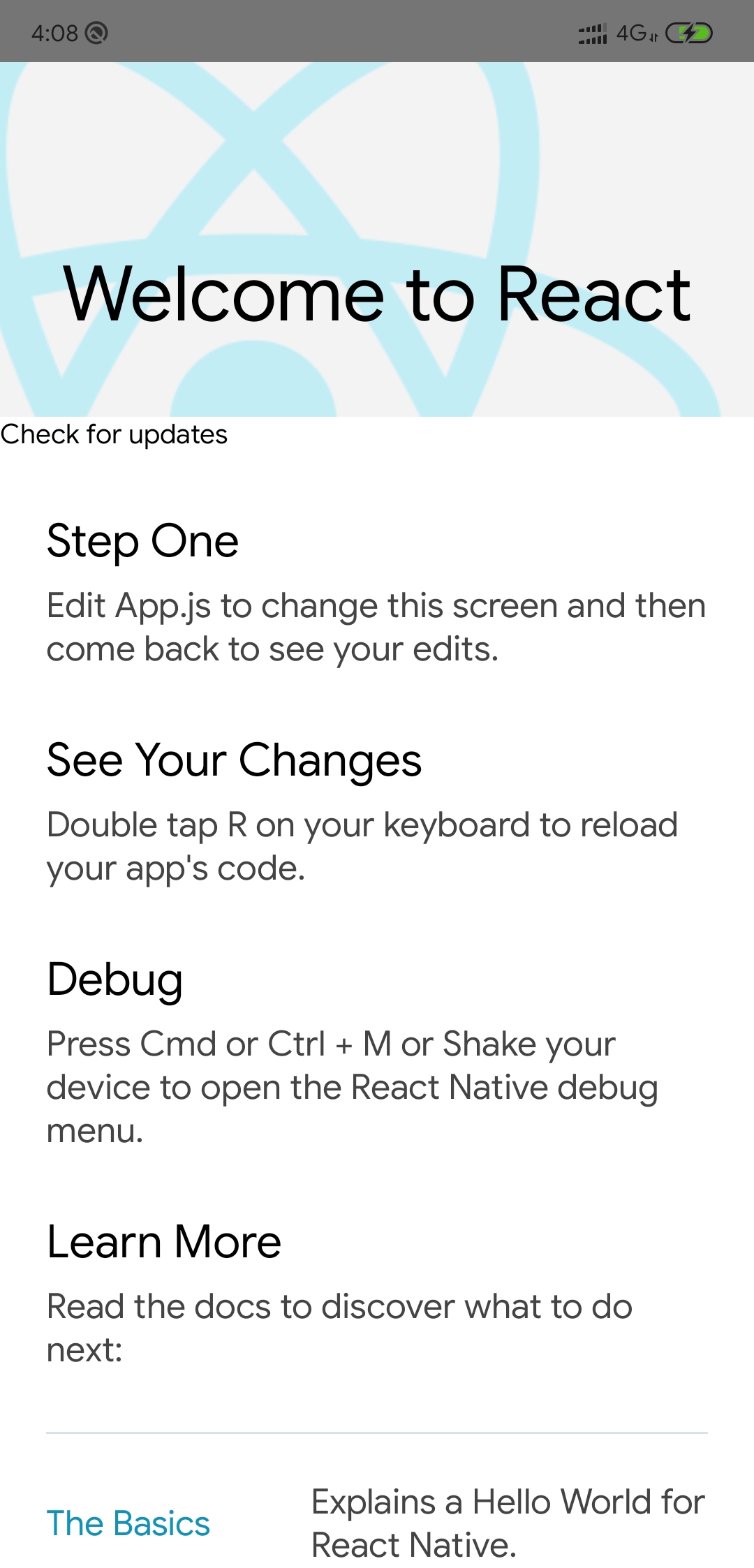
This will trigger a build automatically in the app center and we’ll receive a mail with the new download link for the updated app. Once installed, it’ll look something like this.
## Releasing Update with App Center CLI
Once your app has been configured and distributed to your users, and you have made some JS and/or asset changes, it's time to instantly release them! ([*See More*](https://docs.microsoft.com/en-us/appcenter/distribution/codepush/react-native#releasing-updates))
1. Change some text/component in your code.
2. Run:
```lang-sh
appcenter codepush release-react -a /
appcenter codepush release-react -a gupta-ji6/CodePushRN -d Staging #for staging
appcenter codepush release-react -a gupta-ji6/CodePushRN -d Production #for production
```
3. Reopen the latest mobile app installed.
4. Click on **Check for updates** button.
5. Click **Install** on prompt.
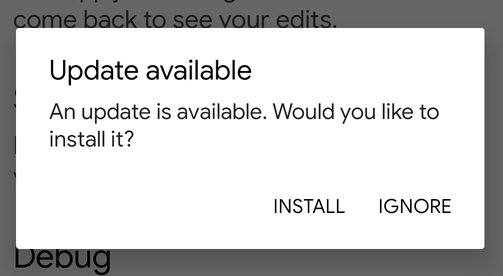
6. Voila! :tada: You'll see your updated changes after the app reopens.

## Further Reading
- [Visual Studio App Center documentation](https://docs.microsoft.com/en-us/appcenter/)
- [microsoft/react-native-code-push](https://github.com/Microsoft/react-native-code-push#codepush)
- [microsoft/code-push](https://github.com/Microsoft/code-push)
- [code-push-cli](https://www.npmjs.com/package/code-push-cli)
- [React Native updates with VS App Center CodePush](https://codeburst.io/react-native-updates-with-vs-app-center-codepush-3d56ef07f1c4)
- [Using legacy dependencies with React Native and CodePush](https://www.kennymeyer.net/2019/11/28/using-legacy-dependencies-in-react-native-and-codepush/)
- [Microsoft CodePush Integration in React Native 0.60+](https://giacomocerquone.com/blog/microsoft-codepush-integration-in-react-native-0.60)
- [Bitrise + CodePush + React Native = Ideal Mobile CI Setup?](https://pillow.codes/bitrise-codepush-react-native-ideal-mobile-ci-setup-6283b86146c)
- [ZeeMee Engineering and the Quest for the Holy (Mobile Dev) Grail](https://zeemee.engineering/zeemee-engineering-and-the-quest-for-the-holy-mobile-dev-grail-1310be4953d1#.zfwaxtbco)
- [LinkedIn Learning Course: App Center: Continuous Integration and Delivery for iOS](https://www.linkedin.com/learning/app-center-continuous-integration-and-delivery-for-ios?u=3322)
### Other Helpful Resources
- [App Center Codepush with React-Native](https://binbytes.com/blog/app-center-codepush-with-react-native)
- [React Native Client SDK](https://docs.microsoft.com/en-us/appcenter/distribution/codepush/react-native)
- [React Native at Picnic](https://blog.picnic.nl/react-native-at-picnic-eff17e8c51d5)
- [Android Setup](https://github.com/microsoft/react-native-code-push/blob/master/docs/setup-android.md#code-signing-setup)
- [Android Build](https://docs.microsoft.com/en-us/appcenter/build/android/)
- [React Native ❤ CodePush](https://medium.com/spritle-software/react-native-codepush-b86f0ea8432c)
- [Get started with ‘CodePush’ (React-Native)](https://medium.com/@rajanmaharjan/get-started-with-wonderful-technology-d838aafdc2d3)
- [React Native and Codepush Experience](https://www.panayiotisgeorgiou.net/react-native-codepush-experience/)
- [React Native CodePush introduction](https://www.asapdevelopers.com/react-native-codepush-introduction/)
- [CodePush, is it worth it?](https://www.matthewsessions.com/blog/code-push/)