https://github.com/gymmed/outward-game-settings
Outward mod that let's you change the way game works.
https://github.com/gymmed/outward-game-settings
large xml
Last synced: about 12 hours ago
JSON representation
Outward mod that let's you change the way game works.
- Host: GitHub
- URL: https://github.com/gymmed/outward-game-settings
- Owner: GymMed
- License: mit
- Created: 2025-10-13T11:40:04.000Z (9 months ago)
- Default Branch: main
- Last Pushed: 2026-01-10T20:48:53.000Z (6 months ago)
- Last Synced: 2026-01-11T06:17:59.536Z (6 months ago)
- Topics: large, xml
- Language: C#
- Homepage:
- Size: 64 MB
- Stars: 0
- Watchers: 0
- Forks: 0
- Open Issues: 0
-
Metadata Files:
- Readme: README.md
- License: LICENSE.txt
Awesome Lists containing this project
README
Outward Game Settings



This Outward mod allows you to change the way game works.
## Available Settings
Require Enchantment Recipe To Enchant
_Attempting to enchant an item without the required enchantment recipe in your inventory (pocket or backpack) will display an error and cancel the process. Config setting: `RequireRecipeToAllowEnchant`._

Consume Enchantment on Use
_Successfully enchanting an item consumes the enchantment recipe from your inventory. Recommended to use together with `Enchanting Requires Enchantment` setting. Config setting: `UseRecipeOnEnchanting`_
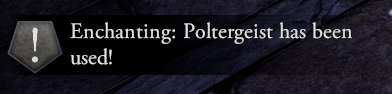
Enchanting Success Chance
_Enchanting an item can fail based on a configurable success rate. Config setting: `EnchantingSuccessChance`_
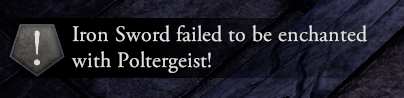
Play Audio on Enchanting Completion
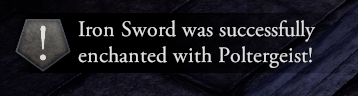
_Plays custom sound effects when the EnchantmentTable.DoneEnchanting event occurs. Success and failure each trigger different audio clips. Enabled with config setting: `PlayAudioOnEnchantingDone`_
## How to change settings?
Currently all settings can be changed in `BepInEx\config\gymmed.outward_game_settings.cfg`. If you are mod pack creator you can use [outward mods communicator](https://github.com/GymMed/Outward-Mods-Communicator) to change values and rebalance gameplay.
## How to use
1. Either clone/download the repository with Git or GitHub Desktop, or simply download the code manually.
2. Open `src/OutwardGameSettings.sln` with any C# IDE (Visual Studio, Rider, etc)
3. When you're ready, build the solution. It will be built to the `Release` folder (next to the `src` folder).
4. Take the DLL from the `Release` folder and put it in the `BepInEx/plugins/` folder. If you use r2modman, this can be found by going into r2modman settings and clicking on `Browse Profile Folder`.
### If you liked the mod leave a star it's free