https://github.com/h4x-host/tails-os
Tailsis a portable operating systemthat protects againstsurveillance and censorship.
https://github.com/h4x-host/tails-os
browser davin hacker linux macos os tails tor ubuntu windows
Last synced: 2 months ago
JSON representation
Tailsis a portable operating systemthat protects againstsurveillance and censorship.
- Host: GitHub
- URL: https://github.com/h4x-host/tails-os
- Owner: h4x-host
- Created: 2024-06-13T14:59:47.000Z (about 2 years ago)
- Default Branch: main
- Last Pushed: 2024-06-13T15:35:34.000Z (about 2 years ago)
- Last Synced: 2025-09-04T07:32:27.539Z (10 months ago)
- Topics: browser, davin, hacker, linux, macos, os, tails, tor, ubuntu, windows
- Homepage: https://tails.net/
- Size: 61.5 KB
- Stars: 1
- Watchers: 1
- Forks: 0
- Open Issues: 0
-
Metadata Files:
- Readme: README.md
Awesome Lists containing this project
README
# Tails OS 💽
[](https://postimg.cc/VJDzwqMB)
- Tailsis a portable operating systemthat protects againstsurveillance and censorship.
- Shut down the computer and start on your Tails USB stick instead of starting on Windows, macOS, or Linux. Tails leaves no trace on the computer when shut down.
- Tails includes a selection of applications to work on sensitive documents and communicate securely. Everything in Tails is ready-to-use and has safe defaults.
- You can download Tails for free and independent security researchers can verify our work. Tails is based on Debian GNU/Linux.
## Features ⚙️
- use Tails to hide their identities, avoid censorship, and communicate securely.
- use Tails to publish sensitive information and access the Internet from unsafe places.
- use Tails to escape surveillance at home.
- whenever you need extra privacy in this digital world.
- You can temporarily turn your own computer into a secure machine. You can also stay safe while using the computer of somebody else.
- Tails always starts from the same clean state and everything you do disappears automatically when you shut down Tails.
- You can save some of your files and configuration in an encrypted Persistent Storage on the USB stick: your documents, your browser bookmarks, your emails, and even some additional software.
- Everything you do on the Internet from Tails goes through the Tor network. Tor encrypts and anonymizes your connection by passing it through 3 relays. Relays are servers operated by different people and organizations around the world.
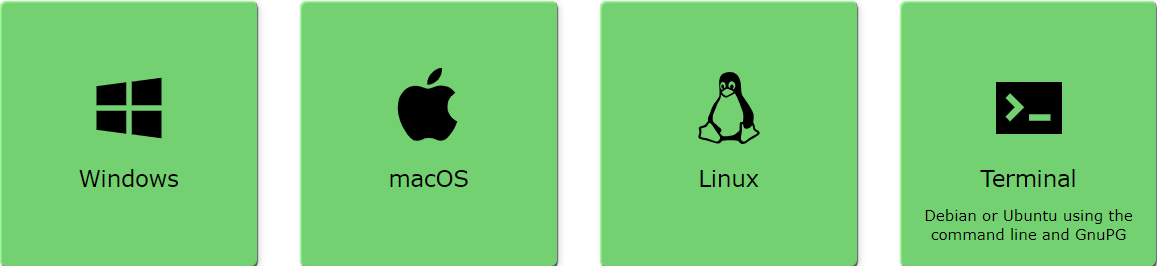
## Tails installation requirement 📋
[](https://postimg.cc/phjyzWyG)
#### My experience :-
- Tails system requirements state that you will need at least 4 GB of RAM. To play Tails you will need a minimum CPU equivalent to an Intel Core i5-4590.
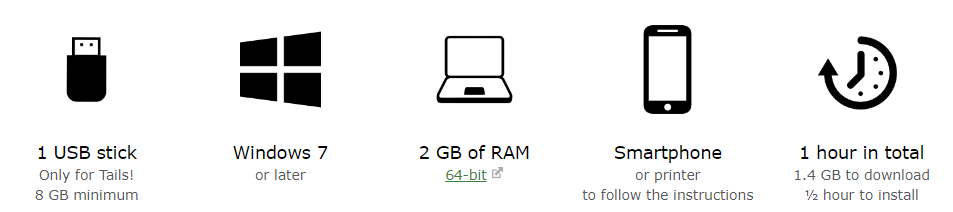
#### Install Tails from Windows ⊞
- requirement
[](https://postimg.cc/BjymnpFT)
- steps
[](https://postimg.cc/2VdYvqGL)
##### Install link 🔗
➤ https://tails.net/install/windows/index.en.html
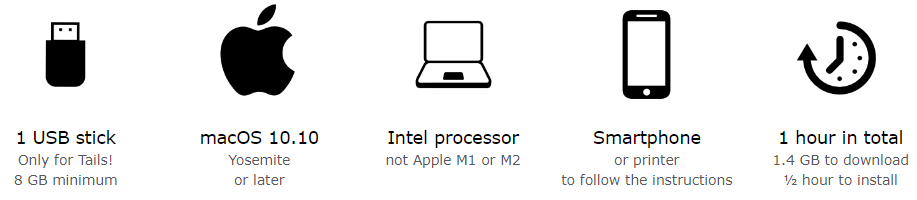
#### Install Tails from macOS 🍎
- requirement
[](https://postimg.cc/7Cyf0B51)
- steps
[](https://postimg.cc/2VdYvqGL)
##### Install link 🔗
➤ https://tails.net/install/mac/index.en.html
#### Install Tails from Linux 🐧
- requirement
[](https://postimg.cc/G414ycgg)
- steps
[](https://postimg.cc/2VdYvqGL)
##### Install link 🔗
➤ https://tails.net/install/linux/index.en.html
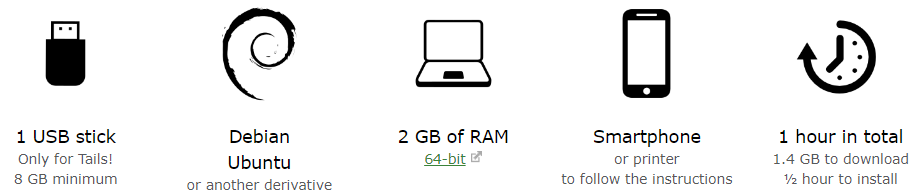
#### Install Tails from Debian or Ubuntu using the command line and GnuPG 🌀
- requirement
[](https://postimg.cc/hzrLNjyf)
- steps
[](https://postimg.cc/2VdYvqGL)
##### Install link 🔗
➤ https://tails.net/install/expert/index.en.html
#
## Screenshots
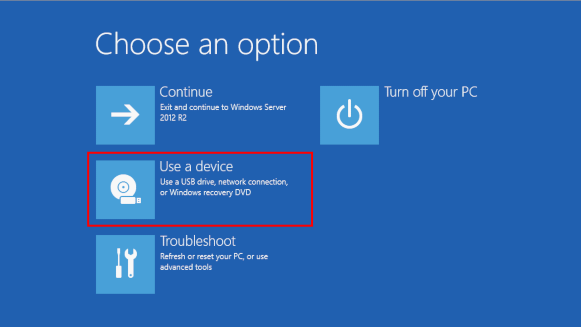
- In the Choose an option screen, choose Use a device.
[](https://postimg.cc/9zSzPkjv)
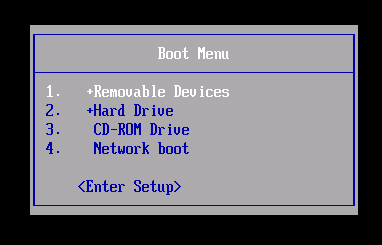
- In the Boot Menu, select your USB stick and press Enter.
[](https://postimg.cc/5YJ9kctt)
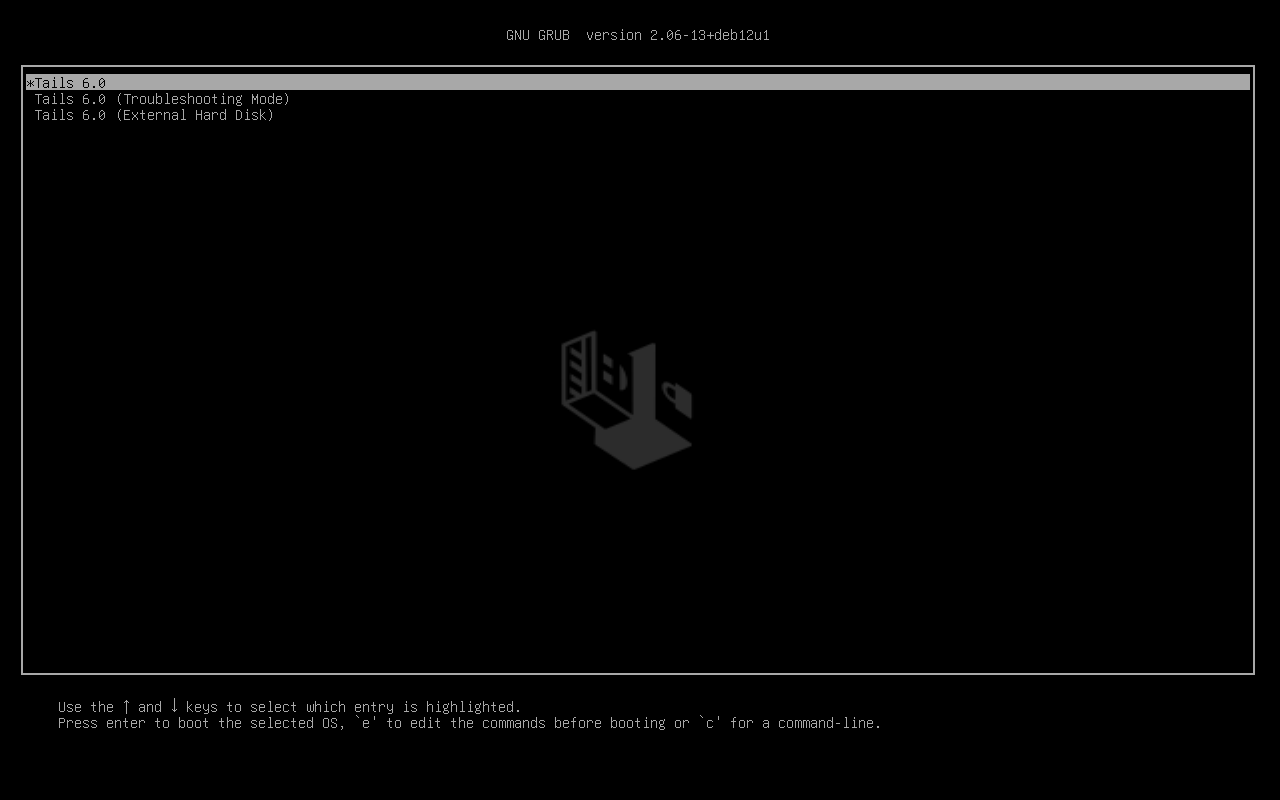
- If the computer starts on Tails, the Boot Loader appears and Tails starts automatically after 4 seconds.
[](https://postimg.cc/RqQdYwgC)
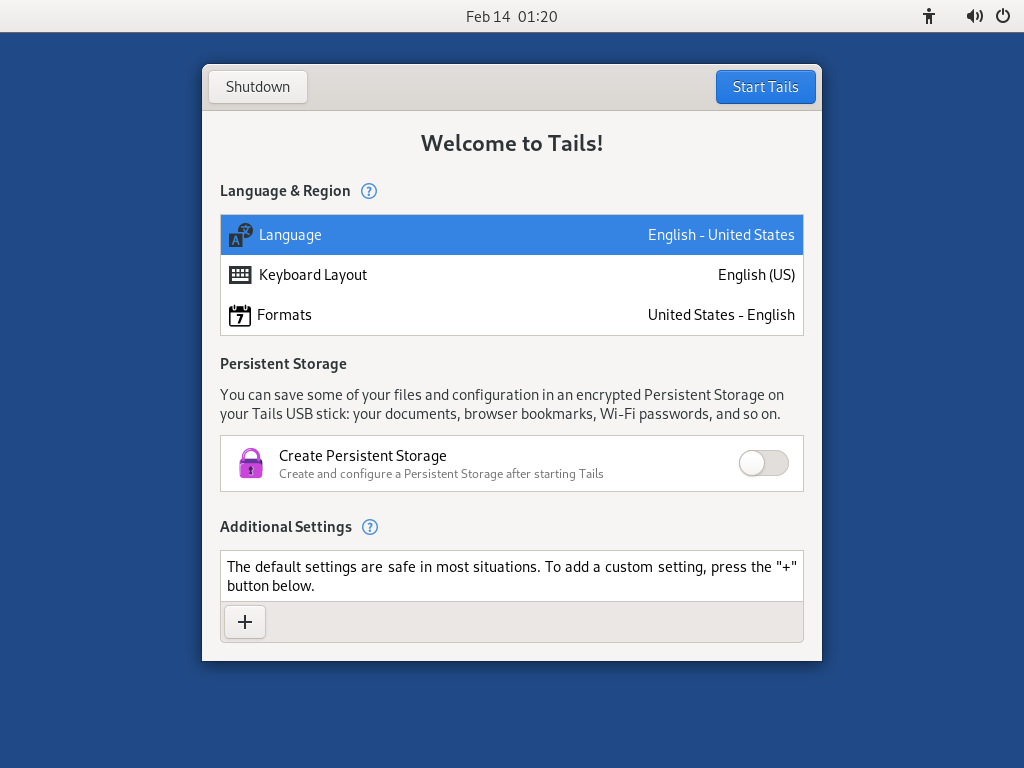
#### Welcome to Tails!
-After the Boot Menu, a loading screen appears.
[](https://postimg.cc/XZCmBp4Z)
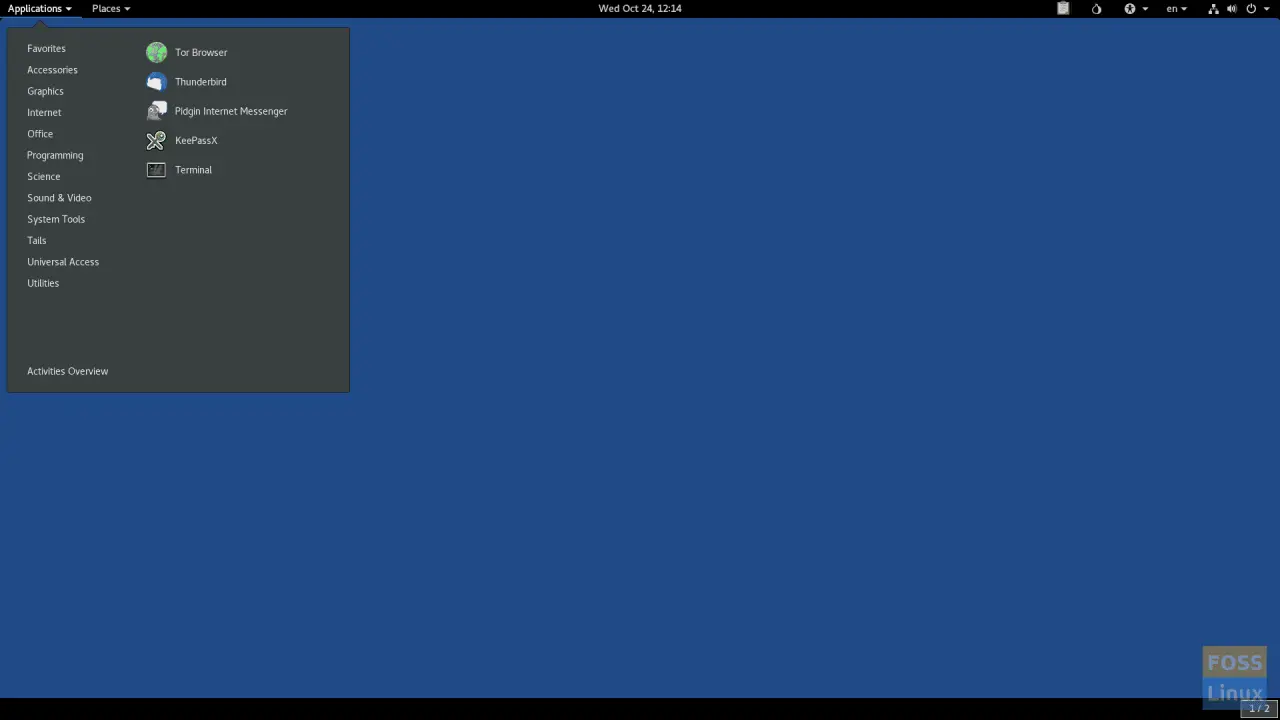
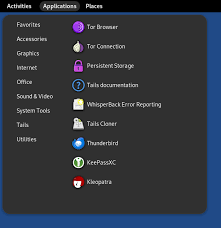
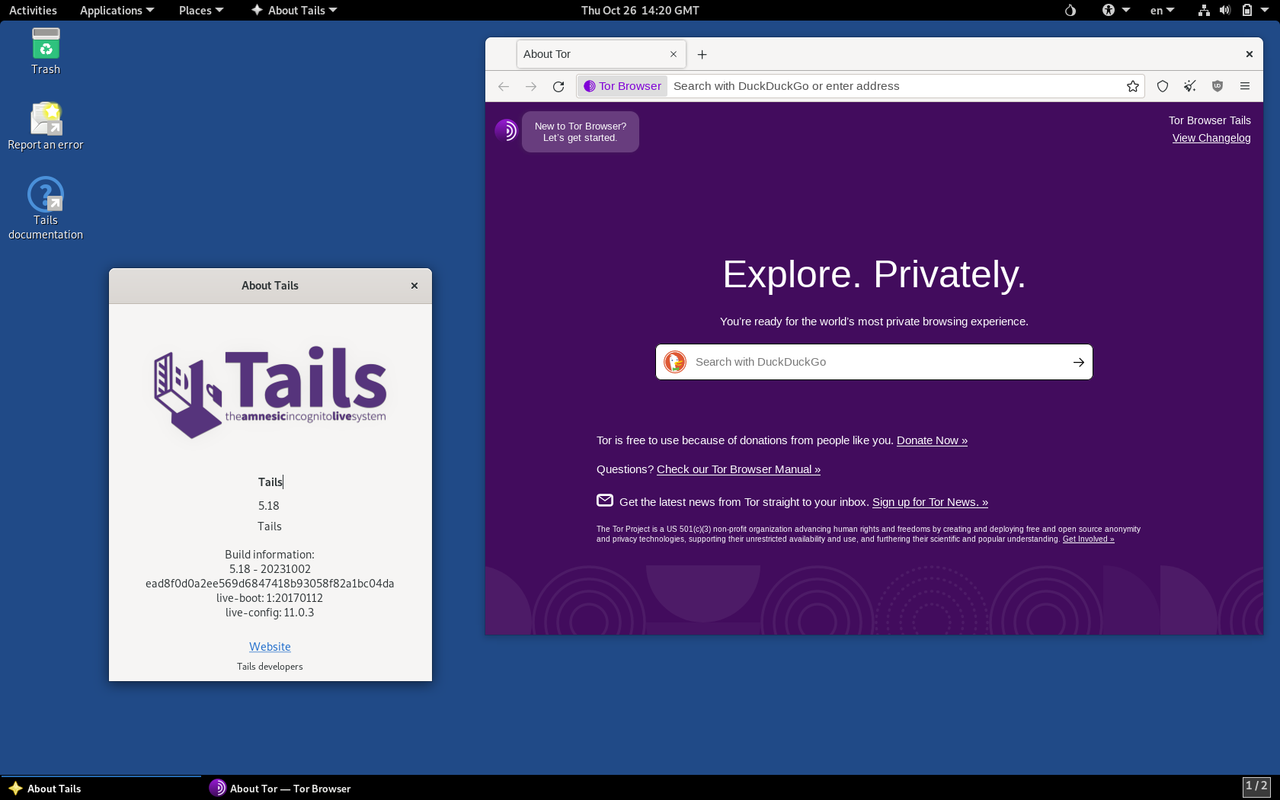
- After 15–30 seconds, the Tails desktop appears.
[](https://postimg.cc/grfBZ3gG)
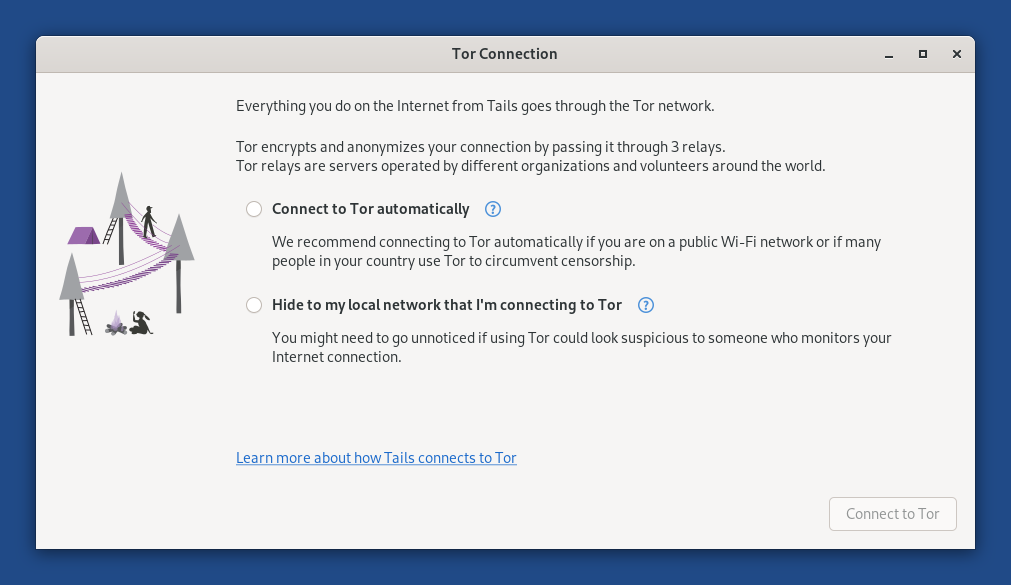
- After establishing a connection to a local network, the Tor Connection assistant appears to help you connect to the Tor network.
[](https://postimg.cc/QV8KXzQ7)
[](https://postimg.cc/wtPt0xyY)
[](https://postimg.cc/8FBW4fQJ)
## Warning ⚠️
#### This repository educational purposes only no one can responsible your illegal activity
## Support
For support, email h4xhst0007@gmail.com or join our discord server.
## Badges
[](https://choosealicense.com/licenses/mit/)
[](https://opensource.org/licenses/)
[](http://www.gnu.org/licenses/agpl-3.0)
### 💻 OS
[](https://choosealicense.com/licenses/mit/)
[](https://opensource.org/licenses/)
[](http://www.gnu.org/licenses/agpl-3.0)
[](http://www.gnu.org/licenses/agpl-3.0)
#
#### 💲 Cryptocurrency
[](https://choosealicense.com/licenses/mit/)
[](https://opensource.org/licenses/)