https://github.com/hack-light/scaffold-eth-challenges
https://github.com/hack-light/scaffold-eth-challenges
Last synced: 9 months ago
JSON representation
- Host: GitHub
- URL: https://github.com/hack-light/scaffold-eth-challenges
- Owner: Hack-Light
- License: mit
- Created: 2023-07-06T15:34:09.000Z (almost 3 years ago)
- Default Branch: challenge-0-simple-nft
- Last Pushed: 2023-07-15T12:47:20.000Z (almost 3 years ago)
- Last Synced: 2025-09-13T00:52:17.055Z (9 months ago)
- Language: CSS
- Size: 30.3 MB
- Stars: 0
- Watchers: 1
- Forks: 0
- Open Issues: 0
-
Metadata Files:
- Readme: README.md
- License: LICENSE
Awesome Lists containing this project
README
# 🏗 scaffold-eth | 🏰 BuidlGuidl
## 🚩 Challenge 0: 🎟 Simple NFT Example 🤓
🎫 Create a simple NFT to learn basics of 🏗 scaffold-eth. You'll use [👷♀️ HardHat](https://hardhat.org/getting-started/) to compile and deploy smart contracts. Then, you'll use a template React app full of important Ethereum components and hooks. Finally, you'll deploy an NFT to a public network to share with friends! 🚀
🌟 The final deliverable is an app that lets users purchase and transfer NFTs. Deploy your contracts to a testnet then build and upload your app to a public web server. Submit the url on [SpeedRunEthereum.com](https://speedrunethereum.com)!
💬 Meet other builders working on this challenge and get help in the [Challenge 0 Telegram](https://t.me/+Y2vqXZZ_pEFhMGMx) or our [Challenge 0 Discord](https://discord.com/channels/778001331091800065/908425500643455046)
---
# Checkpoint 0: 📦 Install 📚
Want a fresh cloud environment? Click this to open a gitpod workspace, then skip to Checkpoint 1 after the tasks are complete.
[](https://gitpod.io/#https://github.com/scaffold-eth/scaffold-eth-challenges/tree/challenge-0-simple-nft)
Required:
* [Git](https://git-scm.com/downloads)
* [Node](https://nodejs.org/en/download/) (Use Version 18 LTS)
* [Yarn](https://classic.yarnpkg.com/en/docs/install/#mac-stable)
(⚠️ Don't install the linux package `yarn` make sure you install yarn with `npm i -g yarn` or even `sudo npm i -g yarn`!)
```sh
git clone https://github.com/scaffold-eth/scaffold-eth-challenges.git challenge-0-simple-nft
```
```sh
cd challenge-0-simple-nft
git checkout challenge-0-simple-nft
yarn install
yarn chain
```
> in a second terminal window, start your 📱 frontend:
```sh
cd challenge-0-simple-nft
yarn start
```
> in a third terminal window, 🛰 deploy your contract:
```sh
cd challenge-0-simple-nft
yarn deploy
```
> You can `yarn deploy --reset` to deploy a new contract any time.
📱 Open http://localhost:3000 to see the app
---
# Checkpoint 1: ⛽️ Gas & Wallets 👛
> ⛽️ You'll need to get some funds from the faucet for gas.

> 🦊 At first, please **don't** connect MetaMask. If you already connected, please click **logout**:
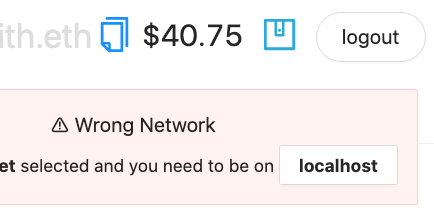
> 🔥 We'll use **burner wallets** on localhost...
> 👛 Explore how **burner wallets** work in 🏗 scaffold-eth by opening a new *incognito* window and navigate it to http://localhost:3000. You'll notice it has a new wallet address in the top right. Copy the incognito browsers' address and send localhost test funds to it from your first browser:

> 👨🏻🚒 When you close the incognito window, the account is gone forever. Burner wallets are great for local development but you'll move to more permanent wallets when you interact with public networks.
---
# Checkpoint 2: 🖨 Minting
> ✏️ Mint some NFTs! Click the `MINT NFT` button in the YourCollectables tab.

👀 You should see your collectibles start to show up:

👛 Open an **incognito** window and navigate to http://localhost:3000
🎟 Transfer an NFT to the incognito window address using the UI:

👛 Try to mint an NFT from the incognito window.
> Can you mint an NFT with no funds in this address? You might need to grab funds from the faucet to pay the gas!
🕵🏻♂️ Inspect the `Debug Contracts` tab to figure out what address is the `owner` of `YourCollectible`?
🔏 You can also check out your smart contract `YourCollectible.sol` in `packages/hardhat/contracts`.
💼 Take a quick look at your deploy script `00_deploy_your_contract.js` in `packages/hardhat/deploy`.
📝 If you want to make frontend edits, open `App.jsx` in `packages/react-app/src`.
---
# Checkpoint 3: 💾 Deploy it! 🛰
🛰 Ready to deploy to a public testnet?!?
> Change the `defaultNetwork` in `packages/hardhat/hardhat.config.js` to `sepolia`

🔐 Generate a **deployer address** with `yarn generate`

👛 View your **deployer address** using `yarn account`
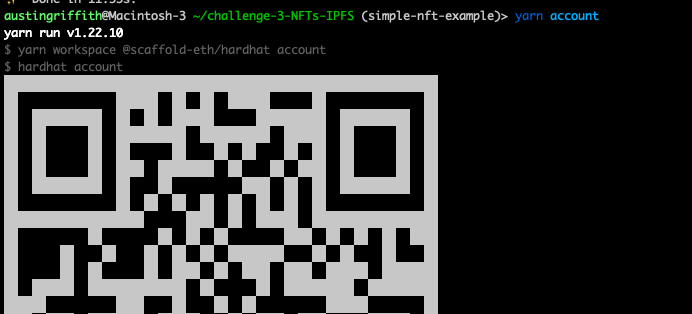
⛽️ Use a faucet like [allthatnode.com/faucet/ethereum.dsrv](https://www.allthatnode.com/faucet/ethereum.dsrv) or [web.getlaika.app/faucets](https://web.getlaika.app/faucets) to fund your **deployer address**.
> ⚔️ **Side Quest:** Keep a 🧑🎤 [punkwallet.io](https://punkwallet.io/) on your phone's home screen and keep it loaded with testnet eth. 🧙♂️ You'll look like a wizard when you can fund your **deployer address** from your phone in seconds.
🚀 Deploy your NFT smart contract:
```sh
yarn deploy
```
> 💬 Hint: You can set the `defaultNetwork` in `hardhat.config.js` to `sepolia` OR you can `yarn deploy --network sepolia`.
---
# Checkpoint 4: 🚢 Ship it! 🚁
> ✏️ Edit your frontend `App.jsx` in `packages/react-app/src` to change the `targetNetwork` to `NETWORKS.sepolia`:

You should see the correct network in the frontend (http://localhost:3000):

> 🦊 At this moment, you will need to connect the dapp to a browser wallet where you have some ether available to mint tokens. Again, you can use a faucet like [https://www.allthatnode.com/faucet/ethereum.dsrv]. Keep in mind that the address you generated in the previous step to deploy the contract will likely be different from the one you have configured in your wallet.
🎫 Ready to mint a batch of NFTs for reals? Use the `MINT NFT` button.

📦 Build your frontend:
```sh
yarn build
```
💽 Upload your app to surge:
```sh
yarn surge
```
(You could also `yarn s3` or maybe even `yarn ipfs`?)
> 😬 Windows users beware! You may have to change the surge code in `packages/react-app/package.json` to just `"surge": "surge ./build",`
⚙ If you get a permissions error `yarn surge` again until you get a unique URL, or customize it in the command line.
⚠️ Run the automated testing function to make sure your app passes
```sh
yarn test
```

---
# Checkpoint 5: 📜 Contract Verification
Update the `api-key` in `packages/hardhat/package.json` file. You can get your key [here](https://etherscan.io/myapikey).

Now you are ready to run the `yarn verify --network your_network` command to verify your contracts on etherscan 🛰
> It is okay if it says your contract is already verified. Copy the address of YourCollectable.sol and search it on sepolia Etherscan to find the correct URL you need to submit this challenge.
---
# Checkpoint 6: 💪 Flex!
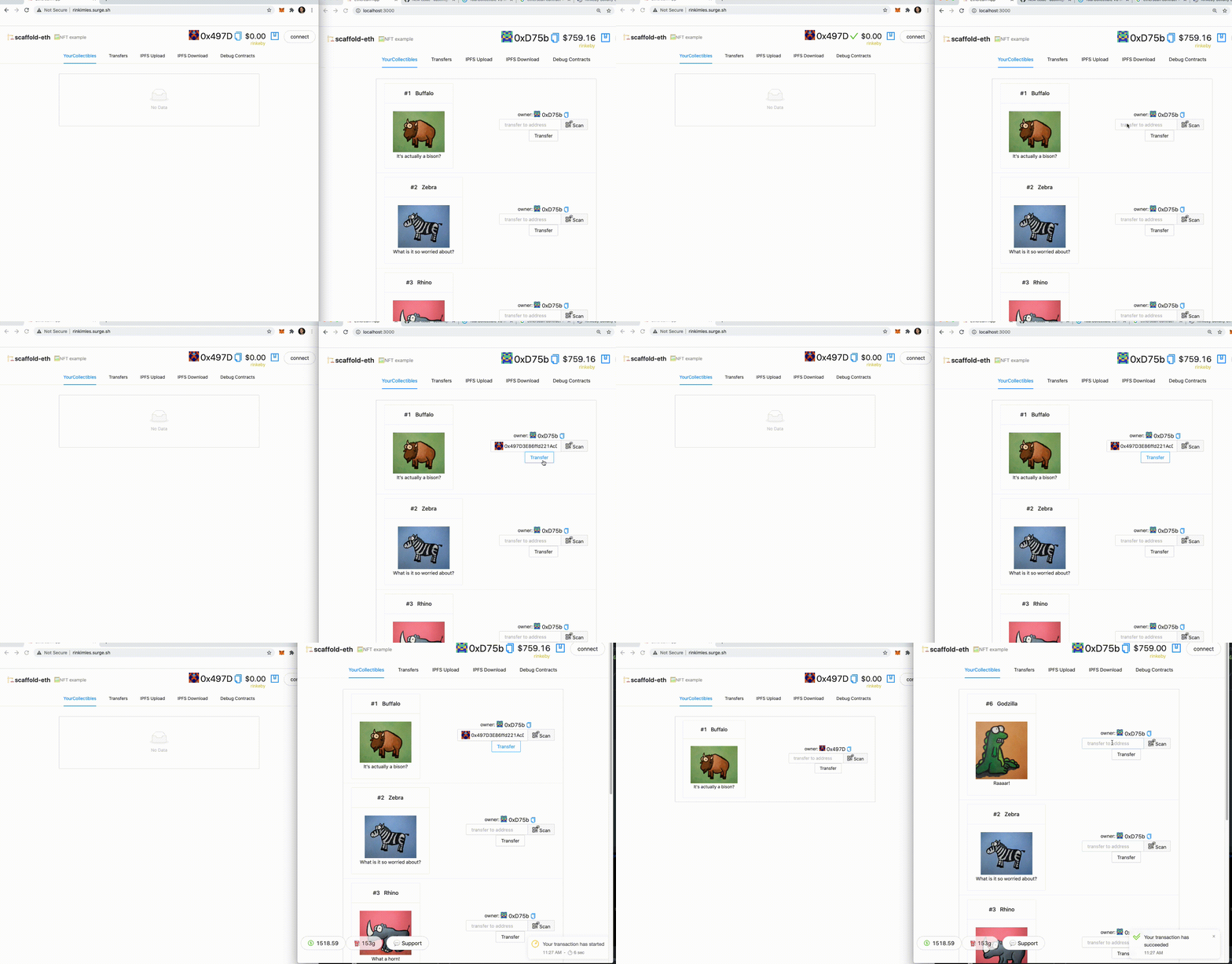
👩❤️👨 Share your public url with a friend and ask them for their address to send them a collectible :)
---
# ⚔️ Side Quests
## 🐟 Open Sea
> 🐃 Want to see your new NFTs on Opensea? Head to [Testnets Opensea](https://testnets.opensea.io/)
> 🎫 Make sure you have minted some NFTs on your Surge page, then connect to Opensea using that same wallet.

> You can see your collection of shiny new NFTs on a testnet!
(It can take a while before they show up, but here is an example:)
https://testnets.opensea.io/assets/0xc2839329166d3d004aaedb94dde4173651babccf/1
## 🔶 Infura
> You will need to get a key from infura.io and paste it into constants.js in packages/react-app/src:

---
> 🏃 Head to your next challenge [here](https://speedrunethereum.com).
> 💬 Meet other builders working on this challenge in the [Challenge 0 telegram channel](https://t.me/+Y2vqXZZ_pEFhMGMx)!!!
> 👉 Problems, questions, comments on the stack? Post them to the [🏗 scaffold-eth developers chat](https://t.me/joinchat/F7nCRK3kI93PoCOk)