https://github.com/hackclub/slacker
Slacker is an attempt to organize and systematize our developer/customer support use cases into something that is easy to manage and measure, and also is welcoming of newcomers wanting to help participate on projects.
https://github.com/hackclub/slacker
Last synced: over 1 year ago
JSON representation
Slacker is an attempt to organize and systematize our developer/customer support use cases into something that is easy to manage and measure, and also is welcoming of newcomers wanting to help participate on projects.
- Host: GitHub
- URL: https://github.com/hackclub/slacker
- Owner: hackclub
- Created: 2023-10-11T14:20:45.000Z (almost 3 years ago)
- Default Branch: main
- Last Pushed: 2024-09-10T01:55:40.000Z (almost 2 years ago)
- Last Synced: 2025-04-23T16:06:15.469Z (over 1 year ago)
- Language: TypeScript
- Homepage:
- Size: 789 KB
- Stars: 17
- Watchers: 3
- Forks: 18
- Open Issues: 8
-
Metadata Files:
- Readme: README.md
- Contributing: CONTRIBUTING.md
Awesome Lists containing this project
README
# What is Slacker?
At Hack Club, we have a lot of different projects that need ownership over the long-term. Each project might encompass many git repositories and Slack channels that need various different levels of support. Slacker is an attempt to organize and systematize our developer/customer support use cases into something that is easy to manage and measure, and also is welcoming of newcomers wanting to help participate on projects.
# Project scope
* Its primary purpose is to match incoming work with correct project maintainers
* It is Github and Slack aware, which are both avenues through which work is submitted to us in practice @ HC
* It is a system designed such that we do not drop balls (ignore and fail to triage incoming work), and will measure this directly via a time-series document trail written to ElasticSearch
* Also aims to invite people to join teams and gain responsibilities, advertising them via Slack and web interfaces
* Will (semi or fully) automate work where possible
# How do I use it?
Currently, the main interface to Slacker is via issuing slack bot commands. A good first step to to run ```/slacker help``` to generally see its capabilities - but generally, one takes the following process:
1. Assign yourself to a project via a project in the [config directory](https://github.com/hackclub/slacker/tree/main/config).
**_NOTE:_** _You must be entered into the [maintainers config](https://github.com/hackclub/slacker/blob/main/maintainers.yaml) to be assigned to a project._
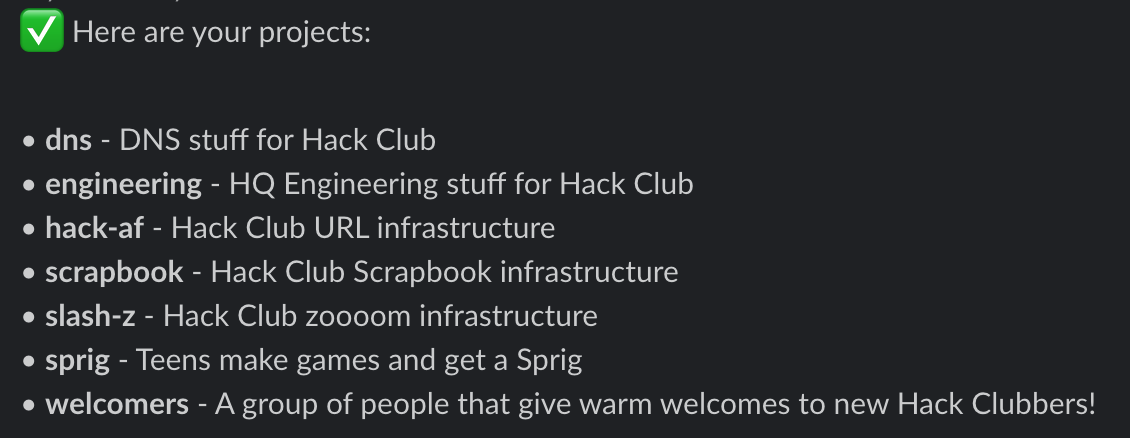
2. Run ```/slacker whatsup```, which shows all of the projects you're currently assigned to.
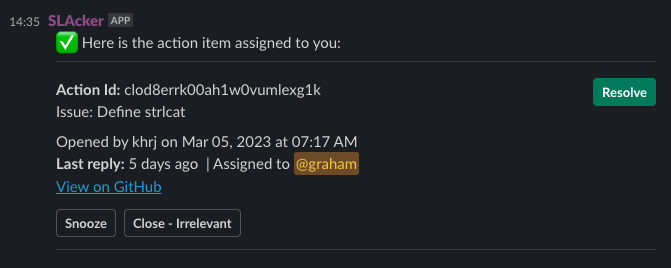
3. Run ```/slacker gimme``` to self-assign the next work item. After you investigate the AI, you can click 'Resolve' to signify the issue has been triaged successfully, 'Close - Irrelevant' to mark the issue as not needing action, or 'Snooze', where you can specify a time in the future to remind maintainers to triage this issue.
4. If you need to regain context on your current work, run ```/slacker me```. This will display all work items that are currently assigned to you.
# Can it support my project?
In all likelihood, yes. Just add yourself and your project members to the global [maintainers configuration file](https://github.com/hackclub/slacker/blob/main/maintainers.yaml), and add a new project config [here](https://github.com/hackclub/slacker/tree/main/config). Here is an example from the Sprig project - it is fairly self-explanatory...
```
name: Sprig
description: Teens make games and get a Sprig
maintainers: [leo, lucas, kognise, max, graham, josias, shawn]
channels:
- name: sprig
id: C02UN35M7LG
sla:
responseTime: 1h
- name: sprig-platform
id: C04S1A8NT44
sla:
responseTime: 24h
- name: sprig-device-requests
id: C063DFZ532M
sla:
responseTime: 24h
repos:
- uri: https://github.com/hackclub/sprig
sla:
responseTime: 1h
- uri: https://github.com/hackclub/spade
sla:
responseTime: 24h
```
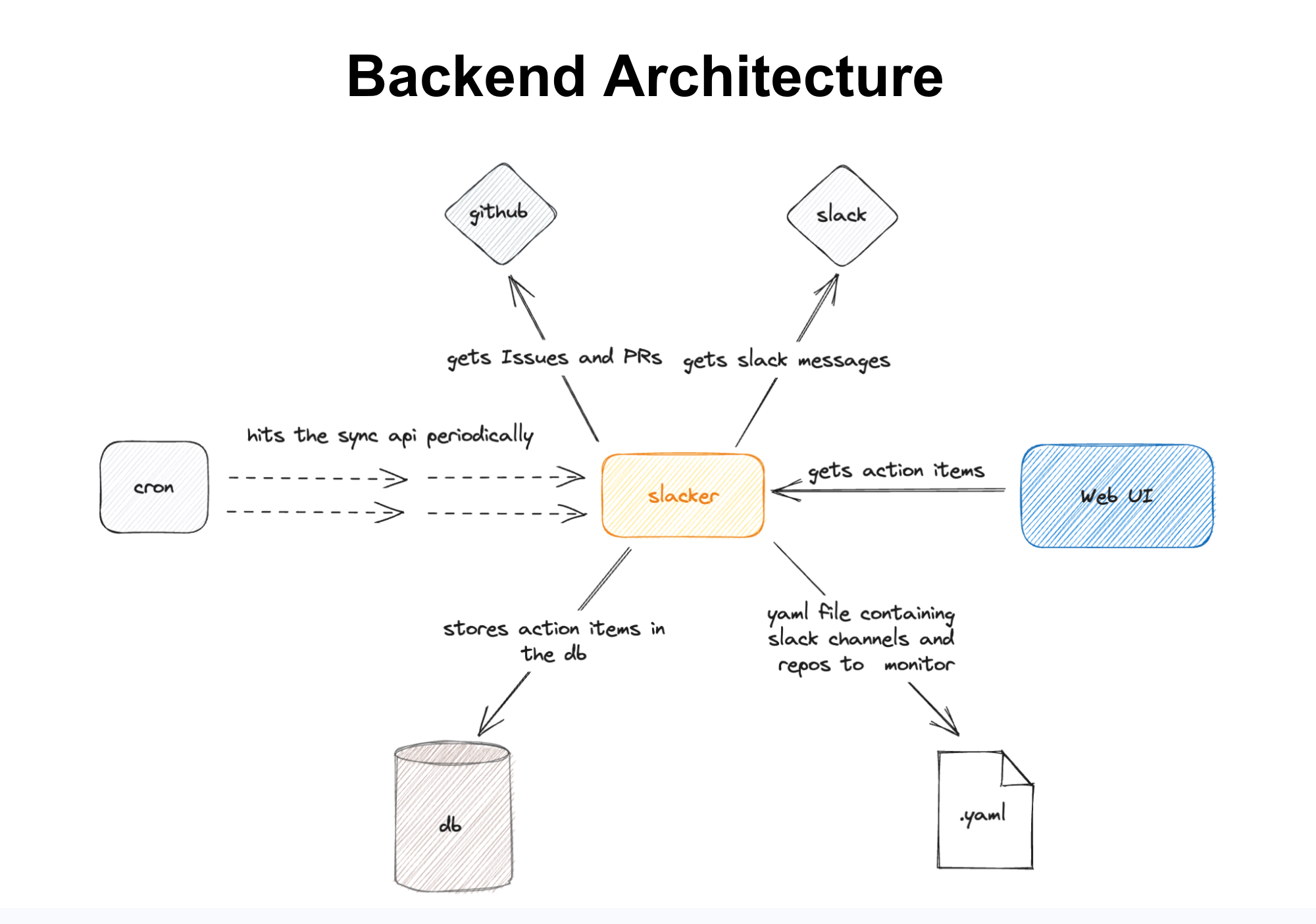
# Backend architecture
# How can I learn more?
Feel free to visit the [#hq-engineering](https://hackclub.slack.com/archives/C05SVRTCDGV) Hack Club Slack channel and ask away!