https://github.com/hackiftekhar/iqkeyboardtoolbar
IQToolbar creation related classes and functions
https://github.com/hackiftekhar/iqkeyboardtoolbar
Last synced: 11 months ago
JSON representation
IQToolbar creation related classes and functions
- Host: GitHub
- URL: https://github.com/hackiftekhar/iqkeyboardtoolbar
- Owner: hackiftekhar
- License: mit
- Created: 2024-07-22T13:44:36.000Z (almost 2 years ago)
- Default Branch: main
- Last Pushed: 2025-03-24T07:53:37.000Z (over 1 year ago)
- Last Synced: 2025-08-11T05:57:32.298Z (11 months ago)
- Language: Swift
- Size: 435 KB
- Stars: 3
- Watchers: 1
- Forks: 3
- Open Issues: 0
-
Metadata Files:
- Readme: README.md
- Contributing: CONTRIBUTING.md
- License: LICENSE
- Code of conduct: CODE_OF_CONDUCT.md
- Security: SECURITY.md
Awesome Lists containing this project
README
# IQKeyboardToolbar
[](https://travis-ci.org/hackiftekhar/IQKeyboardToolbar)
[](https://cocoapods.org/pods/IQKeyboardToolbar)
[](https://cocoapods.org/pods/IQKeyboardToolbar)
[](https://cocoapods.org/pods/IQKeyboardToolbar)
## Example
To run the example project, clone the repo, and run `pod install` from the Example directory first.
## Requirements
## Installation
IQKeyboardToolbar is available through [CocoaPods](https://cocoapods.org). To install
it, simply add the following line to your Podfile:
```ruby
pod 'IQKeyboardToolbar'
```
## Usage
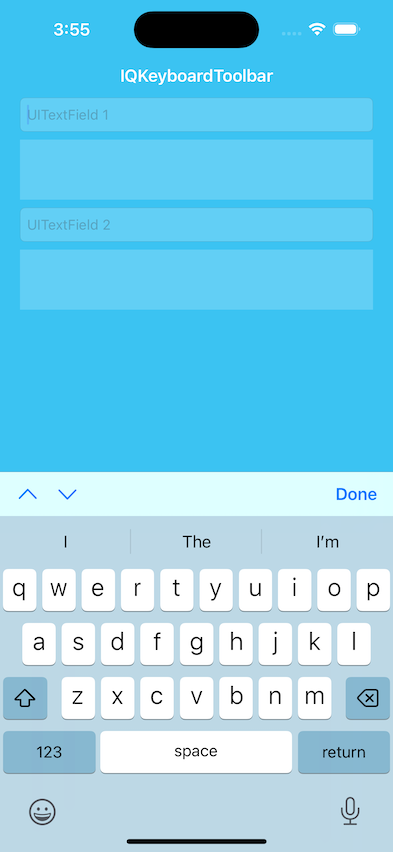
This library can be used to add toolbar to the keyboard
Previous Next and Done button
```swift
textField.iq.addPreviousNextDone(target: self,
previousAction: #selector(textField1PreviousAction),
nextAction: #selector(textField1NextAction),
doneAction: #selector(doneAction), showPlaceholder: true)
```
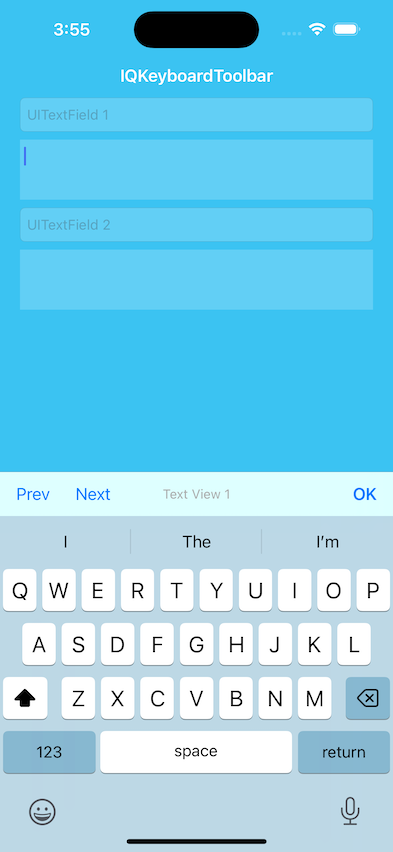
Previous Next and Right button with customized titles or images
```swift
textField.iq.addPreviousNextRight(target: self,
previousConfiguration: .init(title: "Prev", action: #selector(textView1PreviousAction)),
nextConfiguration: .init(title: "Next", action: #selector(textView1NextAction)),
rightConfiguration: .init(image: UIImage(systemName: "chevron.down")!, action: #selector(doneAction)),
title: "Text View 1")
```
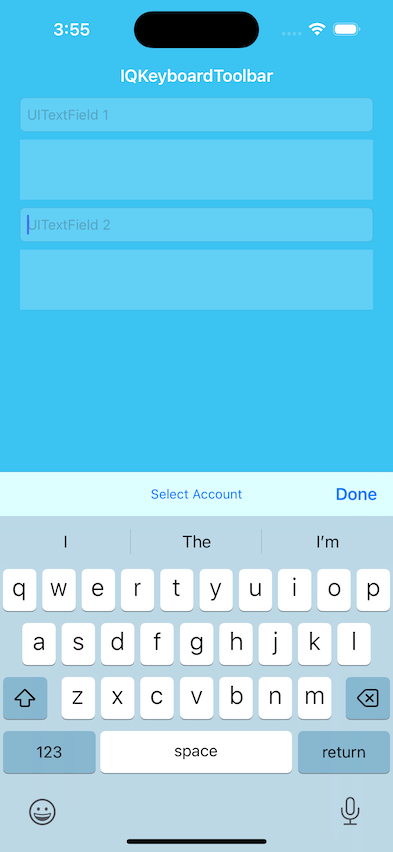
Action button
```swift
textField.iq.addDone(target: self,
action: #selector(doneAction),
title: "Select Account")
textField.iq.toolbar.titleBarButton.setTarget(self,
action: #selector(selectAccount))
```
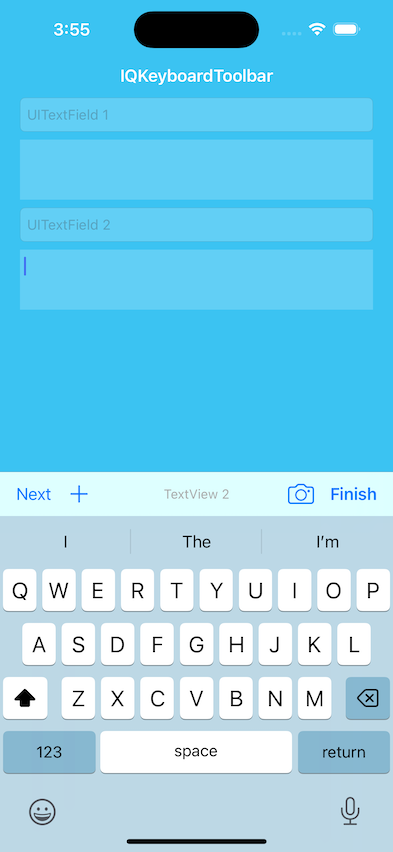
Additional leading and trailing buttons
```swift
textField.iq.toolbar.additionalLeadingItems = [.init(barButtonSystemItem: .add, target: self, action: #selector(addAction))]
textField.iq.toolbar.additionalTrailingItems = [.init(barButtonSystemItem: .camera, target: self, action: #selector(cameraAction))]
textField.iq.addToolbar(target: self,
previousConfiguration: nil,
nextConfiguration: .init(title: "Next", action: #selector(doneAction)),
rightConfiguration: .init(title: "Finish", action: #selector(doneAction)),
title: "TextView 2")
```
Hide Placeholder
```swift
textField1.iq.hidePlaceholder = true
```
Customized Placeholder
```swift
textField1.iq.placeholder = "My Own Placeholder"
```
## Author
Iftekhar Qurashi hack.iftekhar@gmail.com
## License
IQKeyboardToolbar is available under the MIT license. See the LICENSE file for more info.