https://github.com/hackiftekhar/iqtextview
TextView with placeholder support.
https://github.com/hackiftekhar/iqtextview
Last synced: 11 months ago
JSON representation
TextView with placeholder support.
- Host: GitHub
- URL: https://github.com/hackiftekhar/iqtextview
- Owner: hackiftekhar
- License: mit
- Created: 2024-07-22T07:52:24.000Z (almost 2 years ago)
- Default Branch: main
- Last Pushed: 2024-10-29T12:56:39.000Z (over 1 year ago)
- Last Synced: 2025-07-30T12:30:58.851Z (11 months ago)
- Language: Swift
- Size: 167 KB
- Stars: 2
- Watchers: 1
- Forks: 1
- Open Issues: 0
-
Metadata Files:
- Readme: README.md
- Contributing: CONTRIBUTING.md
- License: LICENSE
- Code of conduct: CODE_OF_CONDUCT.md
- Security: SECURITY.md
Awesome Lists containing this project
README
# IQTextView
[](https://travis-ci.org/hackiftekhar/IQTextView)
[](https://cocoapods.org/pods/IQTextView)
[](https://cocoapods.org/pods/IQTextView)
[](https://cocoapods.org/pods/IQTextView)
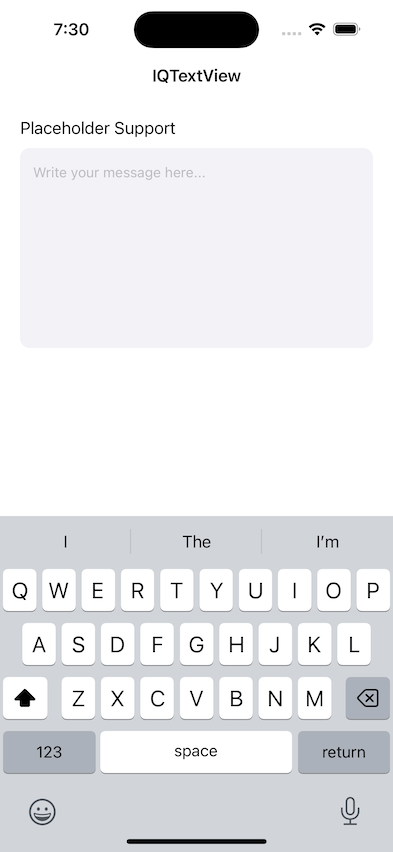
## Example
To run the example project, clone the repo, and run `pod install` from the Example directory first.
## Requirements
## Installation
IQTextView is available through [CocoaPods](https://cocoapods.org). To install
it, simply add the following line to your Podfile:
```ruby
pod 'IQTextView'
```
## Usage
You can set any UITextView class to IQTextView and then you can change the placeholder and placeholderTextColor from the storyboard
To change them via code, you may have to set them programmatically
```swift
textView.placeholderTextColor = UIColor.lightGray
textView.placeholder = "Enter your message here..."
```
To work this with IQKeyboardToolbarManager to show placeholder in toolbar, you may have to confirm IQPlaceholderable manually in your code
```swift
@available(iOSApplicationExtension, unavailable)
@MainActor
extension IQTextView: IQPlaceholderable { }
```
## Author
Iftekhar Qurashi hack.iftekhar@gmail.com
## License
IQTextView is available under the MIT license. See the LICENSE file for more info.