https://github.com/hacktoolkit/htk-ios-rottentomatoes
Basic Rotten Tomatoes client
https://github.com/hacktoolkit/htk-ios-rottentomatoes
Last synced: over 1 year ago
JSON representation
Basic Rotten Tomatoes client
- Host: GitHub
- URL: https://github.com/hacktoolkit/htk-ios-rottentomatoes
- Owner: hacktoolkit
- License: mit
- Created: 2014-09-15T20:25:17.000Z (almost 12 years ago)
- Default Branch: master
- Last Pushed: 2014-09-26T14:08:09.000Z (almost 12 years ago)
- Last Synced: 2025-01-22T20:16:06.376Z (over 1 year ago)
- Language: Swift
- Size: 4.28 MB
- Stars: 4
- Watchers: 3
- Forks: 1
- Open Issues: 1
-
Metadata Files:
- Readme: README.md
- License: LICENSE
Awesome Lists containing this project
README
htk-ios-RottenTomatoes
======================
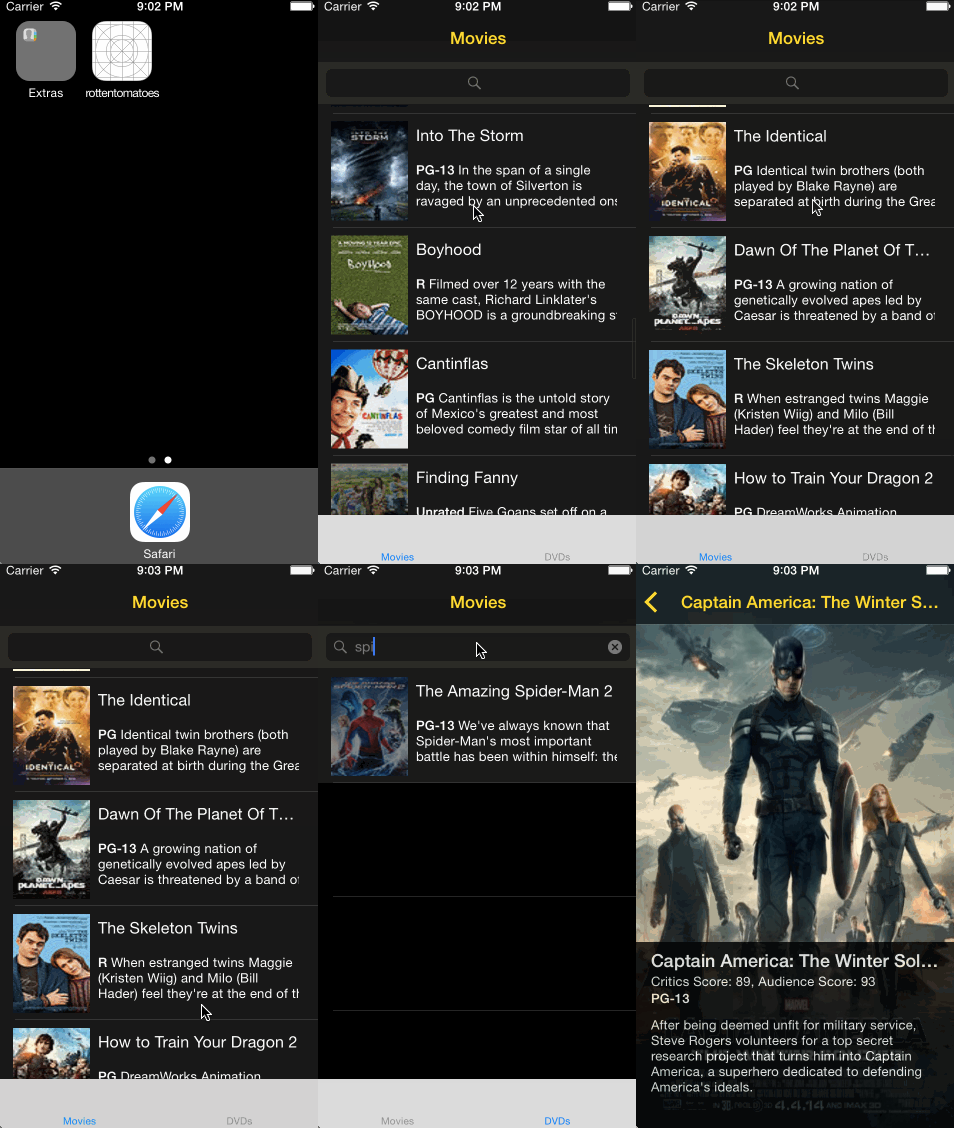
This is a basic Rotten Tomatoes (read-only) client.
[CodePath iOS Bootcamp](http://codepath.com/iosbootcamp) September 2014 - Week 1 Project
## GIF Screen Cap
Here's an animated GIF (made with [LiceCAP](http://www.cockos.com/licecap/)) of what it looks like:
## Download and Build Instructions
* Clone the repository
* Install [CocoaPods](http://cocoapods.org/)
* `sudo gem install cocoapods`
* Install Pods
* `pod install`
* Update/initialize the [hacktoolkit-ios_lib](https://github.com/hacktoolkit/hacktoolkit-ios_lib) submodule (temporary step until CocoaPods supports Swift source files natively)
* `git submodule init`
* `git submodule update`
* Set up API keys
* Create a `secrets.xcconfig` config file based on `secrets.xcconfig.template`
* Obtain an API key from the [Rotten Tomatoes API page](http://developer.rottentomatoes.com/) and add the key to `secrets.xcconfig`
* Run it!
## Features (User Stories)
Time spent: 15+ hours
Completed:
* User can view a list of movies from Rotten Tomatoes. Poster images must be loading asynchronously.
* User can view movie details by tapping on a cell
* User sees loading state while waiting for movies API. Using [MBProgressHUD](https://github.com/matej/MBProgressHUD). (Other alternatives were considered among 3rd party libraries at [cocoacontrols.com](https://www.cocoacontrols.com/search?utf8=%E2%9C%93&q=hud))
* User sees error message when there's a networking error. (Without using UIAlertView, because it is crappy). Sorta working, using [TSMessages](https://github.com/toursprung/TSMessages)
* User can pull to refresh the movie list.
Optional user stories completed:
* All images fade in. Achieved by using `UIView.animateWithDuration(...)`
* For the large poster, load the low-res image first, switch to high-res when complete. Achieved by using `self.fullPosterImage.setImageWithURL(NSURL(string: movie.originalPosterUrl), placeholderImage: self.movieCellSender!.thumbnailPosterImage.image)`
* All images should be cached in memory and disk (in order to have images load immediately upon cold start). In progress; have an in-memory dictionary cache of url `String : UIImage` and need to figure out how to do that.
* Customize the highlight and selection effect of the cell. (Turned off the default)
* Customize the navigation bar. (Changed text and background colors, opacity)
* Add a tab bar for Box Office and DVD. Switches between the two using a common ViewController by embedding in Container Views. Couldn't figure out how to change the color of the tab bar.
* Add a search bar. Filters movies with titles containing the `searchText` substring using case insensitive search and `UISearchBarDelegate`