https://github.com/haithamaouati/tfetch
A tiny system info script for Termux, written in pure Bash.
https://github.com/haithamaouati/tfetch
android bash fastfetch fetch info linux macchina neofetch os osinfo script sysinfo system systeminfo systeminformation termux tfetch
Last synced: 3 months ago
JSON representation
A tiny system info script for Termux, written in pure Bash.
- Host: GitHub
- URL: https://github.com/haithamaouati/tfetch
- Owner: haithamaouati
- License: wtfpl
- Created: 2024-03-26T22:07:17.000Z (over 2 years ago)
- Default Branch: main
- Last Pushed: 2026-01-28T19:43:41.000Z (6 months ago)
- Last Synced: 2026-01-29T09:51:45.942Z (6 months ago)
- Topics: android, bash, fastfetch, fetch, info, linux, macchina, neofetch, os, osinfo, script, sysinfo, system, systeminfo, systeminformation, termux, tfetch
- Language: Shell
- Homepage:
- Size: 458 KB
- Stars: 19
- Watchers: 2
- Forks: 2
- Open Issues: 1
-
Metadata Files:
- Readme: README.md
- License: LICENSE
Awesome Lists containing this project
README
# tfetch🐧
A tiny system info script for [Termux](https://termux.dev), written in pure Bash.
No dependencies. No noise. Just the essentials.


## Features
- Displays basic system information:
- Username and hostname
- OS, architecture, kernel
- Uptime, installed packages, memory
- Current date and time
- Color palette
- Works offline — no external dependencies
- Fast, lightweight, and silent on errors
- ASCII art included (tux and android)
## Installation
1. Clone the repository
```bash
git clone https://github.com/haithamaouati/tfetch.git
```
2. Change to the tfetch directory:
```
cd tfetch
```
3. Install the script
```
bash install.sh
```
## Usage
Usage: `tfetch`
##### Options:
`-c`, `--clear` Clear the screen before displaying info
`-p`, `--palette` Show the terminal color palette
`-t`, `--tux` Use Tux ASCII art (default)
`-a`, `--android` Use Android ASCII art
`-d`, `--datetime` Show current date and time
`-h`, `--help` Show this help message and exit
> [!TIP]
> Make it as startup banner (Optional)
1. Open `~/.bashrc` using `nano`:
```
nano ~/.bashrc
```
2. Add the following line, then save and exit using `Ctrl` + `X`, then `Y`:
```
tfetch -c -p
```
## Uninstallation
```
bash uninstall.sh
```
## Environment
- Tested on [Termux](https://termux.dev/en/)
## Star History
[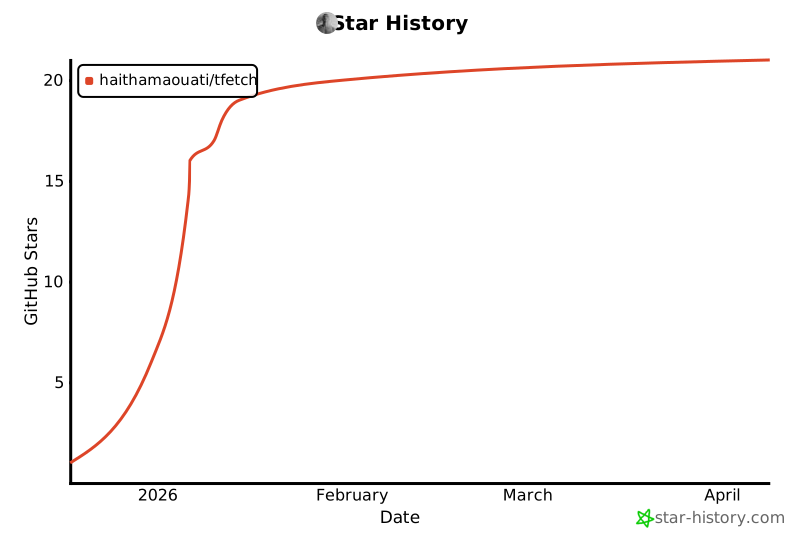](https://www.star-history.com/#haithamaouati/tfetch&type=date&legend=top-left)
### Find this repository useful? ♥️
Support it by joining the [stargazers](https://github.com/haithamaouati/tfetch/stargazers). ⭐
If you want to help even more, please spread the word — share the project on X, Reddit, or with your community so more people discover it.
And [follow me](https://github.com/haithamaouati) to keep up with future updates and projects. 🤩
## License
**tfetch** is licensed under [WTFPL license](LICENSE)