https://github.com/hansalemaos/logcatdevices
Multiple ADB logcat with colored output / csv export
https://github.com/hansalemaos/logcatdevices
adb bluestacks colored coloured csv devices export logcat multiple output pandas
Last synced: 2 months ago
JSON representation
Multiple ADB logcat with colored output / csv export
- Host: GitHub
- URL: https://github.com/hansalemaos/logcatdevices
- Owner: hansalemaos
- License: mit
- Created: 2023-09-27T03:49:42.000Z (almost 3 years ago)
- Default Branch: main
- Last Pushed: 2023-09-27T03:50:18.000Z (almost 3 years ago)
- Last Synced: 2025-09-25T10:54:58.846Z (10 months ago)
- Topics: adb, bluestacks, colored, coloured, csv, devices, export, logcat, multiple, output, pandas
- Language: Python
- Homepage: https://pypi.org/project/logcatdevices/
- Size: 7.81 KB
- Stars: 0
- Watchers: 1
- Forks: 0
- Open Issues: 0
-
Metadata Files:
- Readme: README.MD
- License: LICENSE
Awesome Lists containing this project
README
# Multiple ADB logcat with colored output / csv export
## Tested against Windows 10 / Python 3.11 / Anaconda
## pip install logcatdevices
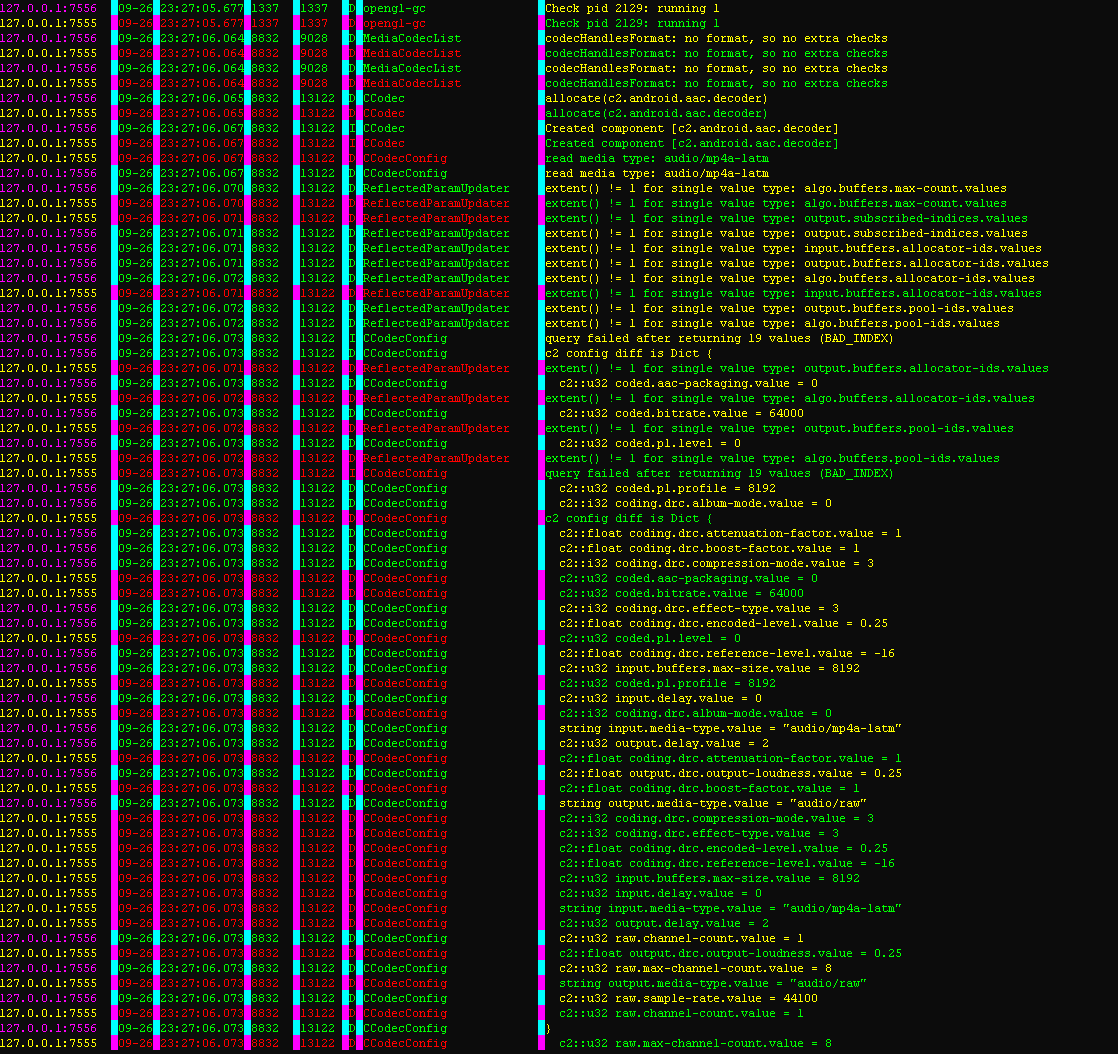
## start_logcat (ctrl+c to stop)
```python
Starts logging Android device logs using ADB.
This function initiates log capturing for specified Android devices using ADB (Android Debug Bridge).
Logs are saved to a CSV file for further analysis.
Args:
adb_path (str): Path to the ADB executable.
csv_output (str): Path to the CSV file where the logs will be saved.
device_serials (str or list): A single device serial number as a string, or a list of serial numbers
for multiple devices. Serial numbers are used to identify connected devices.
print_stdout (bool, optional): If True, prints log messages to the console. Default is True.
clear_log (bool, optional): If True, clears the device log before capturing. Default is True.
ljustserial (int, optional): Left-justifies the device serial number in the printed output. Default is 16.
Returns:
None
Example:
from logcatdevices import start_logcat
androidcsv = "c:\\csvandroisad.csv"
_ = start_logcat(
adb_path=r"C:\Android\android-sdk\platform-tools\adb.exe",
csv_output=androidcsv,
device_serials=[
"127.0.0.1:5565",
"127.0.0.1:7555",
"127.0.0.1:7556",
"emulator-5554",
"emulator-5564",
],
print_stdout=True,
clear_log=True,
ljustserial=16,
)
```
## csv2df
```python
Converts a CSV log file to a pandas DataFrame.
This function reads a CSV file containing Android device log data and converts it into a structured
pandas DataFrame, enabling easy data manipulation and analysis.
Args:
csvfile (str): Path to the CSV log file.
Returns:
pandas.DataFrame: A DataFrame containing log data with the following columns:
- aa_source (str): Source of the log message.
- aa_date (datetime): Date and time of the log message.
- aa_processID (int): Process ID associated with the log message.
- aa_threadID (int): Thread ID associated with the log message.
- aa_logType (str): Type of log message (e.g., 'V', 'D', 'I', 'W', 'E').
- aa_tag (str): Tag associated with the log message.
- aa_message (str): Log message content.
Example:
from logcatdevices import csv2df
androidcsv = "c:\\csvandroisad.csv"
df = csv2df(androidcsv)
print(df.to_string())
```