https://github.com/hansolo/touchjoystick
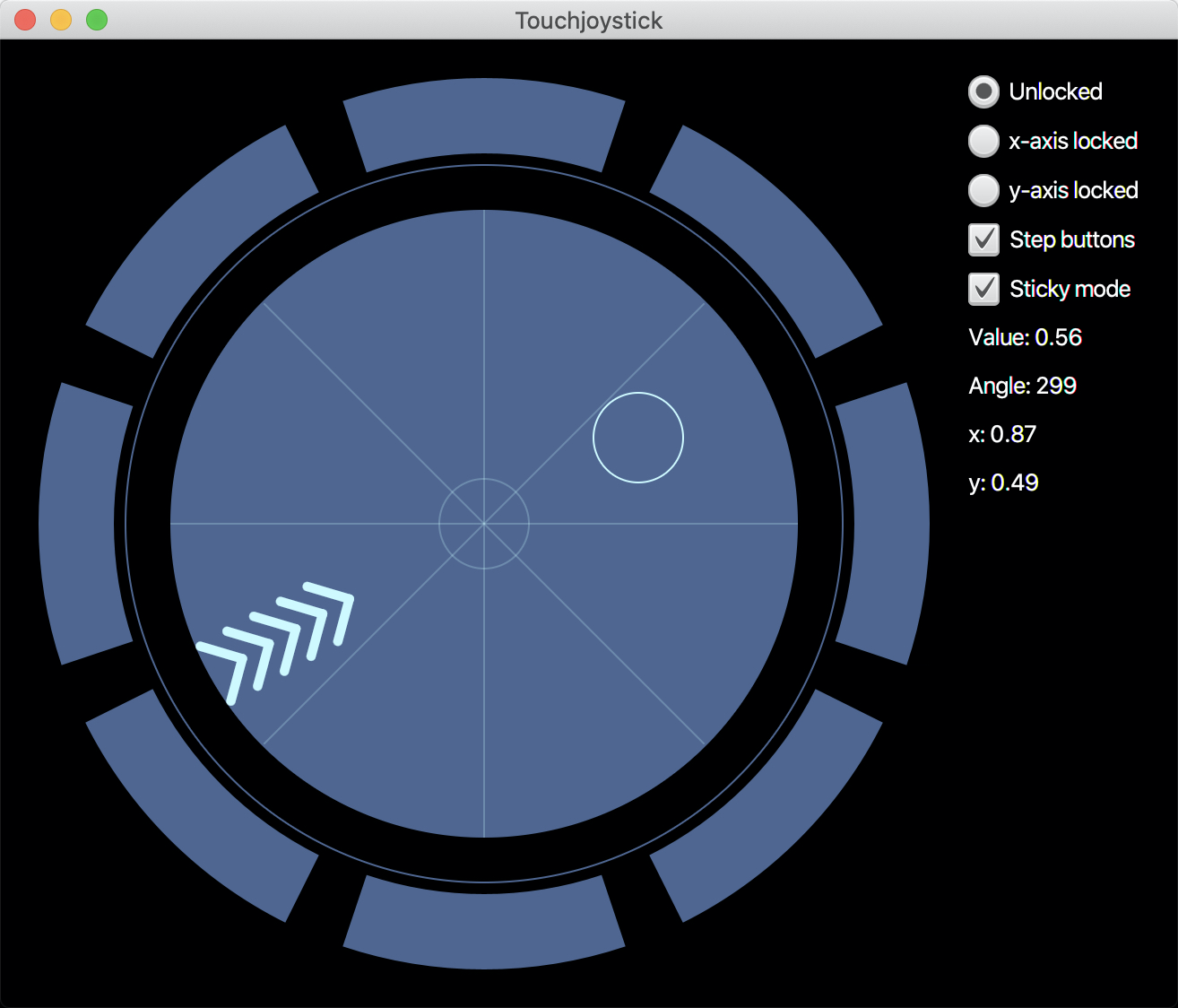
A JavaFX touch joystick control that was inspired by the UI of SpaceX Crew Dragon
https://github.com/hansolo/touchjoystick
Last synced: about 1 year ago
JSON representation
A JavaFX touch joystick control that was inspired by the UI of SpaceX Crew Dragon
- Host: GitHub
- URL: https://github.com/hansolo/touchjoystick
- Owner: HanSolo
- License: apache-2.0
- Created: 2020-06-02T05:03:01.000Z (about 6 years ago)
- Default Branch: master
- Last Pushed: 2020-06-02T05:17:00.000Z (about 6 years ago)
- Last Synced: 2025-03-13T07:05:36.577Z (over 1 year ago)
- Language: Java
- Size: 415 KB
- Stars: 10
- Watchers: 2
- Forks: 5
- Open Issues: 0
-
Metadata Files:
- Readme: README.md
- License: license.txt
Awesome Lists containing this project
README
## Touch Joystick
The touch joystick control was inspired by the UI of SpaceX Crew Dragon spaceship.
The control has a touch point that can be dragged around. You can add listeners to several properties like
- value (0.0 - 1.0)
- angle (0.0 - 360)
- x (0.0 - 1.0)
- y (0.0 - 1.0)
In addition you can lock axis to restrict movement in only on direction.
```java
joystick.setLockState(LockState.Y_LOCKED))
```
Will set the movement locked to the y-axis.
Around the drag control you will find 8 buttons that can be used to change
the value and direction by a given step size (0.001 - 10.0), which is in pixels.
And you can also set it to sticky mode which means the touch point will NOT automatically
move back to center (which is the default behavior).
One can also set the inactive- and activeColor for the control.
The more you move the touch point in one direction the more of the chevrons will show
up on the opposite side of the touch point. This gives an indication on how
far you dragged the point. I've put this indicator on the opposite side because if
you drag the point with the finger your hand might block the view on the control.
You can also start a little demo to play around with it by executing the following command
on the command line (make sure you are on Java 11):
```java
gradle Demo
```
Donations are welcome at [Paypal](https://paypal.me/hans0l0)
## Overview