https://github.com/happo/lcs-image-diff
A JavaScript library to diff two images. Uses the LCS algorithm to allow content to shift.
https://github.com/happo/lcs-image-diff
diff happo lcs lcs-algorithm
Last synced: 6 months ago
JSON representation
A JavaScript library to diff two images. Uses the LCS algorithm to allow content to shift.
- Host: GitHub
- URL: https://github.com/happo/lcs-image-diff
- Owner: happo
- Created: 2019-05-28T14:42:55.000Z (about 7 years ago)
- Default Branch: main
- Last Pushed: 2025-04-15T18:34:17.000Z (about 1 year ago)
- Last Synced: 2025-10-01T15:58:10.606Z (10 months ago)
- Topics: diff, happo, lcs, lcs-algorithm
- Language: JavaScript
- Homepage:
- Size: 2.96 MB
- Stars: 19
- Watchers: 3
- Forks: 1
- Open Issues: 0
-
Metadata Files:
- Readme: README.md
Awesome Lists containing this project
README
# lcs-image-diff
A javascript function that takes two images and returns a new image
highlighting the differences between the two images. Uses the
[Longest-Common-Subsequence algorithm
(LCS)](https://en.wikipedia.org/wiki/Longest_common_subsequence_problem) to
align the two images (vertically). This will prevent unnecessarily big diffs
for images where content has shifted up or down. Works in the browser and in
Node.
## Examples
Image 1 | Image 2 | Image diff | Traced
------- | ------- | ---------- | ---------
 | 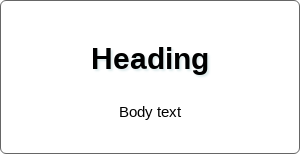 | 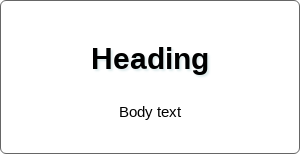 | 
 |  |  | 
## Installation
```bash
npm install lcs-image-diff
```
## Usage in the browser
_Pro tip:_ You're best off using this module in a web worker, to offload heavy
image manipulation from the main thread.
```js
const imageDiff = require('lcs-image-diff');
// `image1` and `image2` are instances of `ImageData`
// https://developer.mozilla.org/en-US/docs/Web/API/ImageData
// https://developer.mozilla.org/en-US/docs/Web/API/CanvasRenderingContext2D/getImageData
const { data, width, height, diff } = imageDiff(image1, image2);
// `data` is a `UInt8ClampedArray`
// `width` and `height` is the resulting size of the diff image
// `diff` is a number between 0 and 1 describing how much the two images differ.
```
## Usage in Node
Usage is mostly the same as in the browser, you just have to pass in a custom
`hashFunction`. Here's an example using images loaded with
[Jimp](https://github.com/oliver-moran/jimp) and a hash function using the
[`crypto`](https://nodejs.org/api/crypto.html) module.
```js
const crypto = require('crypto');
const Jimp = require('jimp');
const imageDiff = require('lcs-image-diff');
function createHash(data) {
return crypto
.createHash('md5')
.update(data)
.digest('hex');
}
const image1 = (await Jimp.read('1.jpg')).bitmap;
const image2 = (await Jimp.read('2.jpg')).bitmap;
const { data, width, height, diff } = imageDiff(image1, image2, {
hashFunction: createHash,
});
```
## Getting a diff trace
When presenting an image diff to a user, it can be helpful to highlight diff
areas. The diff image returned by the `imageDiff` function will do some of
that, but in some cases when only a few pixels have changed it can be useful to
further trace the diff. For that purpose, `imageDiff` will return a `trace`
object that can be used to generate an SVG image with paths tracing the diff.
```js
const imageDiff = require('lcs-image-diff');
const { data, width, height, trace } = imageDiff(image1, image2);
const svg = trace.toSVG();
document.getElementById('#trace-svg').innerHTML = svg;
```
The SVG image is slightly larger than the diff image so that it can properly
highlight edges and corners. For that reason, you need to place the SVG in a
container that bleeds out a little to account for the extra size.
```html
```
...or if you hate magic numbers, use the constant attached to the `imageDiff` function:
```js
document.getElementById('#trace-svg').style.margin = `0 ${
imageDiff.DIFF_TRACE_PADDING
}px`;
```
## Authors
- Henric Trotzig ([@trotzig](https://github.com/trotzig))
- Joe Lencioni ([@lencioni](https://github.com/lencioni))
---------------------
Make sure to check out [happo.io](https://happo.io) - the cross-browser
screenshot testing tool