https://github.com/harmony-one/harmony-tui
Text based user interface for Harmony node
https://github.com/harmony-one/harmony-tui
harmony tui
Last synced: 11 months ago
JSON representation
Text based user interface for Harmony node
- Host: GitHub
- URL: https://github.com/harmony-one/harmony-tui
- Owner: harmony-one
- Created: 2019-10-09T17:58:55.000Z (over 6 years ago)
- Default Branch: master
- Last Pushed: 2022-03-21T19:23:48.000Z (over 4 years ago)
- Last Synced: 2025-05-12T13:05:20.579Z (about 1 year ago)
- Topics: harmony, tui
- Language: Go
- Homepage:
- Size: 18.4 MB
- Stars: 7
- Watchers: 24
- Forks: 2
- Open Issues: 6
-
Metadata Files:
- Readme: README.md
Awesome Lists containing this project
README
# Harmony-TUI
Text based user interface for Harmony node.
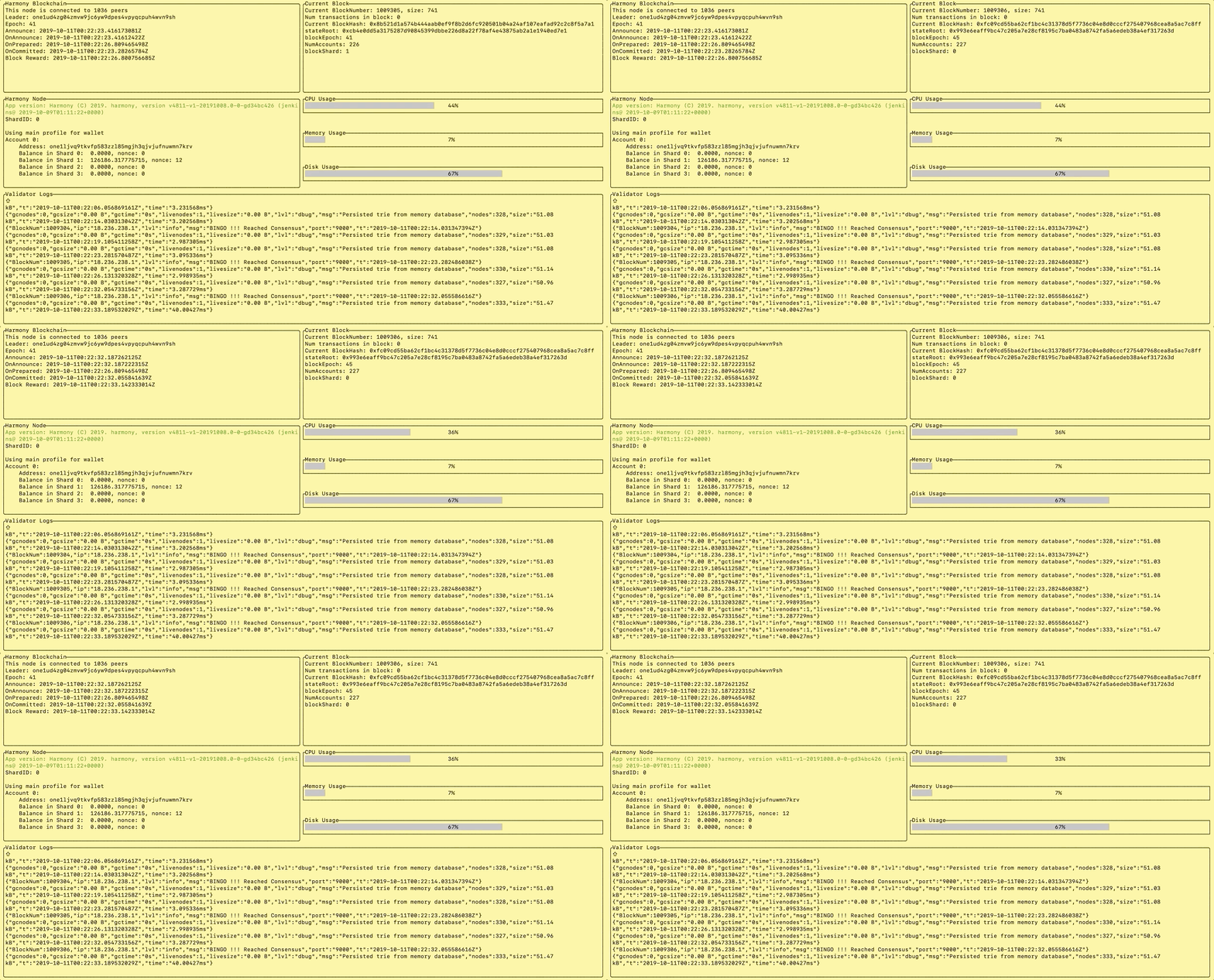
Below information is currently displayed on Harmony-TUI
1. Section - Harmony Blockchain
- Connected peers
- Leader's one address
- Current epoch number
- Recent timestamps of various stages
2. Section - Harmony Node
- Harmony node binary version
- ShardId of local node
- Balance of user's one account
3. Section - Current Block
- Current block number
- Size of current block in bytes
- Hash of current block
- StateRoot
- BlockEpoch
- Number of signers who signed last block
4. Section - System Stats
- CPU usage in percentage
- Memory/RAM usage of system
- Used disk space
5. Section - Validator Logs
- This section shows validator log file
# Dependencies
1. harmony node running on localhost:9000
2. shared libraries required for running harmony node
3. Harmony TUI binary should be in same directory as harmony node binary
# Build and run harmony-tui binary
### Build from source code
1. Clone repository - `git clone git@github.com:harmony-one/harmony-tui.git`
2. `cd harmony-tui`
3. Invoke `make` to build harmony-tui binary for local platform or `make build-linux` for linux
4. binary will get generated in `./bin` directory
5. Copy harmony-tui binary from ./bin to the same directory as harmony node binary
6. Invoke binary - `path_to_binary/harmony-tui --address=YOUR_ONE_ADDRESS`
### Download binary and run .
1. Download binary directly for here(TODO: add hyperlink).
2. Place downloaded binary in same directory as harmony node binary
3. Invoke binary - `path_to_binary/harmony-tui --address=YOUR_ONE_ADDRESS`
# Usage
1. Invoke binary - `path_to_binary/harmony-tui --address=YOUR_ONE_ADDRESS`
2. Help information - `path_to_binary/harmony-tui--help`
3. Command line arguments supported by harmony-tui binary
```
-address string
address of your one account (default "Not Provided")
-config string
path to configuration file
-earningInterval string
Earning interval of TUI in seconds
-env string
environment of system binary is running on option 1- "local" option 2- "ec2"
-hmyPath string
path to harmony binary (default is current dir)
-hmyUrl string
harmony instance url
-logPath string
path to harmony log folder "latest"
-refreshInterval string
Refresh interval of TUI in seconds
-silent
run TUI/telegram bot in background
-telegramToken string
telegram token of your telegram bot
-version
version of the binary
```
Examples
1. Run binary - `path_to_binary/harmony-tui --address=YOUR_ONE_ADDRESS --env=local`
2. Check version - `path_to_binary/harmony-tui --version`
# Configure telegram bot
1. [Create telegram bot](https://core.telegram.org/bots#creating-a-new-bot)
2. Pass telegram token with TUI `./harmonu-tui --telegramToken=`
3. Optional: Run Telegram bot in background `./harmonu-tui --telegramToken= --silent &`
4. Search name of your telgram bot and type help to get list of supported commands
# Configfile
TUI dumps all the config into `./config-tui.json`.
Commandline parms like telegramToken/OneAddress are needed to be passed only once.
There after they are recored in config file.
The file can be modified to change the config.
Commandline param always have higher precendence than config file.
# Sample screenshot