https://github.com/harry-skerritt/spotifymate
Make your own SpotifyMate! A way to control Spotify and see what your listening to.
https://github.com/harry-skerritt/spotifymate
arduino controller esp32 firmware hardware music platformio spotify spotify-api
Last synced: 4 months ago
JSON representation
Make your own SpotifyMate! A way to control Spotify and see what your listening to.
- Host: GitHub
- URL: https://github.com/harry-skerritt/spotifymate
- Owner: Harry-Skerritt
- License: mit
- Created: 2024-12-30T01:15:57.000Z (over 1 year ago)
- Default Branch: main
- Last Pushed: 2025-01-18T14:05:19.000Z (over 1 year ago)
- Last Synced: 2025-07-06T16:06:22.909Z (12 months ago)
- Topics: arduino, controller, esp32, firmware, hardware, music, platformio, spotify, spotify-api
- Language: C++
- Homepage:
- Size: 3.37 MB
- Stars: 2
- Watchers: 1
- Forks: 1
- Open Issues: 0
-
Metadata Files:
- Readme: README.md
- License: LICENSE
Awesome Lists containing this project
README



[](LICENSE)

[](https://www.espressif.com/en/products/socs/esp32)

## What is SpotifyMate?
Spotify Mate is a device which uses Spotifys WebAPI to give visuals as to what you are currently listening to. Aswell as some functionality to Play, Pause and add to liked songs.
[Make Your Own - Coming Soon!](https://github.com/Harry-Skerritt/SpotifyMate?tab=readme-ov-file#how-to-make)
## How does it work?
The SpotifyMate firmware, has a GUI which makes the setup and use of the device pretty simple, but to explain a bit more about how the deice works:
- The device will enter a 'provisioning mode' when first powered on, or without an active network connection, which allows the user to connect to the device and add it to their home WiFi network.
- The device will also need linking to the users Spotify account, which can be done through a QR code displayed on screen (still under development) - For now this is done through a message in the console.
- Once this is the done, the device should automatically connect and update whenever the current played track is changed.
- Should listening become inactive for 5 minutes or longer, the device will enter a sleep mode (still under development)
- Whilst the device is built for a touchscreen, touch screen functionality is not currently implemented, instead there is a button which has the play/pause and like song functionality. (Still under development)
## What does it look like?
The firmware for the device provides 3 states a WiFi Provisioning State, a Spotify Connect state (under development) and the main state
### The Main Screen

**Image above is a mockup**
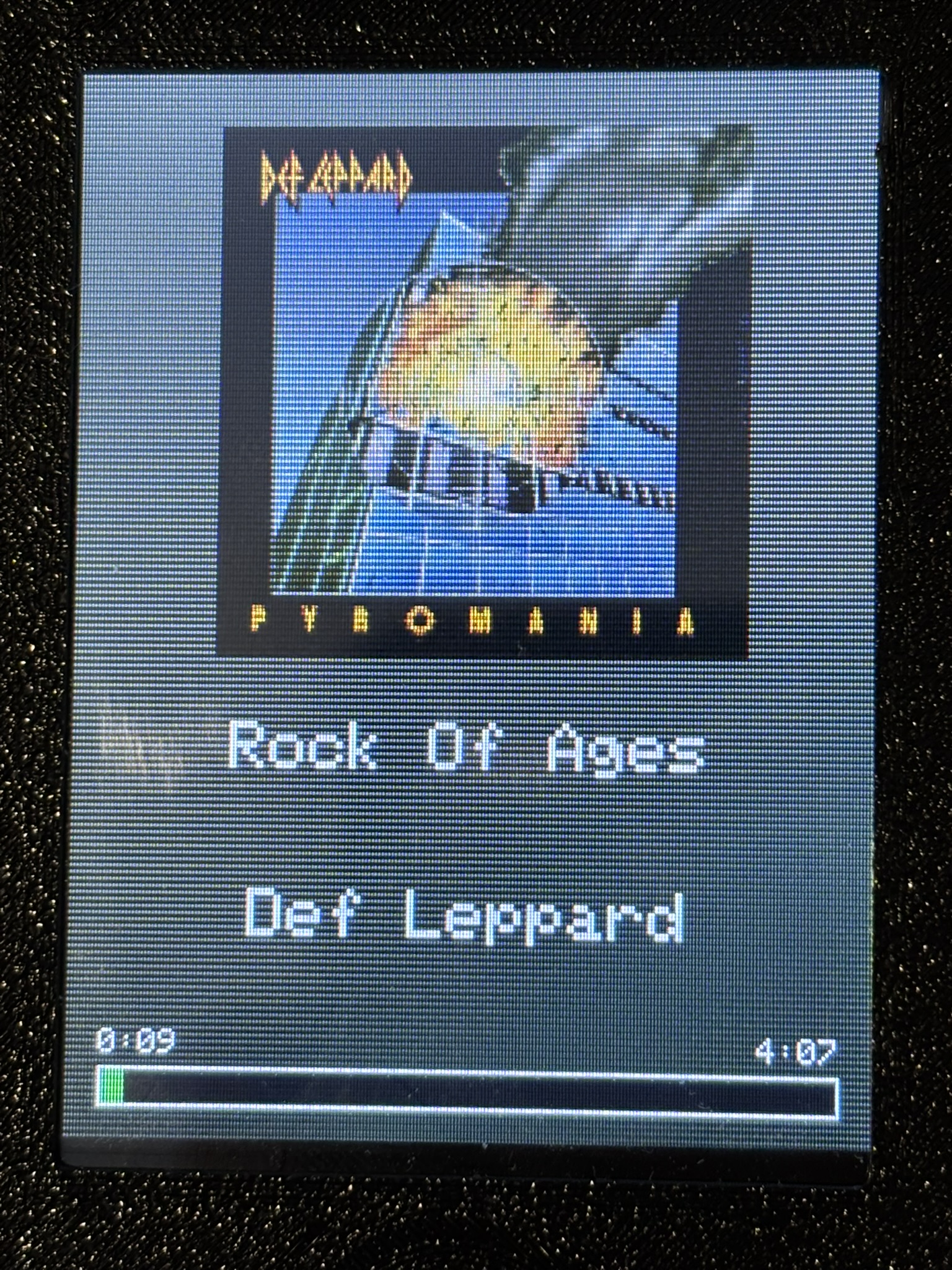
This is what the main screen should look like on the final device.
It contains the album artwork front and centre, along with the song title and the artist.
There is also a progress bar which updates about every 2 seconds tracking progress of the song
There is also the  which is present for explicit songs.
**Actual Device View**
### WiFi Provisioning
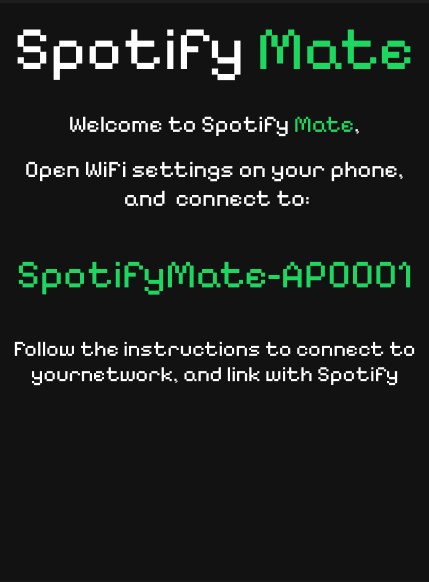
**Image above is a mockup**
When the device is powered up and doesn't detect a network it will show this screen, which creates an access point which can be connected to to put the device online. (Currently the device doesn't automatically restart after connecting)
### Spotify Connection
**This feature is still being developed**
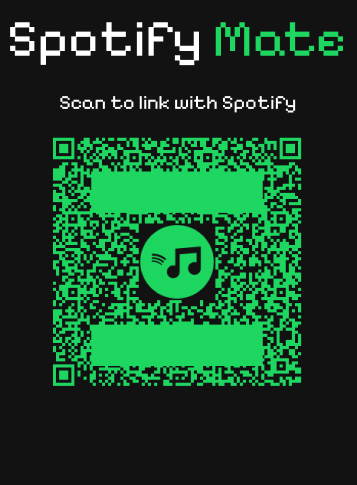
The device will display a screen similar to this with a QR code which can be scanned to connect with your spotify account. Currently this is done through a url displayed in the console, but will be coming in a future update
## Libraries
SpotifyMate is based around and would not function without several libraries. These are:
[WiFiManager](https://github.com/tzapu/WiFiManager) library by tzapu on Github, for WiFi provisioning.
[TFT_eSPI](https://github.com/Bodmer/TFT_eSPI) library by Bodmer on Github, for all of the graphics, and touch screen.
[TJpg_Decoder](https://github.com/Bodmer/TJpg_Decoder) library by Bodmer on Github, for pushing JPG's from a URL to the screen.
[JPEGDecoder](https://github.com/Bodmer/JPEGDecoder) library by Bodmer on Github, this assists in generating the average background colour
[ArduinoJSON](https://github.com/bblanchon/ArduinoJson) library by bblanchon on Github, this handles the api responses.
## How to make
Code: [Right Here!](https://github.com/Harry-Skerritt/SpotifyMate/tree/main)
STLs: [Coming Soon](https://github.com/Harry-Skerritt/SpotifyMate/tree/main)
Alternativly all the above are avalable here:
**Coming Soon**
~~[Instructables](https://www.instructables.com/preview/EMD055BM5I72W15/)~~
## The Software - Development History
**Current Version: v1.0.0**
Version 1.0.0
- This is the first main release of the firmware
- Most of the functionality is present. Still to be added:
- Play/Pause
- Like Song
- Spotify Connection via screen
- There are also some bugs present which will be properly fixed through further testing
Version beta-2.1.1
- Fixed a 401 Error
Version: beta-2.1.0
- Included the loop functionality so the device works with basic functionality
- Fixed some bugs regarding API
- Introduced some more bugs
- Lacking in touch functionality
- Overall in a functional, but pre-release state
Version: beta-2.0.0
- Moved away from the bigger more complex design (Will be developed in the future...) [Code here](https://github.com/Harry-Skerritt/SpotifyMate/tree/landscape)
- Kept all the same code as previously, but amended for a smaller screen
- Added the home page to display song info
- Moved over to using my own API calls rather than those from a library
Version: beta-1.0.0
- Captive Portal is setup and working
- Allows for generation of a refresh token
- Has most of the setup GUI
- API side of the current playing song is there, needs more work however
Version: beta-0.0.1
- Has a Captive Portal setup to allow connection and setup on device power on