https://github.com/hchauvin/name_manager
Utility to manage shared test resources with a global lock 🔒
https://github.com/hchauvin/name_manager
bazel concurrency distributed-lock docker-compose end-to-end-testing integration-testing test-harness testing
Last synced: 3 months ago
JSON representation
Utility to manage shared test resources with a global lock 🔒
- Host: GitHub
- URL: https://github.com/hchauvin/name_manager
- Owner: hchauvin
- License: mit
- Created: 2019-10-17T21:41:33.000Z (over 6 years ago)
- Default Branch: master
- Last Pushed: 2024-09-01T23:35:29.000Z (almost 2 years ago)
- Last Synced: 2025-09-25T21:41:36.377Z (10 months ago)
- Topics: bazel, concurrency, distributed-lock, docker-compose, end-to-end-testing, integration-testing, test-harness, testing
- Language: Go
- Homepage:
- Size: 152 KB
- Stars: 1
- Watchers: 1
- Forks: 1
- Open Issues: 0
-
Metadata Files:
- Readme: README.md
- License: LICENSE
Awesome Lists containing this project
README
# `name_manager`: Utility to manage shared test resources with a global lock 🔒
[](https://circleci.com/gh/hchauvin/name_manager) [](https://godoc.org/github.com/hchauvin/name_manager) [](https://coveralls.io/github/hchauvin/name_manager?branch=master) [](https://goreportcard.com/report/github.com/hchauvin/name_manager) [](https://opensource.org/licenses/MIT)
Tests should ideally set up and tear down all the resources they use.
However, sometimes these resources are too expensive and they must be shared.
For instance, instead of using a brand new database for each test, one can
reuse the same database and truncate the tables between the tests. If
one wants to run tests concurrently, two by two, one can create two databases
and reuse them in the same way. `name_manager` can be used to share such
test resources between processes and to avoid race conditions where two
concurrent tests end up using the same shared resource.
`name_manager` has an obvious application for the concurrent allocation of
shared test resources, as explained above, but its aim is more generic:
it is a distributed system, with a global lock, to retrieve unique names while
ensuring that previously acquired names, now released, are reused as much
as possible.
`name_manager` can be either consumed as a Go package through a standalone
Command-Line Interface (CLI).
## Example use
By default, the `name_manager` uses the local file system as an
inter-process lock. There is also a MongoDB backend, which can be used,
e.g., with Azure CosmosDB.
As an example use, let's pretend we have a bunch of end-to-end tests on
a webapp. These tests run on a full app that is deployed with
`docker-compose`. Deploying with `docker-compose` is expensive, so we
start by using a single docker-compose project and executing the tests
serially:
```bash
# Creates the shared resource
docker-compose -p stack -f docker-compose.yml up -d
DOCKER_COMPOSE_PROJECT_NAME=stack test_1
DOCKER_COMPOSE_PROJECT_NAME=stack test_2
DOCKER_COMPOSE_PROJECT_NAME=stack test_3
DOCKER_COMPOSE_PROJECT_NAME=stack test_4
# Destroys the shared resource
docker-compose -f docker-compose.yml down
```
Note that, because the tests clean up the shared resource before use,
`docker-compose down` is not necessary between invocations of the shell
script above and will be omitted from now on.
If the tests all take the same time to complete, and we have enough
system resources, we can more or less halve the execution time, outside of
the setup/teardown steps, by providing two stacks and executing the tests
two by two:
```bash
# Ensures the shared resources are up
docker-compose -p stack1 -f docker-compose.yml up -d &
docker-compose -p stack2 -f docker-compose.yml up -d &
wait
(
DOCKER_COMPOSE_PROJECT_NAME=stack1 test_1 &&
DOCKER_COMPOSE_PROJECT_NAME=stack1 test_2
) &
(
DOCKER_COMPOSE_PROJECT_NAME=stack2 test_3 &&
DOCKER_COMPOSE_PROJECT_NAME=stack2 test_4
) &
wait
```
`name_manager` enables a generalization of this reasoning. See the
`./examples` directory for examples.
## Development
`name_manager` is compiled with Go 1.13.
The integration tests for the mongo backend require a MongoDB server to
be running locally:
```bash
docker run --name some-mongo -p 27017:27017 mongo:bionic
export MONGODB_URI="mongodb://127.0.0.1:27017"
go test -v ./pkg/mongo_backend/...
```
The integration tests for the firestore backend require a Firestore emulator
to be running locally:
```bash
docker run --name some-firestore -p 8080:8080 -e PORT=8080 ridedott/firestore-emulator:1.10.4
export FIRESTORE_EMULATOR_HOST="127.0.0.1:8080"
go test -v ./pkg/firestore_backend/...
```
## License
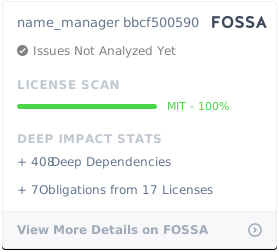
`name_manager` is licensed under [The MIT License](./LICENSE).
[](https://app.fossa.com/projects/git%2Bgithub.com%2Fhchauvin%2Fname_manager?ref=badge_large)