https://github.com/heavenshell/peco
Simplistic interactive filtering tool
https://github.com/heavenshell/peco
Last synced: 5 months ago
JSON representation
Simplistic interactive filtering tool
- Host: GitHub
- URL: https://github.com/heavenshell/peco
- Owner: heavenshell
- License: mit
- Fork: true (peco/peco)
- Created: 2014-06-12T04:33:14.000Z (about 12 years ago)
- Default Branch: master
- Last Pushed: 2014-06-12T04:41:23.000Z (about 12 years ago)
- Last Synced: 2025-10-21T07:25:49.204Z (8 months ago)
- Language: Go
- Homepage:
- Size: 156 KB
- Stars: 0
- Watchers: 1
- Forks: 0
- Open Issues: 0
-
Metadata Files:
- Readme: README.md
- License: LICENSE
Awesome Lists containing this project
README
peco
======
Simplistic interfacting filtering tool
Description
===========
peco is based on [percol](https://github.com/mooz/percol). The idea is that percol was darn useful, but I wanted a tool that was a single binary. peco is written in Go, and as of this writing only implements the basic filtering feature (mainly because that's the only thing I use -- you're welcome to send me pull requests to make peco more compatible with percol).
peco can be a great tool to filter stuff like logs, process stats, find files, because unlike grep, you can type as you think and look through the current results.
## Demo
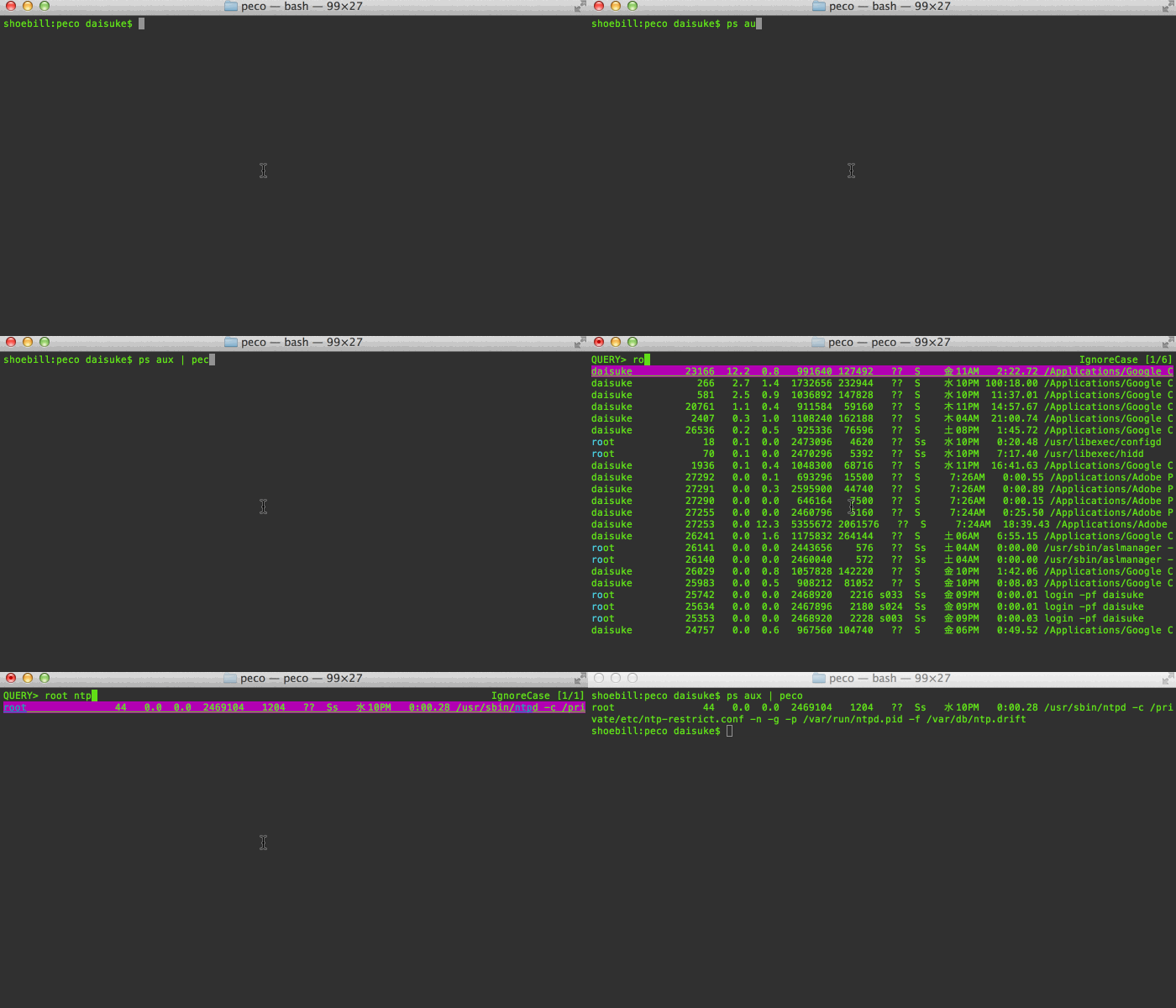
Demos speak more than a thousand words! Here's me looking for a process on my mac. As you can see, you can page through your results, and you can keep changing the query:
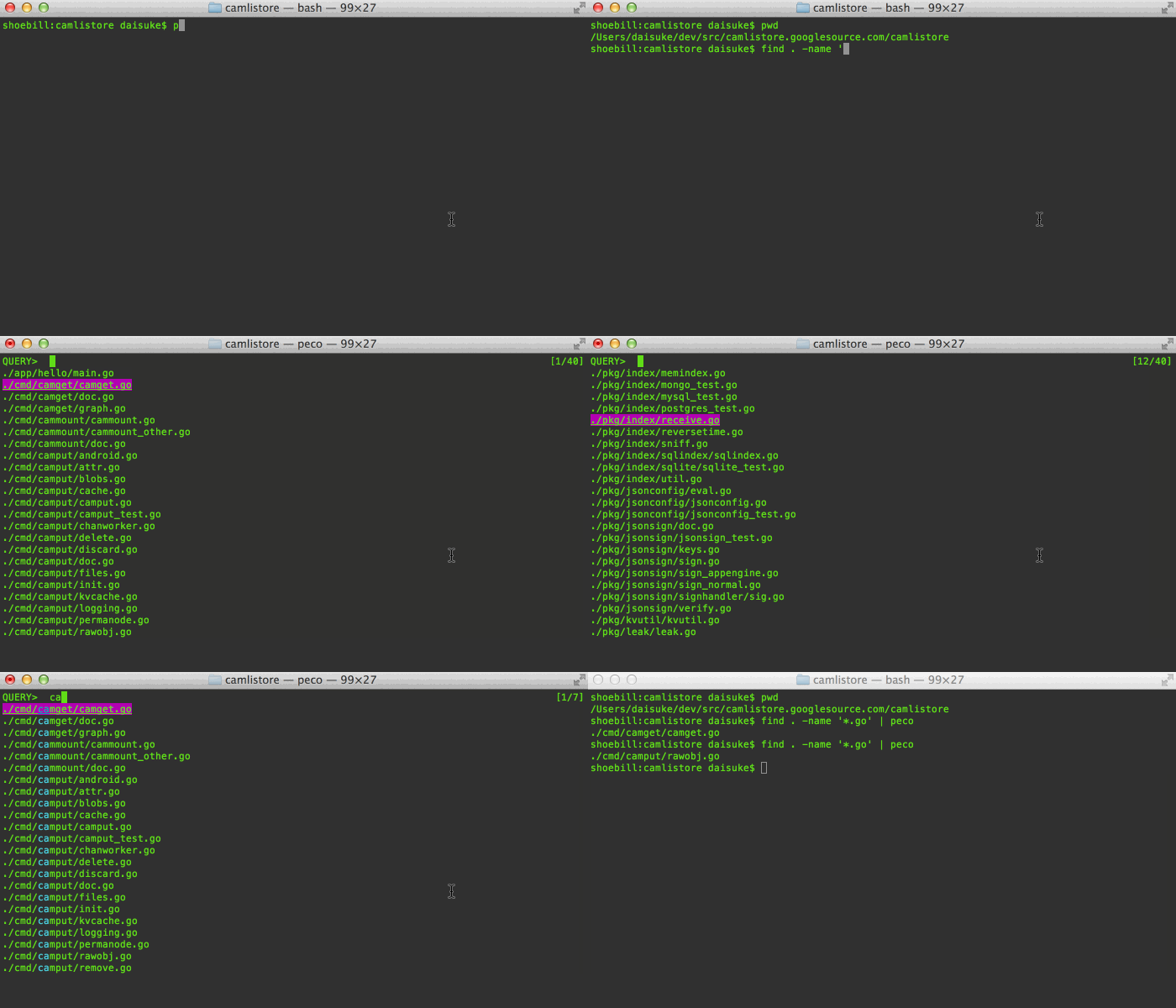
Here's me trying to figure out which file to open:
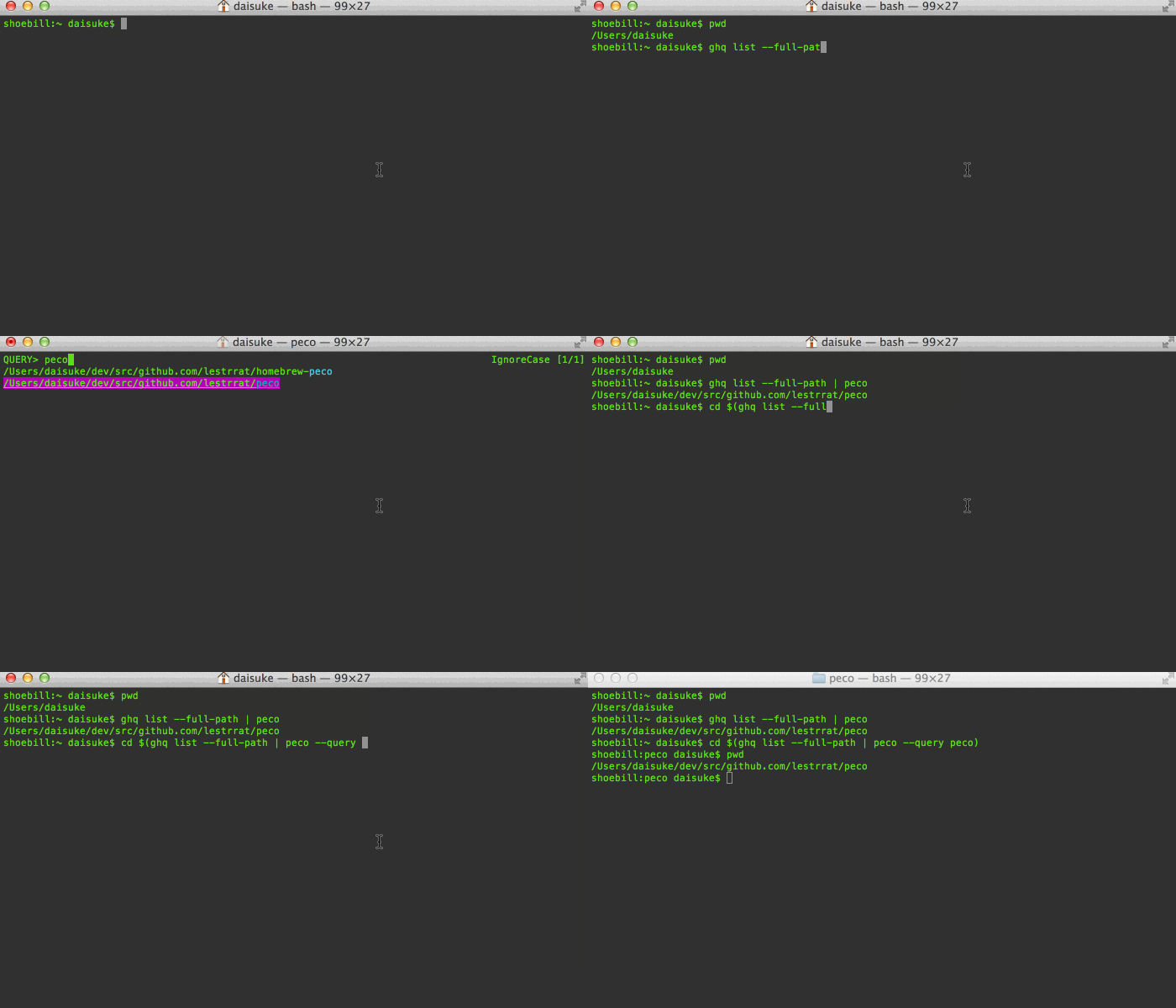
When you combine tools like zsh, peco, and [ghq](https://github.com/motemen/ghq), you can make managing/moving around your huge dev area a piece of cake! (this example doesn't use zsh functions so you can see what I'm doing)
Features
========
## Incremental search
Search results are filtered as you type. This is great to drill down to the
line you are looking for
Multiple terms turn the query into an "AND" query:

When you find that line that you want, press enter, and the resulting line
is printed to stdout, which allows you to pipe it to other tools
## Works on Windows!
I have been told that peco even works on windows :)
Installation
============
If you just want the command:
```
go install github.com/lestrrat/peco/cmd/peco/
```
If you want the source code:
```
go get github.com/lestrrat/peco
```
Usage
=====
If you can read Japanese, [here's one cool usage](http://blog.kentarok.org/entry/2014/06/03/135300) using [ghq](https://github.com/motemen/ghq)
Basically, you can define a simple function to easily move around your source code tree:
```zsh
function peco-src () {
local selected_dir=$(ghq list --full-path | peco --query "$LBUFFER")
if [ -n "$selected_dir" ]; then
BUFFER="cd ${selected_dir}"
zle accept-line
fi
zle clear-screen
}
zle -N peco-src
```
Or to easily navigate godoc for your local stuff:
```zsh
function peco-godoc() {
local selected_dir=$(ghq list --full-path | peco --query "$LBUFFER")
if [ -n "$selected_dir" ]; then
BUFFER="godoc ${selected_dir} | less"
zle accept-line
fi
zle clear-screen
}
zle -N peco-godoc
```
Command Line Options
====================
### --help
Display a help message
### --query
Specifies the default query to be used upon startup. This is useful for scripts and functions where you can figure out before hand what the most likely query string is.
### --rcfile
Pass peco a configuration file, which currently must be a JSON file. If unspecified, it will read ~/.peco/config.json by default (if available)
Configuration File
==================
By default configuration file in ~/.peco/config.json will be searched. You may
also pass an arbitrary filename via the --rcfile option
Currently only keymaps are supported:
```json
{
"Keymap": {
"C-p": "peco.SelectPrevious",
"C-n": "peco.SelectNext"
}
}
```
## Available keys:
| Name | Notes |
|-------------|-------|
| C-a ... C-z | Control + whatever character |
| C-1 ... C-8 | Control + 1..8 |
| C-[ ||
| C-] ||
| C-~ ||
| C-\_ ||
| C-\\\\ | Note that you need to escape the backslash |
| C-/ ||
| Esc ||
| Tab ||
| Insert ||
| Delete ||
| Home ||
| End ||
| Pgup ||
| Pgdn ||
| ArrowUp ||
| ArrowDown ||
| ArrowLeft ||
| ArrowRight ||
## Available actions
| Name | Notes |
|------|-------|
| peco.ForwardChar | Move caret forward 1 character |
| peco.BackwardChar | Move caret backward 1 character |
| peco.ForwardWord | Move caret forward 1 word |
| peco.BackwardWord | Move caret backward 1 word|
| peco.BeginnigOfLine | Move caret to the beginning of line |
| peco.EndOfLine | Move caret to the end of line |
| peco.DeleteForwardChar | Delete one character forward |
| peco.DeleteBackwardChar | Delete one character backward |
| peco.DeleteForwardWord | Delete one word forward |
| peco.DeleteBackwardWord | Delete one word backward |
| peco.KillEndOfLine | Delete the characters under the cursor until the end of the line |
| peco.DeleteAll | Delete all entered characters |
| peco.SelectPreviousPage | Jumps to previous page |
| peco.SelectNextPage | Jumps to next page|
| peco.SelectPrevious | Selects previous line |
| peco.SelectNext | Selects next line |
| peco.Finish | Exits from peco, with success status |
| peco.Cancel | Exits from peco, with failure status |
TODO
====
Test it. In doing so, we may change the repo structure
Implement all(?) of the original percol options
Notes
=====
Obviously, kudos to the original percol: https://github.com/mooz/percol
Much code stolen from https://github.com/mattn/gof