https://github.com/heisantosh/gnomex
A CLI tool to search and install GNOME Shell extensions from the GNOME extensions website https://extensions.gnome.org/.
https://github.com/heisantosh/gnomex
gnome-shell gnome-shell-extension go golang linux
Last synced: 5 months ago
JSON representation
A CLI tool to search and install GNOME Shell extensions from the GNOME extensions website https://extensions.gnome.org/.
- Host: GitHub
- URL: https://github.com/heisantosh/gnomex
- Owner: heisantosh
- License: gpl-3.0
- Created: 2020-03-15T02:41:21.000Z (over 6 years ago)
- Default Branch: master
- Last Pushed: 2020-03-17T02:38:57.000Z (over 6 years ago)
- Last Synced: 2024-06-20T07:58:01.230Z (about 2 years ago)
- Topics: gnome-shell, gnome-shell-extension, go, golang, linux
- Language: Go
- Homepage:
- Size: 701 KB
- Stars: 5
- Watchers: 3
- Forks: 1
- Open Issues: 0
-
Metadata Files:
- Readme: README.md
- License: LICENSE
Awesome Lists containing this project
README
# gnomex
🐮
A CLI tool to search and install GNOME Shell extensions from the GNOME extensions website https://extensions.gnome.org/.
## Context
The usual way to install GNOME Shell extensions is to visit https://extensions.gnome.org/. And install the browser extension and the host connector and install the extension. This tool aims to ease the installation of extensions through a CLI.
### Finding available extensions
A HTTP GET of the URL https://extensions.gnome.org/extension-query/?page=1&shell_version=3.34 returns a list of extensions that support GNOME Shell version 3.34. The response is of the format:
```json
{
"extensions": [
{
"uuid": "user-theme@gnome-shell-extensions.gcampax.github.com",
"name": "User Themes",
"creator": "fmuellner",
"creator_url": "/accounts/profile/fmuellner",
"pk": 19,
"description": "Load shell themes from user directory.",
"link": "/extension/19/user-themes/",
"icon": "/static/images/plugin.png",
"screenshot": null,
"shell_version_map": {
"3.26": {
"pk": 7480,
"version": 32
},
"3.24": {
"pk": 7481,
"version": 33
},
"3.28": {
"pk": 8103,
"version": 34
},
"3.30": {
"pk": 8388,
"version": 35
},
"3.32": {
"pk": 10231,
"version": 37
},
"3.34": {
"pk": 13345,
"version": 39
},
"3.36": {
"pk": 14396,
"version": 40
}
}
},
...
],
"total": 10,
"numpages": 31
}
```
To find the extensions by search keyword `user themes` the HTTP GET request is -
https://extensions.gnome.org/extension-query/?page=1&shell_version=3.34&search=user%20themes.
### Finding GNOME Shell version
The current version of GNOME Shell can be found using the command:
```bash
$ gnome-shell --version
GNOME Shell 3.34.1
```
### Version of an extension
An extension can have different versions. Multiple versions of the extension could be use in the same GNOME Shell version.
For example, for the extension `User Themes` by `fmuellner` for GNOME Shell version 3.34 there are 2 versions of the extension - versions 38 and 39.
### Downloading an extension
Below is the HTTP GET URL to downlod the `User Themes` extension -
https://extensions.gnome.org/download-extension/user-theme%40gnome-shell-extensions.gcampax.github.com.shell-extension.zip?version_tag=13345
It is a specific format - https://extensions.gnome.org/download-extension/{`uuid`}.shell-extension.zip?version_tag=`pk`
`version_tag` is same as the field `pk` in the `shell_version_map` field.
Another way to download to GET the URL https://extensions.gnome.org/extension-data/user-themegnome-shell-extensions.gcampax.github.com.v39.shell-extension.zip.
This URL also is a specific format - https://extensions.gnome.org/extension-data/{`uuid`}.v{`version`}.shell-extension.zip
Here `v39` refers the version of the extension. It's the same as the `version` field in the `shell_version_map` field.
### Installing a downloaded extension
```bash
$ cd ~/Downloads
$ ls
dash-to-dockmicxgx.gmail.com.v67.shell-extension.zip
$ gnome-extensions install dash-to-dockmicxgx.gmail.com.v67.shell-extension.zip
dash-to-dock@micxgx.gmail.com
$ # Enable the extension
$ gnome-extensions enable dash-to-dock@micxgx.gmail.com
```
Then restart GNOME Shell by pressing `Alt + F2` and enter `r`.
Now the extension will be active.
### Managing extension settings
`GNOME Tweaks` application can be used to manage the installed extensions and the settings of the extensions.
### Link of extension on extension website
`https://extensions.gnome.org/extension/1082/cpufreq/`
The format is `https://extensions.gnome.org/{link}` where link is from the extension object in the search result.
## Plan
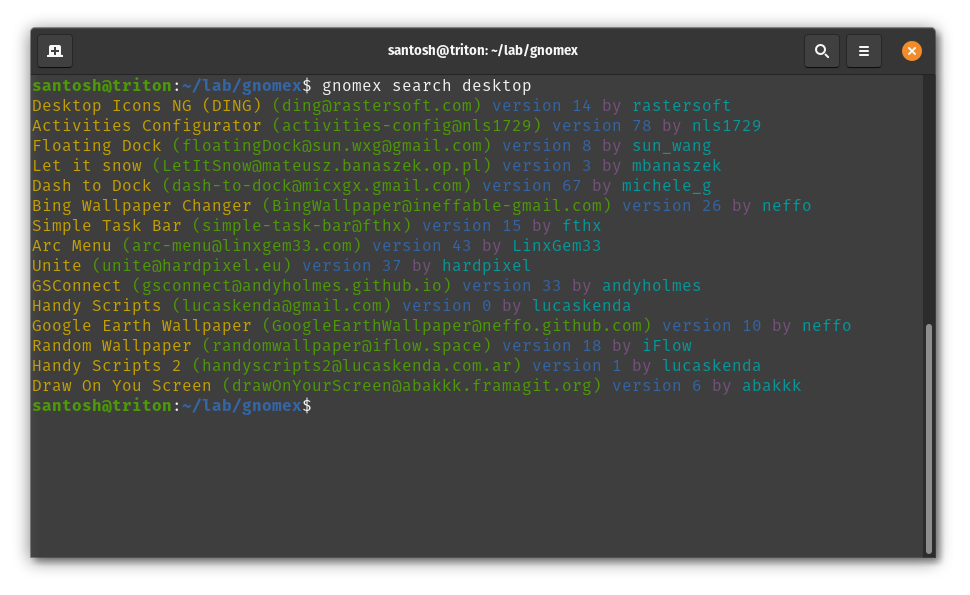
### Searching for extensions
Find the running gnome shell version. Get the results of the query for that version and the search query from the gnome extension website. Store the results in a map of UUID to the extension. Print the list of extensions in the search result.
```bash
$ gnomex search "dock"
name (uuid) by creator
name (uuid) by creator
```
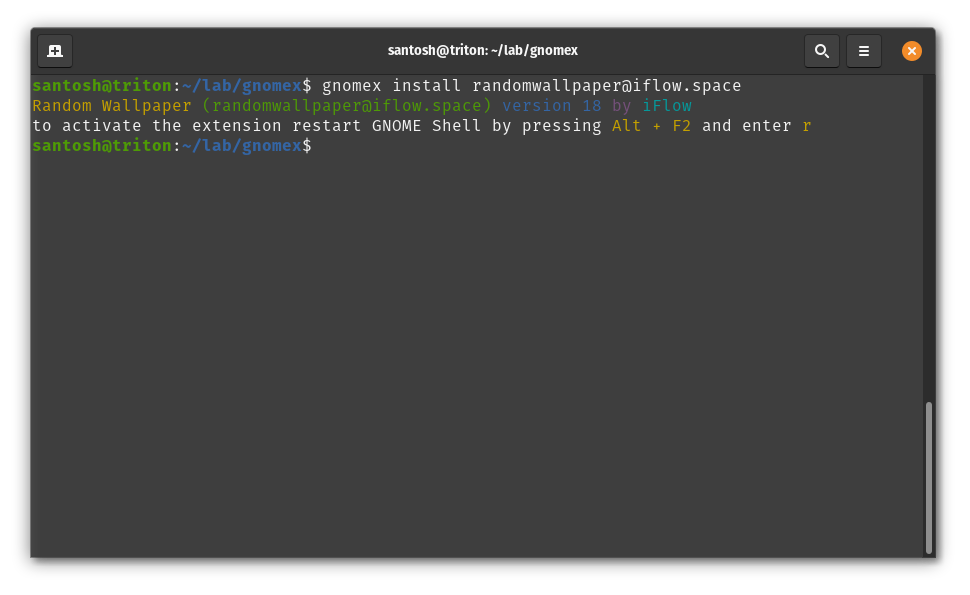
### Installing the extension
Find the extension details from the gnome extension website by querying with the UUID. Get the extension details from the map using UUID as key.
```bash
$ gnomex install uuid
installing extension: done
restarting GNOME Shell: done
extension is ready to use
```
### Uninstalling the extension
```bash
$ gnomex uninstall uuid
uninstalling extension: done
restarting GNOME Shell: done
extension is removed
```
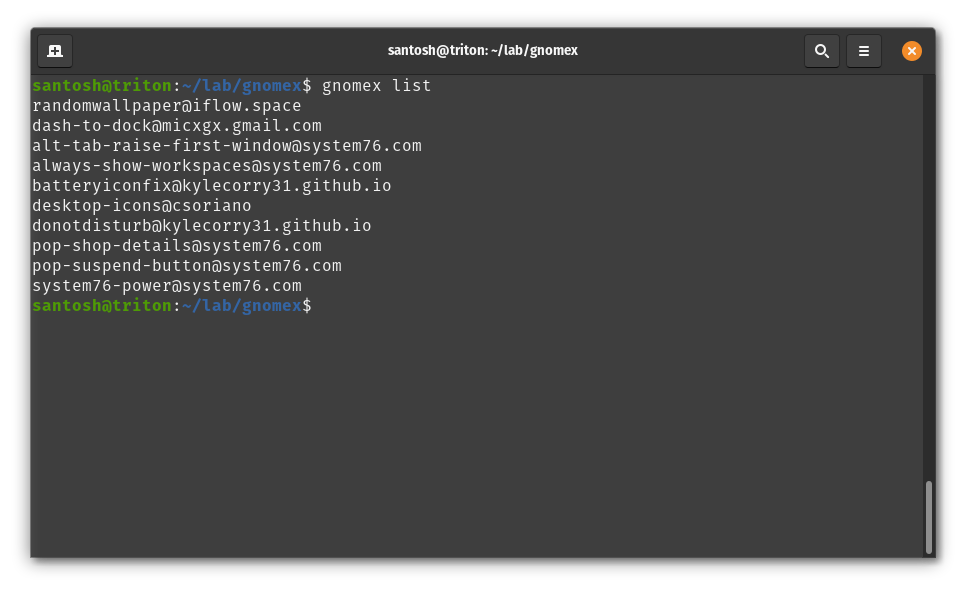
### List installed extensions
```bash
$ gnomex list
uuid - description
uuid - description
uuid - description
```
### Upgrade installed extensions
Upgrade all extensions
```bash
$ gnomex upgrade
```
Upgrade some extensions
```bash
$ gnomex uuid1 uuid2 uuid3
```
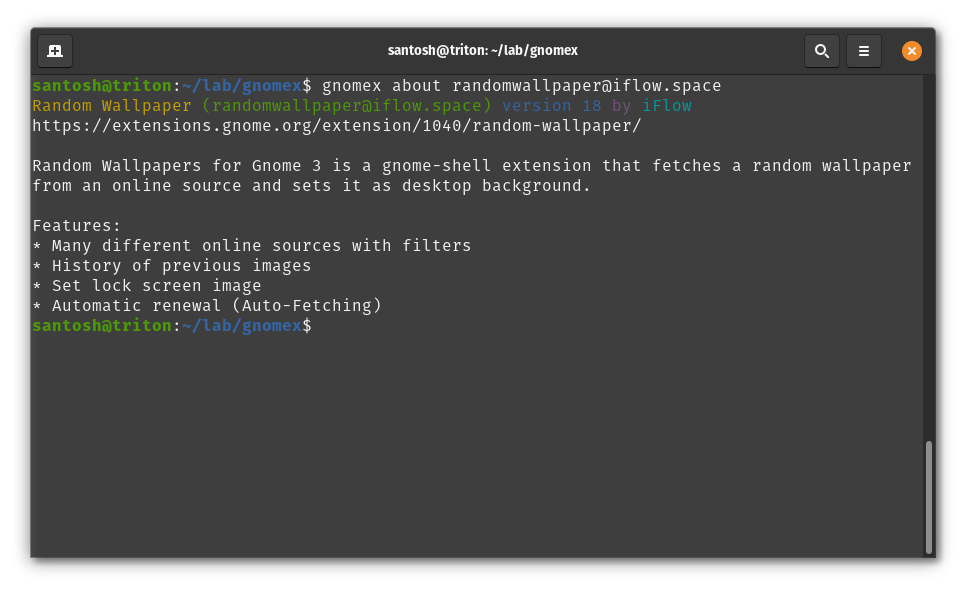
### Show detailed information of an extension
```bash
$ gnomex about uuid
name (uuid) by creator
link
description
```
## Screenshots
## Installation
### Install from source
This installation method requires `Go` (version >= 1.14) and `git` to be installed on the system.
```bash
$ git clone https://github.com/heisantosh/gnomex.git
$ cd gnomex
$ go install
```
### Download prebuilt binaries
Or download the prebuilt binaries and place in your `$PATH`.
https://github.com/heisantosh/gnomex/releases
### Usage
```bash
$ gnomex help
gnomex version 0.1.1
Search, install and uinstall GNOME Shell extensions from the website
https://extensions.gnome.org.
COMMANDS
search [query] Search extensions.
list List all installed extensions.
install Install extension with the uuid. Replace if already
installed.
uninstall Uninstall extension with the uuid.
enable Enable extension with the uuid.
disable Disable extension with the uuid.
version Print gnomex version.
upgrade [uuid]... Upgrade extension(s). It may not be able to upgrade
some extensions installed by the system.
about Print detailed information of the extension.
help Print this help information.
EXAMPLES
Search extension with query "user themes"
$ gnomex search "user themes"
Search all extensions
$ gnomex search
Install dash-to-dock extension
$ gnomex install dash-to-dock@micxgx.gmail.com
Uinstall dash-to-dock extension
$ gnomex uninstall dash-to-dock@micxgx.gmail.com
List installed extensions
$ gnomex list
Upgrade all extensions
$ gnomex upgrade
Upgrade some extensions
$ gnomex dash-to-dock@micxgx.gmail.com Resource_Monitor@Ory0n
```