https://github.com/hellocoddes/kubernetes-flask-go
Using noSQl Database for creating cluster of mongoDB and python Flask(backend services) for managing the website.
https://github.com/hellocoddes/kubernetes-flask-go
docker flask kubernetes mongodb python
Last synced: 3 months ago
JSON representation
Using noSQl Database for creating cluster of mongoDB and python Flask(backend services) for managing the website.
- Host: GitHub
- URL: https://github.com/hellocoddes/kubernetes-flask-go
- Owner: su-shubham
- Created: 2021-11-22T06:04:03.000Z (over 4 years ago)
- Default Branch: main
- Last Pushed: 2021-12-01T11:24:18.000Z (over 4 years ago)
- Last Synced: 2025-03-15T01:12:11.514Z (over 1 year ago)
- Topics: docker, flask, kubernetes, mongodb, python
- Homepage:
- Size: 1.95 KB
- Stars: 0
- Watchers: 0
- Forks: 1
- Open Issues: 0
-
Metadata Files:
- Readme: README.md
Awesome Lists containing this project
README
Deploy scalable NoSQL database cluster
Using noSQl Database for creating cluster of mongoDB and python Flask(backend services) for managing the website.
> ### Access Services Running on Clusters:
You can connect to nodes, pods, and services from outside the cluster using one of several methods:
- I used bash to run the pods and services.Access is provided by a cluster node or pod.
- Run a pod and then use kubectl exec to connect to a shell within it.
- From that shell, you can connect to other nodes, pods, and services.

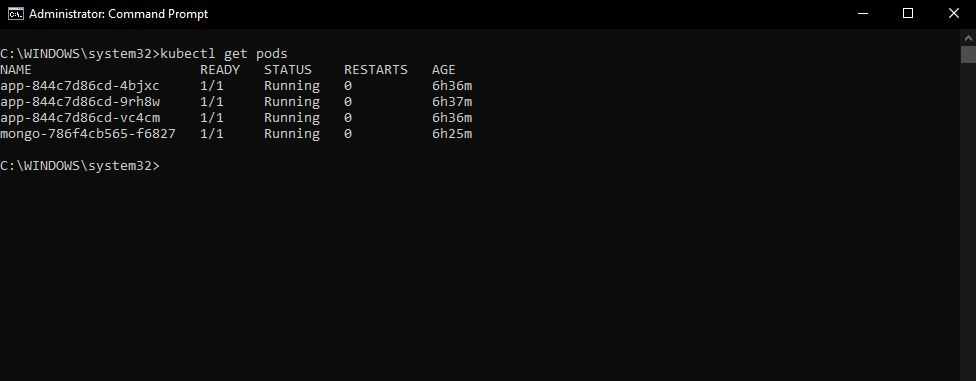
> ### Check Status of pods
The pod status command is used to check the status of Kubernetes pods.
If the status.phase of a pod is Succeeded or Running, it returns OK.
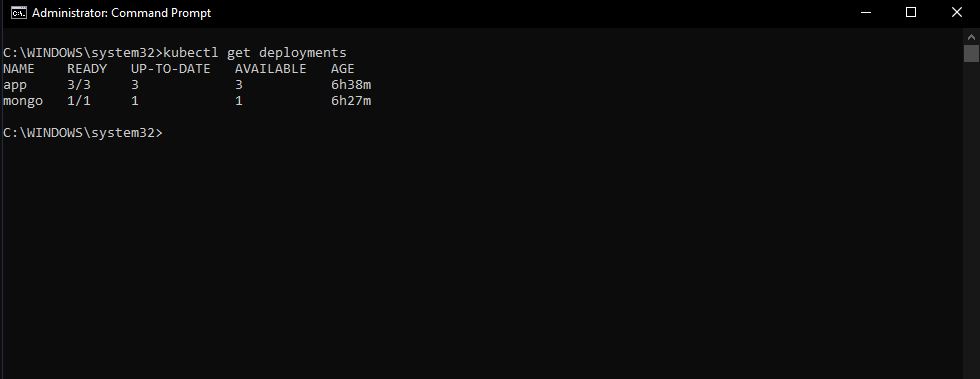
> ### Deployment Status
To see if the Deployment was created, used kubectl get deployments.
> ### Website Demo
Created a website that printing a
Welcome :wave:to Tasks app! I am running inside app.....

- All activities on website are done by sending requests On Flask api and getting the output, which are then executed on the MongoDB database.
- Included Database Is running on kubernetes.