https://github.com/helmut-hoffer-von-ankershoffen/oe-python-template-example
🧠 Example project scaffolded and kept up to date with OE Python Template (oe-python-template).
https://github.com/helmut-hoffer-von-ankershoffen/oe-python-template-example
oe-python-template
Last synced: 2 months ago
JSON representation
🧠 Example project scaffolded and kept up to date with OE Python Template (oe-python-template).
- Host: GitHub
- URL: https://github.com/helmut-hoffer-von-ankershoffen/oe-python-template-example
- Owner: helmut-hoffer-von-ankershoffen
- License: mit
- Created: 2025-03-02T16:39:24.000Z (over 1 year ago)
- Default Branch: main
- Last Pushed: 2026-04-19T06:10:42.000Z (2 months ago)
- Last Synced: 2026-04-19T08:21:27.260Z (2 months ago)
- Topics: oe-python-template
- Language: Python
- Homepage: https://oe-python-template-example.readthedocs.io/en/latest/
- Size: 1.17 MB
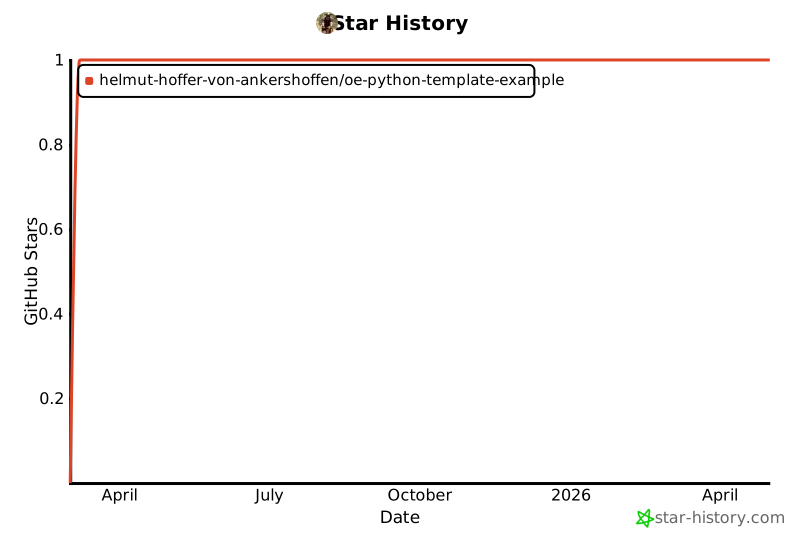
- Stars: 1
- Watchers: 0
- Forks: 0
- Open Issues: 19
-
Metadata Files:
- Readme: README.md
- Changelog: CHANGELOG.md
- Contributing: CONTRIBUTING.md
- License: LICENSE
- Codeowners: CODEOWNERS
- Security: SECURITY.md
Awesome Lists containing this project
README
[//]: # (README.md generated from docs/partials/README_*.md)
# 🧠 OE Python Template Example
[
](https://github.com/helmut-hoffer-von-ankershoffen/oe-python-template-example/blob/main/LICENSE)
[](https://github.com/helmut-hoffer-von-ankershoffen/oe-python-template-example/blob/main/noxfile.py)
[](https://github.com/helmut-hoffer-von-ankershoffen/oe-python-template-example/actions/workflows/ci-cd.yml)
[](https://oe-python-template-example.readthedocs.io/en/latest/)
[](https://sonarcloud.io/summary/new_code?id=helmut-hoffer-von-ankershoffen_oe-python-template-example)
[](https://sonarcloud.io/summary/new_code?id=helmut-hoffer-von-ankershoffen_oe-python-template-example)
[](https://sonarcloud.io/summary/new_code?id=helmut-hoffer-von-ankershoffen_oe-python-template-example)
[](https://sonarcloud.io/summary/new_code?id=helmut-hoffer-von-ankershoffen_oe-python-template-example)
[](https://sonarcloud.io/summary/new_code?id=helmut-hoffer-von-ankershoffen_oe-python-template-example)
[](https://github.com/helmut-hoffer-von-ankershoffen/oe-python-template-example/security/code-scanning)
[](https://github.com/helmut-hoffer-von-ankershoffen/oe-python-template-example/security/dependabot)
[](https://github.com/helmut-hoffer-von-ankershoffen/oe-python-template-example/issues?q=is%3Aissue%20state%3Aopen%20Dependency%20Dashboard)
[](https://codecov.io/gh/helmut-hoffer-von-ankershoffen/oe-python-template-example)
[](https://github.com/helmut-hoffer-von-ankershoffen/oe-python-template-example/blob/main/noxfile.py)
[](https://github.com/helmut-hoffer-von-ankershoffen/oe-python-template-example/blob/main/noxfile.py)
[](https://github.com/helmut-hoffer-von-ankershoffen/oe-python-template-example/releases)
[](https://github.com/helmut-hoffer-von-ankershoffen/oe-python-template-example/commits/main/)
[](https://pypi.python.org/pypi/oe-python-template-example)
[](https://pypi.python.org/pypi/oe-python-template-example)
[](https://hub.docker.com/r/helmuthva/oe-python-template-example/tags)
[](https://hub.docker.com/r/helmuthva/oe-python-template-example/)
[](https://github.com/helmut-hoffer-von-ankershoffen/oe-python-template)
[](https://vscode.dev/redirect?url=vscode://ms-vscode-remote.remote-containers/cloneInVolume?url=https://github.com/helmut-hoffer-von-ankershoffen/oe-python-template-example)
[](https://github.com/codespaces/new/helmut-hoffer-von-ankershoffen/oe-python-template-example)
[](https://oe-python-template-example.vercel.app/api/v1/hello/world)
[](https://helmut-hoffer-von-ankershoffen.betteruptime.com/)
> [!TIP]
> 📚 [Online documentation](https://oe-python-template-example.readthedocs.io/en/latest/) - 📖 [PDF Manual](https://oe-python-template-example.readthedocs.io/_/downloads/en/latest/pdf/)
> [!NOTE]
> 🧠 This project was scaffolded using the template [oe-python-template](https://github.com/helmut-hoffer-von-ankershoffen/oe-python-template) with [copier](https://copier.readthedocs.io/).
---
Example project scaffolded and kept up to date with OE Python Template
(oe-python-template).
## Overview
Adding OE Python Template Example to your project as a dependency is easy. See
below for usage examples.
```shell
uv add oe-python-template-example # add dependency to your project
```
If you don't have uv installed follow
[these instructions](https://docs.astral.sh/uv/getting-started/installation/).
If you still prefer pip over the modern and fast package manager
[uv](https://github.com/astral-sh/uv), you can install the library like this:
```shell
pip install oe-python-template-example # add dependency to your project
```
Executing the command line interface (CLI) in an isolated Python environment is
just as easy:
```shell
uvx oe-python-template-example hello world # prints "Hello, world! [..]"
uvx oe-python-template-example hello echo "Lorem Ipsum" # echos "Lorem Ipsum"
uvx oe-python-template-example gui # opens the graphical user interface (GUI)
uvx --with "oe-python-template-example[examples]" oe-python-template-example gui # opens the graphical user interface (GUI) with support for scientific computing
uvx oe-python-template-example system serve # serves web API
uvx oe-python-template-example system serve --port=4711 # serves web API on port 4711
uvx oe-python-template-example system openapi # serves web API on port 4711
```
Notes:
1. The API is versioned, mounted at `/api/v1` resp. `/api/v2`
2. While serving the web API go to
[http://127.0.0.1:8000/api/v1/hello-world](http://127.0.0.1:8000/api/v1/hello-world)
to see the respons of the `hello-world` operation.
3. Interactive documentation is provided at
[http://127.0.0.1:8000/api/docs](http://127.0.0.1:8000/api/docs)
The CLI provides extensive help:
```shell
uvx oe-python-template-example --help # all CLI commands
uvx oe-python-template-example hello world --help # help for specific command
uvx oe-python-template-example hello echo --help
uvx oe-python-template-example gui --help
uvx oe-python-template-example system serve --help
uvx oe-python-template-example system openapi --help
```
## Operational Excellence
This project is designed with operational excellence in mind, using modern
Python tooling and practices. It includes:
1. Various examples demonstrating usage: a.
[Simple Python script](https://github.com/helmut-hoffer-von-ankershoffen/oe-python-template-example/blob/main/examples/script.py)
b.
[Streamlit web application](https://oe-python-template-example.streamlit.app/)
deployed on [Streamlit Community Cloud](https://streamlit.io/cloud) c.
[Jupyter](https://github.com/helmut-hoffer-von-ankershoffen/oe-python-template-example/blob/main/examples/notebook.ipynb)
and
[Marimo](https://github.com/helmut-hoffer-von-ankershoffen/oe-python-template-example/blob/main/examples/notebook.py)
notebook
2. Complete reference documentation
[for the library](https://oe-python-template-example.readthedocs.io/en/latest/lib_reference.html),
[for the CLI](https://oe-python-template-example.readthedocs.io/en/latest/cli_reference.html)
and
[for the API](https://oe-python-template-example.readthedocs.io/en/latest/api_reference_v1.html)
on Read the Docs
3. [Transparent test coverage](https://app.codecov.io/gh/helmut-hoffer-von-ankershoffen/oe-python-template-example)
including unit and E2E tests (reported on Codecov)
4. Matrix tested with
[multiple python versions](https://github.com/helmut-hoffer-von-ankershoffen/oe-python-template-example/blob/main/noxfile.py)
to ensure compatibility (powered by [Nox](https://nox.thea.codes/en/stable/))
5. Compliant with modern linting and formatting standards (powered by
[Ruff](https://github.com/astral-sh/ruff))
6. Up-to-date dependencies (monitored by
[Renovate](https://github.com/renovatebot/renovate) and
[Dependabot](https://github.com/helmut-hoffer-von-ankershoffen/oe-python-template-example/security/dependabot))
7. [A-grade code quality](https://sonarcloud.io/summary/new_code?id=helmut-hoffer-von-ankershoffen_oe-python-template-example)
in security, maintainability, and reliability with low technical debt and
codesmell (verified by SonarQube)
8. Additional code security checks using
[CodeQL](https://github.com/helmut-hoffer-von-ankershoffen/oe-python-template-example/security/code-scanning)
9. [Security Policy](SECURITY.md)
10. [License](LICENSE) compliant with the Open Source Initiative (OSI)
11. 1-liner for installation and execution of command line interface (CLI) via
[uv(x)](https://github.com/astral-sh/uv) or
[Docker](https://hub.docker.com/r/helmuthva/oe-python-template-example/tags)
12. Setup for developing inside a
[devcontainer](https://code.visualstudio.com/docs/devcontainers/containers)
included (supports VSCode and GitHub Codespaces)
## Usage Examples
The following examples run from source - clone this repository using
`git clone git@github.com:helmut-hoffer-von-ankershoffen/oe-python-template-example.git`.
### Minimal Python Script:
```python
"""Example script demonstrating the usage of the service provided by OE Python Template Example."""
from rich.console import Console
from oe_python_template_example.hello import Service
console = Console()
message = Service.get_hello_world()
console.print(f"[blue]{message}[/blue]")
```
[Show script code](https://github.com/helmut-hoffer-von-ankershoffen/oe-python-template-example/blob/main/examples/script.py) -
[Read the reference documentation](https://oe-python-template-example.readthedocs.io/en/latest/lib_reference.html)
### Streamlit App
Serve the functionality provided by OE Python Template Example in the web by
easily integrating the service into a Streamlit application.
[Try it out!](https://oe-python-template-example.streamlit.app) -
[Show the code](https://github.com/helmut-hoffer-von-ankershoffen/oe-python-template-example/blob/main/examples/streamlit.py)
... or serve the app locally
```shell
uv sync --all-extras # Install streamlit dependency part of the examples extra, see pyproject.toml
uv run streamlit run examples/streamlit.py # Serve on localhost:8501, opens browser
```
### Vercel Serverless Function
Serve the API as a
[serverless function on Vercel](https://oe-python-template-example.vercel.app/)
## Notebooks
### Jupyter
[Show the Jupyter code](https://github.com/helmut-hoffer-von-ankershoffen/oe-python-template-example/blob/main/examples/notebook.ipynb)
... or run within VSCode
```shell
uv sync --all-extras # Install dependencies required for examples such as Juypyter kernel, see pyproject.toml
```
Install the
[Jupyter extension for VSCode](https://marketplace.visualstudio.com/items?itemName=ms-toolsai.jupyter)
Click on `examples/notebook.ipynb` in VSCode and run it.
### Marimo
[Show the marimo code](https://github.com/helmut-hoffer-von-ankershoffen/oe-python-template-example/blob/main/examples/notebook.py)
Execute the notebook as a WASM based web app
```shell
uv sync --all-extras # Install ipykernel dependency part of the examples extra, see pyproject.toml
uv run marimo run examples/notebook.py --watch # Serve on localhost:2718, opens browser
```
or edit interactively in your browser
```shell
uv sync --all-extras # Install ipykernel dependency part of the examples extra, see pyproject.toml
uv run marimo edit examples/notebook.py --watch # Edit on localhost:2718, opens browser
```
... or edit interactively within VSCode
Install the
[Marimo extension for VSCode](https://marketplace.visualstudio.com/items?itemName=marimo-team.vscode-marimo)
Click on `examples/notebook.py` in VSCode and click on the caret next to the Run
icon above the code (looks like a pencil) > "Start in marimo editor" (edit).
... or without prior cloning of the repository
```shell
uvx marimo run https://raw.githubusercontent.com/helmut-hoffer-von-ankershoffen/oe-python-template-example/refs/heads/main/examples/notebook.py
```
## Command Line Interface (CLI)
### Run with [uvx](https://docs.astral.sh/uv/guides/tools/)
Show available commands:
```shell
uvx oe-python-template-example --help
```
Execute commands:
```shell
uvx oe-python-template-example hello world
uvx oe-python-template-example hello echo --help
uvx oe-python-template-example hello echo "Lorem"
uvx oe-python-template-example hello echo "Lorem" --json
uvx oe-python-template-example gui
uvx --with "oe-python-template-example[examples]" oe-python-template-example gui # opens the graphical user interface (GUI) with support for scientific computing
uvx oe-python-template-example system info
uvx oe-python-template-example system health
uvx oe-python-template-example system openapi
uvx oe-python-template-example system openapi --output-format=json
uvx oe-python-template-example system serve
```
See the
[reference documentation of the CLI](https://oe-python-template-example.readthedocs.io/en/latest/cli_reference.html)
for detailed documentation of all CLI commands and options.
### Environment
The service loads environment variables including support for .env files.
```shell
cp .env.example .env # copy example file
echo "THE_VAR=MY_VALUE" > .env # overwrite with your values
```
Now run the usage examples again.
### Run with Docker
You can as well run the CLI within Docker.
```shell
docker run helmuthva/oe-python-template-example --help
docker run helmuthva/oe-python-template-example hello world
docker run helmuthva/oe-python-template-example hello echo --help
docker run helmuthva/oe-python-template-example hello echo "Lorem"
docker run helmuthva/oe-python-template-example hello echo "Lorem" --json
docker run helmuthva/oe-python-template-example system info
docker run helmuthva/oe-python-template-example system health
docker run helmuthva/oe-python-template-example system openapi
docker run helmuthva/oe-python-template-example system openapi --output-format=json
docker run helmuthva/oe-python-template-example system serve
```
The default Docker image includes all extras. Additionally a slim image is
provided, with no extras. Run as follows
```shell
docker run helmuthva/oe-python-template-example-slim --help
docker run helmuthva/oe-python-template-example-slim hello world
```
You can pass environment variables as parameters:
```shell
docker run --env OE_PYTHON_TEMPLATE_EXAMPLE_HELLO_LANGUAGE=de_DE helmuthva/oe-python-template-example hello world
docker run --env OE_PYTHON_TEMPLATE_EXAMPLE_HELLO_LANGUAGE=en_US helmuthva/oe-python-template-example hello world
```
A docker compose stack is provided. Clone this repository using
`git clone git@github.com:helmut-hoffer-von-ankershoffen/oe-python-template-example.git`
and enter the repository folder.
The .env is passed through from the host to the Docker container.
```shell
docker compose run --remove-orphans oe-python-template-example --help
docker compose run --remove-orphans oe-python-template-example hello world
docker compose run --remove-orphans oe-python-template-example hello echo --help
docker compose run --remove-orphans oe-python-template-example hello echo "Lorem"
docker compose run --remove-orphans oe-python-template-example hello echo "Lorem" --json
docker compose run --remove-orphans oe-python-template-example system info
docker compose run --remove-orphans oe-python-template-example system health
docker compose run --remove-orphans oe-python-template-example system openapi
docker compose run --remove-orphans oe-python-template-example system openapi --output-format=json
echo "Running OE Python Template Example's API container as a daemon ..."
docker compose up -d
echo "Waiting for the API server to start ..."
sleep 5
echo "Checking health of v1 API ..."
curl http://127.0.0.1:8000/api/v1/healthz
echo ""
echo "Saying hello world with v1 API ..."
curl http://127.0.0.1:8000/api/v1/hello/world
echo ""
echo "Swagger docs of v1 API ..."
curl http://127.0.0.1:8000/api/v1/docs
echo ""
echo "Checking health of v2 API ..."
curl http://127.0.0.1:8000/api/v2/healthz
echo ""
echo "Saying hello world with v1 API ..."
curl http://127.0.0.1:8000/api/v2/hello/world
echo ""
echo "Swagger docs of v2 API ..."
curl http://127.0.0.1:8000/api/v2/docs
echo ""
echo "Shutting down the API container ..."
docker compose down
```
- See the
[reference documentation of the API](https://oe-python-template-example.readthedocs.io/en/latest/api_reference_v1.html)
for detailed documentation of all API operations and parameters.
## Extra: Lorem Ipsum
Nothing yet
## Further Reading
* Inspect our [security policy](https://oe-python-template-example.readthedocs.io/en/latest/security.html) with detailed documentation of checks, tools and principles.
* Check out the [CLI reference](https://oe-python-template-example.readthedocs.io/en/latest/cli_reference.html) with detailed documentation of all CLI commands and options.
* Check out the [library reference](https://oe-python-template-example.readthedocs.io/en/latest/lib_reference.html) with detailed documentation of public classes and functions.
* Check out the [API reference](https://oe-python-template-example.readthedocs.io/en/latest/api_reference_v1.html) with detailed documentation of all API operations and parameters.
* Our [release notes](https://oe-python-template-example.readthedocs.io/en/latest/release-notes.html) provide a complete log of recent improvements and changes.
* In case you want to help us improve 🧠 OE Python Template Example: The [contribution guidelines](https://oe-python-template-example.readthedocs.io/en/latest/contributing.html) explain how to setup your development environment and create pull requests.
* We gratefully acknowledge the [open source projects](https://oe-python-template-example.readthedocs.io/en/latest/attributions.html) that this project builds upon. Thank you to all these wonderful contributors!
## Star History