https://github.com/hennedo/escpos
golang library for espos printers, supporting images, barcodes and qr codes
https://github.com/hennedo/escpos
epson-printer esc-pos escpos printer
Last synced: 6 months ago
JSON representation
golang library for espos printers, supporting images, barcodes and qr codes
- Host: GitHub
- URL: https://github.com/hennedo/escpos
- Owner: hennedo
- License: mit
- Created: 2021-03-06T21:31:54.000Z (over 5 years ago)
- Default Branch: master
- Last Pushed: 2024-03-26T21:07:03.000Z (over 2 years ago)
- Last Synced: 2024-06-18T21:43:22.299Z (about 2 years ago)
- Topics: epson-printer, esc-pos, escpos, printer
- Language: Go
- Homepage:
- Size: 10.7 KB
- Stars: 61
- Watchers: 2
- Forks: 25
- Open Issues: 14
-
Metadata Files:
- Readme: Readme.md
- License: LICENSE
Awesome Lists containing this project
README
# About escpos [](https://godoc.org/github.com/hennedo/escpos)
[](https://app.fossa.com/projects/git%2Bgithub.com%2Fhennedo%2Fescpos?ref=badge_shield)
[](https://pkg.go.dev/github.com/hennedo/escpos)
This is a [Golang](http://www.golang.org/project) package that provides
[ESC-POS](https://en.wikipedia.org/wiki/ESC/P) library functions to help with
sending control codes to a ESC-POS thermal printer.
It was largely inspired by [seer-robotics/escpos](https://github.com/seer-robotics/escpos) but is a complete rewrite.
It implements the protocol described in [this Command Manual](https://pos-x.com/download/escpos-programming-manual/)
## Current featureset
* [x] Initializing the Printer
* [x] Toggling Underline mode
* [x] Toggling Bold text
* [x] Toggling upside-down character printing
* [x] Toggling Reverse mode
* [x] Linespace settings
* [x] Rotated characters
* [x] Align text
* [x] Default ASCII Charset, Western Europe and GBK encoding
* [x] Character size settings
* [x] UPC-A, UPC-E, EAN13, EAN8 Barcodes
* [x] QR Codes
* [x] Standard printing mode
* [x] Image Printing
* [x] Printing of predefined NV images
## Installation ##
Install the package via the following:
go get -u github.com/hennedo/escpos
## Usage ##
The escpos package can be used as the following:
```go
package main
import (
"github.com/hennedo/escpos"
"net"
)
func main() {
socket, err := net.Dial("tcp", "192.168.8.40:9100")
if err != nil {
println(err.Error())
}
defer socket.Close()
p := escpos.New(socket)
p.SetConfig(escpos.ConfigEpsonTMT20II)
p.Bold(true).Size(2, 2).Write("Hello World")
p.LineFeed()
p.Bold(false).Underline(2).Justify(escpos.JustifyCenter).Write("this is underlined")
p.LineFeed()
p.QRCode("https://github.com/hennedo/escpos", true, 10, escpos.QRCodeErrorCorrectionLevelH)
// You need to use either p.Print() or p.PrintAndCut() at the end to send the data to the printer.
p.PrintAndCut()
}
```
## Disable features ##
As the library sets all the styling parameters again for each call of Write, you might run into compatibility issues. Therefore it is possible to deactivate features.
To do so, use a predefined config (available for all printers listed under [Compatibility](#Compatibility)) right after the escpos.New call
```go
p := escpos.New(socket)
p.SetConfig(escpos.ConfigEpsonTMT20II) // predefined config for the Epson TM-T20II
// or for example
p.SetConfig(escpos.PrinterConfig(DisableUnderline: true))
```
## Compatibility ##
This is a (not complete) list of supported and tested devices.
| Manufacturer | Model | Styling | Barcodes | QR Codes | Images |
| ------------ | -------- | --------- | -------- | -------- | ------ |
| Epson | TM-T20II | ✅ | ✅ | ✅ | ✅ |
| Epson | TM-T88II | ☑️
UpsideDown Printing not supported | ✅ | | ✅ |
## License
[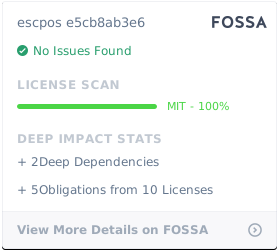](https://app.fossa.com/projects/git%2Bgithub.com%2Fhennedo%2Fescpos?ref=badge_large)