https://github.com/herberthe/edge-tts-server
Server for edge-tts
https://github.com/herberthe/edge-tts-server
docker edge-tts tts
Last synced: 9 months ago
JSON representation
Server for edge-tts
- Host: GitHub
- URL: https://github.com/herberthe/edge-tts-server
- Owner: HerbertHe
- License: gpl-3.0
- Created: 2024-04-07T15:01:08.000Z (about 2 years ago)
- Default Branch: main
- Last Pushed: 2024-04-09T08:59:48.000Z (about 2 years ago)
- Last Synced: 2025-04-05T20:05:17.768Z (about 1 year ago)
- Topics: docker, edge-tts, tts
- Language: TypeScript
- Homepage:
- Size: 107 KB
- Stars: 22
- Watchers: 3
- Forks: 7
- Open Issues: 1
-
Metadata Files:
- Readme: README.md
- License: LICENSE
Awesome Lists containing this project
README
# edge-tts-server
[](https://hub.docker.com/r/herberthe0229/edge-tts-server)
[](https://hub.docker.com/r/herberthe0229/edge-tts-server)
[](https://hub.docker.com/r/herberthe0229/edge-tts-server)
[](https://hub.docker.com/r/herberthe0229/edge-tts-server)
[](https://hub.docker.com/r/herberthe0229/edge-tts-server)
Deploy [edge-tts](https://github.com/rany2/edge-tts) with docker.
## Getting Started
### Docker
You can directly use docker image:
```shell
docker run -p 8088:8088 herberthe0229/edge-tts-server
```
### Nodejs
First, you need to setup python environment.
Then, run the following commands:
- install dependencies: `yarn install`
- build scripts: `yarn build`
- create python venv: `python3 -m venv .venv`
- activate venv: `source .venv/bin/activate`
- install `edge-tts`: `pip3 install edge-tts`
- run server: `yarn serve`
## API
| Method | Path | Query | Description |
| ------ | --------- | ------------------------- | -------------------------- |
| GET | `/voices` | `search`(optional) | Get all supported voices |
| GET | `/tts` | `text`, `voice`(required) | Convert text to speech |
| GET | `/clean` | `secret`(required) | Clean the exised mp3 files |
## Star History
[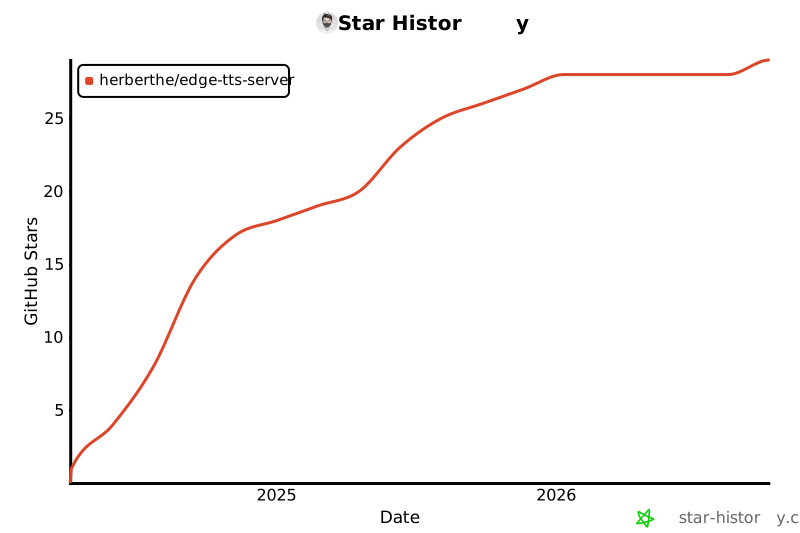](https://star-history.com/#HerbertHe/edge-tts-server&Date)
## LICENSE
GPL-3.0 © Herbert He